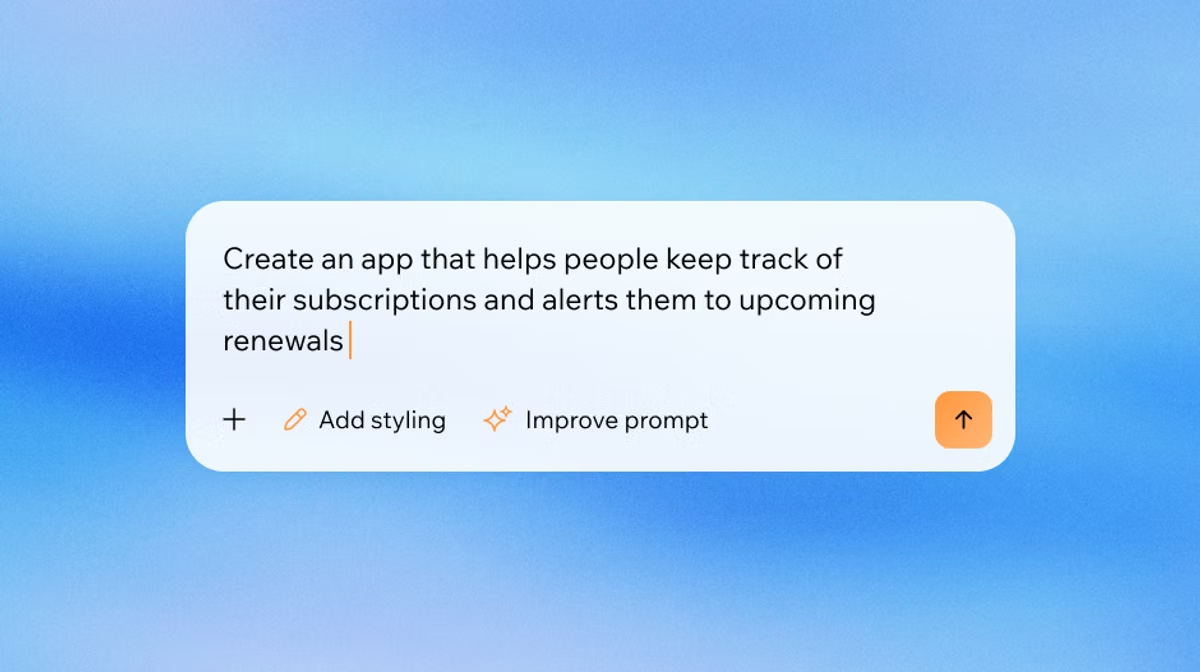
Ready to see what Base44 can do for you? Get started →
With AI-powered platforms like Base44, turning your ideas into fully functional apps is faster and easier than ever. Base44 is an AI-powered app builder that lets users build fully functioning apps in minutes. Using nothing but natural language, Base44 enables anyone to turn their words into personal productivity apps, back-office tools, customer portals or complete enterprise products that are ready to use, no integrations required.
According to a recent report, 82% of developers are adopting AI-assisted coding tools by 2025, highlighting the growing trend of the need to learn how to build an app with AI.
This guide is your step-by-step roadmap to mastering app building. From unlocking powerful Base44 features to discovering time-saving shortcuts, we’ll cover everything you need to know to create apps that work seamlessly and look great.
Dive in and start building with confidence, learning how to write AI prompts and exploring vibe coding along the way.
Learn more about how to build an app and make money.
TL;DR: How to use Base44 as an AI app builder
Building apps with Base44 AI app builder is faster, smarter and more accessible than ever. By combining natural language prompts, app templates and intuitive tools, you can create fully functional apps without deep technical knowledge. Among the best AI app builders and best vibe coding tools, Base44 makes app creation feel effortless while still delivering professional results.
Here’s a quick digest of the essential steps to get started and make the most of Base44.
Key highlights
- Start with a clear, detailed prompt to guide your app creation, learn more with this what is prompt engineering guide
- Use templates and the prompt library to save time and spark ideas
- Master your workspaces and leverage states, conditions and integrations
- Preview, test and iterate quickly, using AI chat for guidance and brainstorming
- Keep security, workspace visibility and deployment in check for smooth, professional apps
- Release early, gather feedback and iterate for continuous improvement
| Step | What to focus on |
|---|---|
| 1. Clear prompt | Communicate your app idea clearly using natural language |
| 2. Templates & prompt library | Start from proven foundations to speed up development |
| 3. Visual editor | Customize layouts, colors and typography easily |
| 4. States & conditions | Make your app interactive and responsive |
| 5. Integrations | Connect with external tools like Gmail, Slack or Stripe |
| 6. Full-screen preview | Test flows and spot issues from a user perspective |
| 7. Security scan | Run automated checks to protect your app |
| 8. Workspace visibility | Control access for internal testing or client reviews |
| 9. AI chat | Ask questions, brainstorm and refine features collaboratively |
| 10. Iterate fast | Release early, gather feedback and continuously improve |
Ready to build your first app? Check out our quick start guide to get up and running with Base44 in no time.
How to use Base44 in 10 steps
- Start with a clear prompt
- Use app templates
- Master the visual editor
- Keep your app clean with states and conditions
- Use integrations to supercharge your app
- Preview in full-screen mode while you work
- Run a security scan to catch what you miss
- Use workspace visibility for internal tools
- Ask questions in the AI chat
- Keep iterating, fast
01. Start with a clear prompt
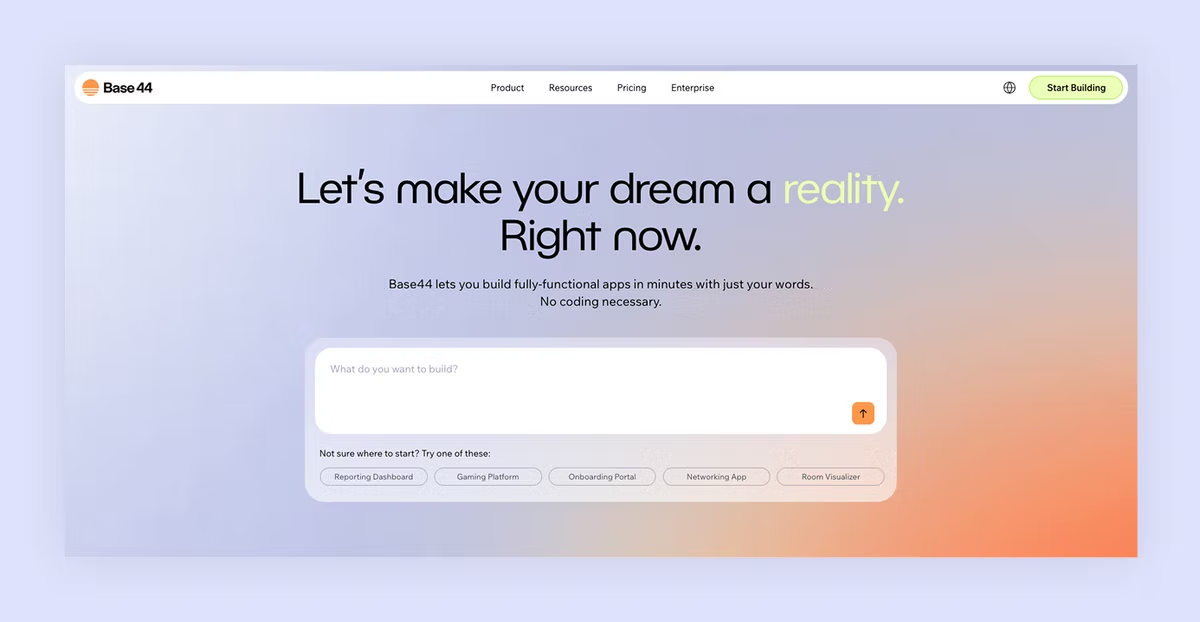
The foundation of any great app begins with how you communicate your vision to Base44. The platform's AI can understand natural language, but specificity makes all the difference between getting a basic app and getting exactly what you need. Using a prompt guide can help you structure your ideas clearly and ensure nothing important is missed.
When crafting your initial prompt, think like you're explaining your idea to a smart friend who's never seen your business before. Include the core functionality, who will use it, and what problem it solves. This context helps Base44 make better decisions about database structure, user flows, and interface design.
For example, instead of saying "Build me a CRM," try: "Build a CRM for a small marketing agency with contacts, deal tracking, and a dashboard showing revenue by client and project stage."
The second version gives Base44 enough detail to create something you can actually use right away, rather than a generic template that needs extensive modifications.
A useful way to structure any prompt is to cover five things: what you're building (a page, a form, a table), the exact data involved (field names and types, not just "the info"), what should happen when someone interacts with it, which existing parts of your app it connects to, and any rules or restrictions that apply. Skipping any of these is usually where the AI ends up guessing, and guessing is what leads to a revision loop instead of a one-and-done build.
Everyone wants an agent that does real work, not just answers questions. Building autonomous agents today is still far too complex for most people. With Base44, you simply describe what you want your agent to do and it starts working for you immediately. Our goal is to make creating a Superagent as easy as having a conversation.
— Maor Shlomo, CEO of Base44
02. Use app templates
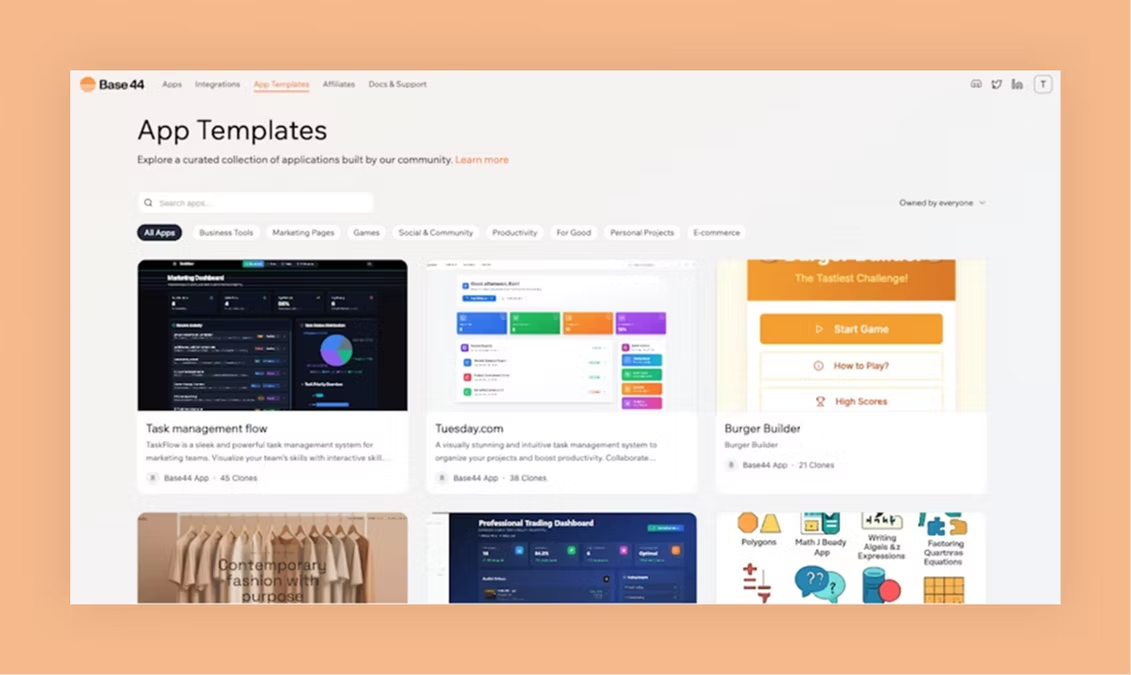
Starting from scratch can feel overwhelming, even when you have AI doing the heavy lifting. Base44's template library offers a smarter approach: find something close to your vision and customize it to fit your exact needs.
Browse through the available templates and look for apps that share similar workflows or user interactions with your idea. Maybe you need an event management app, but the project management template has the perfect task assignment flow. Clone it and ask Base44 to modify it with event-specific features like RSVP tracking and venue management. If a project tracker is what you actually need, here's how to build a project management app from scratch.
This approach significantly cuts your development time, because you're building on proven foundations, rather than starting from zero. You'll also discover features and workflows you might not have thought to include in your original concept.
Learn more about how to build an app for free.
03. Master the visual editor

Base44's visual editor gives you pixel-level control without requiring design expertise. You can adjust spacing, colors, fonts and layouts with a few simple clicks. The system automatically maintains responsive design, so your changes look great on every device.
Don't be afraid to experiment with the visual editor. Base44's version control means you can always roll back changes if something doesn't work. Use this freedom to try bold design choices or test different user interface approaches until you find what works best for your users.
Learn more: How to build a website with AI
04. Keep your app clean with states and conditions
States and conditions transform a static webpage into a dynamic, interactive application. They control what users see based on their actions, permissions or data. Think of them as the logic that makes your app respond intelligently to different situations.
Start with simple states, like showing different content for logged-in versus anonymous users.
Then expand to more complex scenarios: displaying admin panels only for administrators, showing progress indicators during form submissions or revealing advanced features for premium subscribers.
If you're not sure how to implement a particular state or condition, use the AI chat to describe the behavior you want. For instance, "Add a state that shows a welcome message for new users, but hides it after they complete their profile." Base44 can create these logical flows and explain how they work.
05. Use integrations to supercharge your app

Base44's integration capabilities transform your app from an isolated tool into a connected part of your workflow. The platform includes built-in connections to popular services like Gmail, Google Calendar, Stripe and Slack, with no complex setup required.
Start with one simple integration to understand how the system works. Try adding a Slack notification when someone submits a form or sending a welcome email when new users sign up. These small automations often provide immediate value and help you understand the integration possibilities.
As you become comfortable with basic integrations, explore more complex workflows. Connect your app to your existing CRM, sync data with your accounting software or set up automated marketing campaigns. These connections turn your Base44 app into a central hub that enhances your entire business ecosystem.
06. Preview in full-screen mode while you work
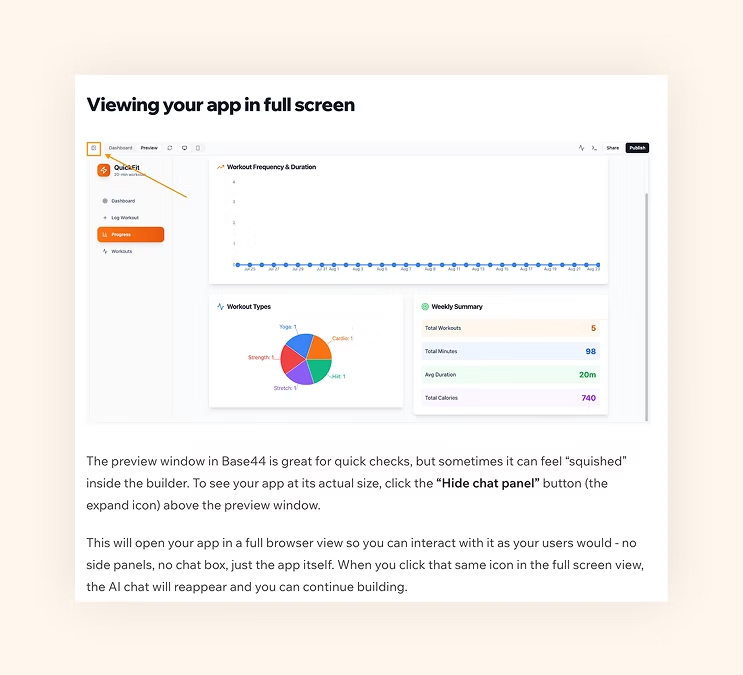
The full-screen preview mode is more than just a way to see your app without distractions; it's a crucial tool for spotting design issues and testing user flows. Many problems only become apparent when you view your app the way your users will.
Make a full-screen preview a regular part of your development process. After making significant changes, switch to full-screen mode and actually use your app as if you were a real user. Try to complete tasks, navigate between sections and identify any confusing or broken interactions.
This testing approach helps you catch usability problems early, when they're easy to fix. It also gives you confidence that your app works well before you share it with others or launch it publicly.
07. Run a security scan to catch what you miss
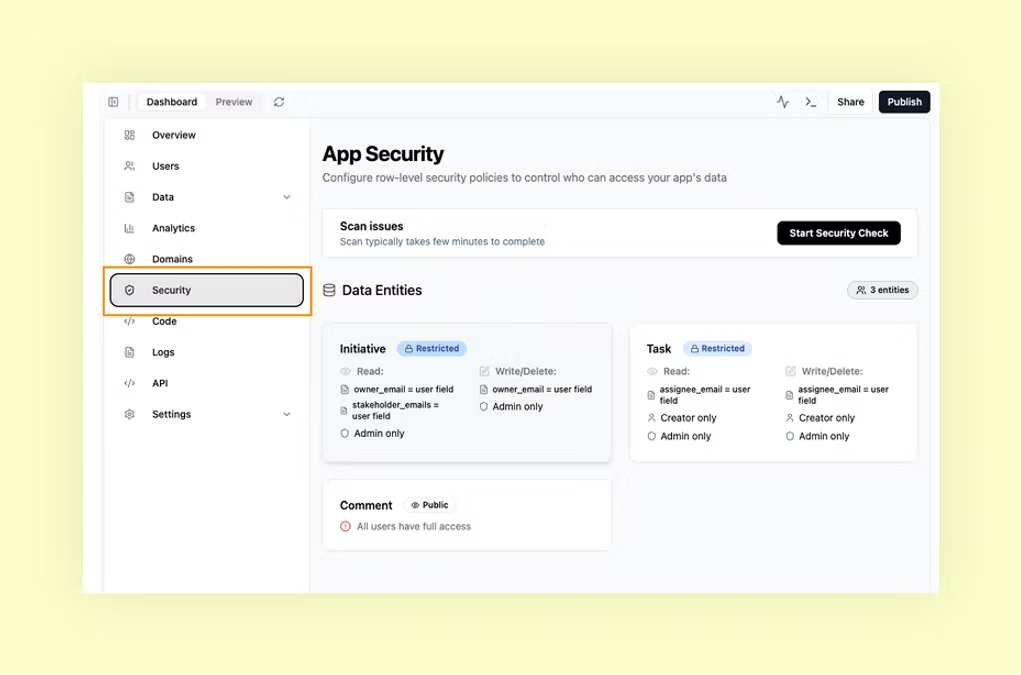
Security might not be the most exciting part of app development, but it's critical. Base44's Security scan feature automatically checks your app for common vulnerabilities, like exposed API keys, unsafe data handling or broken permission structures, helping you understand how to secure an app effectively.
Run a security scan whenever you add new integrations, create custom workflows or connect to external data sources. These are the most common points where security issues can creep in. The scan will flag potential problems and often suggest specific fixes.
Don't wait until you're ready to launch to think about security. Make it part of your regular development routine, just like testing functionality or checking designs. A few minutes of security scanning can save you from serious problems down the road.
Learn more with this complete guide to application security.
08. Use workspace visibility for internal tools
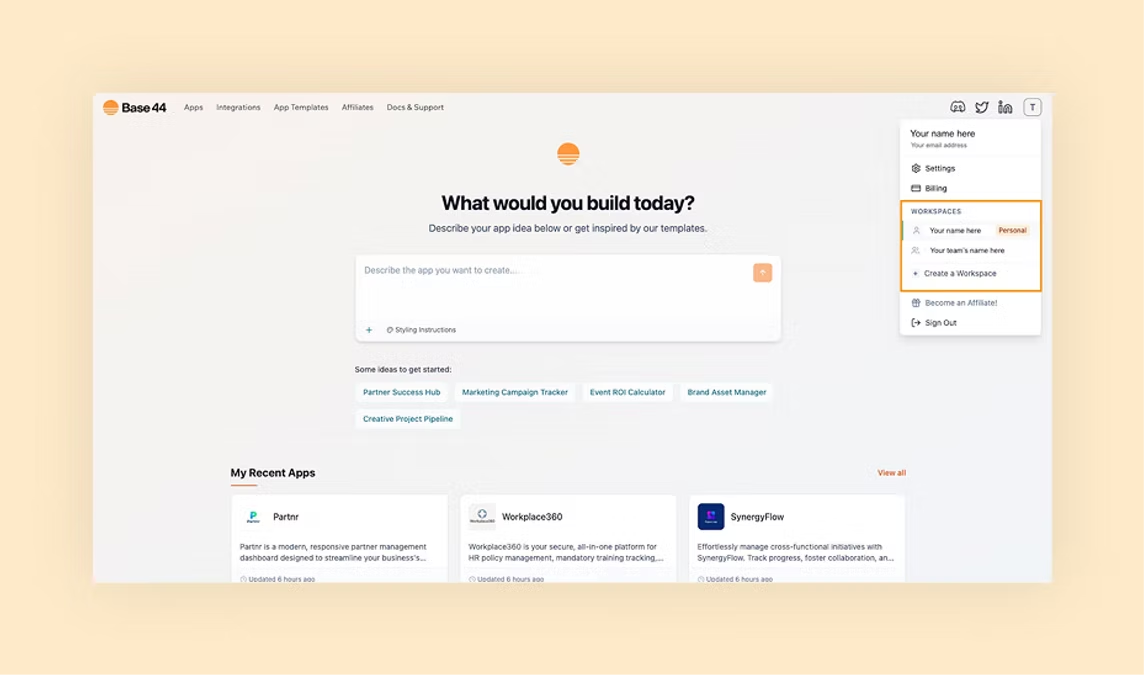
Not every app you build needs to be public from day one. Base44's workspace visibility settings allow you to control who can access your app at different stages of development. This is particularly valuable for internal tools, staging environments or client review processes.
Set apps to "Workspace" visibility when building tools for your team, testing new features or creating specialized applications that only certain people should see. This keeps your workspace organized and prevents users from accidentally accessing incomplete or experimental apps.
You can always change visibility settings as your app evolves. Start with workspace visibility for development and testing, then switch to public when you're ready to launch. This progressive approach lets you refine your app with real feedback, before opening it to a broader audience.
09. Ask questions in the AI chat
Base44's AI chat mode is designed to be your collaborative partner throughout the development process. Learning to ask better questions can dramatically improve your results and speed up your workflow. Treat AI like an experienced developer who can explain complex concepts in simple terms.
When something isn't working as expected, don't just ask for a fix, ask for an explanation. Questions like "Why isn't this workflow triggering?" or "What's the best way to handle user permissions in this scenario?" help you understand the underlying logic and become a better app builder.
Use Discuss Mode for brainstorming and planning, without affecting your live app or consuming credits unnecessarily. This is perfect for exploring different approaches to a problem or validating your logic before implementing changes.
10. Keep iterating, fast
Base44's greatest strength is enabling rapid iteration. You don't need to get everything perfect on the first try, you can build something functional quickly and improve it based on real usage and feedback. This approach often leads to better apps than trying to plan every detail upfront.
Release early versions of your app to small groups of users and gather their feedback. What features do they actually use? Where do they get confused? What additional functionality would make their lives easier? Use these insights to guide your next iteration.
Remember that iteration isn't just about fixing problems, it's about discovering new opportunities. As you use your app and watch others interact with it, you'll identify features and improvements that weren't obvious during the initial design phase.
Learn more about how to vibe code a website.
Base44 AI app builder FAQ
What makes Base44 different from other no-code platforms?
Base44 stands out because it combines natural language interaction with complete app functionality. Instead of dragging and dropping components or following templates, you describe what you want and Base44 builds it. The platform also includes hosting, databases, user authentication and integrations automatically, so you get a complete app, not just a webpage.
How much does it cost to build apps with Base44?
Base44 operates on a credit system with a free tier that includes core features like authentication, database functionality, and analytics. When you need more — like backend functions, GitHub integration, or higher credit limits — you can upgrade to a paid plan starting at $16/month, which is significantly less than hiring developers or subscribing to multiple separate tools for hosting, databases and integrations. Learn more about how much Base44 costs with our complete guide.
Can I export my app or access the code?
Yes, you own everything you create with Base44. On a Builder plan or higher, you can export your project files as a ZIP, push your code to GitHub, and even edit the code directly if you want to add custom functionality. This gives you complete control and prevents vendor lock-in.
What types of integrations does Base44 support?
Base44 includes built-in integrations for email (Gmail), SMS, payment processing (Stripe), team communication (Slack), calendar management (Google Calendar) and many other common business tools. You can also connect to any service with an API using Base44's integration management features.
How do I know if my app is secure?
Base44 includes enterprise-level security features by default, including user authentication, data encryption and secure hosting. The Security Scan feature checks your app for common vulnerabilities and suggests fixes. Since Base44 handles the infrastructure, you get professional-grade security without needing to become a security expert.
Can multiple people work on the same app?
Yes, Base44 supports real-time collaboration. You can invite team members to work on your app simultaneously, with changes syncing automatically. The platform also includes version control, so you can track changes and roll back to previous versions if needed.
What happens if I reach my credit limit?
If you reach your credit limit, you can upgrade your plan for immediate access to more credits, or wait for your credits to reset at the start of your next billing cycle. Your existing apps continue to work normally for non-integration actions, but any features that rely on integration credits — such as email sending, LLM calls, or file uploads — will stop working until your credits reset or you upgrade your plan.
Can beginners use Base44?
Yes, beginners can. As an AI app builder its designed to turn natural-language prompts into working app components, making it accessible even without coding experience. It offers templates, a visual editor and guided workflows to simplify setup and customization. Beginners can start with basic features, then gradually explore integrations, logic and security as they build. While more advanced apps may require deeper planning, Base44 is a strong option for getting started quickly regardless of your app building or vibe coding knowledge and experience.