
Ready to see what Base44 can do for you? Get started →
Teams across your organization are already building on Base44, without waiting for IT.
This post covers what just changed to make that work at scale.
TL;DR
- Building AI-powered apps without engineering has been happening inside organizations for a while. The question was never whether it would happen -- it was whether IT could keep up with it.
- Base44 just shipped two features that answer the governance questions IT and security teams raise most before approving a platform for org-wide use.
- This post explains what changed, why it matters for teams already building and why it does not slow them down.
- Both features are available on the Enterprise plan. More is coming.
Learn more: application security.
Base44 and the shift to AI-built applications
Something has been happening inside large organizations for the past couple of years. Teams across HR, finance, sales, marketing and operations have figured out that they don't have to wait for an engineering ticket to build the tool they need. They describe what they want, Base44 builds it and they're running something useful by the end of the week.
That's exactly how it's supposed to work. What Base44 does is let the people closest to a problem solve it themselves - the HR manager who knows what a good onboarding process actually needs, the finance lead who knows which budget scenarios matter, the sales ops manager who knows how commissions should be calculated. For the HR example, here's how to build an employee management app that fits your own process.
The problem isn't the building. The problem is what happens when IT asks: what is this connected to? Who controls what gets published, and to whom? Can we deploy this across the organization without losing visibility into it?
Until now, those questions didn't have clear answers on Base44. Today they do.
Two questions IT always asks: now answered
Two new enterprise controls close this gap. Both are designed for IT and security teams and address the questions they consistently raise before approving a platform for org-wide deployment: centralized management of which external services the workspace connects to, and role-based rules that determine who can publish apps and to which audiences.
IT sets the guardrails once. Every team in the organization keeps building within them.
The design principle behind both is simple. Rather than reviewing apps one by one, a model that breaks the moment an organization has more than a handful of builders, admins set policy at the workspace level. Every app built from that point forward operates within it, automatically.
Connector management: one admin surface for every integration
Every app can connect to external Base44 integrations, including Slack, Gmail, Google Drive, GitHub and more. These integrations can also be used within Base44 Superagents and in-app agents.
In a small team, builders configure those connections themselves. At enterprise scale, that creates a visibility problem: IT has no central view of what's connected and no way to block services that fall outside their security policy.
Understanding app security best practices starts with knowing what your apps connect to. Connector management closes that gap. Workspace admins get a single panel that covers every connector across the workspace. Enable or disable any of them. Before anything is turned off, a confirmation screen shows exactly which apps and connections are affected - no surprises, no accidental disruption. This complements the controls outlined in the Base44 Trust Center.
How authentication works
Each connector supports two ways of connecting. A shared credential means all apps act through one company account- the right model for a shared Slack channel, a team inbox, or a company calendar. An app user credential means each person connects their own account, so they're always working with their own data. Both can be active for the same connector at the same time and admins can enable or disable each independently.
Configure connectors on your terms
Organizations that need to bring their own authentication can configure custom OAuth credentials- their own client ID, secret and scopes- rather than relying on Base44's defaults. Connectors can also be managed in bulk, which is useful when setting policy across a new workspace or rolling out a change at scale.
When a connector is disabled, credentials are preserved. Re-enabling it later restores the previous configuration without any setup from scratch.
Learn more: Connector management documentation.
Publishing controls: role-based publishing permissions
If you've ever asked is Base44 safe for enterprise deployment, publishing controls is a significant part of the answer. By default, most workspace roles can publish apps and choose from a range of visibility levels. For a small team, that's a reasonable starting point. For an enterprise workspace with many builders, external-facing apps and compliance requirements around what reaches the public internet, it needs to be more deliberate.
Publishing controls adds a role-based permissions table to workspace settings. For each role (Admin, Editor, Guest) admins define three things: whether that role can publish at all, which visibility levels they're allowed to use (private, workspace-only, or public) and what visibility is set by default when someone in that role creates a new app.
The result: an Editor can build freely but can't publish something publicly unless an admin has explicitly granted that right. A Guest can contribute without any publishing access at all. The rules are set once and apply to every app built in the workspace from that point forward. Workspace owners retain full rights and can't be locked out.
No disruption to what's already running
Workspaces that haven't configured publishing controls yet automatically fall back to their existing behavior. Nothing breaks until an admin actively decides to set new rules, and when they do, they gain role-level control they didn't have before. A reset button is also available if a configuration causes unexpected behavior, restoring defaults in one click.
Learn more: Publishing permissions documentation.
Governance and the app-building workflow
One of the most common concerns when rolling out a platform like Base44 is whether governance controls will slow builders down. They don't. The design is intentional: IT sets the rules once, and builders keep working within them.
One question we hear often is how hard it is to make an app on Base44, the answer hasn't changed. Builders describe what they want, Base44 builds it. Publishing controls only affect what happens at the publishing step, and only for roles where the admin has restricted it.
Connector management similarly operates at the workspace level. Builders working within the connectors their admin has enabled won't notice a change. If a connector they've been using gets disabled, they receive a notification and can reach out to their admin.
The governance layer is designed to give IT confidence without creating friction for the teams building.
Common governance mistakes to avoid
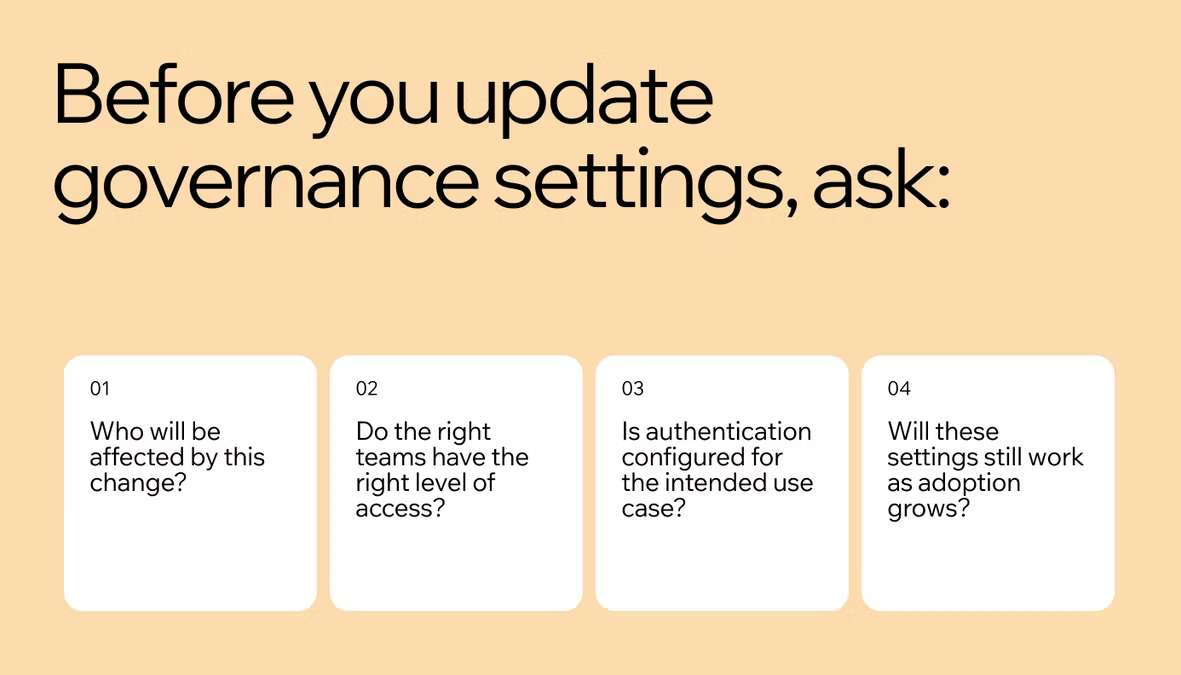
Rolling out enterprise controls tends to surface a few predictable issues. Here's what to watch for in Base44's Governance Pack.
Understanding common app security mistakes can help admins configure the Governance Pack in a way that avoids disruption:
-
Disabling a connector without checking impact first: Base44 shows a confirmation screen before any connector is disabled, listing affected apps, Superagents and active connections. Always review this before confirming, disabling a connector takes effect immediately across the workspace.
-
Misconfiguring role publishing permissions: If a role is configured in a way that unintentionally blocks builders from publishing, the Reset to defaults button recovers the configuration in one click. It's worth knowing where this button is before you need it.
-
Confusing shared credential and app user credential: These serve different purposes. Shared credential is for apps that should work from a single team account. App user credential is for apps where each user should authenticate with their own account. Using the wrong one can expose data across users or break expected behavior.
-
Assuming legacy toggle behavior will persist: Workspaces that relied on the members_can_create_public_apps toggle should review the new Publishing Controls table when it becomes available to them. The fallback is backwards-compatible, but the new table gives more granular control.
How to secure an app built on Base44
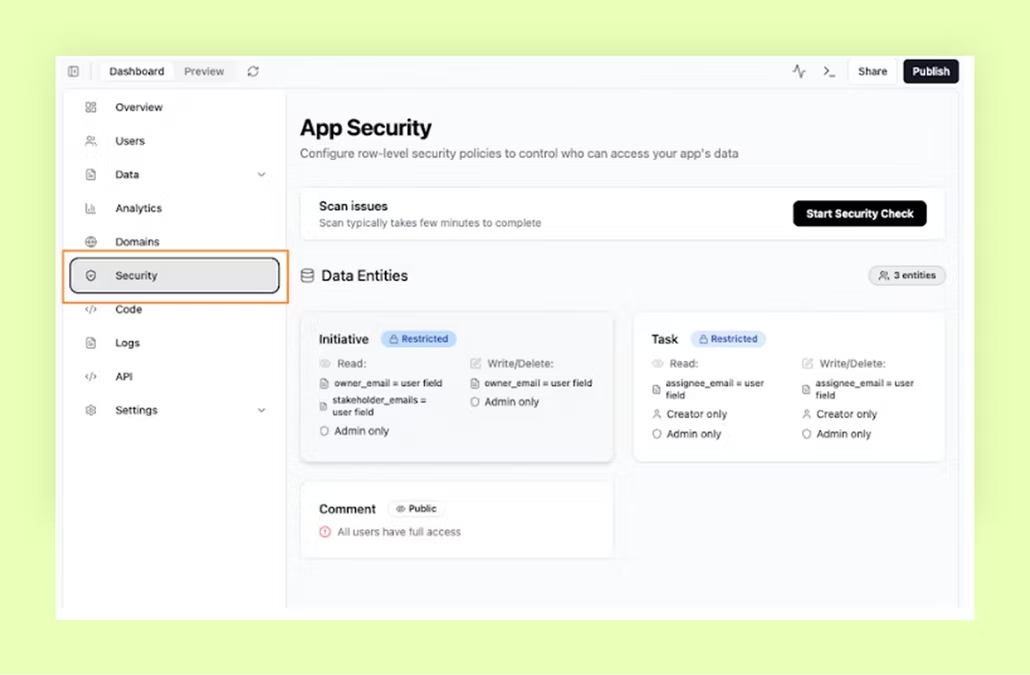
The Governance Pack addresses workspace-level policy, but how to secure an app goes deeper than admin settings. Here's the full picture for Enterprise teams:
-
Connector management: Control which external services apps can connect to and under what credential model.
-
Publishing controls: Define who can publish and at what visibility, by role.
-
SSO enforcement: Workspace admins can enforce SSO across all apps in the workspace, so every app uses your organization's identity provider for authentication.
-
IP allowlist: Restrict workspace access to specific IP ranges.
-
App visibility defaults: Set the default visibility for all new apps created in the workspace.
The Governance Pack is the latest addition to this stack.
What's coming next to Base44
These two features answer the governance questions IT and security teams have consistently raised before approving Base44 for org-wide deployment. They are also the beginning of Base44's enterprise governance roadmap, not the end of it. More controls are shipping over the coming months.
Learn more: Why Base44 built its own models
Connector Management is available now to workspace owners and admins on the Enterprise plan. Publishing permissions is rolling out to Enterprise users.
Related readings: