
When you ship an app or a website, the challenging part is making it actually feel like your brand. The build is fast. The precise look you're after, that takes the time. A lot of AI-built projects out there end up with a similar “vibe-codingy” feel, and the unique personal touch takes a back seat.
Design Pack closes that gap. It’s a new playing field for designing with AI in Base44, including a collaborative Canvas, redesign prompts, theme controls and in-platform video generation. All the design power lands in your hands, so you can ship apps and websites that actually look like yours.
Every Design Pack capability, at a glance
We’ll take you through the Design Pack capabilities, one at a time, based on a recent "Office Hours" session Sam Teasdale ran with the Base44 Discord community, including everything you need to get started.
- The Canvas: an infinite workspace
- Four redesigns on demand, side by side
- Section-level redesigns
- Theme, in one click
- Video, generated inside the builder
- Where to start
- Frequently asked questions
The Canvas: an infinite workspace for building together
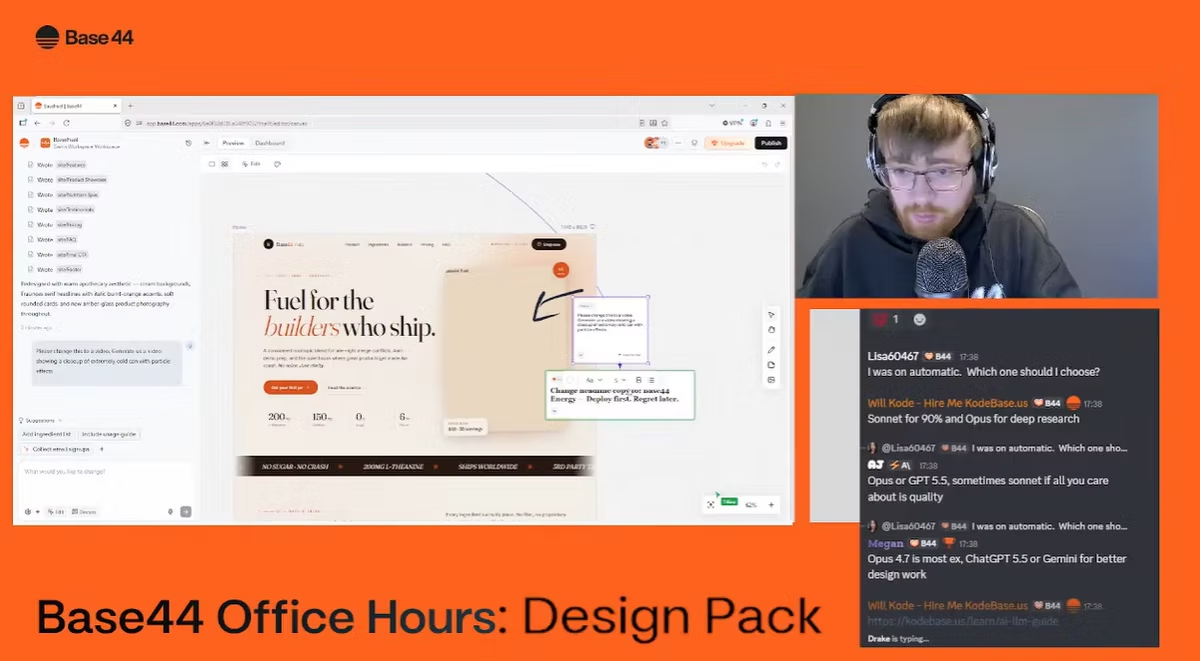
The Canvas is a visual workspace inside the Base44 editor. Every page of your app or website appears on an infinite board as a live-preview frame, and multiple team members can work on the canvas together, each with a named cursor and colored selections. Everything saves as you go.
It’s also your true creative playground, where you build with what inspires you. Drop a moodboard image, a brand reference or a screenshot of a site you love onto the board. Add a sticky note with your direction, connect it to the page frame, and click Send to chat. The AI picks up your visual input and your written instruction, and applies them to that page.
Four redesigns on demand, side by side
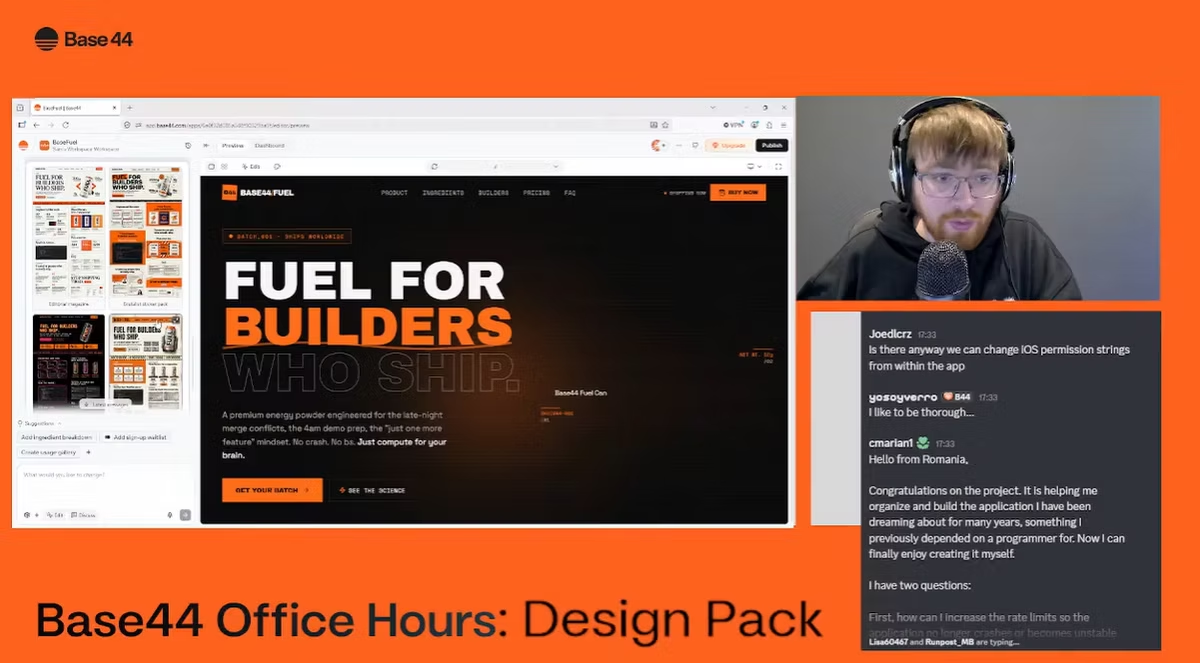
Stop guessing the right adjective for what you want and start choosing between real options. Just type “redesign this in different styles” and get four AI design options side by side, each one a complete take on your app or website. It’s the move a designer would make over a week, compressed into seconds.
It’s just one slice of what makes Base44 feel less like a code tool and more like a builder that thinks alongside you, whether you’re learning how to use Base44 for apps or using the AI website builder for sites.
Try it yourself:
Redesign this website in different visual directions. window.addEventListener('load',function(){var btn=document.getElementById('btn1');var ico=document.getElementById('ico1');var pre=document.getElementById('code1');if(!btn)return;var cpy=' ';var chk=' ';function ok(){ico.setAttribute('stroke','#22c55e');ico.innerHTML=chk;setTimeout(function(){ico.setAttribute('stroke','currentColor');ico.innerHTML=cpy;},1500);}function fb(t){var el=document.createElement('span');el.textContent=t;el.style.cssText='position:fixed;top:0;left:0;opacity:0;user-select:text;white-space:pre';document.body.appendChild(el);var range=document.createRange();range.selectNodeContents(el);var sel=window.getSelection();sel.removeAllRanges();sel.addRange(range);try{document.execCommand('copy');ok();}catch(e){}sel.removeAllRanges();document.body.removeChild(el);}function cp(){var t=pre.innerText;if(navigator.clipboard&&navigator.clipboard.writeText){navigator.clipboard.writeText(t).then(ok).catch(function(){fb(t);});}else{fb(t);}}btn.addEventListener('click',cp);btn.addEventListener('mouseover',function(){btn.style.color='#333';},{passive:true});btn.addEventListener('mouseout',function(){btn.style.color='#888';},{passive:true});},{once:true});
Section-level redesigns, keeping the rest of the build intact
The redesign prompt also works one section at a time. “Redesign this section as a vibrant product gallery” rebuilds only the part you point at. The rest of the project stays exactly as it is.
This is the part that matters when you want to refine one specific section, or when you’ve shipped something live and are afraid to touch it. Base44 runs a separate design pass on the section in question, so iterating on how it looks doesn’t put the rest of the build at risk.
Try it yourself. Click into the section you want to change, then paste:
Redesign this section as a testimonials carousel with quote cards. window.addEventListener('load',function(){var btn=document.getElementById('btn2');var ico=document.getElementById('ico2');var pre=document.getElementById('code2');if(!btn)return;var cpy=' ';var chk=' ';function ok(){ico.setAttribute('stroke','#22c55e');ico.innerHTML=chk;setTimeout(function(){ico.setAttribute('stroke','currentColor');ico.innerHTML=cpy;},1500);}function fb(t){var el=document.createElement('span');el.textContent=t;el.style.cssText='position:fixed;top:0;left:0;opacity:0;user-select:text;white-space:pre';document.body.appendChild(el);var range=document.createRange();range.selectNodeContents(el);var sel=window.getSelection();sel.removeAllRanges();sel.addRange(range);try{document.execCommand('copy');ok();}catch(e){}sel.removeAllRanges();document.body.removeChild(el);}function cp(){var t=pre.innerText;if(navigator.clipboard&&navigator.clipboard.writeText){navigator.clipboard.writeText(t).then(ok).catch(function(){fb(t);});}else{fb(t);}}btn.addEventListener('click',cp);btn.addEventListener('mouseover',function(){btn.style.color='#333';},{passive:true});btn.addEventListener('mouseout',function(){btn.style.color='#888';},{passive:true});},{once:true});
Theme, in one click
The Theme panel applies global design changes across your entire build, making it easy to maintain a consistent, professional look. Open it, change the palette, and the whole project updates without writing a prompt. The same flow covers typography and spacing, and the same theme can be re-applied to any section that drifted from the rest of the build.
This is the quiet workhorse for agencies and brand-conscious founders. Client brand goes in once and every page picks it up in one go.
Video, generated inside the builder
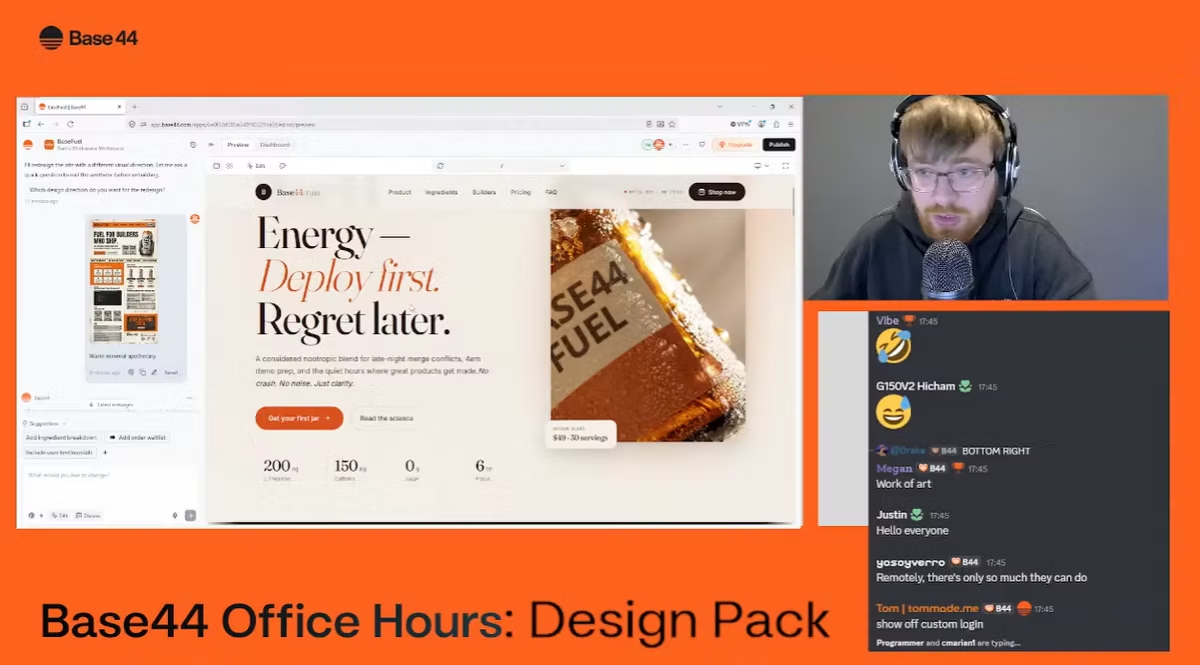
The final Design Pack capability is video generation, built right into the Base44 editor. One prompt and a hero background video lands on the page.
The point isn’t the video itself. The point is that nothing leaves the builder. No third-party tool, no asset pipeline, no waiting on a designer. Your project carries a real personal touch because every input came from inside the same conversation that built it.
Try it yourself:
Generate a video of an extreme close-up of a mint green soda bottle, small bubbles floating slowly, catching the light as they move. window.addEventListener('load',function(){var btn=document.getElementById('btn3');var ico=document.getElementById('ico3');var pre=document.getElementById('code3');if(!btn)return;var cpy=' ';var chk=' ';function ok(){ico.setAttribute('stroke','#22c55e');ico.innerHTML=chk;setTimeout(function(){ico.setAttribute('stroke','currentColor');ico.innerHTML=cpy;},1500);}function fb(t){var el=document.createElement('span');el.textContent=t;el.style.cssText='position:fixed;top:0;left:0;opacity:0;user-select:text;white-space:pre';document.body.appendChild(el);var range=document.createRange();range.selectNodeContents(el);var sel=window.getSelection();sel.removeAllRanges();sel.addRange(range);try{document.execCommand('copy');ok();}catch(e){}sel.removeAllRanges();document.body.removeChild(el);}function cp(){var t=pre.innerText;if(navigator.clipboard&&navigator.clipboard.writeText){navigator.clipboard.writeText(t).then(ok).catch(function(){fb(t);});}else{fb(t);}}btn.addEventListener('click',cp);btn.addEventListener('mouseover',function(){btn.style.color='#333';},{passive:true});btn.addEventListener('mouseout',function(){btn.style.color='#888';},{passive:true});},{once:true});
Where to start
Whatever stage you’re at, pick the starting point that fits, and go for it:
- You have a working build, but want to explore different looks → ask for four AI design options side by side and pick the one that lands.
- You’ve already shipped, and one section feels off → use a section-level redesign to refine that part without touching the rest.
- Your brand has fixed colors → open the Theme panel and update the whole app or website in one go.
- You have visual references like brand assets, moodboards or site designs you love → drop them onto the Canvas and let the AI build around them.
- You want scroll-stopping motion that matches the look → generate video right inside the builder.
Frequently asked questions
What is Base44 Design Pack?
Design Pack is the set of design capabilities inside the Base44 editor for AI-built apps and websites. It includes the collaborative Canvas, AI redesign prompts, the Theme panel and in-platform video generation, all built to help builders ship apps and websites that match their brand's visual identity instead of looking generic.
What is the Canvas in Base44?
The Canvas is a standalone visual workspace inside the Base44 editor, opened from the icon in the top bar. Every page of your app or website appears on an infinite board as a live-preview frame at desktop, tablet or phone size. Team members can collaborate on it in real time with named cursors, sticky notes, drawings and reference images that can be sent straight to the AI chat as instructions.
Can multiple team members work on a Base44 project at the same time?
Yes. The Base44 Canvas supports real-time multiplayer collaboration. Multiple team members can work on the same project together, each with a named cursor and colored selections, and all changes save automatically.
How do I redesign a website or app in Base44?
Type "redesign this in different styles" in the chat and Base44 returns four AI design options side by side, each one a complete take on your project. To redesign just one section, click into it and prompt "redesign this section as [your style or layout]". The rest of the build stays unchanged.
Can I change the colors and typography of my entire Base44 app or website at once?
Yes. Open the Theme panel in the Base44 editor, change the palette, typography or spacing, and the whole app or website updates instantly without writing a prompt. The same theme can be re-applied to any section that drifted from the rest of the build.
Can Base44 generate video inside the builder?
Yes. Base44 supports video generation directly inside the editor. Write a short prompt describing the subject, motion and atmosphere, and Base44 generates a short video that lands on the page. No third-party tool or asset pipeline required.
Can I use a moodboard or reference images to design my app in Base44?
Yes. Drop a moodboard image, brand reference or screenshot of a site you love onto the Base44 Canvas, add a sticky note with your direction, connect it to the page frame and click Send to chat. The AI picks up your visual input and your written instruction and applies them to that page.
Does redesigning a section in Base44 affect the rest of the app or website?
No. Base44 runs a separate design pass on the section you point at, so iterating on how that part looks doesn't put the rest of the build at risk. The rest of the project stays exactly as it is.