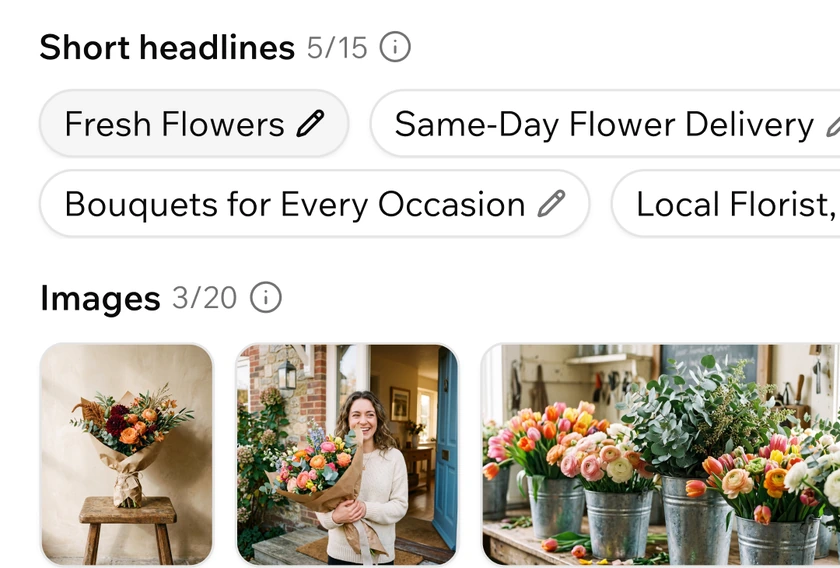
Creative, handled
Headlines, descriptions and images, created from what is already in your app, in multiple languages. Edit any line, regenerate what you don't like, or upload your own.
Base44 ships with a native Google Ads Integration, enabling you to launch a campaign directly from your chat or dashboard - helping you reach and convert more of the right customers as they search and discover online.
Launch a campaign
Base44 uses your app's existing content - your pages, products and copy - to instantly create a new Google Ads account and pre-populate a campaign for your review. Reach your next best customer in just a few simple steps.
Headlines, descriptions and images, created from what is already in your app, in multiple languages. Edit any line, regenerate what you don't like, or upload your own.

Google Ads uses your inputs (location, search themes, etc) and built-in AI to learn what your ideal customer looks like and promotes your business to them at the right time across Google Search, YouTube, Gmail and more.
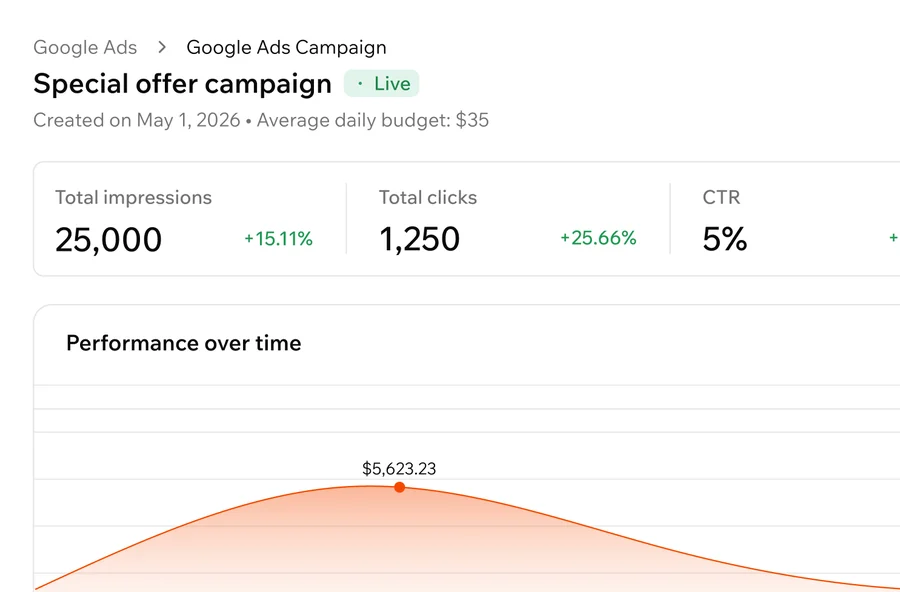
Impressions, clicks, CTR, conversions and spend, live from Google Ads for any date range, on the same dashboard where you build. Change your daily budget, pause or resume any time.

Everything happens in Base44 - same dashboard, same UX you already know, no additional platform to learn. Base44 bills you, and Base44 support answers.
01
Ask for a Google Ads campaign in the chat, or open your app dashboard, click Marketing, then Google Ads. Make sure your app is published and public.
02
Base44 reads your app and generates the entire campaign: headlines, descriptions, images and your logo, with multilingual support.
03
A full-size ad preview sits above every asset. Edit a headline, regenerate an image, or upload your own images and logo.
04
Select a recommended daily budget or choose a custom value that matches your goals. You can increase, decrease or pause it at any time.
05
After submitting your campaign Google will take 1-2 business days to review it before going live.
06
Follow spend and results on your dashboard, and pause, resume or archive the campaign from the same screen.

Google Ads joins the Base44 Marketing suite. Getting found, getting shared and scaling traffic all happen where your app or website already lives, so there's no second stack to learn.
Get discovered
A built-in SEO & GEO dashboard scores your site, surfaces fixes, and tunes your meta tags - so Google and AI tools like ChatGPT can find and recommend you.
Promote
Base44 reads your app, picks a strategy and writes ready-to-post content for the platforms you choose, with images to match.
Acquire
A few clicks turn your app or website into a live Performance Max campaign, created from your own content and billed through Base44.




