ClassBuddy AI
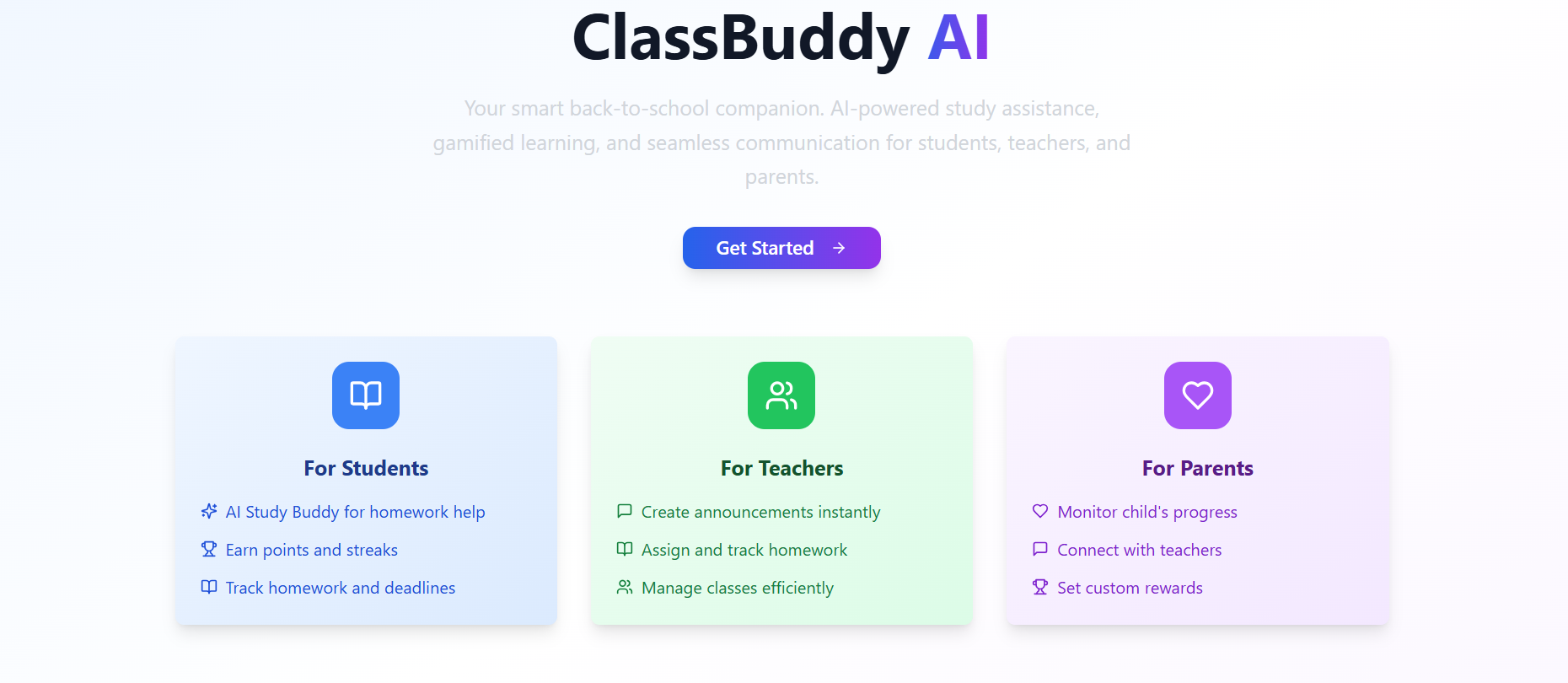
FreeClassBuddy AI is your smart back-to-school companion, offering a personalized experience for students, teachers, and parents. Students get AI-powered study assistance and gamified motivation for homework completion. Teachers can easily manage classes, assignments, and announcements. Parents can track their child's progress and communicate with educators. Connect your school, class, and community with ClassBuddy AI! ClassBuddy AI is designed to be an AI-powered companion for students, teachers, and parents, focusing on gamified learning and streamlined educational communication. Here's a breakdown of its features and use cases: Core Features & Use Cases: User Roles & Onboarding : Feature : Supports distinct roles: Student, Teacher, Parent. Guided onboarding for role selection and initial setup (school/class). Use Case : Tailors the app experience and available functionalities to the user's specific role, ensuring relevance and ease of use from the start. Homework Management : Feature : Teachers can assign homework with titles, descriptions, due dates, subjects, and points. Students can view assignments, submit files, and track submission status. Teachers can view submissions and provide feedback. Use Case : Streamlines the assignment process for teachers and helps students stay organized, submit on time, and receive feedback efficiently. Quiz System : Feature : Teachers can create quizzes (multiple choice, text, rating) and use AI to generate questions. Students can take quizzes, get scores, and contribute to achievements. Use Case : Enables dynamic assessment for teachers and interactive self-testing and learning for students. AI Study Buddy : Feature : An AI assistant for students to ask questions, potentially with file context, and receive guided responses. Tracks study sessions. Use Case : Provides personalized, on-demand academic support, helping students with homework and concept review without giving direct answers. Gamification : Feature : Points, streaks, achievements (with progress tracking and notifications), and a leaderboard. Use Case : Motivates students through friendly competition and recognition, encouraging consistent engagement and effort. Communication & Notifications : Feature : Teachers can post announcements for classes (with priority and types like homework, event, reminder). A centralized notification system delivers messages to recipients based on events and read status. Use Case : Ensures important information reaches relevant users quickly and effectively, keeping everyone informed about class updates, deadlines, and achievements. Meeting Links : Feature : Teachers can create and manage virtual meeting links for classes, specifying schedules, durations, and recurrence. Students can view and join these meetings. Use Case : Facilitates virtual classes, parent-teacher conferences, and extra help sessions, making online interaction seamless. Progress Tracking & Dashboards : Feature : Student Dashboard : Displays points, streaks, and upcoming homework. Teacher Dashboard : Advanced analytics on class performance, submission trends, assignments to grade, and students needing attention. Parent Dashboard : Overview of children's progress (completion rates, scores, achievements) and communication tools. Use Case : Provides relevant insights and overviews for each user type, helping students monitor their progress, teachers manage their classes effectively, and parents stay informed about their children's academic journey. Invite System (Newly Implemented) : Feature : Teachers can generate unique, shareable invite codes for their classes with configurable usage limits and expiry dates. Students can use these codes on a "Join Class" page to enroll. Use Case : Simplifies student enrollment into classes and empowers teachers with a direct way to manage class rosters. Customization & Settings : Feature : User profile management, notification preferences, privacy settings, and app theme customization (including dark mode). Use Case : Allows users to personalize their app experience and manage how they interact with the platform. Backpack Checker : Feature : Students can manage a list of items for their school bag, mark them as packed, and see packing progress. Use Case : Helps students develop organizational skills and ensures they have all necessary items for school. Documentation Page : Feature : Provides comprehensive guides on getting started, FAQs, role-specific features, gamification, and accessibility. Use Case : Serves as a self-help resource for users to understand and navigate the application effectively. Support @ mellistech.com
Mellis Tech·65 clones
Education · Community +1