Marketing & Sales Automation

Build efficient sales and marketing tools with our customizable templates. They are ideal for automating your own business's growth or for developing custom CRM and pipeline solutions for clients.

Lead-Flow Pro by Roth Consulting template preview

Lead-Flow Pro by Roth Consulting

$29.99

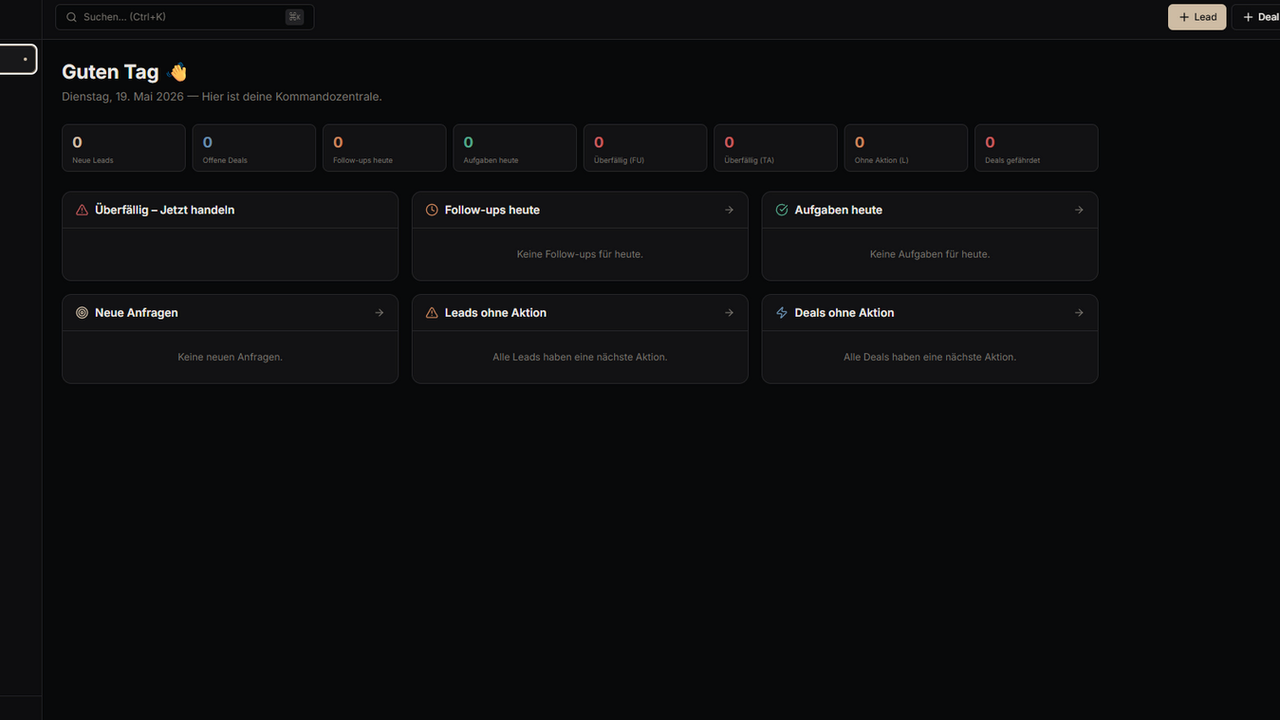
Lead Flow Pro — Complete Lead Management & Sales Automation System Lead Flow Pro is a premium B2B sales platform designed for companies that want to generate more qualified inquiries, manage leads with structure, and stop losing sales opportunities due to scattered tools, manual follow-ups, or unclear sales processes. The platform combines a high-converting business website, lead capture, lead qualification, CRM functionality, pipeline management, follow-up automation, reporting, and sales enablement tools in one centralized system. Instead of working across disconnected spreadsheets, inboxes, forms, calendars, notes, and CRM tools, Lead Flow Pro gives sales teams a clear operational workflow from the first inquiry to the final deal. Built for B2B companies, agencies, consultants, service providers, importers, distributors, and sales-driven organizations, Lead Flow Pro helps teams capture every inquiry, qualify leads faster, prioritize the right opportunities, track customer relationships, manage projects, and maintain consistent follow-up discipline. What Lead Flow Pro Does Lead Flow Pro helps businesses turn website visitors and incoming inquiries into structured sales opportunities. New inquiries can be captured through the website, contact forms, assessment flows, public inquiry pages, and product or service pages. Once a lead enters the system, it can be managed, qualified, tracked, followed up, and converted through a clear CRM-based sales process. The tool is designed to reduce sales chaos and create one reliable operating system for lead generation, lead management, customer management, follow-ups, pipeline visibility, and performance analysis. Key Features Lead Capture & Inquiry Management Capture incoming inquiries through website forms, contact pages, assessment flows, product pages, service pages, and public inquiry forms. Centralize all new opportunities in one system instead of losing them across email inboxes, WhatsApp messages, spreadsheets, or disconnected tools. Lead Qualification Structure incoming leads based on their needs, interest level, business potential, and sales relevance. Sales teams can quickly identify which opportunities deserve immediate attention and which require nurturing. CRM & Customer Management Manage leads, customers, contacts, and business relationships in one organized CRM environment. Keep relevant customer and lead information accessible so the sales process becomes transparent, repeatable, and easier to scale. Pipeline Management Track opportunities across different sales stages and maintain a clear overview of your active pipeline. Lead Flow Pro helps teams understand where each opportunity stands, what needs to happen next, and which deals require action. Follow-Up Management Create structure around follow-ups so no sales opportunity gets forgotten. The system supports a more disciplined follow-up process and helps sales teams stay consistent after the first contact. Sales Inbox Centralize sales-relevant communication and inquiry handling in one dedicated workspace. This helps teams respond faster, reduce operational friction, and manage incoming opportunities more professionally. Projects & Customer Workflows Manage customer-related projects and post-sale activities directly inside the platform. This creates a smoother transition from lead to customer and helps businesses keep operational context in one place. Templates & Sales Enablement Use templates to standardize communication, improve response quality, and speed up repetitive sales activities. This is especially useful for teams that want consistent messaging across lead handling, outreach, and follow-up. AI Copilot Support Lead Flow Pro includes a Copilot area designed to support sales operations, communication, and process efficiency. It helps teams work smarter, reduce manual effort, and improve the quality of customer interactions. Reports & Conversion Analytics Monitor sales performance, lead flow, pipeline quality, and conversion-related metrics. Reporting gives decision-makers better visibility into what is working, where leads are getting stuck, and how the sales process can be improved. Integrations Connect sales operations with relevant tools and workflows through the integrations area. Lead Flow Pro is built to support a cleaner, more connected sales infrastructure. Admin & System Control Manage products, settings, website inquiries, public inquiries, blog content, audits, and operational data from dedicated admin areas. This makes the platform suitable not only as a CRM, but as a complete sales and inquiry management system. Why Businesses Use Lead Flow Pro Many companies do not lose revenue because they lack demand. They lose revenue because inquiries are not captured properly, leads are not qualified fast enough, follow-ups are inconsistent, and sales activity is spread across too many disconnected tools. Lead Flow Pro solves this by creating a single source of truth for the sales process. It gives businesses a structured way to: Generate more qualified inquiries Capture every incoming lead Qualify leads faster Manage opportunities in a CRM Track pipeline stages Improve follow-up discipline Analyze conversion performance Reduce tool chaos Create a repeatable sales workflow Turn more inquiries into customers Best For Lead Flow Pro is ideal for: B2B service providers Consulting companies Sales teams Agencies Importers and distributors Local and regional businesses High-ticket service businesses Companies with complex inquiry processes Businesses currently using spreadsheets, email inboxes, or multiple disconnected sales tools Teams that want a clearer process from first inquiry to closed deal Core Business Value Lead Flow Pro helps companies professionalize their sales infrastructure. It is not just a website, not just a CRM, and not just an automation tool. It is a complete digital sales system built to connect marketing, lead generation, inquiry handling, qualification, follow-up, pipeline management, customer management, and reporting. The result is a more structured sales process, better visibility, faster response times, fewer lost opportunities, and a stronger foundation for predictable growth. Positioning Statement Lead Flow Pro is the all-in-one B2B sales operating system for companies that want more qualified inquiries, cleaner lead management, automated follow-ups, and full pipeline visibility — without juggling five different tools. Short Marketplace Summary Lead Flow Pro is a complete B2B sales platform that combines website-based lead generation, lead qualification, CRM, pipeline management, follow-up workflows, customer management, reporting, and sales automation in one system. It helps companies capture every inquiry, manage leads professionally, improve follow-up discipline, and convert more opportunities into customers.

Justin0 clones

Marketing & Sales · Operations +1

TaskFlow Os Management System. template preview

TaskFlow Os Management System.

$3.59

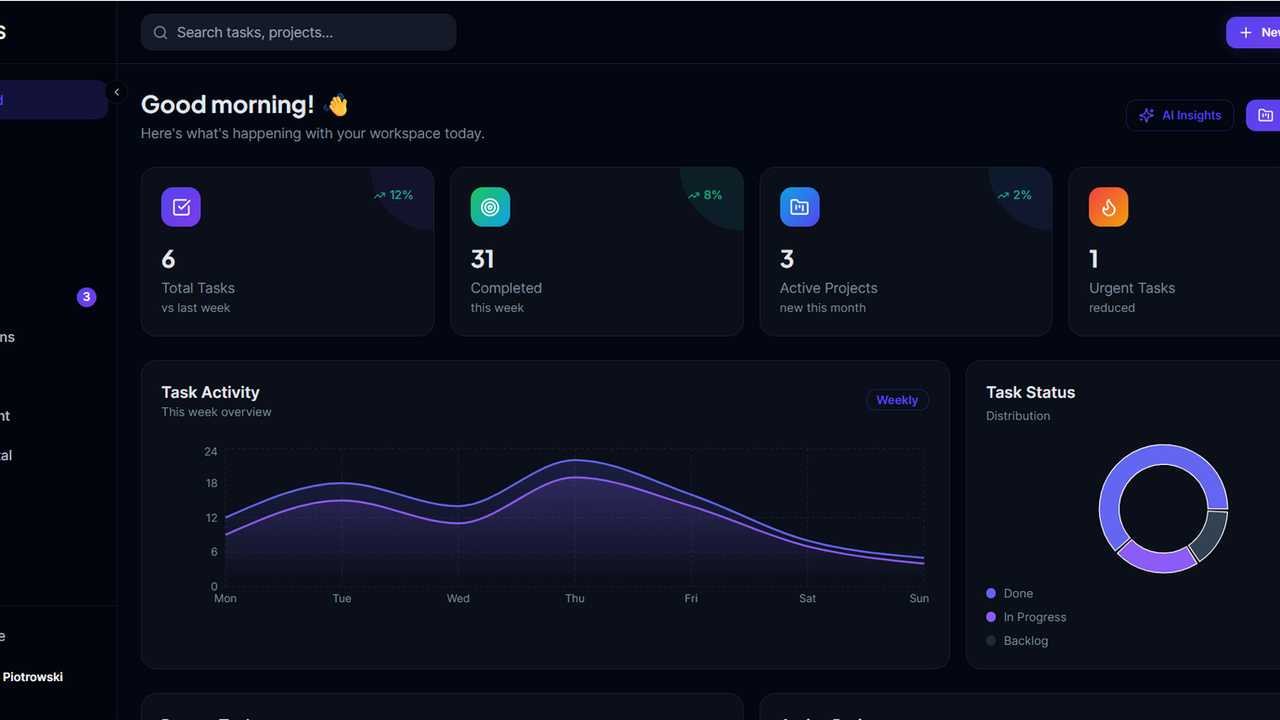
TaskFlow Os is a next-generation operational workflow system that combines AI automation, intelligent task management, real-time collaboration, and workforce analytics into one seamless platform. Built with a sleek dark interface and powerful automation tools, FLOWOS helps teams move faster, work smarter, and scale efficiently. TaskFlow Os Core Features 1. Intelligent Dashboard A centralized productivity hub that gives teams a real-time overview of: Active projects Pending tasks Team activity Workflow progress Notifications Performance insights The dashboard is designed for fast navigation and operational visibility. 2. Advanced Project Management TaskFlow Os allows teams to organize and manage projects efficiently through: Multi-project workspaces Task grouping Progress tracking Milestone management Deadline monitoring Project collaboration Built for startups, agencies, and enterprise teams. 3. Smart Task Management The task engine includes: Task creation and assignment Priority management Due dates and reminders Status tracking AI-assisted task organization Real-time task updates Designed to reduce operational bottlenecks and improve execution speed. 4. Integrated Calendar System The built-in calendar helps teams: Schedule work Track deadlines Plan meetings Organize workflows visually Sync productivity timelines Improves planning and time management across departments. 5. Team Collaboration Workspace TaskFlow Os supports seamless teamwork through: Shared workspaces Team coordination Member visibility Role management Activity monitoring Real-time collaboration Ideal for remote and hybrid teams. 6. Unified Inbox & Notifications The inbox system centralizes: Updates Mentions Alerts Task notifications Workflow changes Team communication Helping users stay focused without switching platforms. 7. Workflow Automation Engine The automation module enables: Automated task routing Trigger-based workflows Smart reminders Process optimization Repetitive task reduction Allowing businesses to scale operations efficiently. 8. Analytics & Performance Tracking TaskFlow Os provides operational insights through: Productivity analytics Team performance reports Workflow efficiency tracking Task completion metrics Performance dashboards Helping organizations make data-driven decisions. 9. AI Assistant Integration The built-in AI Assistant helps users: Generate tasks automatically Organize workflows Prioritize assignments Summarize activities Improve productivity Creating a smarter operational environment. 10. Client Portal System The dedicated client portal allows external clients to: Track project progress Review deliverables Communicate with teams Monitor updates Access shared resources securely Perfect for agencies and service-based businesses. Settings & User Management Features Based on the Settings interface shown: Profile Management Users can: Update profile information Change avatars Manage account details Configure timezone preferences Notification Controls Users can customize: Task alerts Email notifications Activity updates Mention notifications Security Management Includes: Password management Session controls Account protection Authentication settings Appearance Customization Supports: Dark/light mode UI personalization Workspace appearance settings Integrations Hub TaskFlow Os supports third-party integrations with: Communication platforms Productivity tools Calendar systems Cloud storage solutions Billing & Subscription Management Organizations can manage: Subscription plans Workspace billing Usage tracking Team licenses UI/UX Strengths Visible In The Interface The TaskFlow Os interface demonstrates: Premium dark enterprise UI Clean minimal navigation Modern purple accent branding Focus-driven layout Enterprise SaaS styling Responsive dashboard architecture High-end operational design This positions TaskFlow Os closer to modern enterprise platforms rather than traditional task management apps. Professional Product Positioning TaskFlow Os “The AI Operating System For Modern Teams” TaskFlow Os combines intelligent automation, advanced workflow management, real-time collaboration, and operational analytics into one unified productivity platform designed for modern businesses and high-performing teams.

Marcus Alonso0 clones

Operations · Marketing & Sales +2

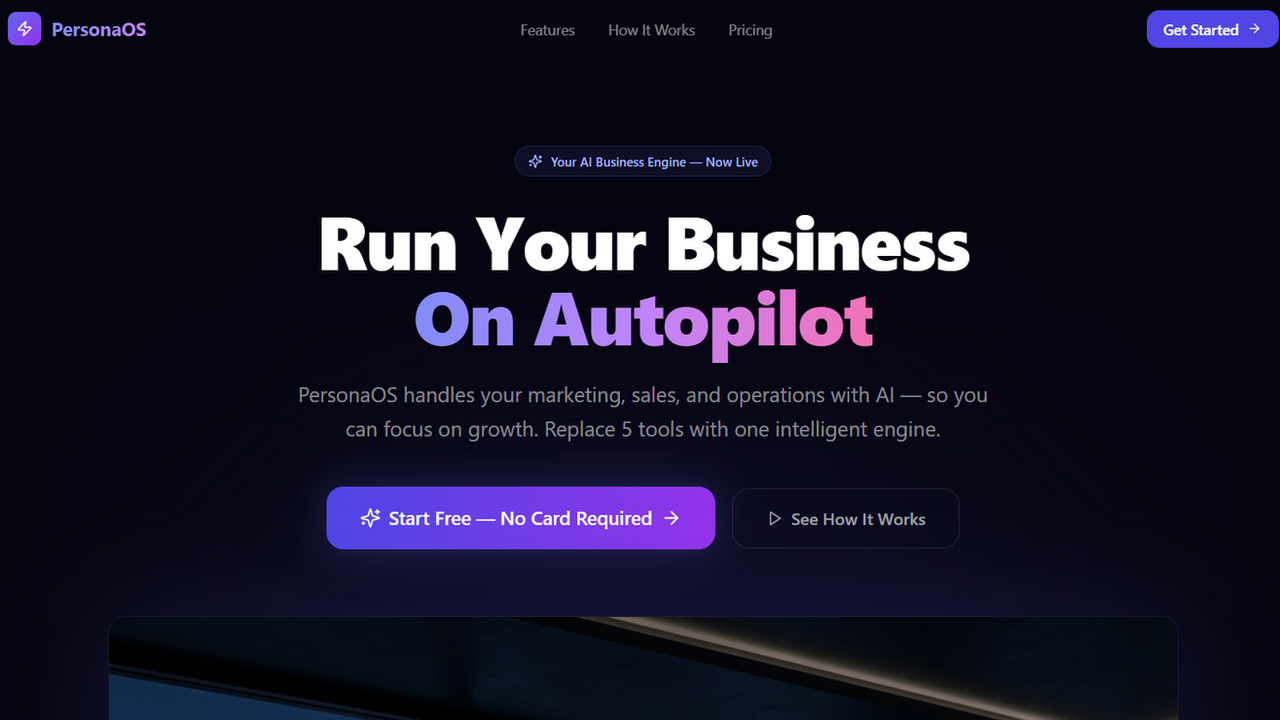
PersonaOS template preview

PersonaOS

$299.99

Your AI-powered business co-pilot that handles marketing, sales, and operations, allowing you to focus on growth. PersonaOS is designed to be a comprehensive AI-powered business engine that automates and optimizes various aspects of your business operations. Here's a breakdown of its key features, use cases, and benefits: Key Features & Functions Brand Setup: Function: Define your business identity, services, pricing, tone of voice, unique selling points (USPs), and sample posts. Use Case: Establishes a foundational AI profile for consistent branding across all AI-generated content and interactions. Content Studio: Function: AI-powered generation of social media posts (LinkedIn, Twitter, Instagram, Facebook, TikTok, Threads) for various content types (tips, case studies, stories, demos, comparisons), automatically paired with AI-generated images. Use Case: Automates content creation and scheduling for social media marketing. Lead Pipeline: Function: Visual Kanban board for managing leads through sales stages, AI lead scoring (0-100), AI lead enrichment (auto-fills missing info), and AI-generated follow-up sequences. Use Case: Streamlines lead management, prioritization, and outreach. Sales Insights: Function: Provides predictive analytics on your sales pipeline, including win probability, revenue forecasts, identification of at-risk deals, and AI-driven recommendations to hit targets. Use Case: Offers data-driven insights to optimize sales strategies and forecasting. Sales Coaching: Function: AI coaching through transcript analysis (evaluates pitch, objections, closing), performance coaching (goals based on live metrics), and practice simulations (role-play scenarios). Use Case: Enhances sales team skills and performance. AI Inbox: Function: Centralized conversation management with AI sentiment analysis, intent detection, and AI-drafted replies. Use Case: Efficiently manages client and lead communications with AI assistance. Projects: Function: AI-assisted project management including timeline risk prediction, task assignment suggestions, and one-click auto-generated client status reports. Use Case: Optimizes project delivery and client communication. Invoices: Function: Create, track, and manage professional invoices, link them to projects, and support multi-currency transactions. Use Case: Simplifies financial management and billing processes. Opportunities: Function: AI detects and scores business opportunities from various sources, flagging urgency and allowing linkage to specific leads. Use Case: Helps identify and prioritize potential new business effectively. Workflow Builder: Function: Create automated workflows triggered by events (e.g., lead created, post published, invoice due) to perform actions (e.g., send email, update lead, post content). Use Case: Automates repetitive tasks and business processes. Content Optimization: Function: Generate content variations, create monthly content calendars, and monitor performance metrics to optimize reach and engagement. Use Case: Maximizes the impact of marketing content. Team Management: Function: Manage team members, define roles, and assign permissions. Use Case: Organizes and controls access within your business. Use Cases Marketing & Content Creation: Businesses can automate their social media presence, generate engaging content quickly, and plan their content strategy with AI. Sales & Lead Conversion: Sales teams can identify high-potential leads, automate follow-ups, refine their pitches through AI coaching, and efficiently convert prospects into clients. Client Project Management: Project managers can proactively manage timelines, mitigate risks, and keep clients informed with AI-generated reports. Business Automation: Entrepreneurs and small businesses can automate repetitive administrative and communication tasks, freeing up time for core activities. Financial Operations: Manage billing and track payments effectively, linking them directly to projects and clients. Benefits Increased Efficiency & Productivity: Automates numerous tasks, reducing manual effort and allowing teams to focus on strategic work. Improved Sales & Revenue: AI-driven insights, scoring, and coaching lead to more effective sales processes and higher conversion rates. Enhanced Client Satisfaction: Consistent communication, transparent project updates, and streamlined invoicing create a better client experience. Data-Driven Decision Making: Access to analytics and predictive insights enables smarter business strategies and risk management. Consistent Brand Messaging: Ensures all external communications and content align with your defined brand identity. Scalability: Allows businesses to grow and manage more operations without a proportional increase in human resources. Cost Savings: Reduces the need for additional staff or extensive manual processes.

Mellis Tech0 clones

Marketing & Sales · Operations +1
Cortexa template preview

Cortexa

$22

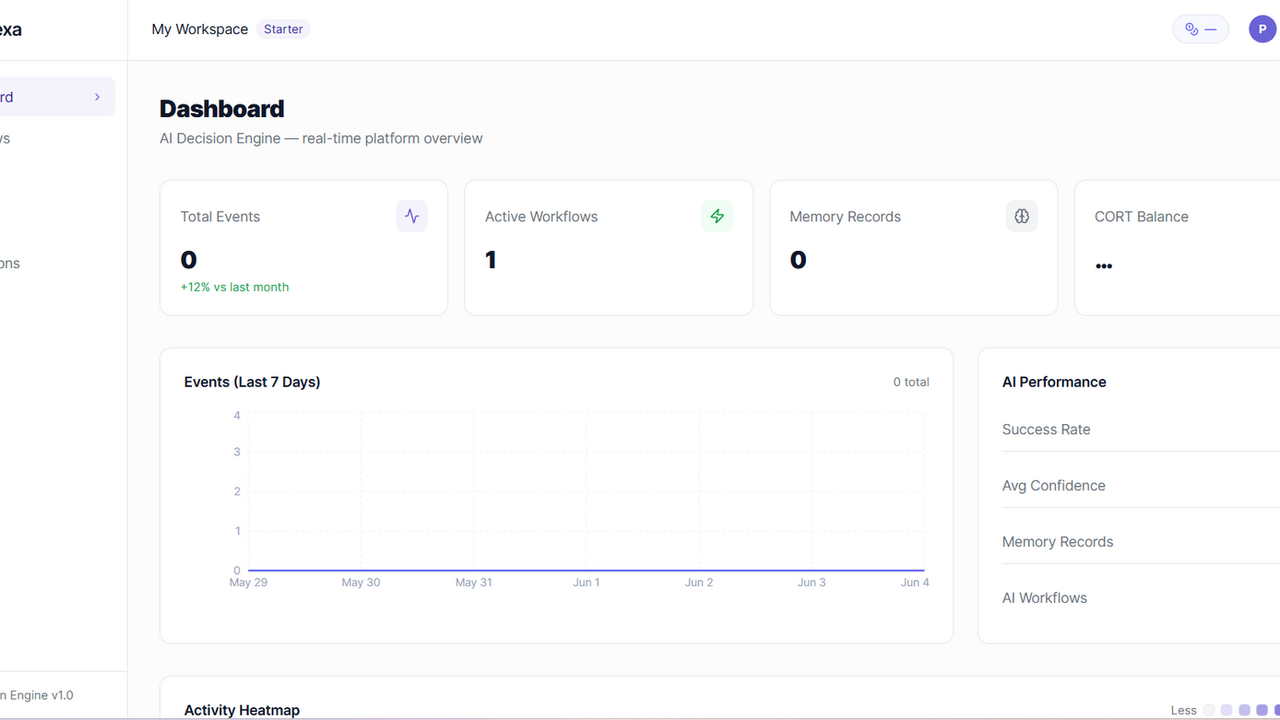
</> CORTEXA The AI Decision Layer for Modern Software Systems Description Cortexa is a developer-first AI automation infrastructure that turns any application into an intelligent system. Instead of static workflows and manual automation rules, Cortexa introduces a powerful AI decision engine that sits between events and actions—analyzing context, learning from history, and automatically deciding what should happen next. Developers send events from their apps, and Cortexa transforms them into intelligent, outcome-driven actions using AI, memory, and real-time business logic. It is the missing “brain layer” between software systems. ⚙️ Core Features of Cortexa 1. AI Decision Engine Cortexa uses advanced AI reasoning to decide what actions should be taken when an event occurs. Context-aware decisions Business goal optimization (conversion, retention, revenue) Multi-step reasoning Confidence scoring per decision Rule + AI hybrid execution 2. Event-Driven Automation API Apps send real-time events that trigger automation flows. REST API event ingestion Webhook support Event categorization & routing High-throughput processing Real-time execution pipeline 3. Workflow Intelligence Layer Instead of rigid “if-this-then-that” logic, workflows are adaptive. AI-enhanced workflows Conditional logic + natural language goals Multi-action execution chains Priority-based task ordering Dynamic workflow adjustments 4. Memory & Learning System Cortexa learns from every event and outcome to improve future decisions. Persistent event memory storage Pattern recognition across users Outcome-based learning loops Behavioral clustering (high-value users, churn risk, etc.) Continuous optimization without retraining 5. Usage-Based Billing Engine Built-in monetization system for developers and enterprises. Pay-per-event pricing Pay-per-AI decision pricing Action-based billing Real-time usage tracking Subscription + API hybrid plans Billing enforcement & limits 6. Integration Ecosystem Cortexa connects to any external system through modular actions. Email providers (SendGrid, Mailgun) CRMs (HubSpot, Airtable, Notion) Payments (Stripe, PayPal) Messaging (WhatsApp, Slack, Telegram) Webhooks & custom APIs 7. Real-Time Execution Logs Full transparency into every decision and action. Event traceability AI reasoning logs Action execution history Debug mode for developers Performance analytics 8. Adaptive Intelligence Layer Cortexa improves over time using live system feedback. Learns from successful conversions Adjusts decision strategies automatically Optimizes workflows per business type Identifies high-value patterns Reduces unnecessary actions over time 9. API Key Security & Multi-Tenant Architecture Enterprise-grade infrastructure for global scaling. API key authentication Workspace isolation Rate limiting per client Role-based access control Secure event ingestion pipeline Cortexa is not just an automation tool

Marcus Alonso0 clones

Operations · Data & Analytics +4

Health Care- Doctors-Clinics template preview

Health Care- Doctors-Clinics

$9.99

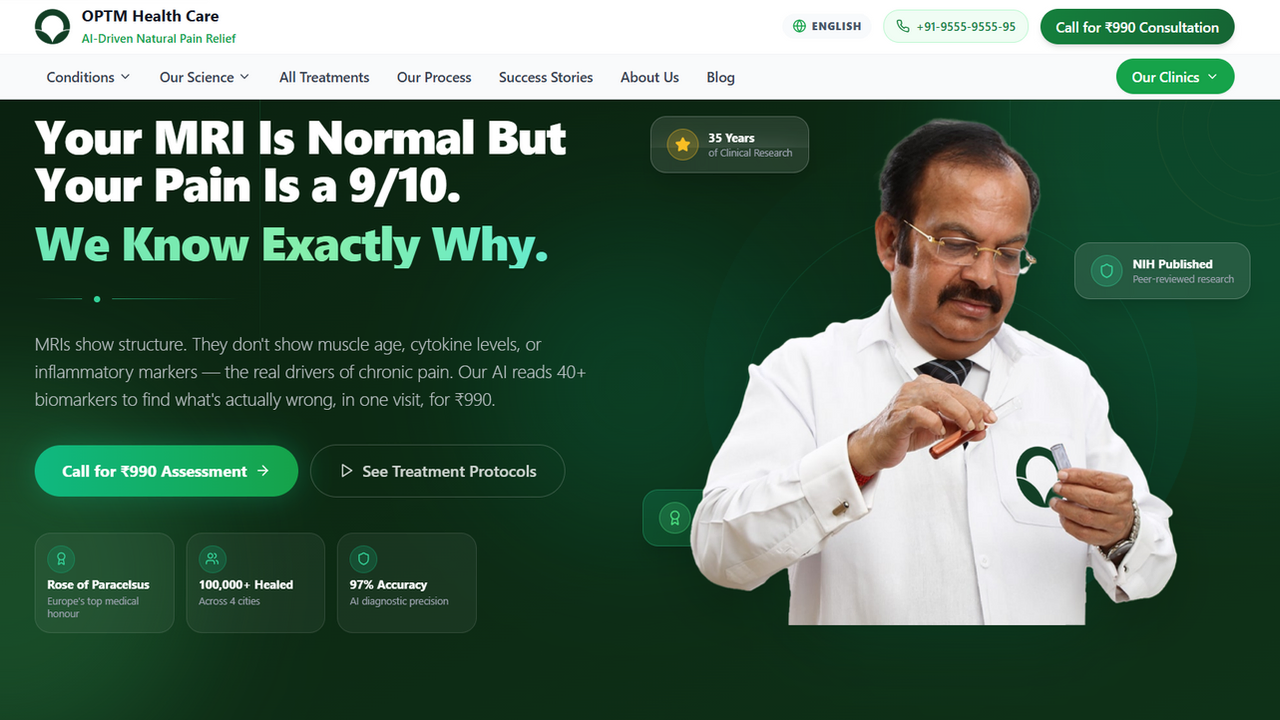
The most advanced healthcare website template on Base44. Built for clinics, hospitals, and medical practitioners who want a world-class digital presence without starting from scratch. This isn't a generic medical template — it's a full-stack patient acquisition system used by a real clinic treating 1.2 lakh+ patients. What's Inside: 🤖 AI-Driven Blog Engine — 30+ fully written, SEO-optimised medical articles with expert FAQs, internal linking, and clinical data. Content that ranks AND converts. 📅 Live Appointment Booking System — Full patient intake form with location selector, date picker, confirmation flow, and database storage. Works on day one. 🌍 Multi-Language Support — English, Hindi, Bengali & Punjabi with persistent language preferences. Reach every patient. 📱 Flawless Mobile Navigation — Responsive hamburger menu, sticky booking CTA, floating call button. Zero friction on any device. 🏙️ Multi-Location Architecture — Dedicated city pages (Delhi, Kolkata, Panchkula, Mohali) with unique SEO content and local schema markup. 📊 Admin Dashboard — Appointment management, blog CMS, and patient data — all built-in. ✍️ Rich Blog CMS — Add, edit, and publish articles directly from the dashboard. Full article structure with TLDR, FAQs, author blocks, and related posts. 🔍 Enterprise-Grade SEO — JSON-LD schemas, Open Graph, sitemap.xml, robots.txt, LLMs.txt, breadcrumbs, local business schema — all pre-configured. Perfect For: Orthopaedic clinics • Pain management centres • Physiotherapy practices • Ayurveda & wellness clinics • Any multi-location healthcare brand Why this template pays for itself: Every element — the urgency CTAs, the trust badges, the clinical proof sections, the ₹990 assessment funnel — is conversion-tested on a live clinic generating real appointments daily. Clone it. Rebrand it. Launch in a day.

Digital Doctors0 clones

Marketing & Sales · Operations

Client Portal for Client Management template preview

Client Portal for Client Management

$29.99

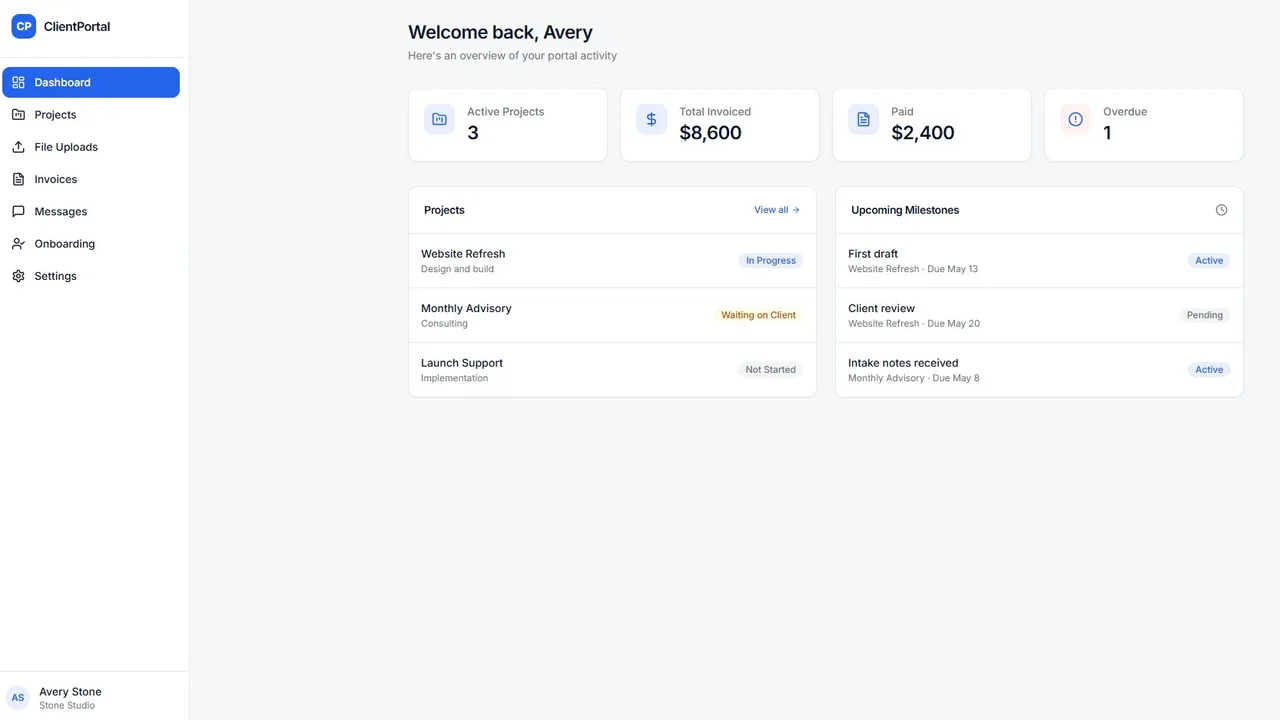
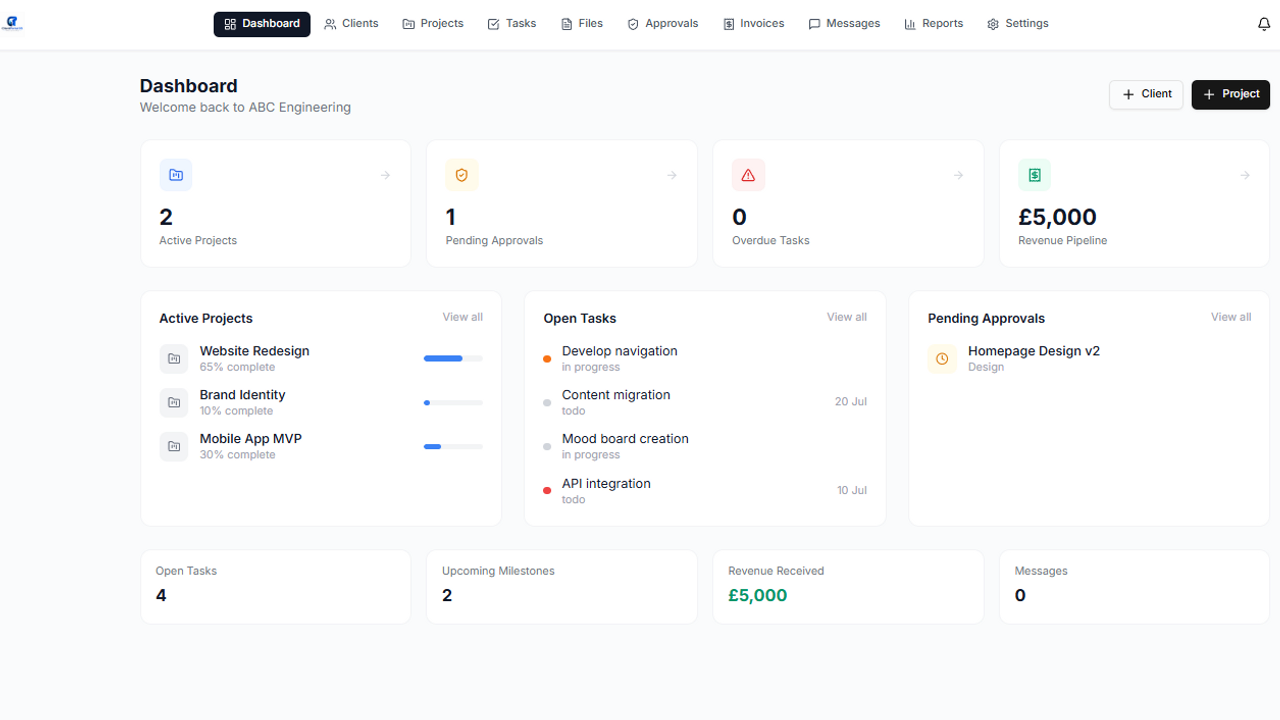
Client Portal OS is a fully customisable client management and collaboration platform designed for service businesses, agencies, contractors, and project-based teams. Built to streamline communication, document sharing, task tracking, approvals, and project visibility, Client Portal OS gives your clients one central place to stay informed and engaged. Replace scattered emails, missed updates, and disorganised file sharing with a professional branded portal where clients can view live project progress, access key documents, approve quotes, track tasks, raise requests, and communicate directly with your team. Designed for multi-user businesses, Client Portal OS allows full control over client access, permissions, workflows, and branding — making it ideal for businesses that want to improve transparency, speed up approvals, and deliver a better customer experience. Key features: • Dedicated client dashboards • Project and task tracking • File and document sharing • Quote and approval workflows • Client messaging and updates • Request / support ticket logging • Milestone tracking • Role-based user permissions • Custom branding and terminology • Audit trail and activity history • Mobile-friendly interface Perfect for consultants, agencies, fabricators, maintenance providers, creative studios, and professional service businesses. Give your clients visibility. Reduce admin. Deliver a better service experience with Client Portal OS.

Chris B440 clones

Operations · Marketing & Sales

So, what are we building?

Start building