Productivity

Build powerful productivity apps with customizable templates. Whether you need to organize your personal workflow or create a robust project management tool for a client, these templates provide the perfect foundation to start from.

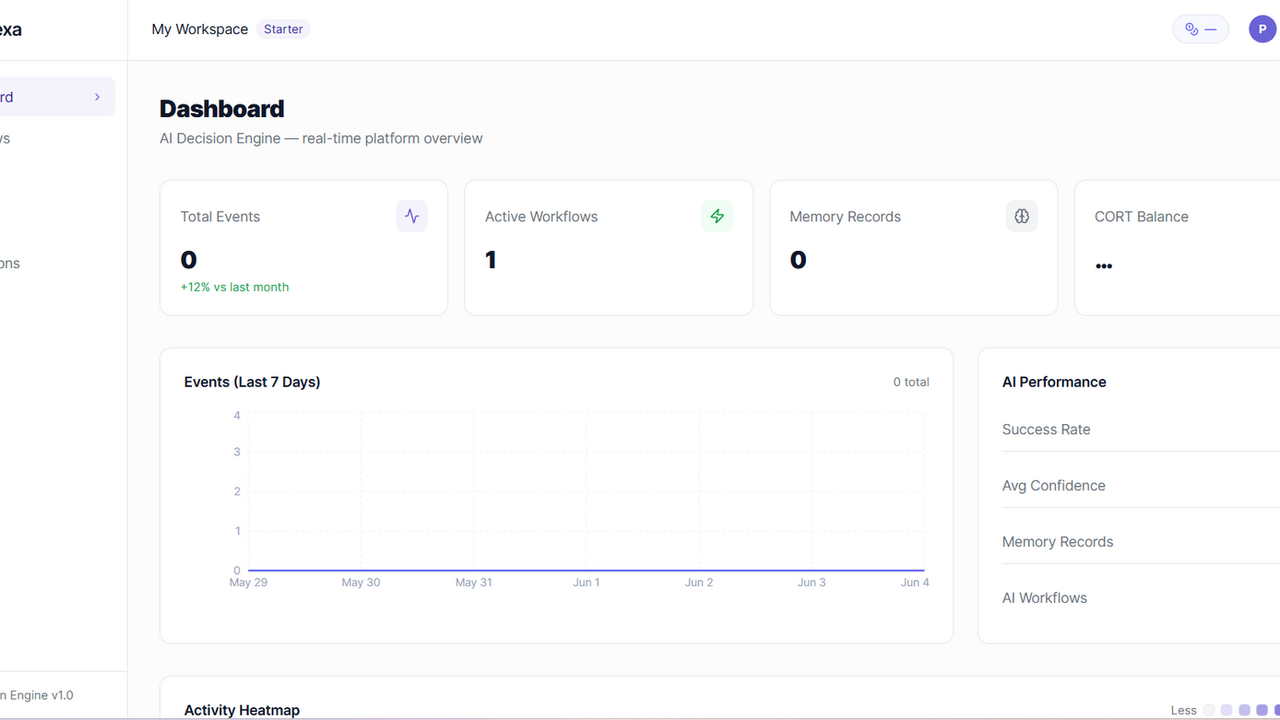
Cortexa template preview

Cortexa

$22

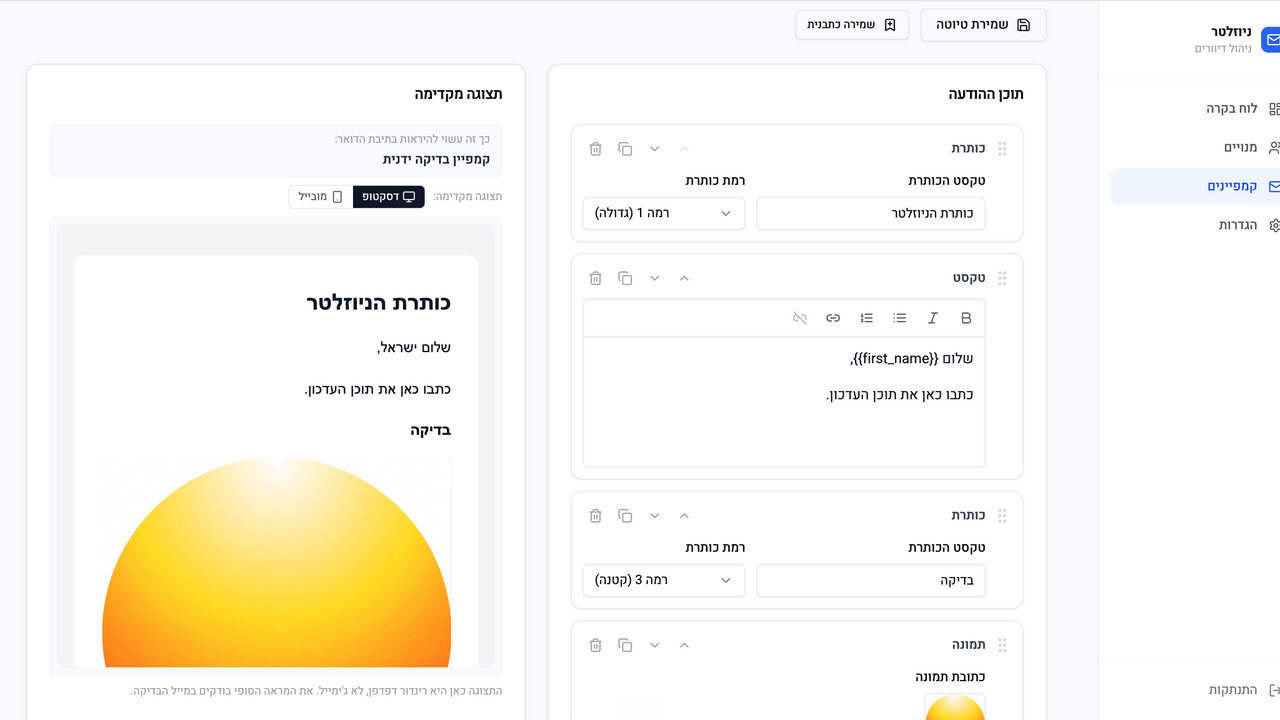
</> CORTEXA The AI Decision Layer for Modern Software Systems Description Cortexa is a developer-first AI automation infrastructure that turns any application into an intelligent system. Instead of static workflows and manual automation rules, Cortexa introduces a powerful AI decision engine that sits between events and actions—analyzing context, learning from history, and automatically deciding what should happen next. Developers send events from their apps, and Cortexa transforms them into intelligent, outcome-driven actions using AI, memory, and real-time business logic. It is the missing “brain layer” between software systems. ⚙️ Core Features of Cortexa 1. AI Decision Engine Cortexa uses advanced AI reasoning to decide what actions should be taken when an event occurs. Context-aware decisions Business goal optimization (conversion, retention, revenue) Multi-step reasoning Confidence scoring per decision Rule + AI hybrid execution 2. Event-Driven Automation API Apps send real-time events that trigger automation flows. REST API event ingestion Webhook support Event categorization & routing High-throughput processing Real-time execution pipeline 3. Workflow Intelligence Layer Instead of rigid “if-this-then-that” logic, workflows are adaptive. AI-enhanced workflows Conditional logic + natural language goals Multi-action execution chains Priority-based task ordering Dynamic workflow adjustments 4. Memory & Learning System Cortexa learns from every event and outcome to improve future decisions. Persistent event memory storage Pattern recognition across users Outcome-based learning loops Behavioral clustering (high-value users, churn risk, etc.) Continuous optimization without retraining 5. Usage-Based Billing Engine Built-in monetization system for developers and enterprises. Pay-per-event pricing Pay-per-AI decision pricing Action-based billing Real-time usage tracking Subscription + API hybrid plans Billing enforcement & limits 6. Integration Ecosystem Cortexa connects to any external system through modular actions. Email providers (SendGrid, Mailgun) CRMs (HubSpot, Airtable, Notion) Payments (Stripe, PayPal) Messaging (WhatsApp, Slack, Telegram) Webhooks & custom APIs 7. Real-Time Execution Logs Full transparency into every decision and action. Event traceability AI reasoning logs Action execution history Debug mode for developers Performance analytics 8. Adaptive Intelligence Layer Cortexa improves over time using live system feedback. Learns from successful conversions Adjusts decision strategies automatically Optimizes workflows per business type Identifies high-value patterns Reduces unnecessary actions over time 9. API Key Security & Multi-Tenant Architecture Enterprise-grade infrastructure for global scaling. API key authentication Workspace isolation Rate limiting per client Role-based access control Secure event ingestion pipeline Cortexa is not just an automation tool

Marcus Alonso0 clones

Operations · Data & Analytics +4

WrenchHub template preview

WrenchHub

$10

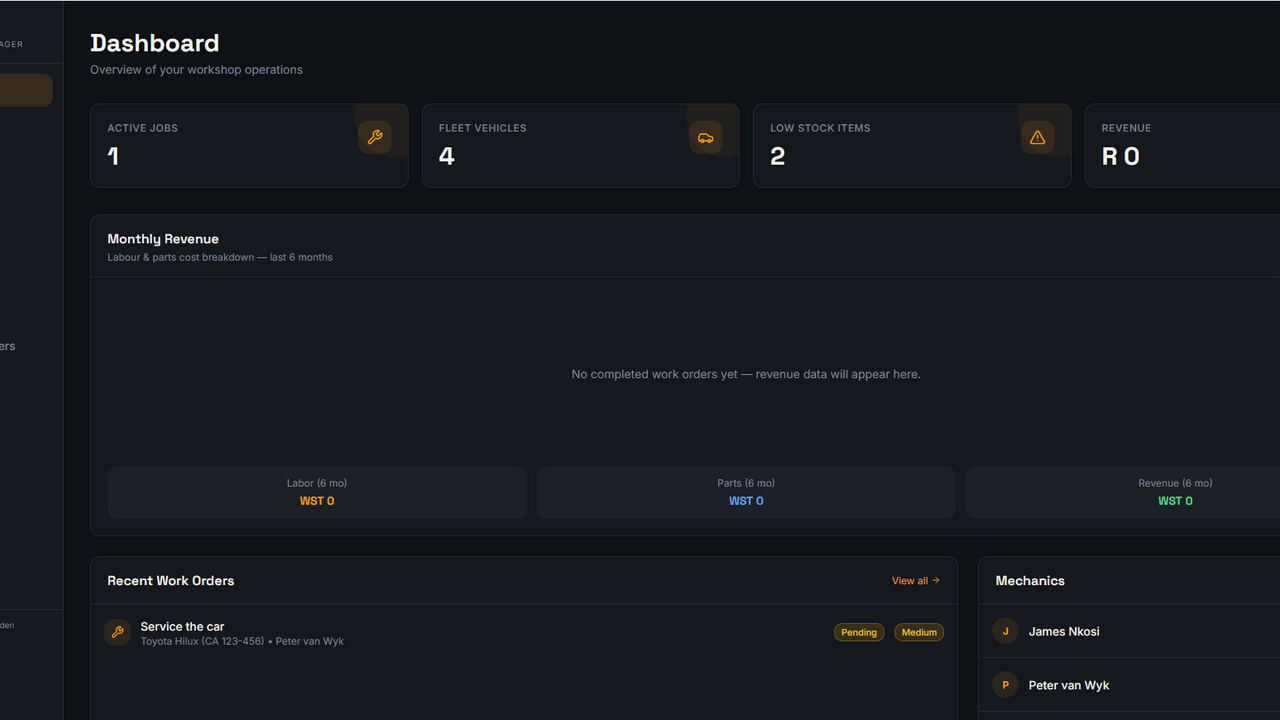
WrenchHub – Workshop Management System The all-in-one platform built for modern auto workshops and fleet service centres. WrenchHub gives workshop owners and managers complete control over their operations — from the moment a vehicle arrives to the moment the invoice is paid. Built with a sleek dark industrial interface, it's designed to look as professional as the work you do. Key Features: 🔧 Work Orders — Create, assign, and track jobs with a Kanban board or list view. Monitor labour hours, parts usage, and profit margins in real time. 🚗 Fleet Management — Maintain a full vehicle registry with owner details, service history, and status tracking. 📦 Inventory Control — Track spare parts and consumables with low-stock alerts, reorder notifications, and automatic stock deduction on job completion. 👨‍🔧 Mechanic Management — Manage your team's availability, specialisations, and hourly rates. 📄 Financial Documents — Generate quotes, purchase orders, and invoices with PDF export and supplier linking. 📊 Revenue Reports — Visualise monthly revenue, spend, and profit trends with interactive charts. 🔔 Service Reminders — Set mileage-based maintenance alerts so no vehicle falls behind on service. 🏢 Supplier Directory — Centralise vendor contacts, payment terms, and parts sourcing relationships. Perfect for: Independent workshops, fleet service businesses, dealership service departments, and mobile mechanics looking to digitise their operations.

Justin Van Staden0 clones

Operations · Data & Analytics

Health Care- Doctors-Clinics template preview

Health Care- Doctors-Clinics

$9.99

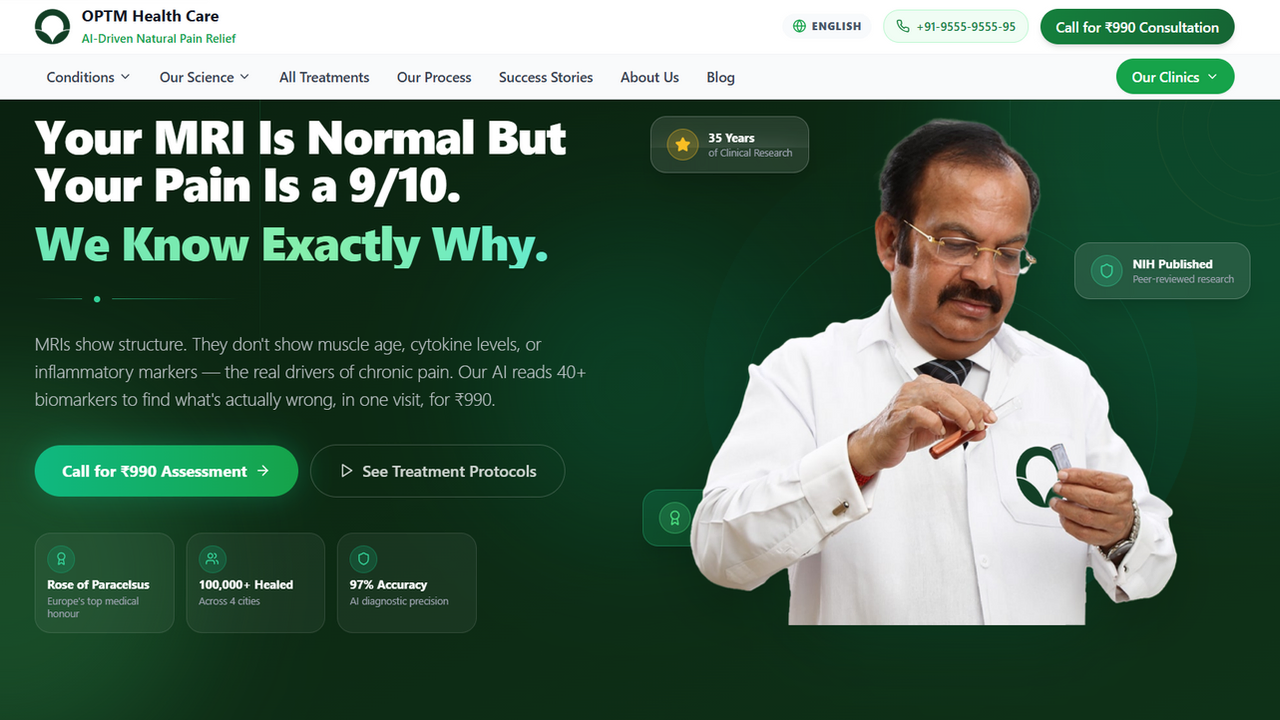
The most advanced healthcare website template on Base44. Built for clinics, hospitals, and medical practitioners who want a world-class digital presence without starting from scratch. This isn't a generic medical template — it's a full-stack patient acquisition system used by a real clinic treating 1.2 lakh+ patients. What's Inside: 🤖 AI-Driven Blog Engine — 30+ fully written, SEO-optimised medical articles with expert FAQs, internal linking, and clinical data. Content that ranks AND converts. 📅 Live Appointment Booking System — Full patient intake form with location selector, date picker, confirmation flow, and database storage. Works on day one. 🌍 Multi-Language Support — English, Hindi, Bengali & Punjabi with persistent language preferences. Reach every patient. 📱 Flawless Mobile Navigation — Responsive hamburger menu, sticky booking CTA, floating call button. Zero friction on any device. 🏙️ Multi-Location Architecture — Dedicated city pages (Delhi, Kolkata, Panchkula, Mohali) with unique SEO content and local schema markup. 📊 Admin Dashboard — Appointment management, blog CMS, and patient data — all built-in. ✍️ Rich Blog CMS — Add, edit, and publish articles directly from the dashboard. Full article structure with TLDR, FAQs, author blocks, and related posts. 🔍 Enterprise-Grade SEO — JSON-LD schemas, Open Graph, sitemap.xml, robots.txt, LLMs.txt, breadcrumbs, local business schema — all pre-configured. Perfect For: Orthopaedic clinics • Pain management centres • Physiotherapy practices • Ayurveda & wellness clinics • Any multi-location healthcare brand Why this template pays for itself: Every element — the urgency CTAs, the trust badges, the clinical proof sections, the ₹990 assessment funnel — is conversion-tested on a live clinic generating real appointments daily. Clone it. Rebrand it. Launch in a day.

Digital Doctors0 clones

Marketing & Sales · Operations

Client Portal for Client Management template preview

Client Portal for Client Management

$29.99

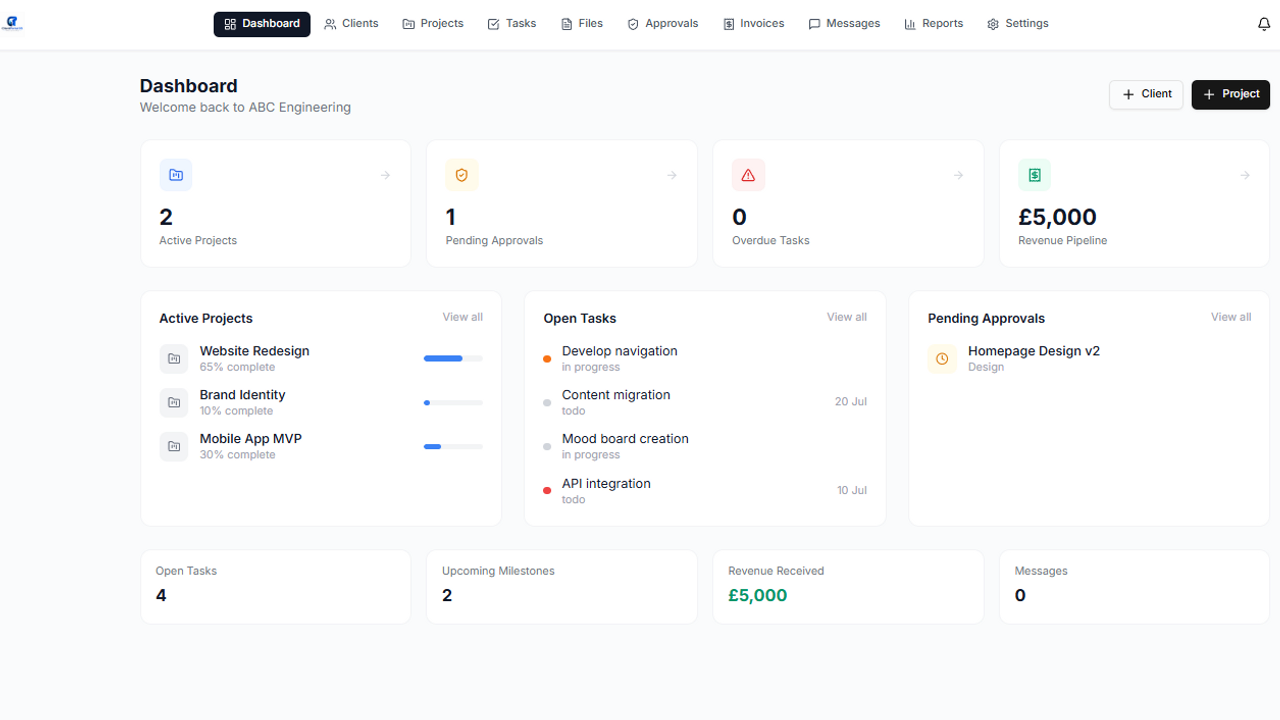
Client Portal OS is a fully customisable client management and collaboration platform designed for service businesses, agencies, contractors, and project-based teams. Built to streamline communication, document sharing, task tracking, approvals, and project visibility, Client Portal OS gives your clients one central place to stay informed and engaged. Replace scattered emails, missed updates, and disorganised file sharing with a professional branded portal where clients can view live project progress, access key documents, approve quotes, track tasks, raise requests, and communicate directly with your team. Designed for multi-user businesses, Client Portal OS allows full control over client access, permissions, workflows, and branding — making it ideal for businesses that want to improve transparency, speed up approvals, and deliver a better customer experience. Key features: • Dedicated client dashboards • Project and task tracking • File and document sharing • Quote and approval workflows • Client messaging and updates • Request / support ticket logging • Milestone tracking • Role-based user permissions • Custom branding and terminology • Audit trail and activity history • Mobile-friendly interface Perfect for consultants, agencies, fabricators, maintenance providers, creative studios, and professional service businesses. Give your clients visibility. Reduce admin. Deliver a better service experience with Client Portal OS.

Chris B440 clones

Operations · Marketing & Sales

Nudlo — AI-Powered Team Task Manager template preview

Nudlo — AI-Powered Team Task Manager

$9.99

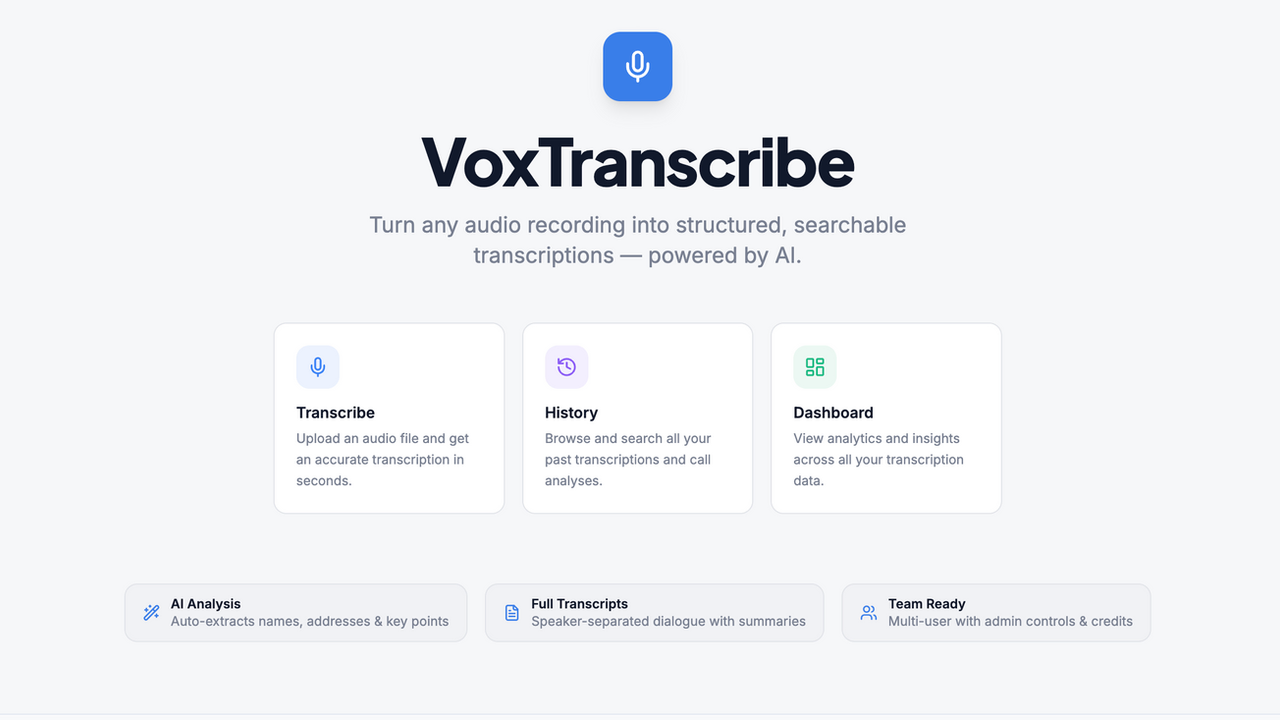
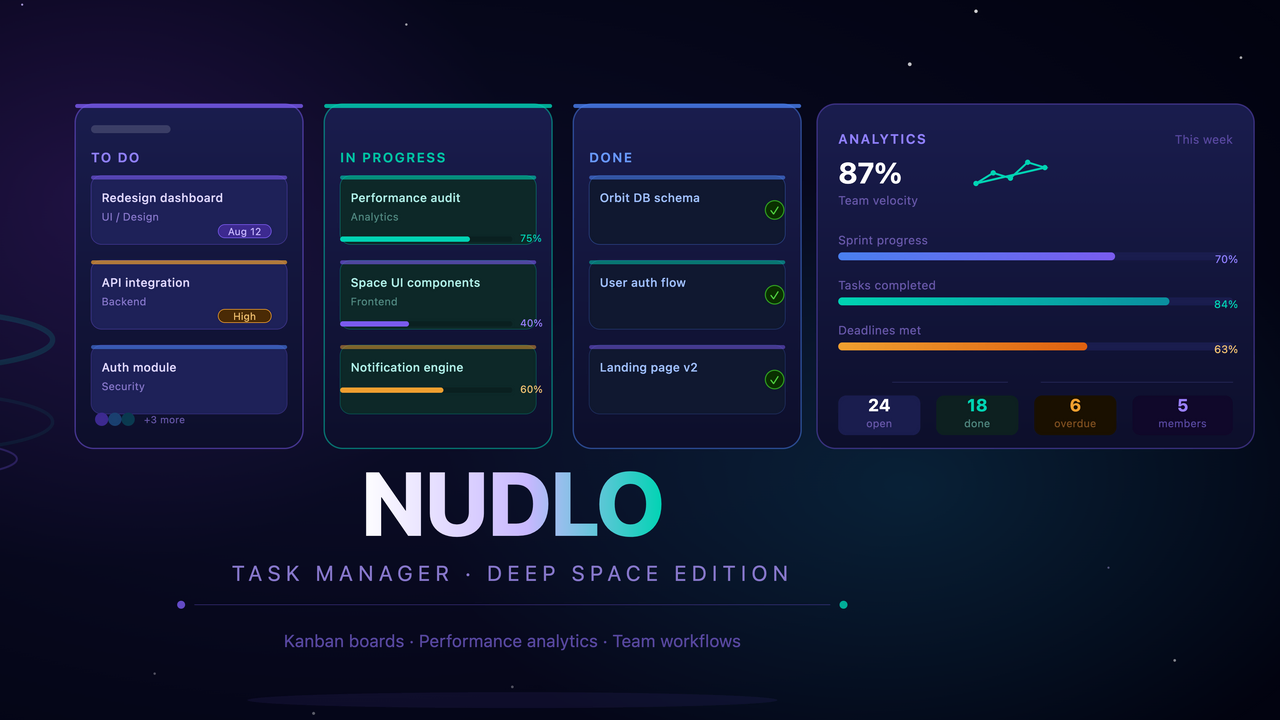
Nudlo is a platform for managing team tasks where artificial intelligence takes care of all the organizational work. Forget about creating tasks manually and long meetings about distributing responsibilities — just record a voice message and AI will handle the rest. How it works You record a voice message with what needs to be done. Nudlo listens, understands the context and automatically creates structured tasks for your team. No more wasting time writing out every point manually — AI does it instantly and accurately. Smart assignment of executors Nudlo doesn't just create tasks — it determines who to assign them to. Based on the skills, current workload and efficiency of each team member, AI assigns the right person for the job. This means tasks always go to those who will handle them best. Analytics and performance growth The platform tracks the work of each team member and collects real data on efficiency. Based on this, Nudlo provides specific recommendations — what to improve, where the bottlenecks are and how to redistribute the workload. You always see the full picture and make decisions based on facts, not guesses. Google Calendar integration All tasks and deadlines are automatically synced with Google Calendar. Nothing gets lost, nothing needs to be transferred manually — the team is always aware of deadlines and priorities. Start the right way When registering, it is important to completely fill out your personal profile — this gives AI the necessary information about each team member. It is based on the profile that Nudlo learns to distribute tasks accurately and efficiently. The more detailed the profile, the smarter the platform works from day one

OTABEK JURAEV0 clones

Operations · Data & Analytics +4

Reseller Profit OS template preview

Reseller Profit OS

$199.95

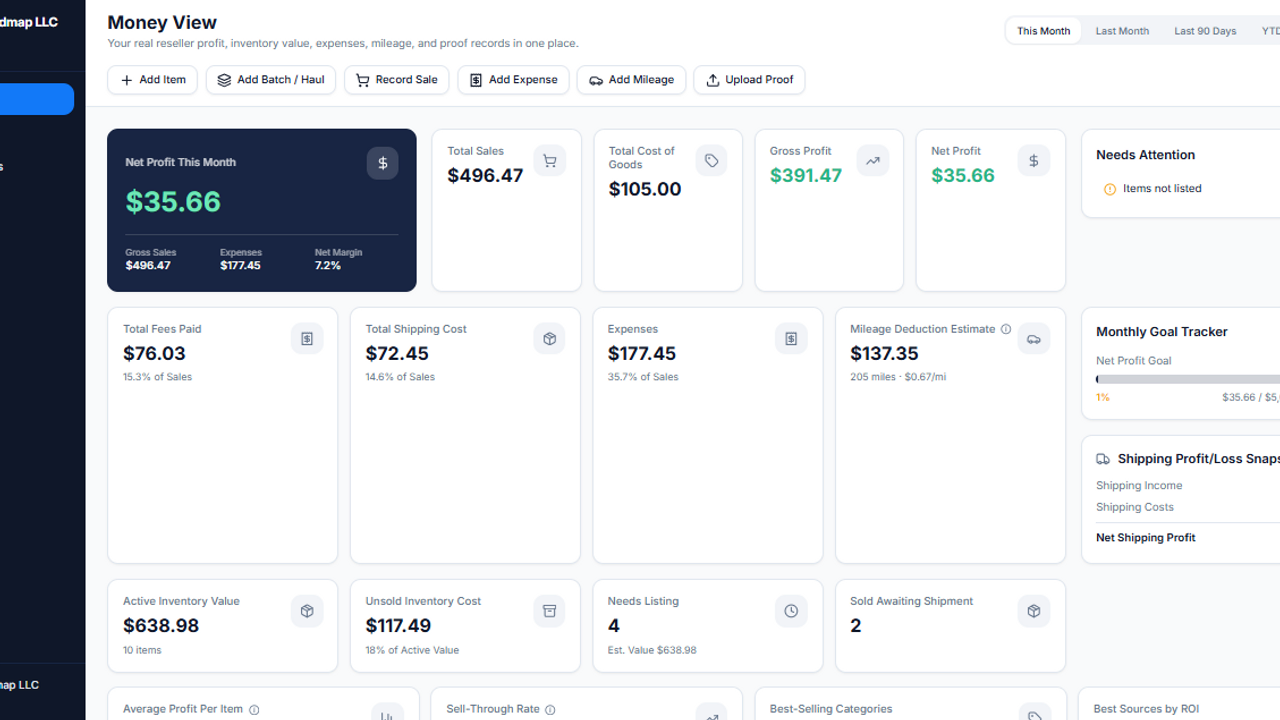
Reseller Profit OS Stop guessing. Start tracking real reseller profit. A premium reseller command center for inventory, batches/hauls, COGS, no-receipt buys, sales, fees, shipping, expenses, mileage estimates, proof uploads, CSV reports, and real net profit tracking. Overview Reseller Profit OS is a premium business operating system for serious resellers who want to move beyond messy spreadsheets and scattered notes. Track what you bought, what it cost, what sold, what fees took, what shipping cost, what proof you have, and what you actually kept. Built for online resellers, eBay sellers, Facebook Marketplace sellers, Mercari sellers, Etsy sellers, Poshmark sellers, Whatnot sellers, flea market sellers, antique booth vendors, pickers, flippers, antique shops, and small resale businesses. This is not just another tracker. Reseller Profit OS gives buyers a full reseller command center with inventory, batch/haul tracking, sales profit calculations, expenses, mileage estimates, proof records, uploads, reports, CSV exports, built-in guides, and a launch checklist. Get Started Fast You are not buying a blank project you have to figure out. Reseller Profit OS includes built-in onboarding tools so buyers can start using the system faster. Configure Settings Add business details, platforms, categories, sources, storage locations, default fees, mileage rate, and reporting preferences. Review the Demo Workflow Use the included sample records to understand how inventory, batches, sales, expenses, mileage, proof records, and reports connect. Clear Sample Data Use the protected Danger Zone tool to delete sample business records before entering real data. Start Tracking Create your first batch, add inventory, record a sale, upload proof, and watch the Money View dashboard update. Settings / Admin Control Center The Settings area helps buyers configure the system. Includes: Business profile Currency Default date range Selling platforms Platform fee defaults Payment fee settings Monthly profit goal Inventory categories Sourcing locations Storage locations Mileage rate Legal/disclaimer section Danger Zone Delete Sample Data The app includes a protected Delete Sample Data tool so buyers can review the demo workflow and then clear sample business records. Requires typing: DELETE SAMPLE DATA Deletes sample records for inventory, batches, sales, expenses, mileage, and proof records. Does not delete app structure, guides, settings, disclaimer page, or required system pages. Safe Individual Record Delete Individual records can be deleted safely from their row or card actions. Delete is available for: Inventory Batches / Hauls Sales Expenses Mileage Proof records Each delete requires typing: DELETE This helps prevent accidental record removal. Built-In Setup Guide Reseller Profit OS includes a built-in Setup Guide so buyers know how to configure the system from day one. The guide covers: Business profile setup Platform setup Fee settings Categories Sources Storage locations Mileage rate First batch / haul First inventory item First sale Uploading proof Reports Batch cost allocation Delete Sample Data Disclaimer reminders Built-In User Guide The built-in User Guide explains how to operate the system after setup. It covers: Money View Inventory Batches / Hauls Batch cost allocation No-receipt COGS Sales Profit calculations Fees Shipping Expenses Mileage Proof Center Photos, receipts, and proof uploads Search and filters CSV exports Editing records Deleting records safely Delete Sample Data Reports Safe recordkeeping reminders This is part of the Strike Media Systems premium template standard. QA / Launch Checklist Reseller Profit OS includes a built-in QA / Launch Checklist so buyers can test their copy before using it with real records. Checklist areas include: Settings setup Category setup Platform setup Batch creation Inventory creation Proof upload Sale recording Expense entry Mileage entry Dashboard checks Report checks CSV export checks Delete Sample Data Individual delete actions Mobile layout Disclaimer review What’s Included 7 core data entities Money View dashboard Inventory system Batches / Hauls Batch Detail page Batch cost allocation Sales profit tracking Expense tracking Mileage estimate tracking Proof Center Uploads on core forms 10 reports CSV exports Search and filters Safe delete workflows Delete Sample Data Settings / Admin Control Center Setup Guide User Guide QA / Launch Checklist Disclaimer page Demo data Perfect For eBay sellers Facebook Marketplace sellers Mercari sellers Etsy sellers Poshmark sellers Whatnot sellers Antique booth vendors Flea market sellers Estate sale resellers Yard sale flippers Auto parts resellers Vintage sellers Collectibles sellers Tool resellers Book sellers Small resale shops Antique shops Side-hustle resellers Full-time resellers Testing & Buyer Readiness Reseller Profit OS was tested as a premium business system. Testing covered: Navigation Add/edit inventory Add/edit batches Batch detail Batch cost allocation Add/edit sales Profit calculations Add/edit expenses Add/edit mileage Add/edit proof records Uploads Search and filters Reports CSV exports Delete Sample Data Row-level delete confirmation Empty states Mobile layout Disclaimer safety Setup Guide User Guide QA Checklist Important Disclaimer Reseller Profit OS is a recordkeeping and reporting tool. It does not provide tax, legal, accounting, or financial advice. Reports are based on user-entered data. Users should review records, deductions, mileage, expenses, and tax-related questions with a qualified professional. Built by Strike Media Systems Built by Strike Media Systems . Part of the Nexora Template Collection . Built beyond the demo stage. Designed with the small details buyers actually need to use the system. Core Features Money View Dashboard The premium dashboard gives resellers a fast view of business performance. Track: Net profit Total sales Total COGS Gross profit Fees paid Shipping costs Expenses Mileage estimates Active inventory value Unsold inventory cost Average profit per item Sell-through rate Best-selling category Best source by ROI Missing COGS Missing proof No-receipt COGS documented Goal progress Recent sales Recent batches / hauls Profit trends Category profit Includes date filters for This Month, Last Month, Last 90 Days, Year to Date, All Time, and Custom Range. Inventory Management Track every item from purchase to sale. Inventory records can include: Item name SKU Category Source Purchase date COGS Condition Status Storage location Platform Listing URL Estimated listing price Item photos Proof uploads Batch / haul relationship Notes Move items through statuses like Needs Research, Needs Cleaning, Needs Photos, Ready to List, Listed, Sold, Shipped, Returned, Donated, Scrapped, and Archived. Includes table view, card view, filters, edit actions, archive, record sale, add proof, and safe delete confirmation. Batches / Hauls Built for real sourcing workflows. Track yard sale routes, flea market hauls, thrift runs, estate sale buys, auction lots, Facebook Marketplace bundles, antique vendor purchases, storage cleanouts, and more. Batch features include: Add Batch Edit Batch Batch Detail page Linked inventory items Batch summary cards Actual sales so far Remaining unsold value Receipt/proof uploads Cost allocation tools Safe delete confirmation Batch Cost Allocation Reseller Profit OS helps users organize cost of goods sold for haul-based buying. Supports: Equal Split allocation Manual Cost Per Item review Estimated allocation notes Batch total vs linked item total visibility Confirmation before applying allocation This helps resellers turn a single haul purchase into cleaner item-level COGS records. Sales & Profit Tracking Record sales and see what you actually kept. Sales records can include: Item sold Sale date Platform Sale price Shipping charged Actual shipping cost Packaging cost Marketplace fee Payment fee Promotion fee Refunds Return costs COGS Gross profit Net profit ROI Profit margin Status Notes Supports common reseller channels like eBay, Facebook Marketplace, Mercari, Etsy, Poshmark, Whatnot, local pickup, antique booths, flea markets, and in-store sales. Expenses Track operating costs such as: Shipping supplies Packaging Tools Storage bins Labels Printer ink Software Booth rent Advertising Vehicle expenses Cleaning supplies Office supplies Other business expenses Includes receipt/proof uploads, search, filters, edit actions, and safe delete confirmation. Mileage Estimate Tracking Track reseller-related trips such as sourcing runs, shipping drop-offs, booth restocks, storage runs, supply runs, customer deliveries, and other business errands. Mileage records include: Trip date Trip type Starting location Destination Miles driven Mileage rate Mileage estimate Linked batch Notes Mileage language is intentionally careful and recordkeeping-focused. Users should review mileage records and rates with a qualified tax professional. Proof Center Keep proof records organized in one place. Proof records can include: Receipts Cash buy notes Item photos Price tag photos Marketplace screenshots Vendor invoices Auction invoices Mileage trip records Batch logs Supporting documents Proof records can link to inventory, batches, sales, expenses, mileage, shipping, or other records. Includes uploads, clickable files, linked record names, proof status badges, filters, edit actions, and safe delete confirmation. File, Photo & Receipt Uploads Upload documentation directly inside the workflow. Uploads are available on: Add Item Edit Item Add Batch Edit Batch Add Expense Edit Expense Proof Center Users can attach item photos, receipt images, haul photos, price tag photos, invoices, screenshots, payment proof, and supporting documents. Reports Reseller Profit OS includes a premium 10-report suite with CSV export. Reports include: Monthly Profit Report Year-End Summary Inventory Value Report Source Profit Report Platform Report Category Report Dead Stock / Aging Report Shipping Profit/Loss Report Fee Report No-Receipt COGS Report Reports include date filtering and CSV exports for review, recordkeeping, and accountant/bookkeeper collaboration. CSV Export Each report includes CSV export support. Export data for: Monthly review Year-end organization Accountant/bookkeeper review Inventory analysis Source performance Platform performance Category performance Dead stock review Fee review No-receipt COGS review Best One-Line Pitch Know what you bought, what it cost, what sold, what fees took, what shipping cost, what proof you have, and what you actually kept.

Strike Media Systems0 clones

Operations · Finance +1
FlowFlow template preview

FlowFlow

$15

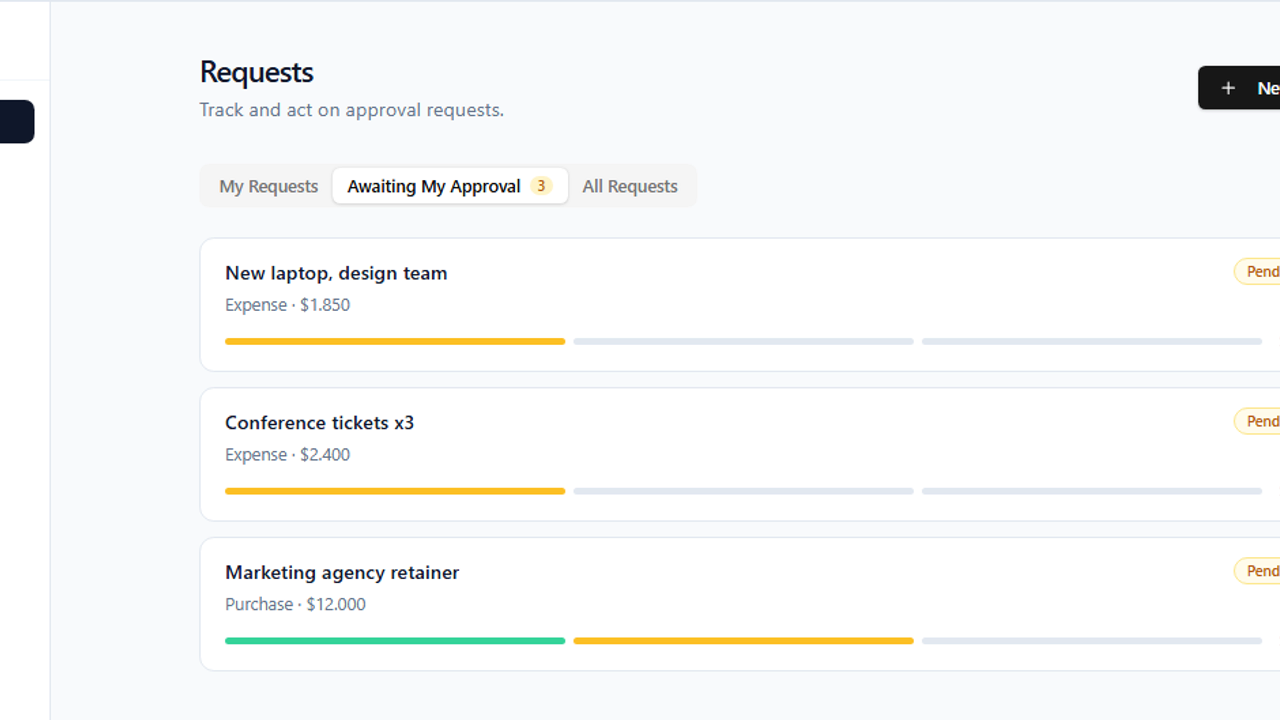
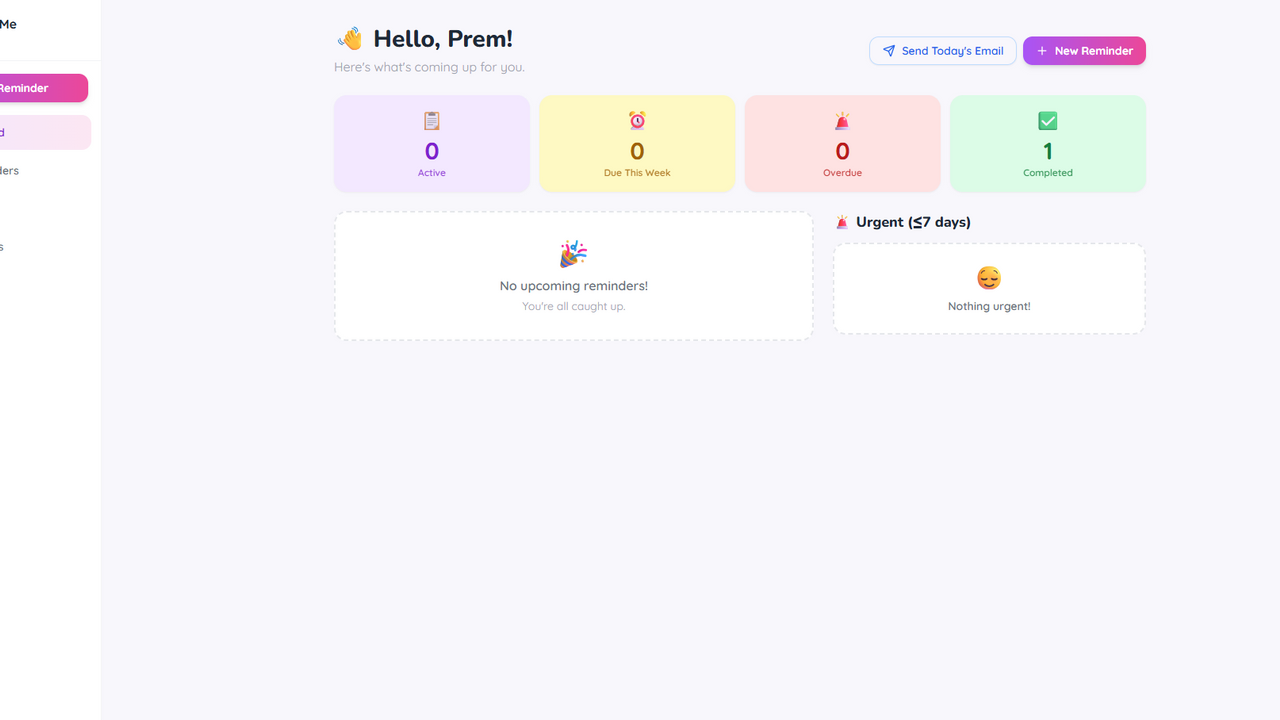
Approvals — Lightweight Approval Workflow Engine Route any request through a configurable chain of approvers, automatically. Approvals is a no-code approval workflow engine built for teams that need controlled sign-off on expenses, purchases, leave, and more — without the overhead of enterprise software. How it works Create a request — any team member submits a request with a title, category, optional amount, and description. Automatic routing — the app matches the request's category to the right workflow and routes it to the first approver in the chain. Smart escalation by amount — each step has a maximum amount that role can approve. If a request exceeds that cap, it escalates to the next approver after the current one signs off. A cap of "unlimited" stops the chain there. Full audit trail — every decision (who, when, comment) is recorded and visible on each request, so nothing is lost. Built for the whole team Requesters create, submit, and cancel their own requests from a clean dashboard. Approvers see a dedicated "Awaiting My Approval" inbox and approve or reject with comments (rejections require a reason). Admins build workflows visually — name a category, add ordered steps with approver roles and amount caps, and toggle workflows on or off. No code required. Why teams choose it Amount-aware routing — no more manual "who needs to approve this?" decisions. The chain escalates itself based on value. Separation of duties — you can never approve your own request, by design. Transparent status — draft, pending, approved, rejected, or cancelled, with a progress bar and a complete decision history on every request. Zero setup friction — workflows are configured in-app by admins; requesters just pick a category and submit. Perfect for finance teams approving expenses, procurement signing off purchases, HR handling leave requests, or any organization that needs structured, auditable approvals.

Anders Thaarup Jensen0 clones

Operations · Finance +1
Sales Partner OS template preview

Sales Partner OS

$55.9

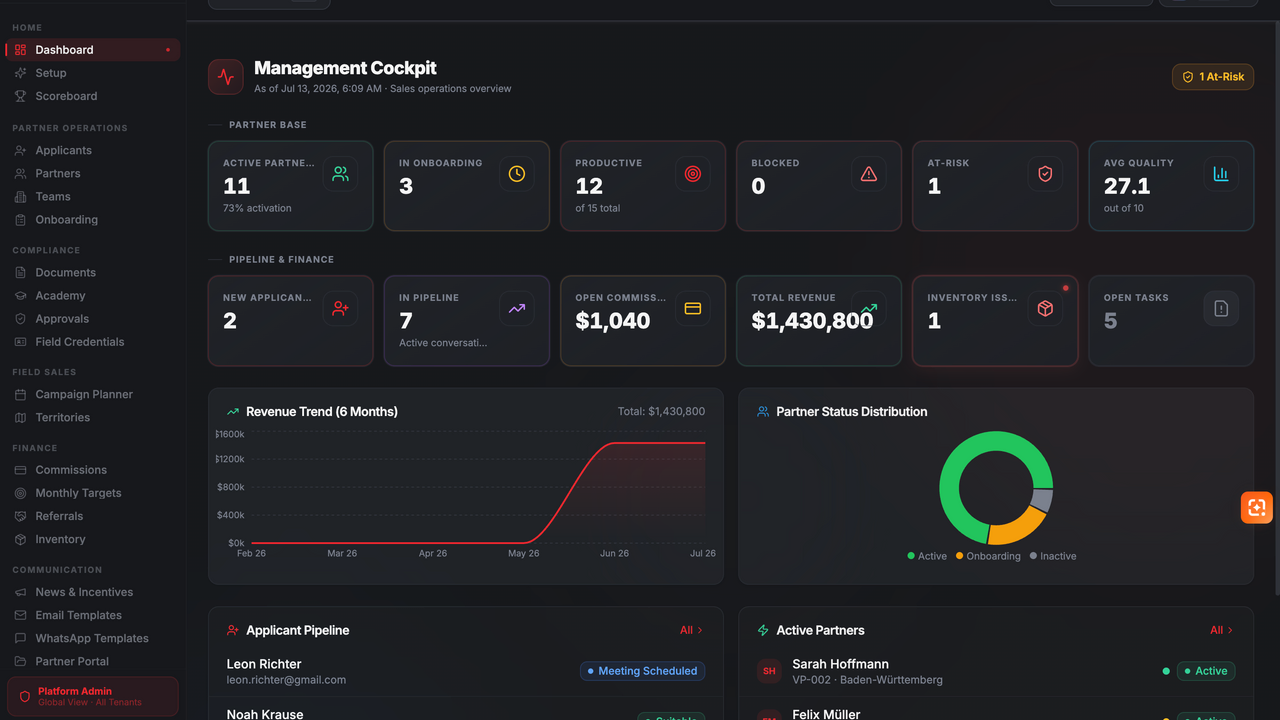
Sales Partner OS is a multi-tenant partner operations platform built for companies that manage independent sales partners, field sales teams, and complex partner networks. The platform covers the complete partner lifecycle — from applicant recruitment and structured onboarding to document verification, approvals, field operations, performance management, and commission processing. Role-specific dashboards provide executives, sales managers, back-office teams, team leaders, accounting staff, and sales partners with exactly the tools and information they need. Key features: Applicant management with recruiting pipeline and evaluation workflows Structured partner onboarding with checklists, contracts, and document verification Central partner, team, and territory management Product, channel, document, and commission approval workflows Field sales campaign planning, territory allocation, and digital credentials Commission calculation, payout tracking, referrals, and monthly targets Performance dashboards, scoreboards, quality metrics, and risk indicators Inventory and equipment assignment with complete history Partner academy, certificates, news, and incentive management Email and WhatsApp communication templates Role-based access control, audit logs, and tenant-separated data Dedicated partner portal and responsive user interface Sales Partner OS is ideal for direct sales organizations, field sales networks, agencies, energy and telecommunications sales teams, franchise-like partner structures, and companies that need to manage large partner networks through transparent and compliant processes. The template can be customized with individual branding, organizational roles, products, sales channels, approval processes, and tenant-specific configurations.

S. Thiele0 clones

Marketing & Sales · Operations +3

MedStore template preview

MedStore

$199

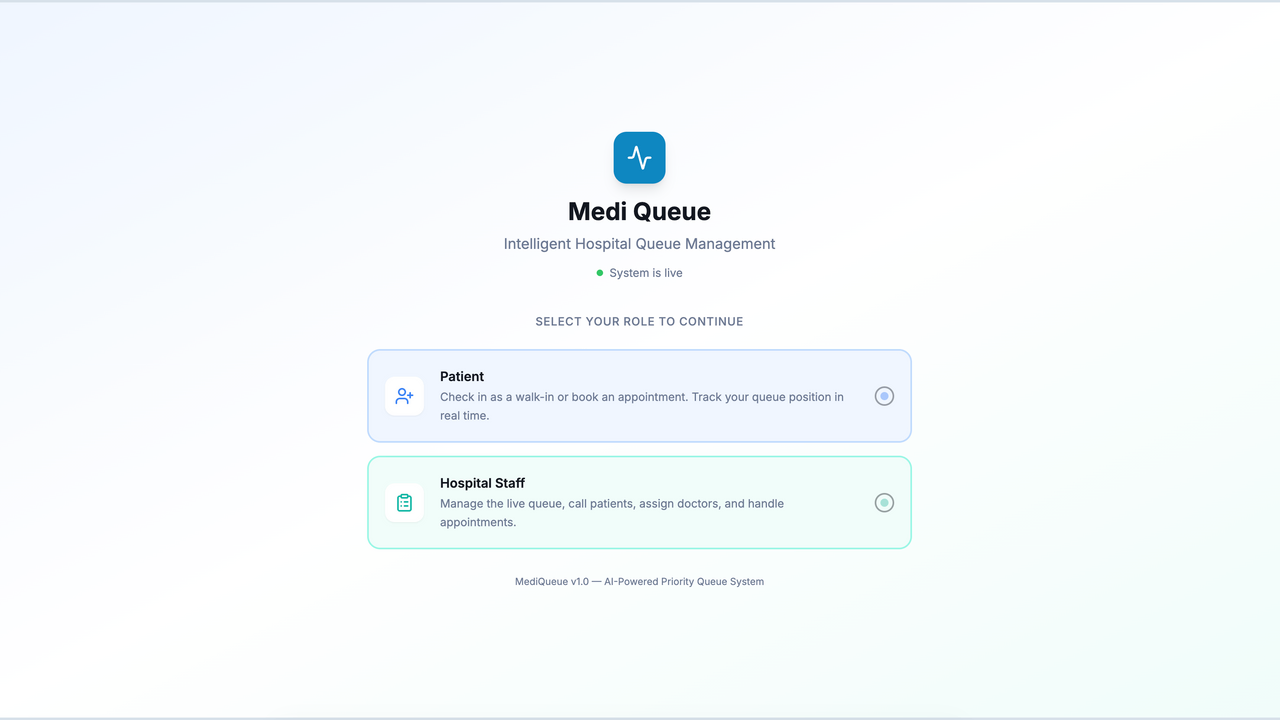
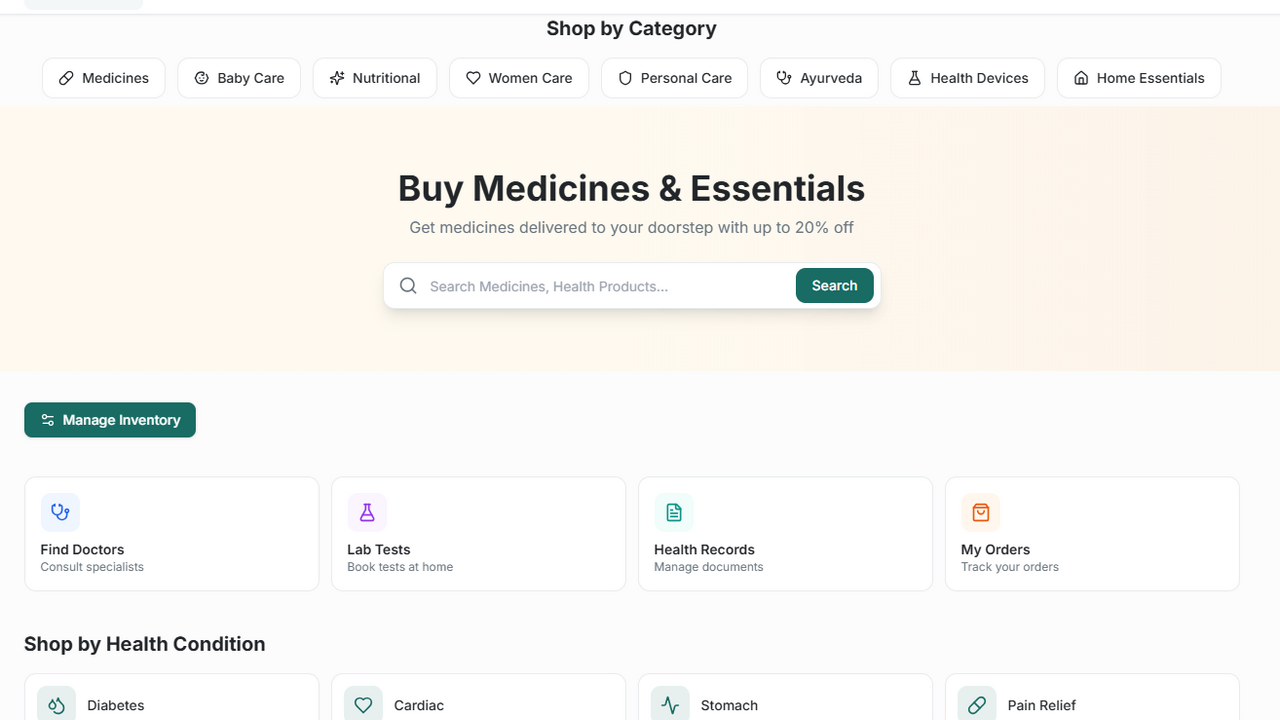
MedStore : Your comprehensive digital health partner for seamless medicine delivery, expert doctor consultations, and diagnostic lab services, all in one trusted platform. MediSphere Orders is a comprehensive healthcare procurement and medical order management platform designed to simplify, automate, and optimize the complete ordering lifecycle for hospitals, clinics, pharmacies, laboratories, distributors, and healthcare organizations. Built as part of the MediSphere ecosystem, the platform enables healthcare providers to efficiently manage medicine procurement, medical supplies, inventory replenishment, vendor communication, approvals, deliveries, and purchase tracking from a single centralized dashboard. The platform eliminates manual paperwork and disconnected procurement processes by providing an intelligent digital ordering system that connects healthcare facilities with suppliers in real time. Users can quickly create purchase orders, monitor order status, manage approvals, receive inventory, track invoices, and maintain complete visibility into every transaction. Designed with security, scalability, and ease of use in mind, MediSphere Orders supports organizations of all sizes—from independent clinics to multi-location hospitals and healthcare networks. Modern dashboards, real-time notifications, analytics, role-based access, and automated workflows ensure that procurement teams spend less time on administrative tasks and more time delivering quality patient care.

Best from world0 clones

Lifestyle & Hobbies · Operations +1

So, what are we building?

Start building