Showing 1 search result for “StacksMesh”
Results for StacksMesh
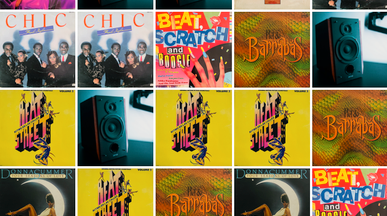
Vintage Records — A Retro Storefront for Serious Collectors
By Cesar Martínez
66 ClonesEcommerce
Frequently asked questions
A template is a working app or website that you can copy and customize instead of building from scratch. Unlike a static design file, it ships with real functionality — pages, a database, logins and logic — so it runs the moment you clone it. Base44 templates are built by the Base44 team and by the community, and every one can be edited with plain-language prompts. Our guide to how to use app templates walks through a first build.
Base44 offers templates for both apps and websites, whether you’re getting your business online, making everyday tasks easier or starting a side project. Here are a few options to explore:
- Business and productivity apps: Get organized with templates for task management, scheduling, customer relationships and inventory. Use our AI app builder to adjust the screens and workflows around how you actually work.
- Games and interactive experiences: Have a playful idea? Start with a game template and use our AI game maker to make it your own. Customize the design, add challenges and give players something fun to explore.
- Business and service websites: Find starting points for restaurants, fitness studios, real estate agencies and more. Personalize the content and design to create a website that feels like your business—not someone else’s.
- Portfolios and landing pages: Put your work in the spotlight with a portfolio, or give a product, campaign or upcoming launch its own focused page where visitors can learn more and sign up.
You don’t need to find a perfect match. Choose something close to your idea, preview how it works, then describe the changes you’d like to make.
Using a template takes four steps:
- Browse the gallery and open one to preview how it looks and works.
- Clone it into your own workspace to get a full, editable copy.
- Describe your changes in plain language, such as “add a booking form” or “change the colors to navy”.
- Publish to a free Base44 domain, or connect a custom one.
Most builders have a customized version running in under an hour, because the structure and logic already exist.
Yes. You describe what you want to change in plain language and Base44 makes the edit. You can change copy, colors, layout, data fields and workflows this way. Developers can still open the code and edit it directly. Most people never need to.
The best starting point is the one closest to what you already need, so you change less. Consider:
- Purpose — does it need logins and saved data (app), or pages and content (website)?
- Structure — does the data model roughly match yours, or would you rebuild it?
- Category — start in your industry; a scheduling tool beats a generic dashboard.
- Completeness — check which screens and flows already exist before cloning.
- Look — colors and fonts are the fastest things to change, so weight them last.
Open two or three candidates and preview them side by side. If you are still deciding what to make, our list of app ideas is a good place to start.
Yes. You can use templates for client work, internal tools and commercial products, and you keep ownership of what you build. Agencies and freelancers often clone one repeatedly as a starting kit. You can also publish your own build back to the gallery as a template.
Yes. Templates can connect to external services for payments, email, authentication and storage, and can read from or write to your existing data. You add one by describing what you need. Browse the available app integrations, or see the full setup steps in the Base44 docs.
Go ahead. Build it yourself.




