
Knowing how to build a law firm website matters because most prospective clients research an attorney online before they ever pick up the phone. With Base44's website creator, you describe your practice areas and your firm, and get a live site back that reads as credible and trustworthy without hiring a developer.
If you're new to building with AI, how to vibe code a website walks through the basics of describing what you want and watching it come together. Base44's AI website builder handles layout logic and responsiveness automatically, so your site looks professional whether a potential client finds you on a phone at midnight or a desktop during business hours. This guide covers the seven steps from planning through launch, plus a few real examples for different kinds of practices.
Turn your idea into an app with Base44
TL;DR: How to build a law firm website
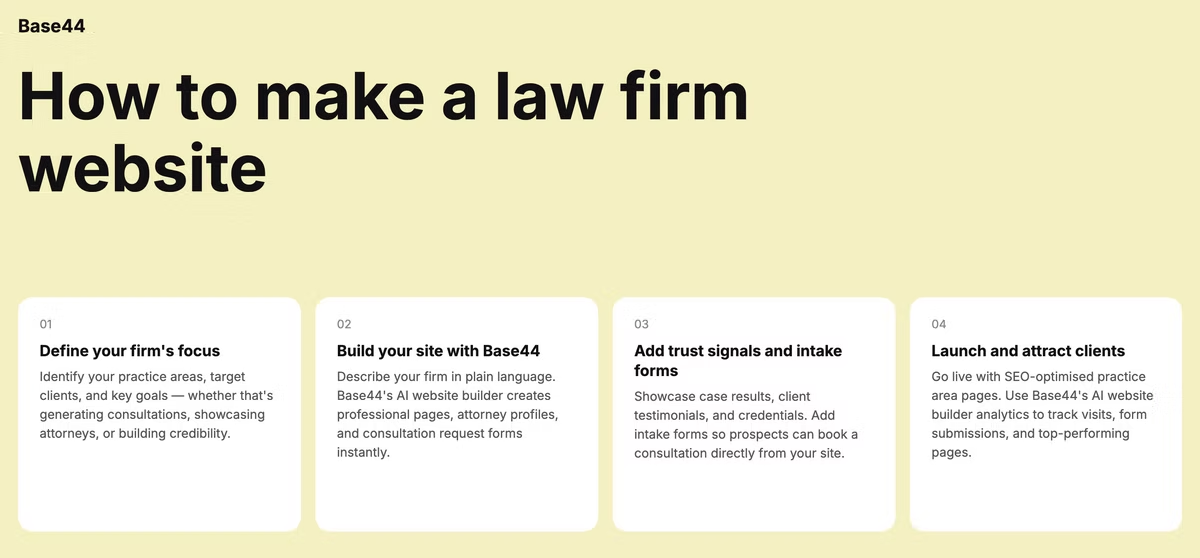
Creating a law firm website comes down to seven steps: plan around your practice areas, choose a domain and builder, pick a design, add practice area and attorney pages, build a trustworthy consultation form, optimize for local search, then test and go live. What is a website builder covers the basics if you want that context first.
None of these steps require a developer, and a solo attorney can typically have a working site ready within a week.
- Define your practice areas and target clients
- Choose a unique domain name and select an AI website builder
- Generate a site with AI or start from a template
- Add practice area and attorney bio pages
- Build a simple, trustworthy contact form
- Optimize pages for your practice areas and city
- Check your site in draft, then publish it
How to build a law firm website in 7 steps
Work through these steps in order the first time, since your practice area planning in step one shapes the pages you build later.
01. Plan your site around your practice areas and audience
List every practice area your firm handles before you plan your navigation, from family law to personal injury to estate planning. Each one likely needs its own page, since a visitor searching for a specific kind of legal help wants to land on content about that exact issue, not a general services page that mentions it in passing.
Think about the state someone is in when they arrive at your site. Many visitors are searching under stress, dealing with an accident, a divorce or a legal notice, so your homepage should orient them quickly and calmly rather than overwhelm them with legal jargon.
Write down the two or three questions a prospective client is likely asking themselves before they reach out: does this firm handle my kind of case, do they have experience with situations like mine and how do I get in touch. Your homepage should answer all three within the first screen a visitor sees.
02. Choose a domain name and website builder
Keep your domain close to your firm's actual name so referrals and word of mouth translate directly into site visits. This best AI website builders guide breaks down what separates a builder that generates a full site from your description from one that only offers fixed templates.
For a law firm specifically, confirm your builder supports multiple attorney bio pages, a secure contact form and a clean way to organize several practice area pages under one navigation menu. Those three features matter more here than in most other small business sites.
If your firm already uses a client intake or case management system, check whether your builder connects to it before you commit, so form submissions land directly where your staff already works instead of creating a separate inbox to monitor.
03. Pick a professional template or generate one with AI
Base44's AI website builder generates a complete website structure with no design skills needed. Describe your firm, your practice areas and the tone you want, whether that's approachable and warm or formal and authoritative, and it builds a layout suited to that positioning rather than a generic business template.
Most competitor law firm sites lean on older, plugin-heavy platforms that require ongoing technical maintenance. Building with an AI-driven, no-code approach instead means you can update practice area pages or attorney bios yourself without waiting on a developer or worrying about plugin updates.
Mention the feeling you want a visitor to have on your homepage, whether that's reassured, confident or simply informed, since that single detail shapes color choices, imagery and even sentence length more than most other inputs you could give.
04. Add practice area and attorney bio pages
Give each practice area its own page with a plain-language explanation of what that legal issue involves, how your firm handles it and what a client can expect from the process. Avoid dense legal language here since the person reading it usually isn't a lawyer.
Attorney bio pages build trust fast when they include real credentials, years of experience and a genuine photo rather than a generic headshot. If your firm has multiple attorneys, give each one a dedicated page rather than combining them into a single crowded team section.
Link each practice area page directly to the attorney or attorneys who handle it, so a visitor reading about a specific issue can immediately see who they'd actually be working with rather than hunting through a separate team page to make that connection themselves.
05. Build a trustworthy consultation-request form
Keep your form simple: name, email, phone and a short summary of the situation. Every extra field you add is one more reason a stressed visitor abandons the form before submitting it.
Add a short note about how their information will be handled and confirm the form redirects to a clear confirmation message once submitted. Mistakes to avoid when using an AI website builder covers common setup issues, including forms that silently fail to deliver, which are especially costly on a site built to generate legal leads.
Respond quickly once a consultation request comes in. Someone reaching out about a legal issue has often contacted more than one firm at the same time, and the first firm to respond with a clear next step tends to win the client.
06. Optimize for local SEO
Most legal searches are location-specific, so use your city or region naturally in page titles and headings, such as "personal injury attorney in [city]" rather than a generic "our services" page.
Claim your Google Business Profile, keep your name, address and phone number consistent across legal directories and your own site and encourage past clients to leave reviews where appropriate. Consistency across these listings does more for local rankings than most one-off technical fixes.
A short page answering a common question in your practice area, written in plain language, tends to earn more search visibility over time than a formal legal disclaimer page ever will.
07. Test and launch your site
Before you publish, submit your own consultation form and confirm it reaches the right inbox or intake system. Open every practice area page on a phone, since a large share of people researching legal help do it from a mobile device during a stressful moment, not at a desk.
Once you're live, add the link to your email signature, your court filings where appropriate and your professional profiles. Review the site every few months to keep attorney bios, practice areas and any case results current, since an outdated site undercuts the trust you're trying to build.
If your firm adds a new attorney or a new practice area, treat updating the site as part of that process rather than an afterthought, since a site that lags behind your actual firm sends a small but noticeable signal of neglect to new visitors.
Base44 law firm website examples
A few common site structures show how the steps above come together for different kinds of practices.
Solo practitioner site
A solo attorney typically needs a homepage introducing themselves directly, a short list of practice areas and a consultation-request form built around booking a call. Base44's AI website builder lets you customize colors, fonts and spacing in real time, which helps a solo site feel personal rather than like a generic template.
A brief personal note about why you practice in your chosen area often builds more trust here than a formal list of credentials alone.
Featuring a handful of client testimonials, where your jurisdiction's advertising rules allow it, adds social proof that a solo site otherwise struggles to convey on its own.
Multi-attorney practice-area site
A firm with several attorneys usually needs a clear practice area menu, individual attorney pages and a way for visitors to request the right attorney for their specific issue. Cross-linking each attorney's bio to the practice areas they handle helps visitors self-select faster.
A short note on the contact form asking which practice area the inquiry relates to helps route it to the right attorney immediately, rather than passing it through a general inbox first.
Personal injury lead-generation site
A personal injury site puts the consultation form near the top of every page, since visitors are often reaching out shortly after an accident and want a fast response. Clear, calm language about next steps matters more here than legal detail, since most visitors just want to know someone will help.
A short, plain-language page explaining what to do immediately after an accident, before a visitor even reaches out, builds trust and often keeps them on the site longer than a page focused purely on your firm's credentials.
Boutique corporate or business law site
A business law site tends to lean on case studies and a services breakdown similar to a consulting firm, since the audience is other businesses rather than individuals in crisis. How to make portfolio website with AI is a useful reference for structuring that kind of case-study-driven layout. A page that clearly lists the types of companies and deal sizes you typically work with helps the right clients self-identify quickly.
A short list of industries you have experience in, alongside general practice area descriptions, often does more to reassure a prospective business client than lengthy legal explanations of the services themselves.
Frequently asked questions about creating a law firm website
How much does it cost to build a law firm website?
Costs mainly come down to your builder plan and domain, plus any add-ons like a client intake integration. Cost to build a website with AI breaks down typical pricing in more detail. Most solo attorneys and small firms can launch a professional site without hiring a developer or a design agency, keeping the ongoing cost limited to the builder subscription itself.
What pages should a law firm website have?
A homepage, individual practice area pages, attorney bio pages and a contact or consultation page cover the essentials. An FAQ page addressing common client questions is a strong addition once you know what prospective clients tend to ask, and a results or case history page is worth adding once your jurisdiction's advertising rules allow it.
Do I need a developer to build a law firm website?
A developer is optional. Base44's AI website builder generates complete website structures with no design skills needed, so you describe your firm and get a working site back, ready for you to add your own attorney bios and practice area details.
How do I make my law firm website compliant and trustworthy?
Keep your consultation form simple, add a clear privacy note about how information is handled and check any bar association advertising rules that apply in your jurisdiction before publishing case results or client testimonials. Real credentials, real attorney photos and current contact information do more for trust than any design choice, and a visible way to reach a real person quickly reassures visitors more than any badge or disclaimer could.