
Want to know how to make an ecommerce website with AI? The short version: you describe the store you want and an AI website builder turns it into a functional online shop complete with product pages, a cart and a checkout, without you writing any code.
Traditionally building an ecommerce website meant briefing a developer, waiting weeks for mockups and spending thousands before you sell a single item. An AI builder, on the other hand, can hand you a working draft the same day.
The catch worth knowing up front: an online store needs more than good-looking pages. It needs a working checkout, a product catalog and payments that actually process, so a few of the steps below focus on exactly that.
Base44's AI website builder generates a real, working store from a single description, so the plumbing is handled while you focus on what you sell. For the wider context first, see how to create a website with AI.
TL;DR: how to make an ecommerce website with AI
Plan what you sell, generate the store from a description, add products and payments, then launch. The steps that separate a real store from a brochure site are products, checkout and analytics. How long does it take to build a website with AI sets expectations on timing.
How to make an ecommerce website with AI in 7 steps
Building an ecommerce website with AI follows the same format as any site, with three extra steps that make it a place people can actually buy from: products, payments, and tracking. Here's the full process from plan to launch:
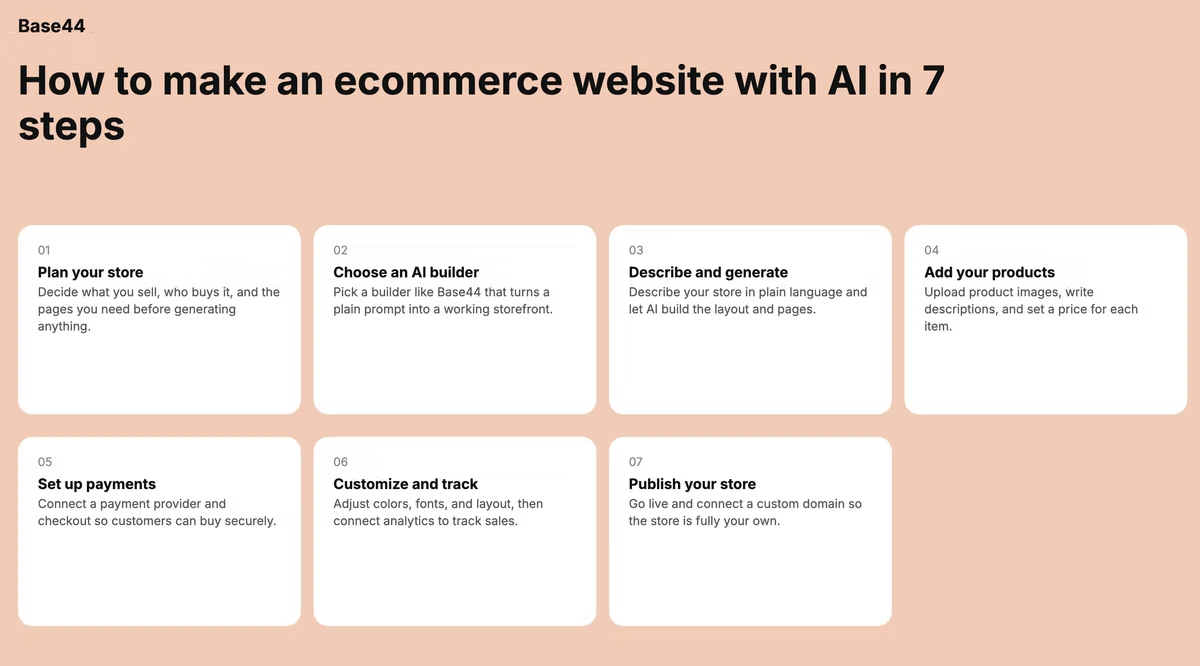
- Plan your store before you build
- Choose an AI website builder
- Describe your store and generate it
- Add products, images, and descriptions
- Set up payments and checkout
- Customize the design and connect analytics
- Publish and connect a custom domain
01. Plan your store before you build
When building an ecommerce website speed later with the building comes from clarity of what you want to build now. Decide what you sell, who you are selling to and the pages you need, such as a home page, product pages, an about page, and a contact or FAQ.
The more specific you are about your niche and customer, the sharper the AI output will be. A prompt that says minimalist skincare shop for busy professionals produces a far better online store than one that just says skincare shop.
When it comes to making a website, it's worth considering building a plan for all your website pages from the start of the process. This means creating a clear website plan that includes your planned and potential future pages. This allows you to build a URL structure for your site that is clean and consistent.
— Nitzan Eiges, Tech SEO Team Lead at Base44
02. Choose an AI website builder
Not every AI website builder is built for selling. Which means you need to carefully pick one that generates a real, publishable store with commerce features like a product catalog and checkout, rather than a landing page that only looks the part. Base44 builds a publishable ecommerce website from a description, with product pages and checkout already in place.
Base44's AI website builder generates a working store you can edit by describing changes, so you're not stuck hand-adjusting a template.
For a wider comparison, see this roundup of the best AI website builders.
03. Describe your store and generate it
Turn your plan into a clear prompt: your niche, your target customer, the style you want, and the pages you need.
The AI builds a first version with layout, product pages, and a cart in place, which is much easier to refine than a blank canvas. T
he more detail you give, the closer the first draft lands.
For prompt patterns that work, see these best AI prompts for building a website.
04. Add products, images and descriptions
Now fill your ecommerce website with real products: titles, photos and prices. Many AI website builders can draft product descriptions from a few details, which saves time but always review them for accuracy and brand voice before publishing.
Clear, honest descriptions and good photos do more for conversions than clever copy, so treat this step as the core of the store rather than an afterthought.
Learn more about how to build a restaurant website.
05. Set up payments and checkout
This is the step that turns a nice-looking site into a real store. Connect a payment method, then test the full checkout from start to finish: add an item to the cart, enter test details and confirm the order goes through. Walk it on a phone too, since that's how most customers will buy. A store that looks great but cannot take a payment is not a store yet.
Base44's AI website builder integrates with Stripe for easy set up and management of online payments.
Before you launch, also decide how you'll handle orders once they come in. With Base44, every order that goes through your store is logged automatically. You can view pending orders, mark them as fulfilled and manage customer records from your app dashboard without needing a separate tool. If you're using a third-party fulfillment service, Base44's integrations panel lets you connect it directly.
06. Customize the design and connect analytics
Adjust the colors, fonts and layout of your ecommerce website to match your brand by describing the changes in plain language, and keep it clean and mobile-first. Then connect basic analytics so you can see how many people visit, what they look at and where they drop off. That data is what lets you improve the store over time.
For pitfalls to sidestep, see this list of mistakes to avoid when using an AI website builder.
Getting your store found on search engines
Search visibility matters more for ecommerce than almost any other site type, because product searches are high intent. After you publish, ask Base44 to review and improve the title and meta description for your home page, your main category pages, and your top product pages. Each should include the product name, category, and one or two natural keywords. Product pages should also have specific, detailed descriptions — not just bullet points — because search engines use this text to understand what you sell. If you're adding a blog later, even a few posts on topics your customers search for can send a steady stream of ready-to-buy visitors to your store.
07. Publish and connect a custom domain
Before going live, preview the whole store on desktop and mobile and click through the buying flow one more time. When it holds up, publish it and connect a custom domain so your address reflects your brand.
If you're weighing this against hand-coding a store, see why vibe code a website to make a more informed decision.
eCommerce websites you can build with an AI website builder like Base44
The same seven steps work whatever you sell; only the products change. Base44's AI website builder builds your entire store from a single conversation, so each of these starts as a description and becomes a shop you can publish. Here are four common types to build:
A single-product launch store
A focused store built around one hero product, with a strong landing page, clear benefits and a single path to checkout. Ideal for a launch or a crowdfunding follow-up where you want all attention on one item.
A small catalog boutique
A handful of categories and a few dozen products, with filtering and clean product pages. Describe your range and the AI website builder organizes it into a browsable storefront you can refine.
A digital products or downloads store
Sell templates, ebooks or courses with instant delivery after checkout. No inventory to manage, so the focus is on clear descriptions, previews and a smooth payment step.
A services-plus-booking storefront
Pair products or packages with a way to book time or request a quote. This works well for makers and small studios who sell both goods and their time.
Tips for creating an ecommerce site with AI that converts
Getting an online store live is the start, getting it to sell however is the goal. With an AI website builder that works with prompts, like Base44, you can easily and quickly refine pages as you learn what works, so treat launch as version one rather than the finish line. Base44's Superagents can also take ongoing store tasks off your plate — from sending order confirmations to flagging low-stock items — so the store keeps working while you focus on growth.
- Design mobile-first: Most ecommerce traffic comes from phones, so check that every page and the checkout feel right on a small screen before anything else.
- Keep pages fast: Slow pages lose sales, so compress images and avoid clutter so the store loads quickly.
- Write clear product descriptions: Tell people what it is, who it's for and why it's worth buying, in plain language.
- Make checkout frictionless: Fewer steps and clear pricing mean fewer abandoned carts. Always test it yourself regularly.
- Add trust signals: Reviews, clear return and shipping policies and visible contact details reassure first-time buyers.
- Test and iterate: Use your analytics to see what converts, change one thing at a time and keep what works.
Trust signals deserve special attention because they are what turn a first-time visitor into a buyer. A clear returns policy, visible shipping costs before checkout, real customer reviews, and a recognizable payment badge (Stripe, Visa, PayPal) all do the same job: they answer the question every new visitor has, which is whether they can trust this place. AI can generate placeholder text for policies, but write your actual return and shipping policy yourself. Vague policies increase cart abandonment; specific ones reduce it.
Learn more:
How to build an ecommerce with AI FAQ
Can you build an ecommerce website with AI for free?
You can usually build and preview a store on a free tier, but selling typically needs a paid plan, a custom domain, and payment processing fees. For a full breakdown, see this guide on cost to build a website with AI.
How long does it take to build an online store with AI?
A first version of the store can be ready in an hour or two. Adding your products, writing descriptions and configuring payments takes longer, so plan for a focused day rather than a few minutes.
Do you need coding skills to build an online store?
No, an AI website builder, like Base44, generates and edits the store from plain-language descriptions, so you can build and publish without writing code. See how to build a no-code website for more.
How much does it cost to build an ecommerce website with AI?
Far less than a traditional build. Instead of paying thousands upfront to a developer, you generally pay a monthly plan plus a domain and standard payment processing fees, which makes it accessible for small and bootstrapped businesses.
Related reading: how to make a fashion website, a category where ecommerce and brand storytelling go hand in hand.
Related reading: how to make a music website, useful if you plan to sell tracks or merch directly to fans.
Related reading: how to make a website as an artist, useful if you plan to sell original art or prints directly from your site.