Reseller Profit OS
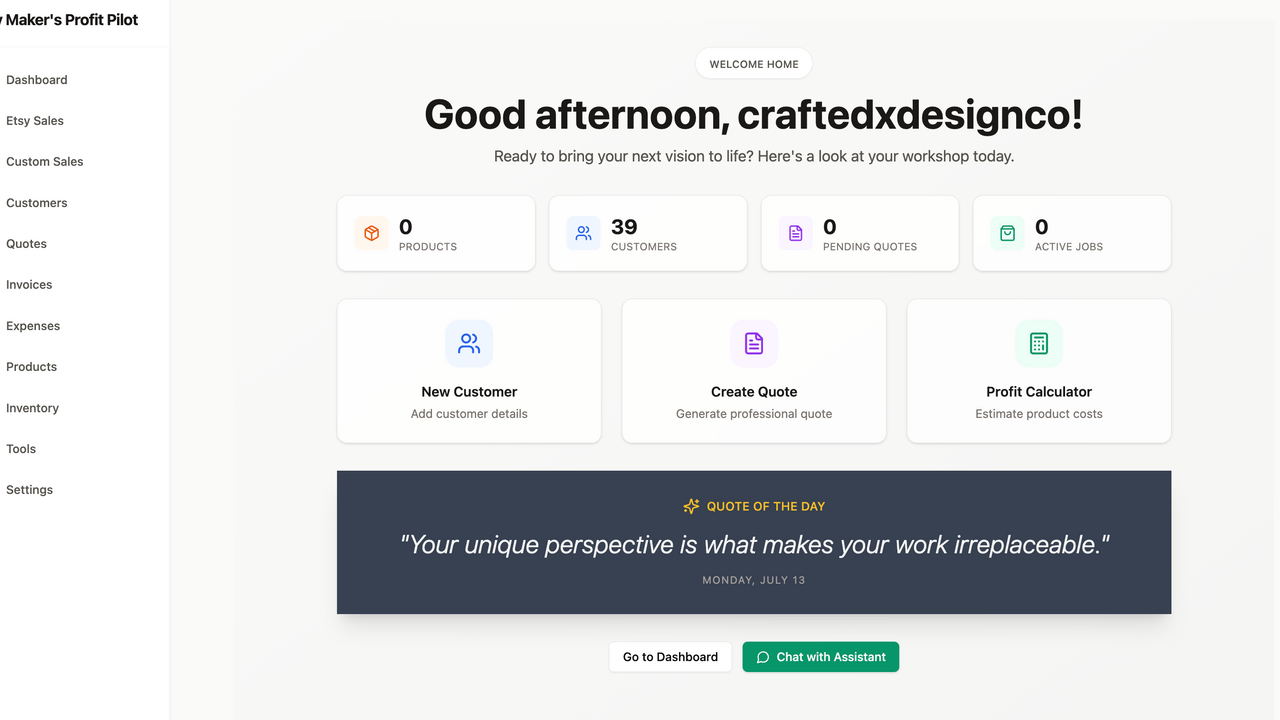
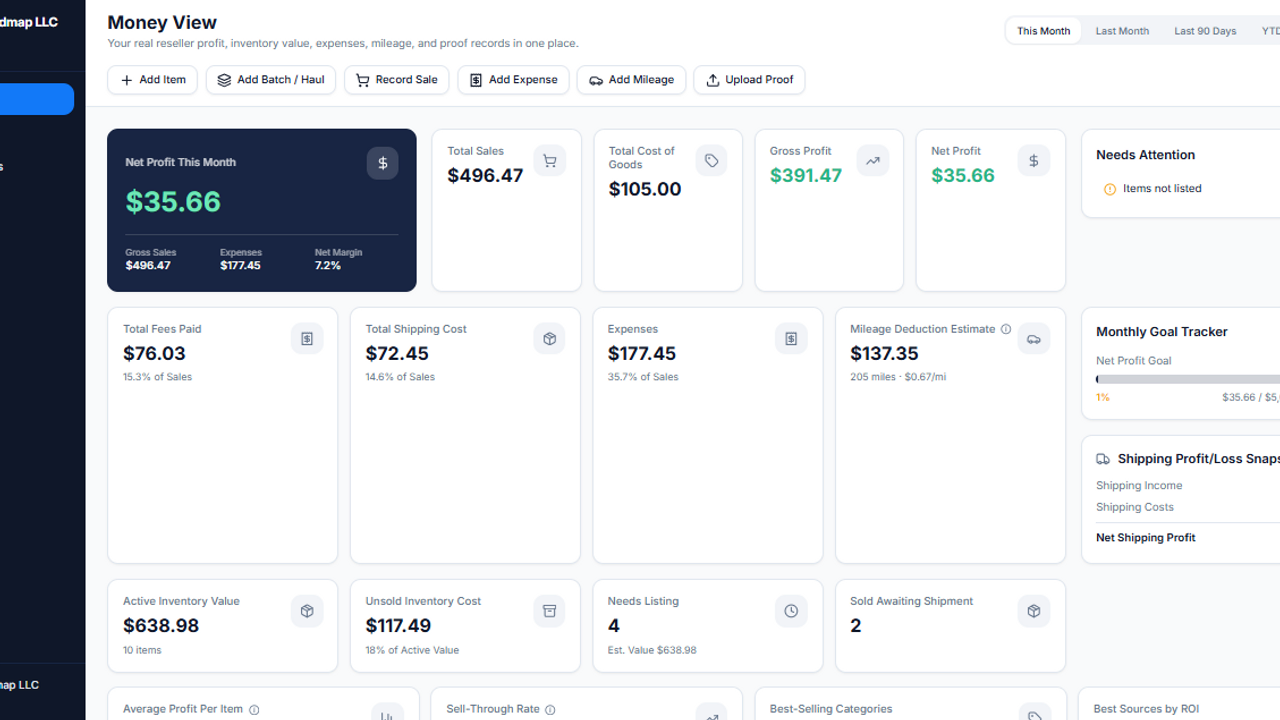
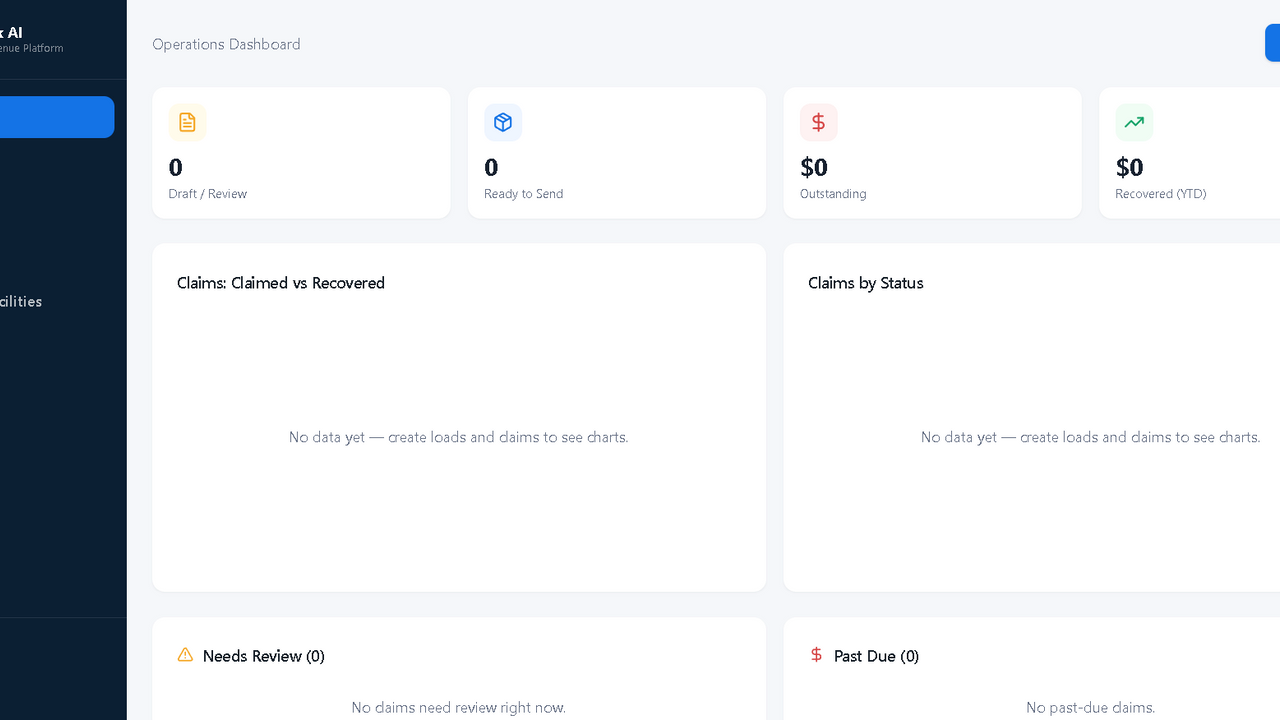
$199.95Reseller Profit OS Stop guessing. Start tracking real reseller profit. A premium reseller command center for inventory, batches/hauls, COGS, no-receipt buys, sales, fees, shipping, expenses, mileage estimates, proof uploads, CSV reports, and real net profit tracking. Overview Reseller Profit OS is a premium business operating system for serious resellers who want to move beyond messy spreadsheets and scattered notes. Track what you bought, what it cost, what sold, what fees took, what shipping cost, what proof you have, and what you actually kept. Built for online resellers, eBay sellers, Facebook Marketplace sellers, Mercari sellers, Etsy sellers, Poshmark sellers, Whatnot sellers, flea market sellers, antique booth vendors, pickers, flippers, antique shops, and small resale businesses. This is not just another tracker. Reseller Profit OS gives buyers a full reseller command center with inventory, batch/haul tracking, sales profit calculations, expenses, mileage estimates, proof records, uploads, reports, CSV exports, built-in guides, and a launch checklist. Get Started Fast You are not buying a blank project you have to figure out. Reseller Profit OS includes built-in onboarding tools so buyers can start using the system faster. Configure Settings Add business details, platforms, categories, sources, storage locations, default fees, mileage rate, and reporting preferences. Review the Demo Workflow Use the included sample records to understand how inventory, batches, sales, expenses, mileage, proof records, and reports connect. Clear Sample Data Use the protected Danger Zone tool to delete sample business records before entering real data. Start Tracking Create your first batch, add inventory, record a sale, upload proof, and watch the Money View dashboard update. Settings / Admin Control Center The Settings area helps buyers configure the system. Includes: Business profile Currency Default date range Selling platforms Platform fee defaults Payment fee settings Monthly profit goal Inventory categories Sourcing locations Storage locations Mileage rate Legal/disclaimer section Danger Zone Delete Sample Data The app includes a protected Delete Sample Data tool so buyers can review the demo workflow and then clear sample business records. Requires typing: DELETE SAMPLE DATA Deletes sample records for inventory, batches, sales, expenses, mileage, and proof records. Does not delete app structure, guides, settings, disclaimer page, or required system pages. Safe Individual Record Delete Individual records can be deleted safely from their row or card actions. Delete is available for: Inventory Batches / Hauls Sales Expenses Mileage Proof records Each delete requires typing: DELETE This helps prevent accidental record removal. Built-In Setup Guide Reseller Profit OS includes a built-in Setup Guide so buyers know how to configure the system from day one. The guide covers: Business profile setup Platform setup Fee settings Categories Sources Storage locations Mileage rate First batch / haul First inventory item First sale Uploading proof Reports Batch cost allocation Delete Sample Data Disclaimer reminders Built-In User Guide The built-in User Guide explains how to operate the system after setup. It covers: Money View Inventory Batches / Hauls Batch cost allocation No-receipt COGS Sales Profit calculations Fees Shipping Expenses Mileage Proof Center Photos, receipts, and proof uploads Search and filters CSV exports Editing records Deleting records safely Delete Sample Data Reports Safe recordkeeping reminders This is part of the Strike Media Systems premium template standard. QA / Launch Checklist Reseller Profit OS includes a built-in QA / Launch Checklist so buyers can test their copy before using it with real records. Checklist areas include: Settings setup Category setup Platform setup Batch creation Inventory creation Proof upload Sale recording Expense entry Mileage entry Dashboard checks Report checks CSV export checks Delete Sample Data Individual delete actions Mobile layout Disclaimer review What’s Included 7 core data entities Money View dashboard Inventory system Batches / Hauls Batch Detail page Batch cost allocation Sales profit tracking Expense tracking Mileage estimate tracking Proof Center Uploads on core forms 10 reports CSV exports Search and filters Safe delete workflows Delete Sample Data Settings / Admin Control Center Setup Guide User Guide QA / Launch Checklist Disclaimer page Demo data Perfect For eBay sellers Facebook Marketplace sellers Mercari sellers Etsy sellers Poshmark sellers Whatnot sellers Antique booth vendors Flea market sellers Estate sale resellers Yard sale flippers Auto parts resellers Vintage sellers Collectibles sellers Tool resellers Book sellers Small resale shops Antique shops Side-hustle resellers Full-time resellers Testing & Buyer Readiness Reseller Profit OS was tested as a premium business system. Testing covered: Navigation Add/edit inventory Add/edit batches Batch detail Batch cost allocation Add/edit sales Profit calculations Add/edit expenses Add/edit mileage Add/edit proof records Uploads Search and filters Reports CSV exports Delete Sample Data Row-level delete confirmation Empty states Mobile layout Disclaimer safety Setup Guide User Guide QA Checklist Important Disclaimer Reseller Profit OS is a recordkeeping and reporting tool. It does not provide tax, legal, accounting, or financial advice. Reports are based on user-entered data. Users should review records, deductions, mileage, expenses, and tax-related questions with a qualified professional. Built by Strike Media Systems Built by Strike Media Systems . Part of the Nexora Template Collection . Built beyond the demo stage. Designed with the small details buyers actually need to use the system. Core Features Money View Dashboard The premium dashboard gives resellers a fast view of business performance. Track: Net profit Total sales Total COGS Gross profit Fees paid Shipping costs Expenses Mileage estimates Active inventory value Unsold inventory cost Average profit per item Sell-through rate Best-selling category Best source by ROI Missing COGS Missing proof No-receipt COGS documented Goal progress Recent sales Recent batches / hauls Profit trends Category profit Includes date filters for This Month, Last Month, Last 90 Days, Year to Date, All Time, and Custom Range. Inventory Management Track every item from purchase to sale. Inventory records can include: Item name SKU Category Source Purchase date COGS Condition Status Storage location Platform Listing URL Estimated listing price Item photos Proof uploads Batch / haul relationship Notes Move items through statuses like Needs Research, Needs Cleaning, Needs Photos, Ready to List, Listed, Sold, Shipped, Returned, Donated, Scrapped, and Archived. Includes table view, card view, filters, edit actions, archive, record sale, add proof, and safe delete confirmation. Batches / Hauls Built for real sourcing workflows. Track yard sale routes, flea market hauls, thrift runs, estate sale buys, auction lots, Facebook Marketplace bundles, antique vendor purchases, storage cleanouts, and more. Batch features include: Add Batch Edit Batch Batch Detail page Linked inventory items Batch summary cards Actual sales so far Remaining unsold value Receipt/proof uploads Cost allocation tools Safe delete confirmation Batch Cost Allocation Reseller Profit OS helps users organize cost of goods sold for haul-based buying. Supports: Equal Split allocation Manual Cost Per Item review Estimated allocation notes Batch total vs linked item total visibility Confirmation before applying allocation This helps resellers turn a single haul purchase into cleaner item-level COGS records. Sales & Profit Tracking Record sales and see what you actually kept. Sales records can include: Item sold Sale date Platform Sale price Shipping charged Actual shipping cost Packaging cost Marketplace fee Payment fee Promotion fee Refunds Return costs COGS Gross profit Net profit ROI Profit margin Status Notes Supports common reseller channels like eBay, Facebook Marketplace, Mercari, Etsy, Poshmark, Whatnot, local pickup, antique booths, flea markets, and in-store sales. Expenses Track operating costs such as: Shipping supplies Packaging Tools Storage bins Labels Printer ink Software Booth rent Advertising Vehicle expenses Cleaning supplies Office supplies Other business expenses Includes receipt/proof uploads, search, filters, edit actions, and safe delete confirmation. Mileage Estimate Tracking Track reseller-related trips such as sourcing runs, shipping drop-offs, booth restocks, storage runs, supply runs, customer deliveries, and other business errands. Mileage records include: Trip date Trip type Starting location Destination Miles driven Mileage rate Mileage estimate Linked batch Notes Mileage language is intentionally careful and recordkeeping-focused. Users should review mileage records and rates with a qualified tax professional. Proof Center Keep proof records organized in one place. Proof records can include: Receipts Cash buy notes Item photos Price tag photos Marketplace screenshots Vendor invoices Auction invoices Mileage trip records Batch logs Supporting documents Proof records can link to inventory, batches, sales, expenses, mileage, shipping, or other records. Includes uploads, clickable files, linked record names, proof status badges, filters, edit actions, and safe delete confirmation. File, Photo & Receipt Uploads Upload documentation directly inside the workflow. Uploads are available on: Add Item Edit Item Add Batch Edit Batch Add Expense Edit Expense Proof Center Users can attach item photos, receipt images, haul photos, price tag photos, invoices, screenshots, payment proof, and supporting documents. Reports Reseller Profit OS includes a premium 10-report suite with CSV export. Reports include: Monthly Profit Report Year-End Summary Inventory Value Report Source Profit Report Platform Report Category Report Dead Stock / Aging Report Shipping Profit/Loss Report Fee Report No-Receipt COGS Report Reports include date filtering and CSV exports for review, recordkeeping, and accountant/bookkeeper collaboration. CSV Export Each report includes CSV export support. Export data for: Monthly review Year-end organization Accountant/bookkeeper review Inventory analysis Source performance Platform performance Category performance Dead stock review Fee review No-receipt COGS review Best One-Line Pitch Know what you bought, what it cost, what sold, what fees took, what shipping cost, what proof you have, and what you actually kept.
Strike Media Systems·0 clones
Operations · Finance +1