SiteClock job management and time-tracking
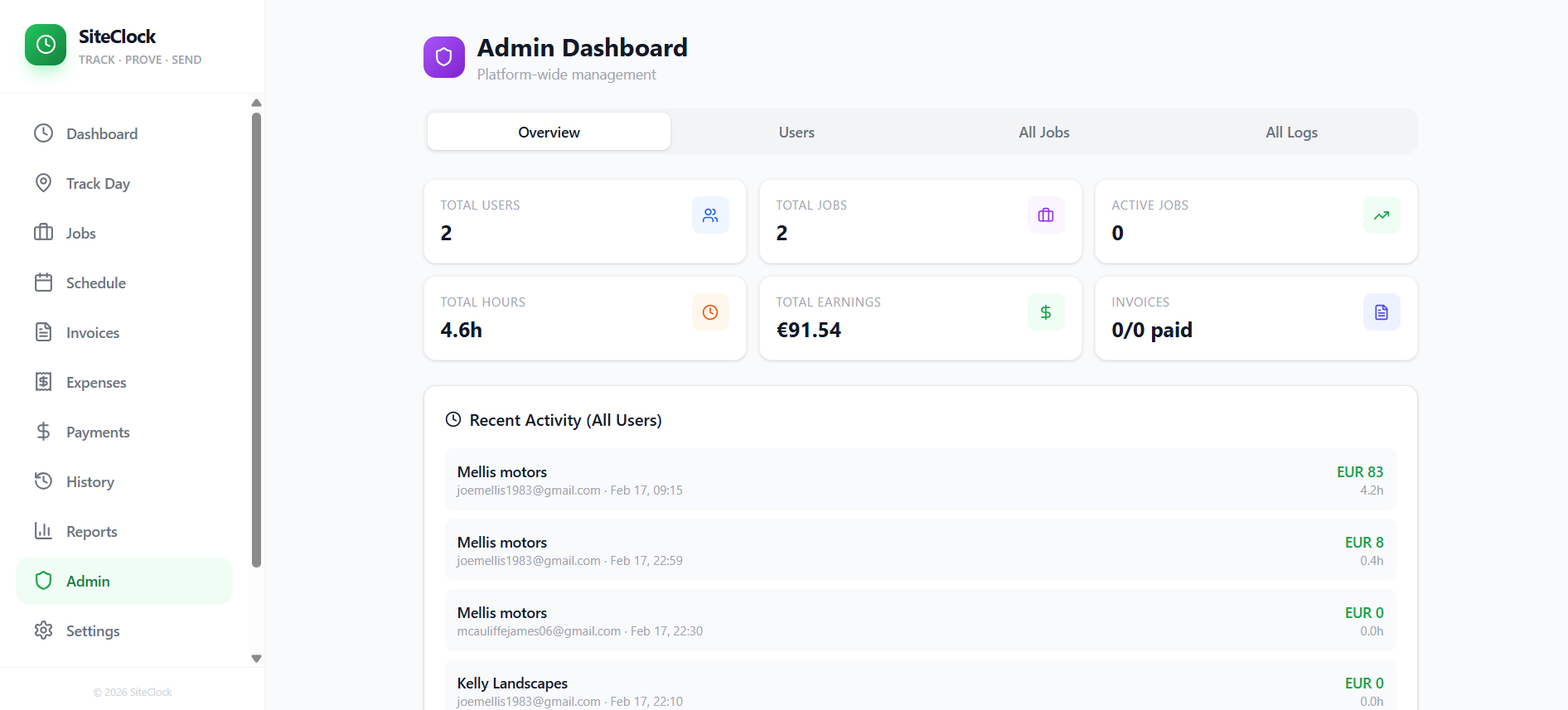
$299.97Effortlessly track your work hours and send detailed reports via WhatsApp. Perfect for freelancers and tradespeople to manage job sites, log time, and get paid accurately. SiteClock app is a comprehensive job management and time-tracking application designed for field workers and administrators. Here's a breakdown of its features and use cases: Core Time Tracking & Job Management: Job Creation & Management : Create, view, edit, and delete jobs with details like client name, site name, address, contact information, work instructions, due dates, and hourly rates. Time Logging : Clock-in and clock-out functionality, including tracking breaks, to accurately record work hours. Geofence Integration : Automatic detection of arrival and departure from job sites based on location, automating time log creation and enhancing accuracy. Location Tracking : Continuously logs user location (every 15 seconds) when enabled, providing a detailed movement history for proof of work and site presence. Today's Summary : View a summary of daily work, including total hours, earnings, and completed jobs. Active Job Card : Real-time display of elapsed time and estimated earnings for currently active jobs, with quick controls for break toggling and clocking out. Recent Activity : Overview of recently completed time logs, with the option to send work reports via WhatsApp. Financial & Administrative Features: Invoicing : Generate and manage invoices based on recorded time logs. Expense Tracking : Record and manage job-related expenses with details like type, amount, date, notes, and receipt photos. Payment Management : Track payments received for jobs and invoices. Reports : Generate various reports based on time logs, expenses, and payments. User Experience & Utilities: Dashboard : Central hub for quick clock-in/out, daily summary, and pending log reviews. Job Scheduling : Manage job schedules and appointments. Time History : View a detailed history of all time logs. WhatsApp Integration : Easily send work reports and updates to clients or managers via WhatsApp. Mobile-First Design : Optimized for mobile devices with features like a bottom navigation bar, safe-area insets, smooth page transitions, and native-style bottom sheets for select components. Dark Mode : Supports dark mode for improved readability and reduced eye strain. Install Prompt : Facilitates easy installation as a Progressive Web App (PWA). Administrative Control (for Admin Users): Admin Dashboard : Centralized area for oversight and management. User Management : Invite new users, manage user roles (admin/user), and oversee account access. All Jobs View : Access and manage all jobs across the organization. All Time Logs View : Review and manage all time logs submitted by users. Support & Information: Settings : Personal and app-specific settings, including a "Delete Account" option. Features Page : Highlights the application's capabilities. Help & Docs : Provides documentation and an AI assistant for user queries. Use Cases: Field Service Management : Companies with employees working at various client sites can track time, locations, and job progress. Freelancers & Contractors : Individuals can efficiently manage multiple projects, log hours, track expenses, and generate invoices for clients. Small Businesses : Track employee work hours, payroll, and project profitability. Proof of Work : Location logging and geofencing provide verifiable data for billing and compliance. Automated Reporting : Streamline communication with clients by sending quick work reports via WhatsApp. support @ mellistech.com
Mellis Tech·15 clones
Operations · Lifestyle & Hobbies