Routewise pro
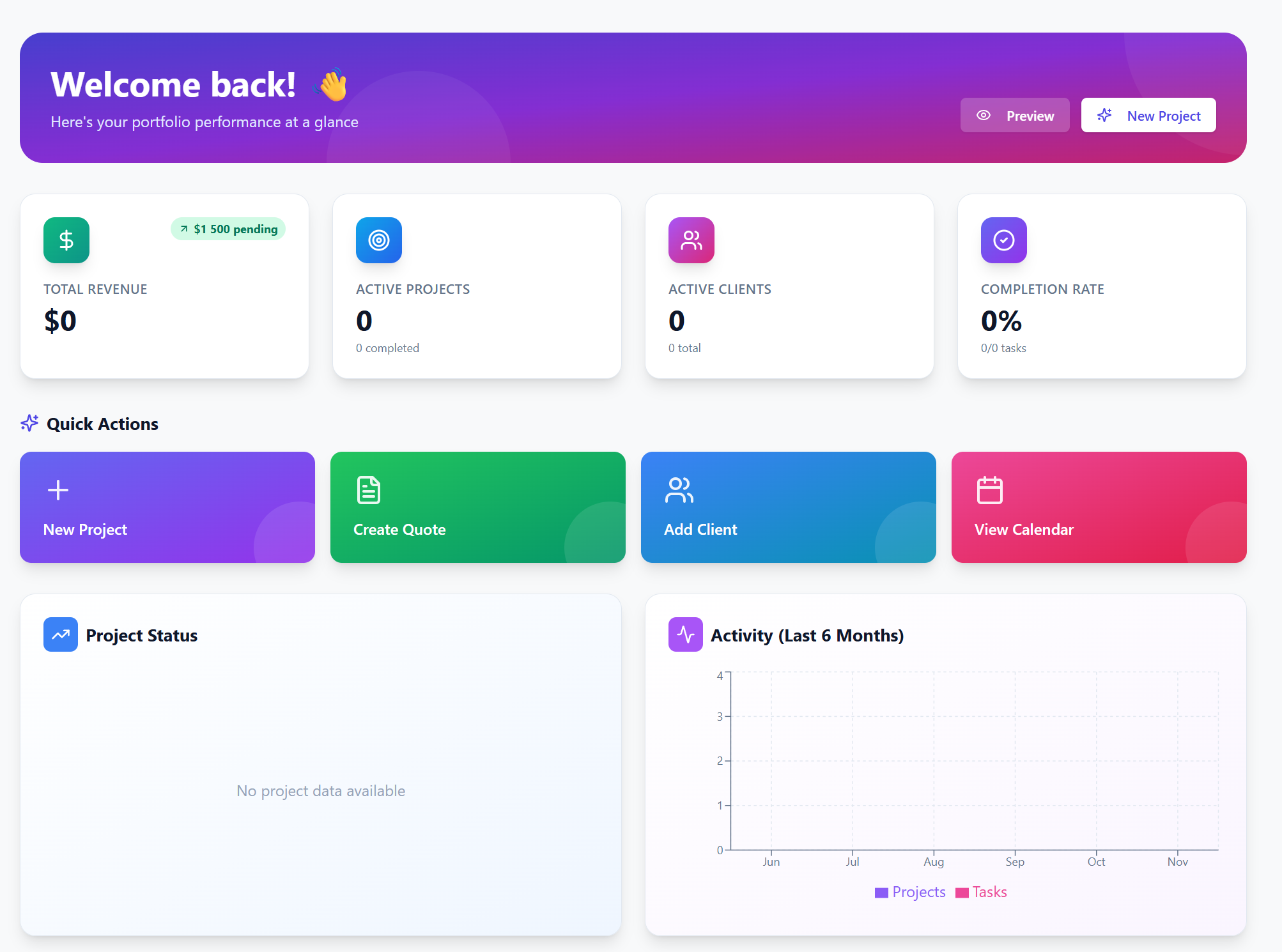
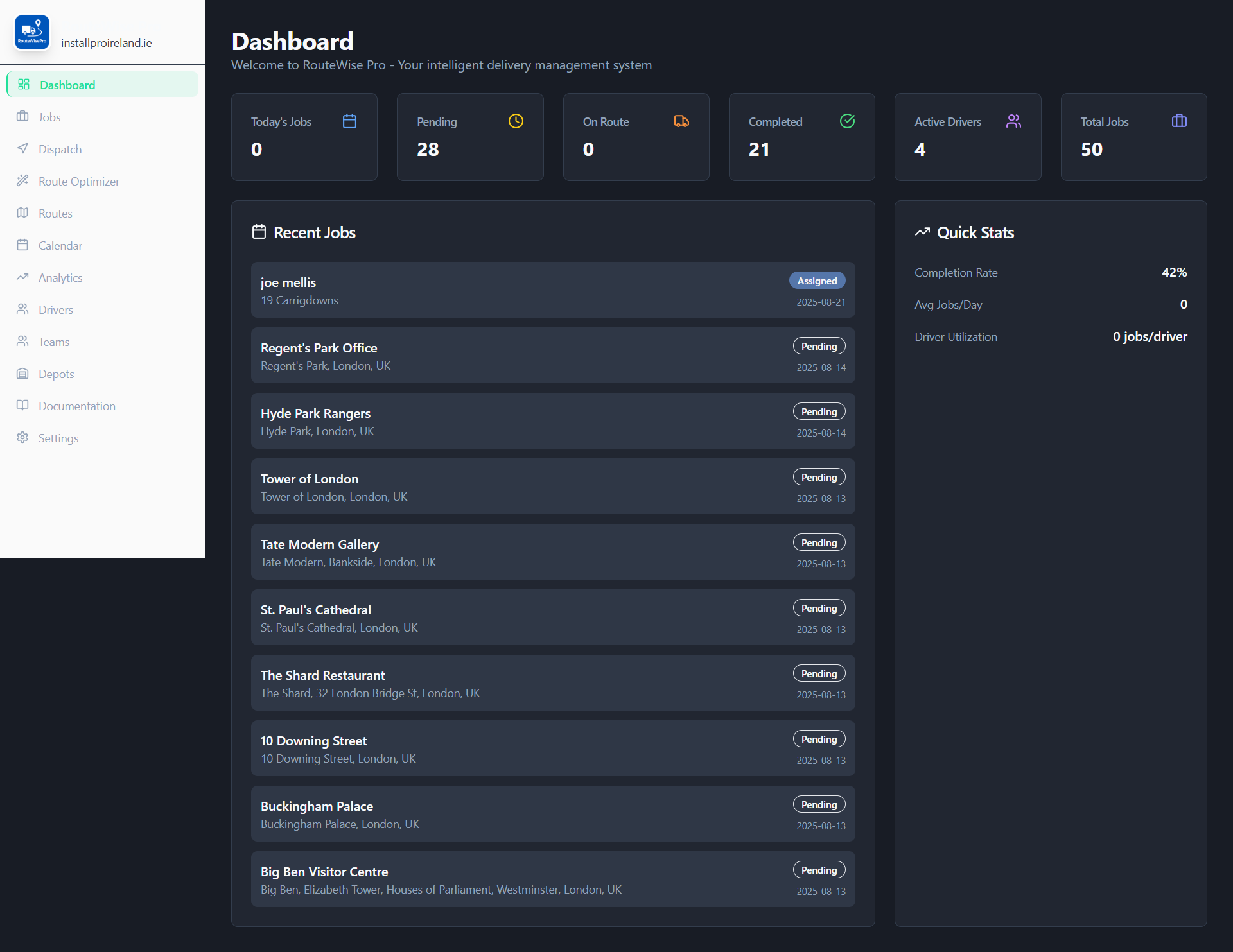
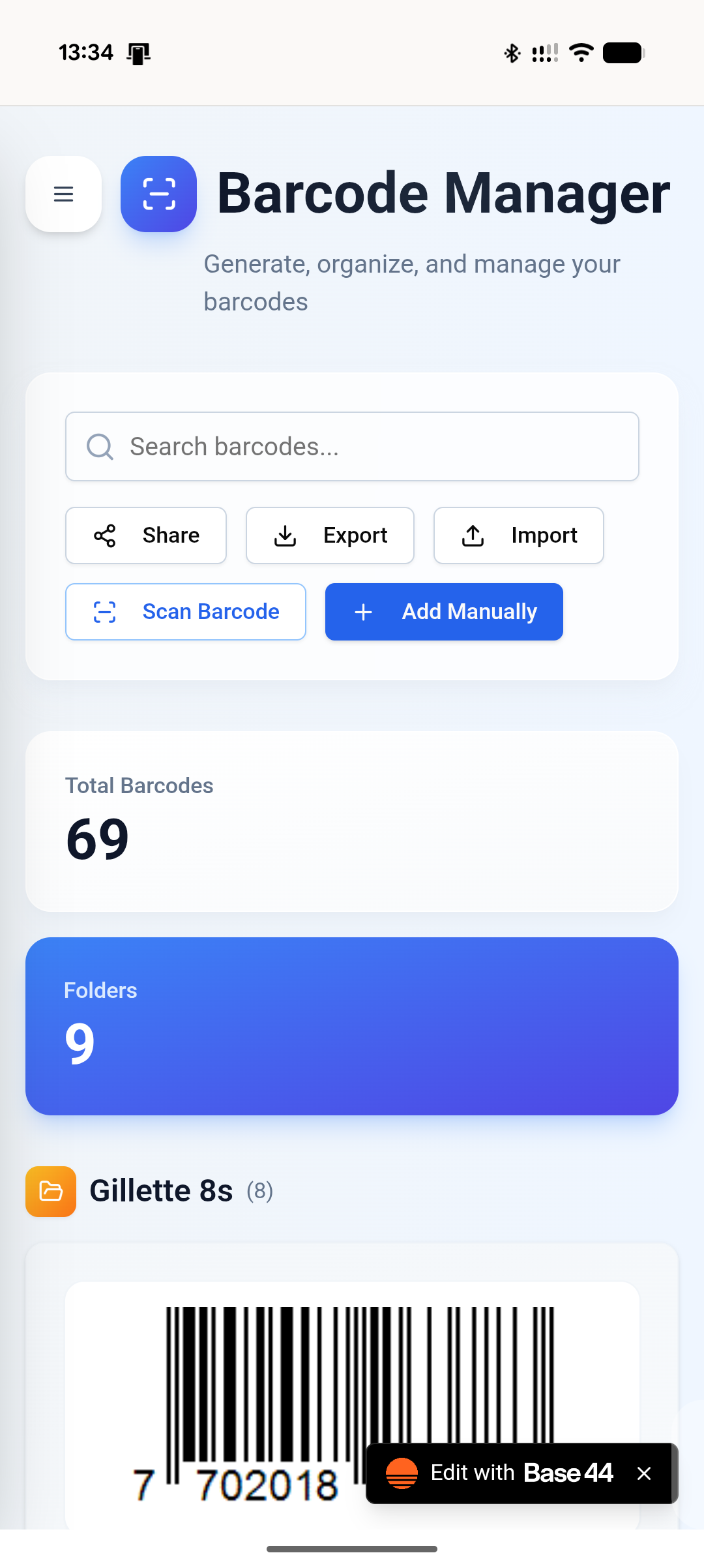
$499.99Optimize your delivery and installation routes with smart scheduling and real-time tracking. RouteWise Pro helps you manage drivers, schedule jobs efficiently, and ensure timely service, all within a sleek dark-mode dashboard. RouteWise Pro is a comprehensive delivery management system designed to streamline logistics operations, from job creation and assignment to route optimization and performance analytics. Here's a breakdown of its key functions and use cases: 1. Dashboard ( /Dashboard ) Functions: Displays key performance indicators (KPIs) at a glance. Shows a summary of job statuses: Today's Jobs, Pending, On Route, Completed, Total Jobs. Monitors active drivers. Lists recent jobs. Provides quick stats like completion rate, average jobs per day, and driver utilization. Use Cases: Operations Managers: Quickly assess the daily operational status, identify bottlenecks (e.g., high pending jobs), and track overall efficiency. Business Owners: Get a high-level overview of business performance and driver activity. 2. Job Management ( /Jobs ) Functions: Job Creation/Editing: Allows detailed entry and modification of job information (customer details, address, order details, job type, duration, priority, time windows, notes, attachments). AI-Powered Assignment: Automatically assigns new jobs to optimal dates and drivers using AI, considering geographic clustering, workload balancing, and priorities. Job Listing and Filtering: Displays jobs, with options to filter by status (active/archive) and search by customer or address. Deletion: Permanently remove job records. Clear Database: A critical function to delete all jobs, drivers, teams, and depots, used for resetting the application (e.g., for testing or starting fresh). Use Cases: Dispatchers/Operations: Create new job orders, update existing job details, and manage the lifecycle of each delivery or service. Administrators: Use the "Clear Database" feature for initial setup or during extensive testing phases. 3. Driver Management ( /Drivers ) Functions: Driver Profiles: Create and manage driver information (name, email, phone, license number, skills, home depot, status). Status Tracking: Set drivers as active, inactive, or on leave. Listing and Searching: View all drivers, with search capabilities. Use Cases: HR/Fleet Managers: Onboard new drivers, update driver qualifications, and manage driver availability. Operations: Quickly find driver contact information or check their assigned depot. 4. Team Management ( /Teams ) Functions: Team Creation/Editing: Organize drivers into teams, assign team leads, and specify depot and region. Member Assignment: Add multiple drivers to a team. Listing: View existing teams and their members. Use Cases: Fleet Managers: Structure and organize the workforce into manageable units for better coordination and regional assignments. 5. Depot Management ( /Depots ) Functions: Depot Creation/Editing: Define and manage physical depot locations (name, address, coordinates). Listing: View all registered depots. Use Cases: Logistics Planners: Set up and maintain the physical network of operational hubs where drivers start and end their routes. 6. Dispatch Center ( /Dispatch ) Functions: Real-time Job Overview: Provides a dedicated interface to manage job dispatches for a selected date. Status-based Tabs: Organizes jobs into "Pending," "Assigned," "Active" (On Route/Started), and "Completed" tabs for clear workflow. Driver Assignment: Allows dispatchers to assign drivers to pending jobs via a dropdown. Status Transitions: Enables quick updates to job status (e.g., "Dispatch" to "On Route," "Start Job" to "Started," "Complete"). Visual Indicators: Uses color-coded badges and icons for immediate recognition of job status. Job Details (Card View): Displays essential job information and quick action buttons. Use Cases: Dispatchers: The primary tool for day-to-day operations, ensuring jobs are assigned, dispatched, and progressing efficiently. Drivers: (Indirectly) See their assigned jobs and can update statuses (though this UI is dispatcher-focused). 7. Calendar View ( /Calendar ) Functions: Job Visualization: Displays scheduled jobs on a weekly or daily calendar. Navigation: Browse dates using previous/next week/day buttons and a "Today" button. Filtering: Filters jobs by date. Mobile Responsiveness: Offers different views (grid/list) for mobile week view. Use Cases: Schedulers/Planners: Visualize workload distribution, identify scheduling conflicts, and plan future jobs. Dispatchers: Get a quick overview of upcoming schedules and driver assignments. 8. Route Optimizer ( /RouteOptimizer ) Functions: AI-Powered Route Optimization: Uses a sophisticated AI model to calculate optimal routes for drivers for a given date. Input Data Consideration: Takes into account jobs, drivers, depots, and application settings (working hours, travel buffers, max jobs per driver). Optimization Constraints: Considers real geographic data, job priorities, driver skills, time windows, and balancing workload. Test Data Generation: Quickly creates sample jobs and drivers for testing the optimization engine. Archive Optimized Jobs: Marks all jobs in the optimized routes as 'Completed' (or 'Archived') and clears them from the pending list. Results Display: Presents optimized routes in both a list format (cards per driver) and a map view. Optimization Summary: Provides aggregated metrics like total jobs assigned, drivers used, average jobs per driver, total estimated time, and average efficiency. Use Cases: Logistics Planners: Generate highly efficient routes to save time and fuel, especially for complex operations with many jobs and drivers. Operations Managers: Analyze route efficiency and driver productivity. System Testers: Quickly populate the system with data to test the optimization capabilities. 9. Analytics Dashboard ( /Analytics ) Functions: Performance Metrics: Calculates and displays KPIs such as total jobs, completed jobs, completion rate, average job duration, and active drivers. Data Visualizations: Uses various charts (pie, line, bar) to show: Job Status Distribution Daily Job Trends (jobs created vs. completed over time) Job Type Distribution Driver Performance (total vs. completed jobs per driver) Time Range Filtering: Allows analysis over different periods (This Week, Last 30 Days, Last 90 Days). Use Cases: Business Owners/Managers: Understand operational performance, identify trends, make data-driven decisions for resource allocation, and assess overall business health. Strategists: Analyze long-term performance and identify areas for improvement in service delivery. 10. Settings ( /Settings ) Functions: Configuration: Allows users to configure application-wide settings such as company name, working hours, working days, and travel time buffers. Persistence: Saves settings to the database. Use Cases: Administrators: Customize the application to match the specific operational parameters and branding of their business. 11. Documentation ( /Documentation ) Functions: Feature Explanations: Provides detailed information about all application features and how to use them. Search and Navigation: Allows users to search for specific topics and navigate between sections. Use Cases: All Users: A self-service resource for learning how to use the application, troubleshoot issues, and understand various features without needing to contact support. 12. Layout Functions: Consistent Navigation: Provides a persistent sidebar navigation menu across all pages. Branding: Displays the company logo and name. Responsive Design: Adapts the layout for mobile and desktop views, including a collapsible sidebar. Theming: Sets the overall dark theme of the application. Loading Screen: Displays a branded loading screen while the app initializes. Favicon & Meta Tags: Manages browser favicon and mobile app specific meta tags. Use Cases: All Users: Provides a consistent and user-friendly experience, making the application easy to navigate and aesthetically pleasing. This comprehensive set of features covers the entire delivery management workflow, from initial order to final analysis, leveraging AI for efficiency and providing clear interfaces for operational control. RouteWise Pro Upgrade List : 🚀 Complete Upgrade Manifest 1. AI-Powered Job Management ✅ Smart document extraction (PDF/CSV/images) with auto-fill ✅ AI-powered automatic driver assignment ✅ Intelligent date scheduling based on workload ✅ Geographic coordinate auto-geocoding ✅ Skills-based driver matching 2. Advanced Route Optimization ✅ Multi-stop optimization per driver ✅ Real-time traffic simulation (rush hour penalties) ✅ Driver fatigue management (8hr max, auto-breaks) ✅ Time window adherence scoring (35-point weighting) ✅ Cost-effectiveness analysis (fuel €0.15/km, labor €25/hr) ✅ 100-point route quality scoring system ✅ Priority multipliers (Urgent 2x, High 1.5x) 3. GPS Tracking System ✅ Real-time driver location updates (30-second intervals) ✅ DriverLocation entity with lat/long, speed, heading, accuracy ✅ Battery level monitoring ✅ Live map visualization on Dispatch page ✅ Google Maps integration for viewing positions ✅ Background location tracking 4. Mobile Driver App ✅ Dedicated driver interface at /DriverApp ✅ View assigned jobs with full details ✅ Status workflow: Assigned → On Route → Started → Completed ✅ One-click job status updates ✅ Quick call customer buttons ✅ Google Maps navigation integration ✅ Real-time job synchronization 5. Package Scanning System ✅ Package entity with tracking numbers, QR codes, status ✅ Camera-based barcode/QR scanning ✅ AI-powered image recognition for codes ✅ Manual tracking number entry fallback ✅ Pickup vs delivery scan modes ✅ Auto-assign packages to drivers on pickup ✅ Auto-complete jobs on delivery scan ✅ Package status tracking: pending → picked_up → delivered 6. Proof of Delivery (Secure) ✅ Digital signature pad with canvas drawing ✅ Photo capture via device camera ✅ Private file storage (UploadPrivateFile) ✅ Time-limited signed URLs (5-min expiry) ✅ Secure, encrypted storage isolated from public access ✅ POD fields: pod_signature_url , pod_photo_url 7. Customer Communication ✅ Automated email on job creation (confirmation) ✅ "Driver on the way" email when status = On Route ✅ Delivery completion email ✅ Professional email templates with customer details ✅ Company name integration in sender 8. Enhanced Dispatch Page ✅ Live driver GPS map with refresh ✅ Driver location display with speed/coordinates ✅ Status-based job tabs (Pending/Assigned/On Route/Started/Completed) ✅ Quick driver assignment dropdown ✅ One-click status updates ✅ Auto-refresh locations every 30 seconds 9. Data Management ✅ Smart document upload with AI extraction ✅ "Clear Database" function with multi-confirmation ✅ "Generate Test Data" for quick setup ✅ "Archive Optimized Jobs" batch operation 10. User Experience ✅ Mobile-responsive driver app ✅ Touch-friendly scanner interface ✅ Real-time status badges ✅ Loading states and feedback messages ✅ Error handling with user-friendly alerts ✅ Comprehensive documentation with 14 sections Documentation now includes complete guides for all features with emoji markers for quick scanning! Complete System Implementation - Summary ✅ New Features Deployed: 🤖 AI Assistant ( agents/routewise_assistant.json ) Natural language Q&A about operations & features Live data queries across all entities Accessible via Analytics page button 📷 AI Label Scanner ( functions/extractLabelData.js + components/shared/LabelScanner.jsx ) Camera/upload label scanning AI extracts: name, address, tracking, weight, dimensions Integrated into Job creation form 💬 AI Chat Interface ( components/assistant/AIAssistant.jsx ) Full conversation UI with markdown support Real-time streaming responses Message history & subscriptions 📝 Enhanced Job Form "Scan Label" button alongside document upload Auto-fills job data from label extraction Seamless workflow integration 📚 Complete Documentation Update Added AI Assistant guide Added AI Label Scanning guide Updated all feature descriptions with advanced capabilities 🎯 User Experience: Job Creation: Scan label → AI extracts data → Auto-assigns driver → Customer notified Support: Ask assistant "Who has shortest route?" → Instant answer with live data Time Savings: 3-5 min manual entry → 30 seconds with label scan RouteWise Pro now has complete AI-powered workflow automation with intelligent assistant support and documentation covering all 16 system features! I've added several new features AI-Driven Driver Performance Analysis (Analytics Page): A new section identifies top-performing drivers and flags those needing attention, based on completion rates, on-time delivery, and simulated customer feedback, offering tailored insights. Real-time Customer Communication (Driver Mobile App): Drivers can now send pre-defined email messages (e.g., "Arriving Soon," "Delayed") directly to customers from the app. AI-Powered Automated Rescheduling (Backend Automation): The system automatically re-optimizes driver routes and notifies affected drivers and customers if a job is canceled or significantly delayed. The Dispatch page now has 3 view modes — List (existing), Map (real-time Leaflet map with job pins, driver location markers, colour-coded statuses, job density heatmap toggle, and inline reassignment), and Board (drag-and-drop Kanban-style layout per driver to reassign jobs). suport@ www.mellistech.com
Mellis Tech·2 clones
Operations · Data & Analytics