RMC Manager
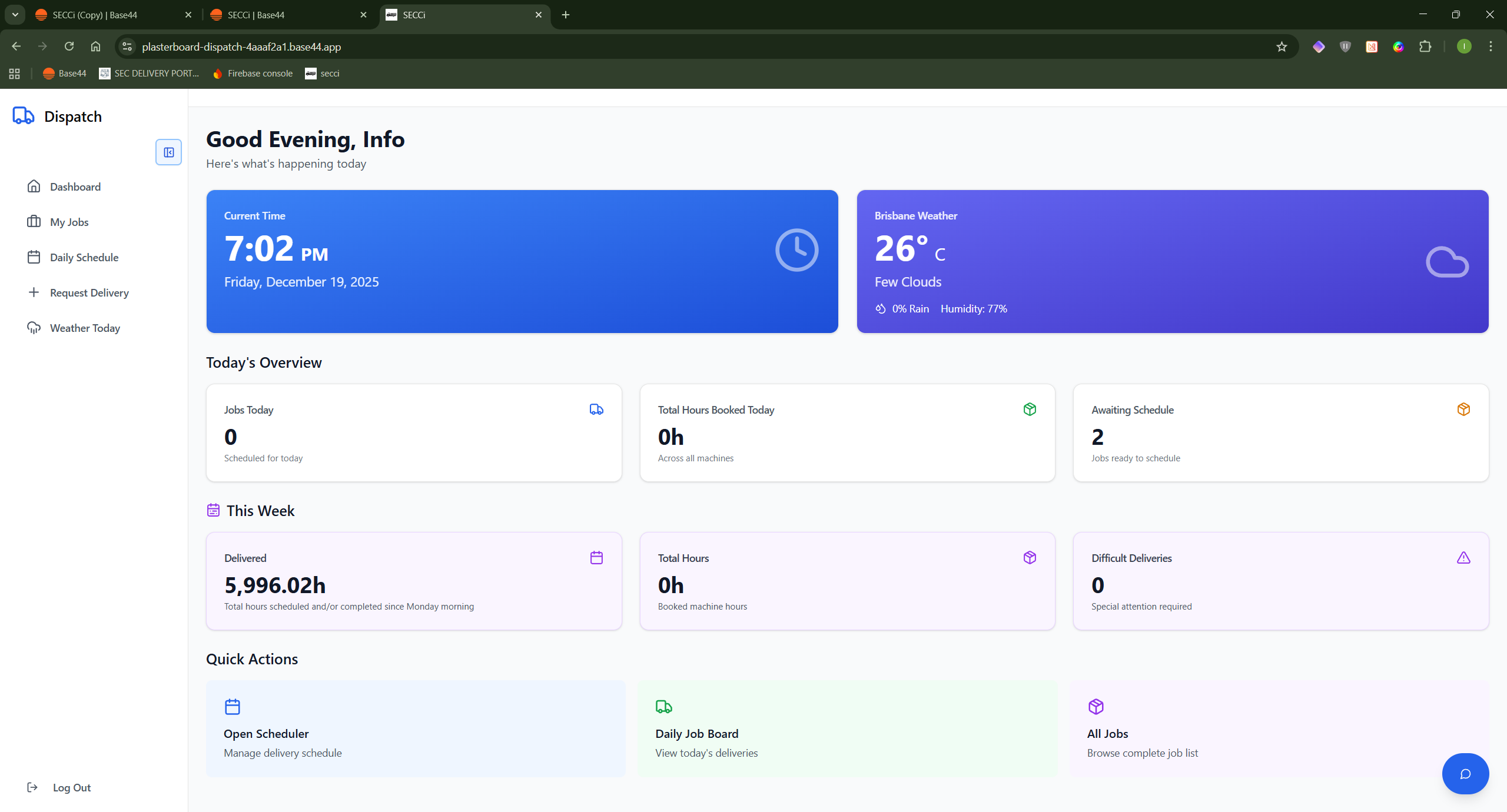
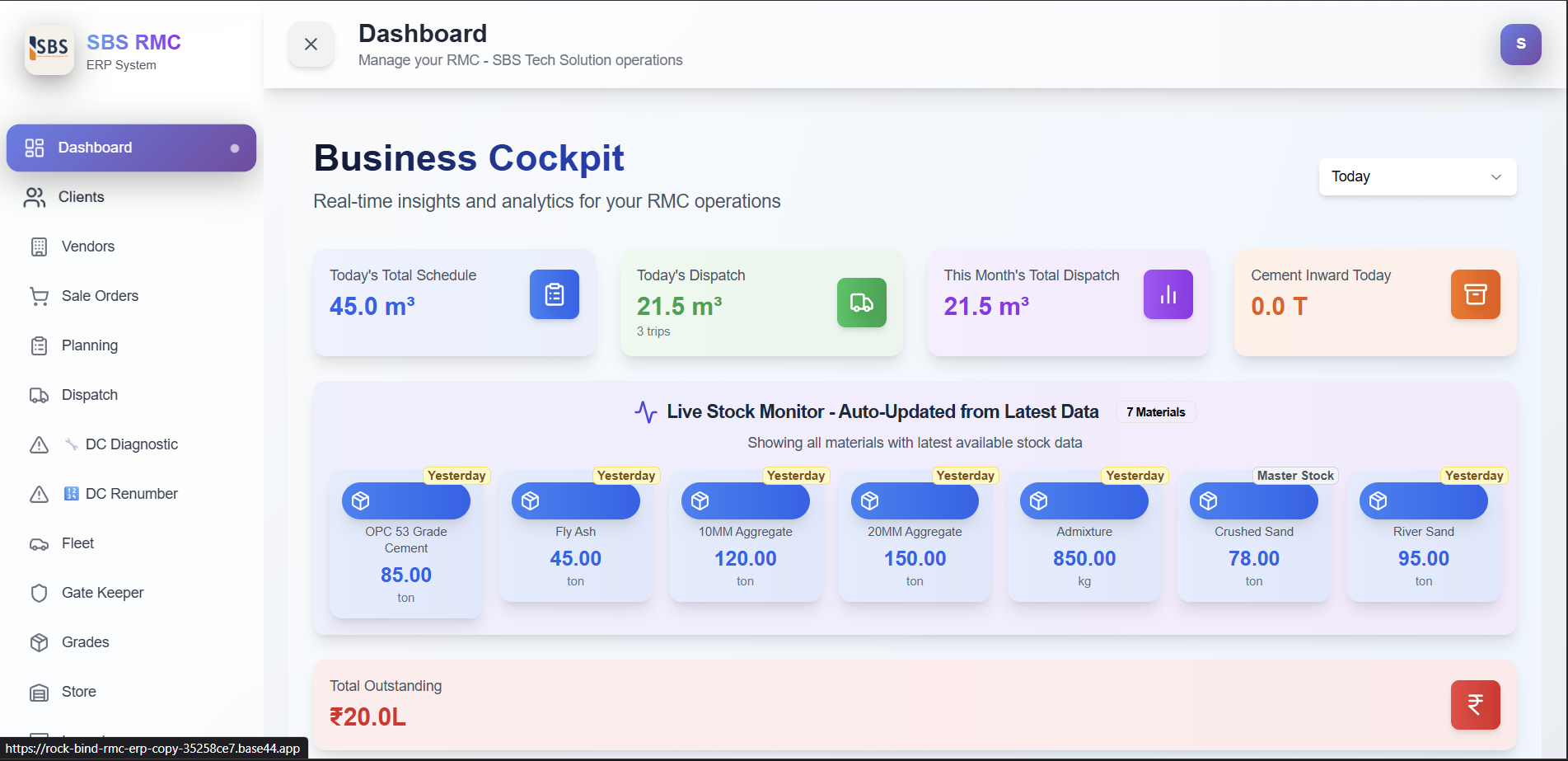
$49RMC ERP System – Full Structured Documentation 1. SYSTEM OVERVIEW A complete Ready Mix Concrete (RMC) plant ERP Manages entire business flow: Client management Sale orders Planning Dispatch Inventory Fleet Gate entry Finance Reporting Automations 2. MODULES & FEATURES 2.1. DASHBOARD (Main Control Center) What it Shows Live business KPIs Today’s schedule vs dispatched Monthly dispatch trends Real-time material stock levels Outstanding balance Recent dispatches Material consumption table Key Features Live Stock Monitor (cement, fly ash, sand, aggregates, diesel, admixture) Today’s stats: schedule qty, dispatched qty, trips, cement inward Monthly dispatch (chart) Customer-wise & grade-wise production Vendor inward reports How it Works Pulls data from Planning, Dispatch, Inward, Consumption Auto-calculates with date filters Export-enabled 2.2. CLIENT MANAGEMENT Clients Page – Functions Add/Edit/Delete clients Store company info, GSTIN, contact details Credit limit management Balance tracking (pending or advance) Multiple site addresses Block/Unblock client Sync All Balances Client Workflow Create client Set credit limit Add site addresses System auto-updates balance from orders/dispatches/payments Client Detail Page – Shows Client profile All site addresses Ledger view (debit/credit history) Payment manager Orders list Invoice generator (GST) Financial summary Block/Unblock Client Ledger Page Full financial transactions Running balance with GST Export to CSV Balance Logic Dispatch = Debit (adds balance) Payment = Credit (reduces balance) Positive = Client owes you Negative = Advance 2.3. SALE ORDER MANAGEMENT Features Multiple grades per order Custom mix option Multiple site addresses Price control per grade Placement mode (Pumping/Manual/All) Profit calculation Order status flow Approval workflow Order Creation Workflow Select client Add grades & qty Select site addresses Set prices Optional custom mix System calculates cost Submit for approval Sale Order Detail Page Full breakdown Price & dispatched status Edit order Fix dispatch rates Profit summary 2.4. PLANNING MODULE Features Create schedules from approved orders Select grade, qty, delivery time Priority tagging Calendar view Planning statuses Workflow Select order Choose grade Enter planned date/time Add instructions System tracks planned vs dispatched qty 2.5. DISPATCH MANAGEMENT Core Functions Create dispatch from planning or manual Auto DC numbering (DC01, DC02…) Auto Docket numbering Auto Trip numbering Cumulative qty display Vehicle & driver assignment Slump & temperature 4-copy challan printing Technical batch report Dispatch Creation Workflow Choose plan or manual Select client Select site address Select grade & rate Enter quantity Select truck/driver Enter departure time Submit System then: Generates DC Updates planning & order Creates ledger entry Updates client balance Sends email + SMS On Delete Moves to delete history Restores planning qty Adjusts client balance Deletes ledger entry Re-sequences trip numbers Sends email Dispatch Screens Today’s Dispatches: Active only Dispatch History: All records + deleted (red) 2.6. VENDOR & PROCUREMENT Vendor Features Add/Edit/Delete vendors Track GST, PAN, credit terms Vendor rating Track total orders & purchase value Quotations Store vendor quotations Material-wise pricing Price comparison Approval workflow 2.7. INVENTORY MANAGEMENT Store Module Features Item categories: Raw materials, spares, fuel, tyres, safety, stationary Stock tracking Item master Minimum stock alerts Weighted average cost Direct & weighbridge entries Issue & return management Store Dashboard Raw material summary Other item summary Today’s inward Issue history Inward Module Features Raw material inward Weighbridge + Royalty support Vendor selection Document upload Quality checks Approval workflow Auto stock update Types Direct Weighbridge Royalty Consumption Module Tracks Opening stock Inward Consumption Closing stock Material-wise usage Daily Workflow Yesterday’s closing → Today’s opening Add inward Add consumption System calculates closing Smart Features Shows source of stock Negative stock warnings Unit conversion 2.8. FLEET MANAGEMENT Vehicles Tab Transit Mixer / Truck / Pump / Loader Ownership type Empty weight, mileage, RC/insurance expiry Driver assignment Status (active/inactive/maintenance) Drivers Tab Driver list with photo License details & expiry Phone numbers Assignment tracking Fuel Entries Tab Odometer tracking Fuel quantity & rate Mileage auto-calculation Fuel bill upload Diesel stock integration Fuel Workflow Select vehicle & driver Enter odometer Enter fuel qty System calculates KM driven, mileage, amount Diesel Management Diesel stock Inward Consumption (vehicle-wise) Purpose tracking 2.9. GATE KEEPER MODULE Features Record IN/OUT Purpose selection Link vendor/dispatch Vehicles currently inside Export logs Search/filter Workflow Vehicle IN Purpose selection Vehicle OUT Auto time calculation Special Access abc@gmail.com → Only Gate Module 2.10. GRADES MANAGEMENT Features Create/update grades (M20–M40 etc.) Standard composition per m³ Material requirements Selling price Estimated cost Profit margin Used For Sale orders Dispatch batch report Consumption forecasting 2.11. REPORTS MODULE Available Reports Stock valuation Dispatch history Daily stock Inward vs consumption Vehicle fuel usage Driver fuel Sales orders Client dispatch summary Store ledger Export CSV Date filters 2.12. FINANCIAL SYSTEM Money Flow Dispatch → Base amount 18% GST Ledger entry Balance increases Payment → Credit entry Balance decreases Balance Types Positive (Dr) → Client owes Negative (Cr) → Advance Ledger Entries Auto-Created For Orders Dispatches Payments Adjustments Cancellations Rejections 2.13. AUTOMATION & WORKFLOWS A. DC Number Automation Sequential DC01, DC02… Stored in Company Profile Auto-increment Renumber tool available B. Docket Number Automation Sequential (01, 02, 03…) Synced with DC C. Trip Numbering Auto-increment per planning Re-sequenced after delete D. Stock Updates Inward → Increase Issue → Decrease Consumption → Update closing Return → Increase E. Planning Status Automation New Planned Partially Dispatched Fully Dispatched Cancelled F. Sale Order Status Automation Pending Approval Approved Partially Planned Fully Planned Partially Dispatched Completed G. Email Notifications Sent when: Dispatch created/edited/deleted Sale order created/approved/rejected Client added/blocked/unblocked Payments received Balance adjustment Recipients: abcd@gmail.com abc@gmail.com H. SMS Notifications Sent when dispatch created (Twilio): DC number Qty Grade Truck number ETA 2.14. DIAGNOSTIC TOOLS DC Diagnostic Scans active + deleted DCs Finds duplicates Identifies gaps Shows expected vs actual DC Renumber Re-numbers all dispatches Updates ledger Resets counters Useful after deletions or migration 2.15. HISTORY & RECOVERY Features All deleted items shown Filter by type View details Restore deleted records Shows who deleted + when Logs deletion reason Workflow Record deleted → Saved to DeletedRecord → Admin restores 2.16. ACCESS CONTROL Super Admins abcd@gmail.com abcde@gmail.com abcdef@gmail.com Email-Based Access nandkishor → Manager sharad → Manager kuldeep → Mixed hamid → Limited planning/dispatch gate → Gate module only store → Store & fleet Custom Roles Admin Manager Sales Planning Dispatch Store Keeper Gate Keeper Grade Master Page Access Managed From Access Control Module 2.17. SETTINGS MODULE A. General Settings Company details Theme selection (9 themes) Counters for DC/Docket Notification email list B. GST Sync Scans ledger Ensures 18% GST also without 18% GST Fixes historical issues C. Data Backup & Restore Full JSON backup Restore any system Module clear D. Sale Order Renumber Re-sequences orders chronologically Updates planning, dispatch, ledger 2.18. DATA FLOW (END-TO-END WORKFLOW) 1. Client Onboarding Create client → Add sites → Set credit limit 2. Quotation & Order Create SO → Add grades → Set pricing → Submit → Approve 3. Production Planning Create planning → Schedule → View calendar 4. Material Procurement Vendor quotes → Purchase -> Inward entry → Stock update 5. Daily Operations Check plans → Dispatch → Batch report → Consumption entry 6. Delivery Tracking Gate IN → Loading → Gate OUT → Delivered 7. Financial Reconciliation Dispatch debit → Payment credit → Invoice generation 8. Reporting Stock → Dispatch → Financial → Fleet reports 2.19. KEY AUTOMATIONS SUMMARY Auto numbering (DC, Docket, SO, Trips) Auto stock updates Auto ledger entries Auto GST Auto status updates Auto email & SMS alerts Auto mileage calculation Auto-delete history logging 2.20. SPECIAL FEATURES Multi-site clients Custom mix designer Profit calculation Credit control system Dual pricing (Pumping/Manual) Quality tracking 4-copy challans Technical batch reports Royalty & weighbridge support Issue-return cycle Document uploads Activity log 3. SUMMARY (FINAL) Your ERP delivers: 18 modules 20+ screens 15+ database entities End-to-end automation GST compliance Inventory + Fleet + Dispatch + Finance integration Mobile-responsive modern UI Full backup & restore Professional reporting A complete production-ready RMC ERP system.
Anubhav Mishra·2 clones
Marketing & Sales · HR & Legal +3