Productivity

Build powerful productivity apps with customizable templates. Whether you need to organize your personal workflow or create a robust project management tool for a client, these templates provide the perfect foundation to start from.

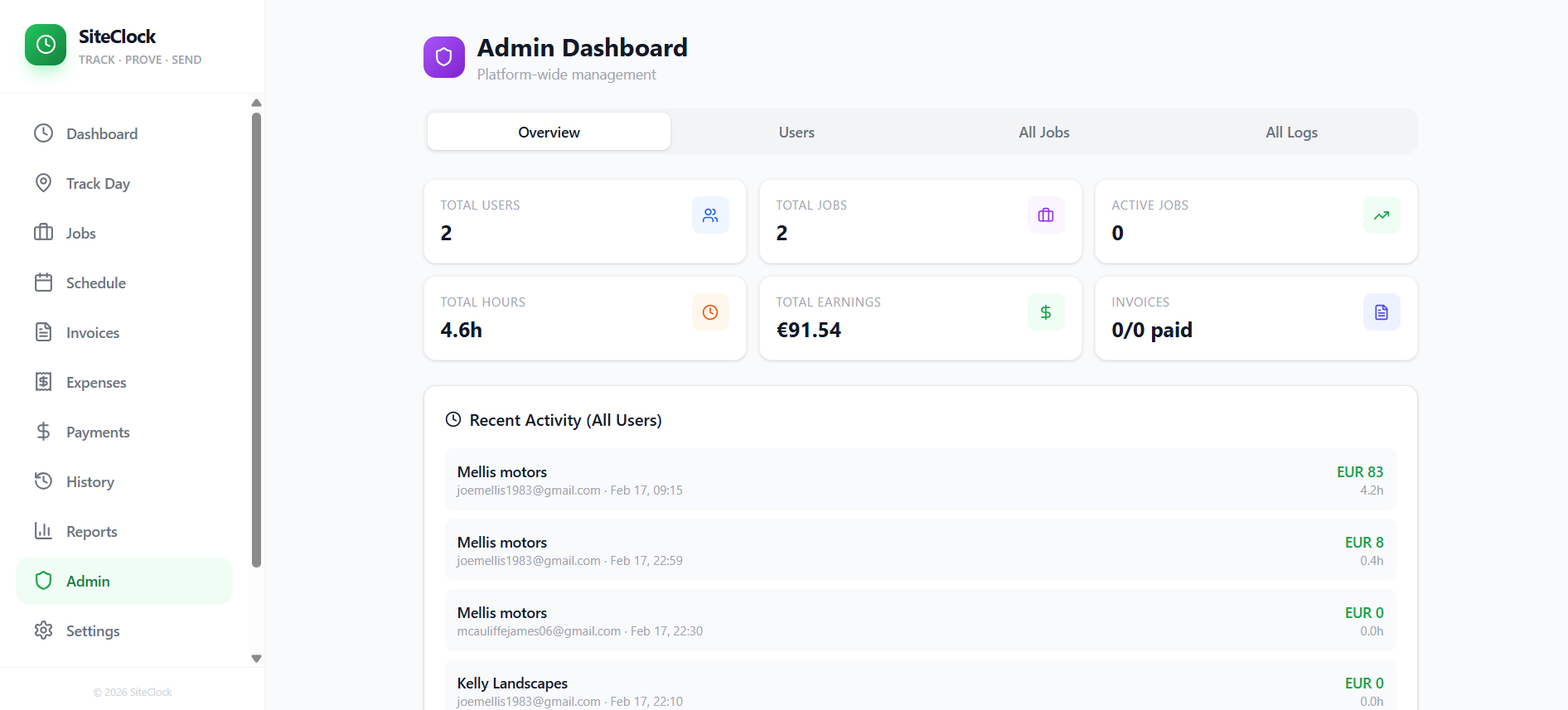
SiteClock   job management and time-tracking  template preview

SiteClock job management and time-tracking

$299.97

Effortlessly track your work hours and send detailed reports via WhatsApp. Perfect for freelancers and tradespeople to manage job sites, log time, and get paid accurately. SiteClock app is a comprehensive job management and time-tracking application designed for field workers and administrators. Here's a breakdown of its features and use cases: Core Time Tracking & Job Management: Job Creation & Management : Create, view, edit, and delete jobs with details like client name, site name, address, contact information, work instructions, due dates, and hourly rates. Time Logging : Clock-in and clock-out functionality, including tracking breaks, to accurately record work hours. Geofence Integration : Automatic detection of arrival and departure from job sites based on location, automating time log creation and enhancing accuracy. Location Tracking : Continuously logs user location (every 15 seconds) when enabled, providing a detailed movement history for proof of work and site presence. Today's Summary : View a summary of daily work, including total hours, earnings, and completed jobs. Active Job Card : Real-time display of elapsed time and estimated earnings for currently active jobs, with quick controls for break toggling and clocking out. Recent Activity : Overview of recently completed time logs, with the option to send work reports via WhatsApp. Financial & Administrative Features: Invoicing : Generate and manage invoices based on recorded time logs. Expense Tracking : Record and manage job-related expenses with details like type, amount, date, notes, and receipt photos. Payment Management : Track payments received for jobs and invoices. Reports : Generate various reports based on time logs, expenses, and payments. User Experience & Utilities: Dashboard : Central hub for quick clock-in/out, daily summary, and pending log reviews. Job Scheduling : Manage job schedules and appointments. Time History : View a detailed history of all time logs. WhatsApp Integration : Easily send work reports and updates to clients or managers via WhatsApp. Mobile-First Design : Optimized for mobile devices with features like a bottom navigation bar, safe-area insets, smooth page transitions, and native-style bottom sheets for select components. Dark Mode : Supports dark mode for improved readability and reduced eye strain. Install Prompt : Facilitates easy installation as a Progressive Web App (PWA). Administrative Control (for Admin Users): Admin Dashboard : Centralized area for oversight and management. User Management : Invite new users, manage user roles (admin/user), and oversee account access. All Jobs View : Access and manage all jobs across the organization. All Time Logs View : Review and manage all time logs submitted by users. Support & Information: Settings : Personal and app-specific settings, including a "Delete Account" option. Features Page : Highlights the application's capabilities. Help & Docs : Provides documentation and an AI assistant for user queries. Use Cases: Field Service Management : Companies with employees working at various client sites can track time, locations, and job progress. Freelancers & Contractors : Individuals can efficiently manage multiple projects, log hours, track expenses, and generate invoices for clients. Small Businesses : Track employee work hours, payroll, and project profitability. Proof of Work : Location logging and geofencing provide verifiable data for billing and compliance. Automated Reporting : Streamline communication with clients by sending quick work reports via WhatsApp. support @ mellistech.com

Mellis Tech16 clones

Operations · Lifestyle & Hobbies
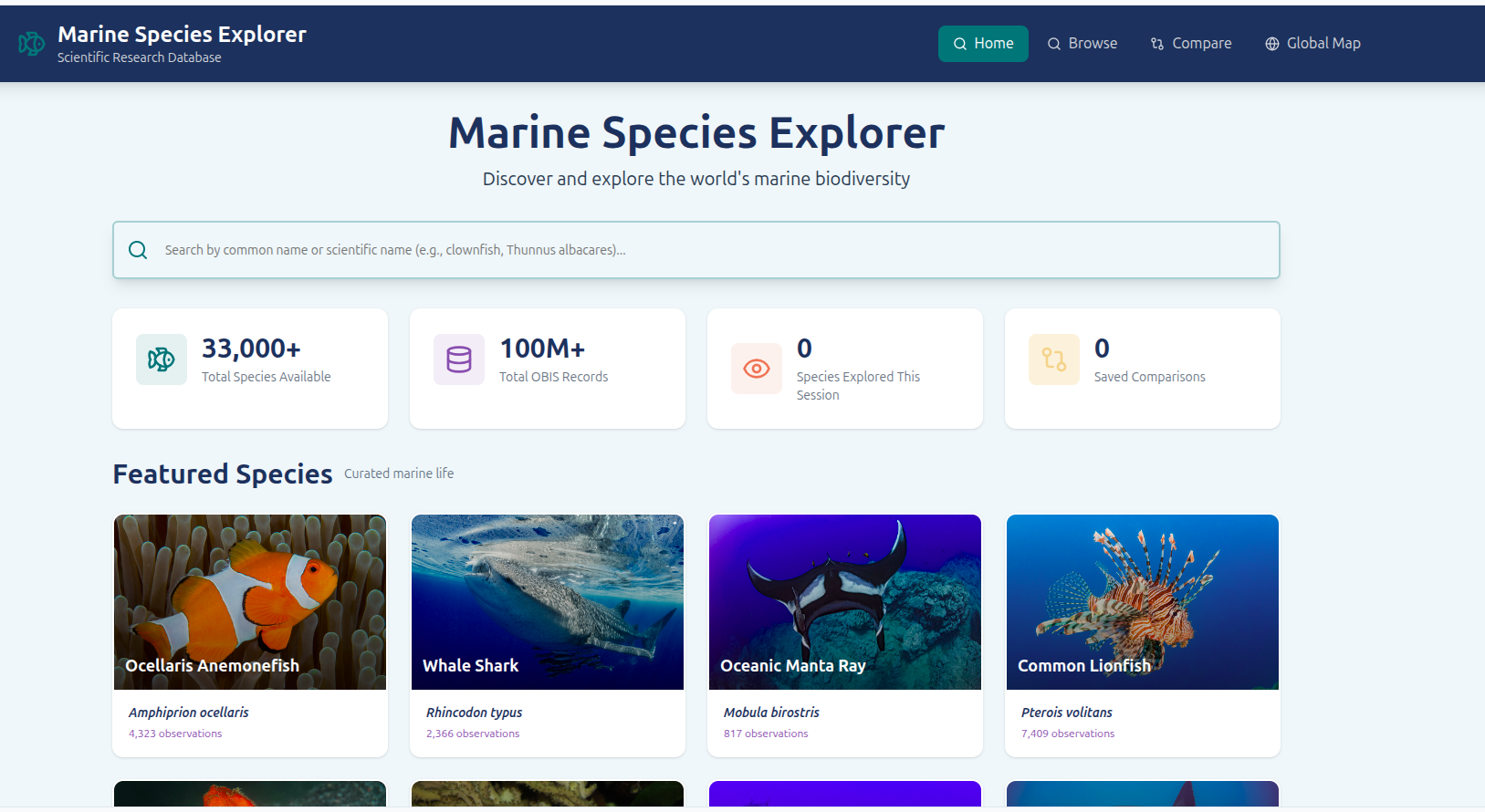
Marine Species Explorer template preview

Marine Species Explorer

Free

The Marine Species Explorer is a powerful web application designed for marine enthusiasts, researchers, and students to discover, explore, and compare marine species from around the globe. It offers an intuitive interface to search for species by common or scientific names, delve into detailed profiles including scientific classification, common names, descriptions, and community photos, and visualize their global distribution on an interactive map. Key features include: Comprehensive Species Search: Find marine species using both common and scientific names, with autocomplete suggestions for a smooth experience. Detailed Species Profiles: Access in-depth information about each species, including its taxonomy, habitat, and media. Interactive Global Distribution Maps: Visualize the geographical occurrences of single or multiple species, allowing for easy comparison and identification of biodiversity hotspots. Dynamic Layer Management: Add and manage multiple species layers on the map, customize their visibility, and reorder them for focused analysis. Advanced Map Controls: Filter occurrences by date, depth, and quality, and switch between various map view modes (markers, heatmaps, grid) to gain different insights. Intuitive User Interface: A clean, responsive design ensures a seamless experience across desktop and mobile devices. This application is invaluable for anyone seeking to deepen their understanding of marine life, track species distributions, or conduct ecological research.

pampas_and_polders16 clones

Data & Analytics · Education +2

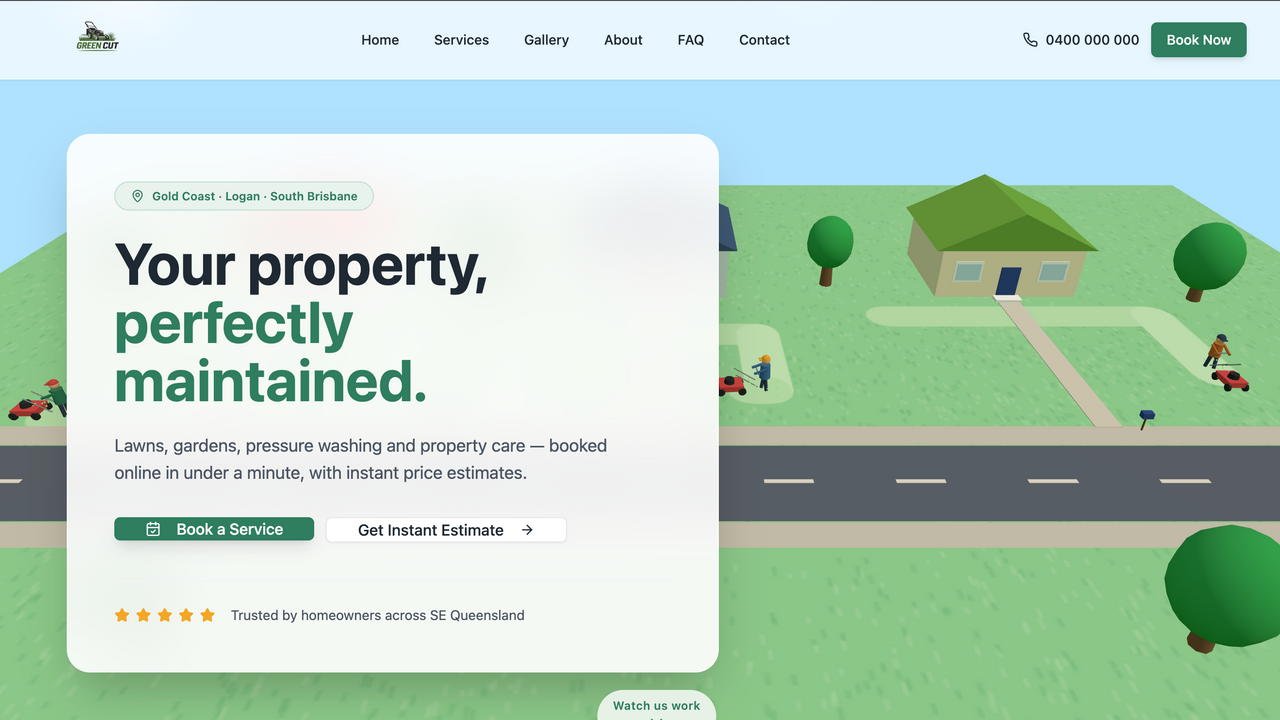
 Green Cut lawnmowing website full invoicing system template preview

Green Cut lawnmowing website full invoicing system

Free

Lawn Care Business Management Template A complete, ready-to-customise Base44 template designed for lawn mowing, landscaping, gardening, and property maintenance businesses. This template combines a professional customer-facing website with a comprehensive business management dashboard, allowing service providers to manage clients, enquiries, estimates, invoices, payments, and communication from one central platform. The front page features modern 3D animations, service showcases, clear calls to action, and an interactive estimation calculator that allows potential customers to receive an approximate service price before submitting an enquiry. Key Features Complete invoicing and payment management system Client and customer relationship management Built-in messaging and communication system Interactive service estimation calculator Modern 3D animations and visual effects Customer enquiry and lead management Service and pricing management Quote and estimate creation Invoice status and payment tracking Client profiles with service history Appointment and job management Business dashboard with key statistics Residential and commercial service options Mobile-friendly responsive design Customisable branding, colours, services, and pricing Professional landing pages for promoting services Contact forms and booking enquiries Admin controls for managing website content This template is ideal for lawn mowing businesses, landscapers, gardeners, property maintenance providers, cleaning companies, tradespeople, and other service-based businesses that need both a polished website and a powerful backend management system. It provides a strong foundation that can be quickly customised with a business name, logo, service areas, pricing, contact information, and branding.

Whatt Marketing15 clones

Operations · Marketing & Sales

So, what are we building?

Start building