Productivity

Build powerful productivity apps with customizable templates. Whether you need to organize your personal workflow or create a robust project management tool for a client, these templates provide the perfect foundation to start from.

Microsite Maestro template preview

Microsite Maestro

Free

Effortlessly create SEO-optimized microsites for your business. From keyword research to content generation and deployment, automate your online presence. Microsite Maestro automates your online presence from start to finish: Keyword research to identify the best opportunities for visibility Content generation powered by AI for engaging, relevant copy Design customization with sleek, responsive templates One-click deployment to launch your microsite instantly Analytics integration to track performance and growth "Launch smarter. Grow faster." With Microsite Maestro, you can go from idea to live microsite in minutes—no coding required. Perfect for entrepreneurs, marketers, and small businesses who want to stand out online without the hassle. "Your microsite, mastered in minutes." 🚀 For Entrepreneurs Turn your big idea into a live site in minutes. Focus on building your business, not coding websites. Launch faster, grow smarter, succeed sooner. 📈 For Marketers SEO-ready microsites that drive campaigns forward. From keyword to conversion—automated microsites that deliver. Amplify reach, streamline content, measure impact. 🛍️ For Small Businesses Your online presence, simplified and stress-free. Professional microsites without the professional price tag. Stand out locally, shine globally. From idea to live site—effortlessly. Automate visibility, amplify your brand. SEO-ready microsites, zero hassle.

Elitepts14 clones

Marketing & Sales · Operations +1

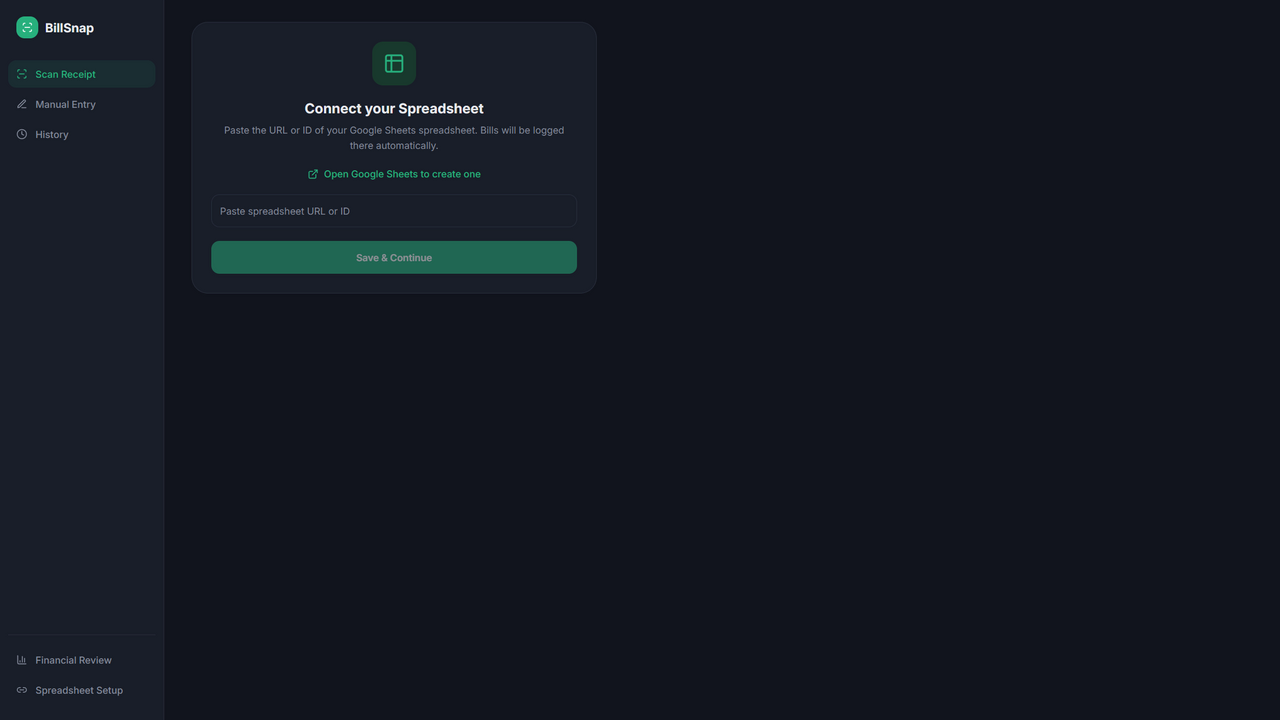
BillSnap template preview

BillSnap

Free

Effortlessly track your supermarket spending by snapping a photo of your receipt. BillSnap automatically extracts key details and organizes your purchases into spending categories for seamless logging directly to your Google Sheets. 📸 Scan Bills with AI Use your device camera to photograph a grocery bill or upload an existing image from your device. The app then analyzes the bill and extracts the relevant information for tracking. ✍️Quickly Add Bills Manually Dont want to use a scan? The Manual section lets you enter your bill details yourself without using AI integration credits. Date The date is automatically set to today, but you can easily select a different date using the built-in calendar. Supermarket Presets Save commonly visited supermarkets as presets and add them with a single tap instead of typing the name every time. Bill Total Enter the total amount of your grocery bill. Customizable Category Breakdown Split your bill across seven customizable spending categories. Rename and configure the categories according to your own needs. The app also includes several features to make manual entry faster: Built-in Calculator: Calculate the total cost of products within a category and insert the result directly into the category field. Automatic Balance Allocation: If you have entered some category amounts but still have a remaining balance, simply tap a categorys emoji icon to assign the remaining amount to that category. Total Validation: A warning appears whenever the category breakdown does not equal the total bill amount, helping prevent accidental data-entry errors. 🧾 30-Day Bill History View an easy-to-read record of grocery bills added through both scanning and manual entry. The History section provides a convenient overview of your bills from the last 30 days. 📊 Financial Reviews Analyze your grocery spending over multiple time periods with 1-month, 6-month, and 12-month financial reviews. Each review can include: Total number of grocery purchases The category that consumed the largest share of your budget Spending trends shown through bar charts Category Breakdown shown through a pie chart Categories ranked from most expensive to least expensive Percentage of total spending represented by each category Comparison with the equivalent previous period Top Supermarket, based on the supermarket where you spent the most money, provided it has been visited more than once The spending trend charts adapt to the selected review period: 1-month review: Weekly spending 6-month and 12-month reviews: Monthly spending 🔐 Your Spending Data Stays in Your Spreadsheet The BillSnap financial review system reads and consolidates your grocery spending data directly from your connected Google Spreadsheet. Grocery spending data is not stored in the apps own database, giving you greater ownership and visibility over your financial records. ✅Built for Simple, Fast Grocery Tracking Whether you prefer AI-powered bill scanning or fast manual entry, Grocery Bill Tracker gives you the tools to record purchases efficiently, organize spending, and understand where your grocery budget is going.

Legend 310814 clones

Finance · Operations +1

So, what are we building?

Start building