
Photography Portfolio
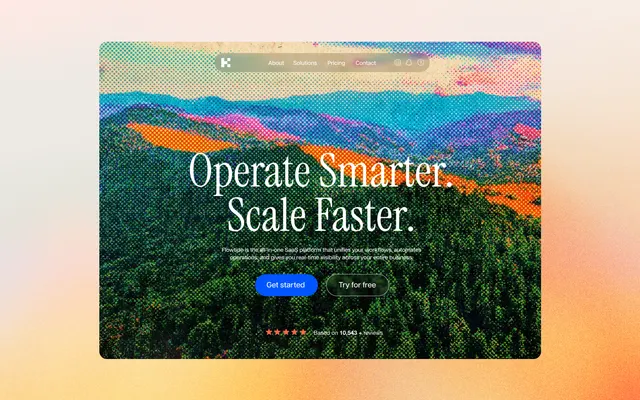
Full-bleed photo stories. A strong start for a travel or photo blog.
Blog website builder
Base44 helps you create a blog with post pages, categories and an editor you talk to. Publish your first post today and grow it on a domain of your own.
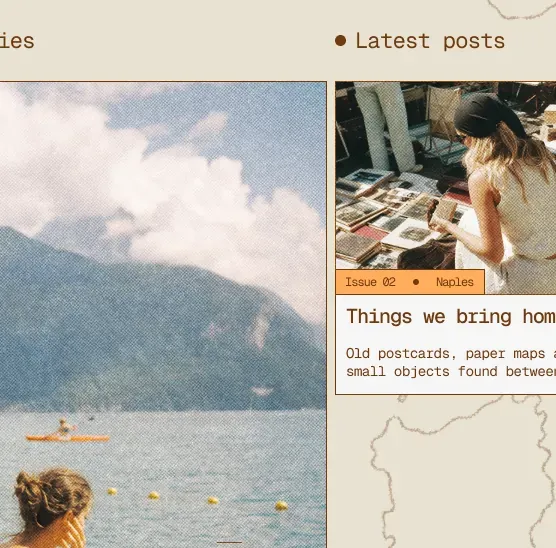

Describe your blog once, and the blog website builder delivers post pages, categories and the database behind them, already built.
Every post gets its own page, filed under categories you name. Readers browse by topic instead of scrolling one endless feed.
Building and customizing happen in plain language: move the archive, widen the post column, rename a category — each is one sentence in chat, not a settings hunt.
Headings, meta tags and a sitemap in place from the first post, so there is no SEO checklist waiting for you after launch.
Generate headers and post images that match your blog's look, instead of the same stock photos every other blog uses.
A name and a face behind the writing. Add a second author by typing who they are and what they cover.
Readers can reach you or sign up from day one, and every submission lands in one place you can check.
From picking a topic to getting found — what to do, in order, to make a blog readers keep.
Step 01
Before you create a blog, decide what it covers and who it is for — a narrow subject with a clear reader is easier to be found for.
Step 02
Pick a name people can spell after hearing it, then check the matching domain is free — one that matches is easier to share and remember.
Step 03
A blog needs post pages, categories, an author page and a contact route — generate them and customize with AI.
Step 04
Write two or three posts before launch. Each should answer one real reader question: a problem to solve, or a subject they care about.
Step 05
Use the built-in SEO & GEO tools: run a health scan and fix what it flags, find keywords with the AI chat, and see whether ChatGPT mentions your blog.

Pick the design closest to your idea, and the blog website builder adds post pages, categories and an archive around it.
Full-bleed photo stories. A strong start for a travel or photo blog.
A bold photography layout with a blog page already in the menu.
A calm, readable layout made for finance creators. Suits a money blog.
A travel site with its own Journal section, ready to become a destination blog.
The Base44 blog website builder handles security, hosting and the database behind your content, so you can focus on posts that bring in traffic.
Your blog is live the moment you publish. No server to configure, nothing to deploy – writing a post and putting it online are one action.
Every blog is served over SSL, and the platform behind it is SOC 2 Type II and ISO 27001 certified, with your data encrypted in transit and at rest.
Every post, category and form submission lives in your app's own database — content you can query, export and keep.
Pricing for a blog
Publish your blog free, no card needed. Upgrade when you start sharing it and want your own domain.
Start for free
$0/mo
Get access to:
Paid plans from
$16/mo
*Billed annually
Upgrade as you go for more credits, more features, and more support.
Built to be read
Every post gets structure that people, Google, AI assistants and social feeds can read – rankings still come down to what you write.
Step-by-step walkthroughs for planning, building and publishing a website people actually read.
Here are 6 steps to create a blog for free and publish your first post today:
The free plan keeps Base44's badge on your blog. When you are ready for your own address, the Starter plan connects a domain you own, removes the badge and, billed yearly, includes your first year of domain registration. Start with that one-sentence description: it is the same flow you would use to create a website of any kind on Base44.