Ready to see what Base44 can do for you? Get started →
Building a secure app doesn’t require a secret decoder ring. It’s about being mindful of common pitfalls and building good application security habits from the start. We'll walk you through some of the most frequent security oversights someone building an app can make and give you straightforward tips to steer clear of them.
It's also important when choosing which AI app builder to work with, to choose one, like Base44 that makes security a priority within its infrastructure and features.
Base44 is an AI app builder that protects apps at the data layer with automatic access controls, row-level security and a built-in Security Scanner that flags exposed secrets and permission gaps before you publish.
4 of the most common app security mistakes
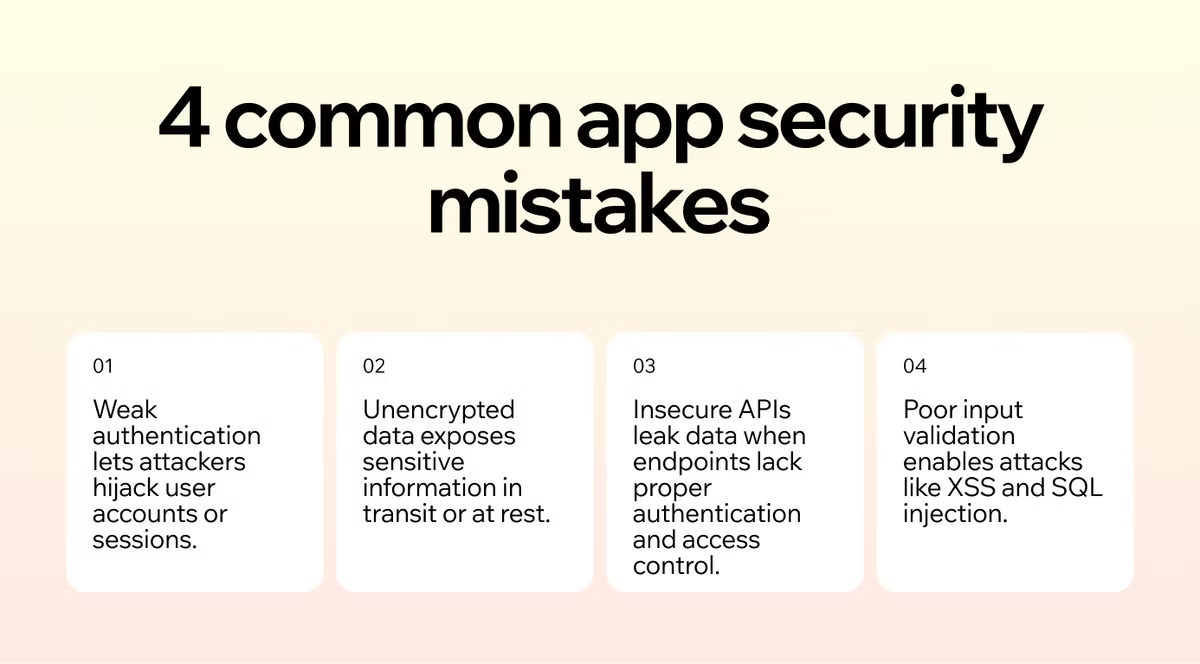
- Weak authentication and session management
- Unencrypted data
- Insecure APIs
- Poor input validation
01. Weak authentication and session management
Weak app authentication practices make it simple for unauthorized users to gain access to accounts registered through your app, often by guessing passwords or by hijacking active sessions.
One common mistake in creating an app is building session identifiers—the digital tickets that keep users logged in—that are predictable or never expire. This allows attackers to easily guess a valid session ID and waltz right into someone else's account.
How to prevent it
Building a secure app is easier than you think. You can start by implementing clear password policies from your app users.
-
Enforce strong passwords: Guide users to create better passwords by requiring a minimum length (at least 12 characters is a good start) and a mix of uppercase letters, lowercase letters, numbers and symbols.
-
Implement multi-factor authentication (MFA): Add an extra layer of security by requiring a second form of verification, like a code sent to a user's phone or email. This is one of the most effective ways to prevent unauthorized access, even if a password is stolen.
-
Secure your sessions: Generate long, random session tokens that are difficult to guess. Make sure to set reasonable expiration times for sessions and automatically log users out after a period of inactivity.
02. Unencrypted data
Imagine sending a postcard with your bank details written on the back for all to see, that's what it's like when your app transmits or stores sensitive data without encryption.
Unencrypted data, whether it's sitting in your database (data at rest) or traveling between the user's device and your server (data in transit), is a goldmine for attackers.
This includes everything from user passwords and personal information to payment details. If a breach occurs and this information isn't scrambled by encryption, you're handing it over on a silver platter.
How to prevent it
The solution is to make encryption a standard practice throughout your app's lifecycle.
-
Encrypt data in transit: Always use HTTPS (Hypertext Transfer Protocol Secure) for all communication between the app and your servers. This is non-negotiable. It creates a secure, encrypted tunnel that protects data from being intercepted.
-
Encrypt data at rest: Don't store sensitive information like passwords in plain text. Use strong, modern hashing algorithms like Argon2 or bcrypt to protect them. For other sensitive user data stored in your database, use robust encryption methods to keep it safe even if your database is compromised.
If you're building an app with an app builder like Base44, you get automatic data access control — each dataset has its own security rules that define who can read, create, update and delete records. Multiple rules are combined using OR logic.
Learn more about how Base44 handles app security.
03. Insecure APIs
APIs (Application Programming Interfaces) are the messengers that allow different parts of your application—or different applications altogether—to talk to each other. They're incredibly powerful but if not properly secured, they can become a major vulnerability.
A common mistake is leaving API endpoints exposed without proper access controls. This could allow an attacker to request data they shouldn't have access to, like another user's private information. Another issue is excessive data exposure, where an API sends back more information than the app actually needs to display, potentially revealing sensitive details that can be exploited.
How to prevent it
Treat your APIs like you treat your user-facing app, with strong security measures.
-
Implement strong authentication: Every API request should be authenticated to confirm the user has the right to access that resource. Use established standards like OAuth 2.0 or OpenID Connect to manage access securely.
-
Practice the principle of least privilege: Design your APIs to only return the data that is absolutely necessary for a given function. Never send the entire user object from your database when all the app needs is the user's first name.
-
Use rate limiting: Protect your APIs from being overwhelmed by too many requests at once (a common denial-of-service attack) by implementing rate limiting. This restricts the number of requests a user can make in a certain timeframe.
Base44 is a no-code app builder that manages backend logic, data management and security review automatically as part of every build.
04. Poor input validation
This mistake happens when your app blindly trusts the data it receives from users or other systems. An attacker can take advantage of this trust by sending malicious input—like a script or a rogue SQL command—disguised as normal data.
If your app doesn't check and clean this input, it might execute the malicious code. This can lead to serious attacks like Cross-Site Scripting (XSS), where attackers inject scripts into your app that run in other users' browsers, or SQL Injection, where they manipulate your database to steal or delete data.
How to prevent it
The rule here is simple, never trust user input. You must validate and sanitize everything.
-
Validate on both ends: Perform input validation on the client-side (in the app itself) for a better user experience and, more importantly, on the server-side. Server-side validation is your real defense, as client-side checks can be bypassed.
-
Be specific with what you slow: Instead of trying to block a list of bad"\ inputs (blacklisting), define exactly what you will accept (whitelisting). For example, if a field is for a zip code, only allow numbers of a specific length. This is a much more effective strategy.
-
Use prepared statements: When interacting with your database, use parameterized queries (also known as prepared statements). This separates your database commands from the data, making it virtually impossible for an attacker to carry out a SQL Injection attack.
05. Hardcoded credentials and exposed secrets
Hardcoding API keys, tokens or database credentials directly into your app's frontend code is one of the fastest ways to expose your users to a breach. Anyone who inspects your source code can extract those credentials and use them to access your backend systems, third-party services or user data. It's a mistake that's easy to make especially when you're moving fast but it can have serious consequences.
The fix is to move any logic that uses sensitive credentials into backend functions and store the credentials themselves using a secrets manager. This keeps them out of your frontend code entirely. If you're building with Base44, the built-in Security Scanner automatically detects exposed secrets in your code and flags them before you publish so you can catch this mistake before it reaches your users.
06. Ignoring third-party integration risk
Every integration you connect, a payment processor, an email service, a CRM, becomes part of your app's attack surface. If that third-party service has an outage, a breach or a compromised update, your app inherits the risk. This isn't hypothetical: in March 2026, attackers compromised a widely-used JavaScript library and published malicious versions that put any app using it at risk. Review what permissions each integration actually needs before connecting it, and don't grant broader access than the integration requires just because it's convenient.
Why app security matters

App security is more than a technical checklist—it’s essential for protecting your users, your code and your business. Without strong security measures, sensitive data can be exposed, apps can be tampered with and companies face serious financial and reputational risks.
01. Protect user data
Keeping user information safe is a top priority. Encrypt sensitive data in transit and at rest to prevent breaches and ensure your users’ trust.
02. Stop unauthorized access
Weak authentication can leave your app vulnerable. Implement strong passwords, multi-factor authentication and secure session management to guard against unauthorized logins.
03. Shield your code
Protecting your code from tampering and reverse engineering helps maintain app integrity and prevents malicious exploits. Secure APIs and follow best practices for code obfuscation when necessary.
04. Reduce business risk
A security lapse can result in financial loss, regulatory fines and reputational damage. Investing in robust security safeguards your business and strengthens user confidence.
Most common app security mistakes FAQ
What are the common password security mistakes?
Common password mistakes include using short or simple passwords, reusing the same password across multiple accounts and failing to enable multi-factor authentication (MFA). Weak passwords are easy for attackers to guess or brute-force, putting user accounts at risk. Encouraging strong, unique passwords and MFA greatly improves app security.
How do app updates affect security?
Keeping your app and its dependencies up to date is essential for security. Updates often patch vulnerabilities that attackers could exploit. Neglecting updates can leave your app exposed, even if it was secure when first built. Automating updates and monitoring security advisories helps stay ahead of threats.
How does logging and monitoring improve app security?
Implementing comprehensive logging and real-time monitoring helps detect suspicious activity, security breaches or errors before they escalate. Logs can reveal attempted attacks, unusual usage patterns and system weaknesses giving developers the insight to respond quickly.