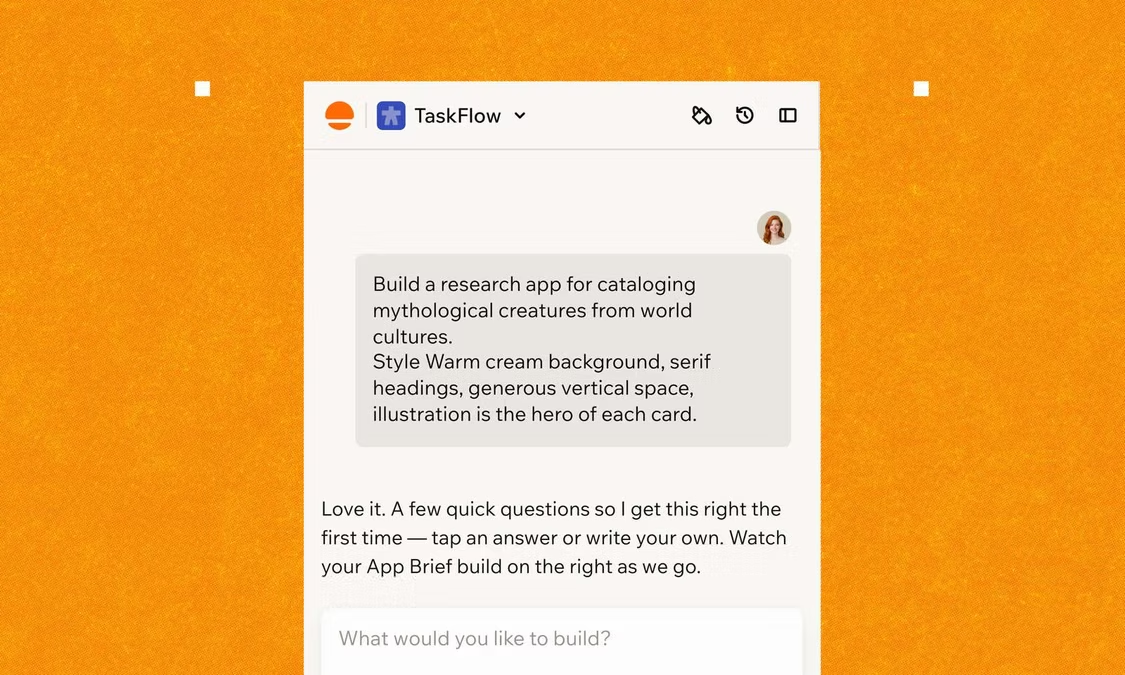
Ready to see what Base44 can do for you? Get started →
Most AI app development takes anywhere from hours to days to weeks or months to build, depending on complexity, data readiness and whether you build from scratch or use an AI app builder. The honest answer is that there's no single timeline but there are predictable ranges and once you know what shapes them, planning gets a lot easier.
This guide walks you through realistic timelines, when you use an AI app builder, as well as by project scope, a phase-by-phase breakdown of where the weeks actually go, the factors that stretch or shrink a build and how to ship faster without cutting corners. An AI app builder, like Base44, eliminates the onboarding slowdown of traditional development, so understanding app development timelines (including the stages of AI app development) helps you see exactly where that time savings shows up.
If you want a starting point that covers the fundamentals first, our guide on how to build an app with ai is the right next stop.
Turn your idea into an app with Base44
TL;DR: How long does AI app development take?
AI app development ranges from a few days for a working prototype to weeks or more for a regulated enterprise system. The biggest variable is whether you build the application layer yourself or generate it with an AI app builder.
"For founders, the most valuable currency is time. Base44 gives you the freedom to validate ideas in days, not months, without sacrificing quality."
— Nina Boyd, PMM at Base44
What counts as AI app development?
Before estimating a timeline, get clear on what kind of AI app you are building. The label covers a wide range, and timelines vary dramatically based on which version applies to you.
An AI app can mean an application that learns from data and adapts (machine learning, language models, computer vision) or simply an app that integrates an AI API for one or two features like summarization or image generation.
Or it can mean what you build with an AI app builder like Base44 that interprets natural language instructions as app logic, which means you can describe an AI feature in plain words and have it wired into a working product.
AI app development timeline by project scope
Scope is the second-biggest variable in app development after complexity. A throwaway prototype operates on a different timeline than a regulated production app. Here's what each project type usually looks like, with traditional and AI-app-builder timelines side by side.
Two AI apps that look similar on the outside can have radically different build times underneath. A chatbot that answers FAQs using a pre-trained model is a different project than one that adapts to user history and connects to internal systems, even though both get described as an AI chatbot.
Once you know your scope, the next question is how the time inside that range actually breaks down. If you're still weighing whether to build at all, our piece on how hard is it to make an app is useful context before committing to a timeline.
AI app development phases and how long each takes
AI apps come together in five phases. They overlap in practice but understanding each one in isolation makes estimates more accurate and surprises rarer. Here's what happens in each phase and how long it usually takes.
01. Planning and requirements (1 to 3 days with an AI app builder)
Every AI app starts with clarity of purpose and function. This phase defines the problem, the role AI plays, success metrics and the data sources you need. Decisions here ripple through the entire build, so rushing scoping is one of the most expensive and time costly mistakes you can make.
02. Data preparation (2 to 8 days with an AI app builder)
Once requirements are clear, your attention should shift to data. You collect, clean, structure and often label data before a model can learn anything useful from it.
According to Inceptive Technologies, data preparation alone can consume 40 to 50% of total AI development effort, especially for teams adopting AI for the first time. If your data is clean and accessible, this phase compresses. If it lives in fragmented sources, expect the longer end of the range.
03. Model development or selection (hours to days)
With data ready, you decide whether to use a pre-trained model, fine-tune one or build something custom. Pre-trained models and AI APIs can meaningfully cut this phase, especially for chatbots, NLP, and recommendation systems. Custom models take longer because they require more experimentation and validation cycles to hit accuracy targets.
04. Application development (hours to days)
After the model is ready, it gets wrapped in a working app. This phase covers the user interface, backend, APIs, authentication and integrations. Traditionally, this is the slowest stretch of any AI build but it's also where an AI app builder collapses time most aggressively, generating UI, auth, database, and integrations from a single prompt instead of weeks of manual setup. If you want to see how this works in practice, our guide on how to use an ai app builder walks through it step by step.
05. Testing, optimization and deployment (hours to days)
Before launch, the app gets tested under real-world conditions: performance tuning, error handling, monitoring setup and final adjustments. Iterative loops between data, model and application logic are all normal here. Once it passes testing, the app deploys and continuous monitoring begins.
Factors that affect AI app development time
These are the factors that show up most often in real AI builds:
- Feature complexity: An AI app that performs a single function is much faster to build than one that makes real-time decisions, handles multiple inputs, or continuously learns. Each layer of intelligence adds testing and edge cases.
- Data readiness: Clean, well-structured data in one place is the dream scenario. If your data sits in fragmented systems or needs labeling, data prep can double or triple. This is where most first-time AI projects underestimate the work.
- Pre-trained models versus custom models: Plugging into an existing model is faster but offers less control. Custom models give precision but add experimentation cycles. The right choice depends on how unique your use case is.
- Integration requirements: Connecting your app to CRMs, payment processors, or third-party APIs adds work that is easy to overlook. Each integration usually adds one to two weeks.
- Team experience: Teams that have built AI apps before move faster because they avoid common pitfalls. First-time AI teams often spend extra weeks experimenting with tooling and corrections that experienced teams skip.
- Platform choice: Building for one platform is the fastest path. Cross-platform builds (iOS plus Android, for example) add meaningful time unless you use tools that generate code for both at once.
- Compliance and security needs: Regulated industries like healthcare or finance add review cycles, documentation, and validation steps that easily add a month or more. Plan for these, not absorb them mid-build.
"In app building, speed and quality are often at odds. But with Base44, you don't have to choose. It's designed to help you build high-quality apps quickly, so you can get to market faster without cutting corners."
— Nina Boyd, PMM at Base44
Timeline examples for common AI app types
Different AI app types have different timelines, even when the project scope is similar. Here is what to expect for the most common types.
AI chatbots and virtual assistants (2 days to 8 weeks)
Chatbots are where most teams start, partly because pre-trained language models make them quick to spin up. A basic chatbot that answers FAQs or routes users comes together in two to four days. Timelines stretch when the chatbot needs nuanced conversation, connects to internal tools or adapts based on past interactions, pushing the build to eight weeks or more. If you need something that takes action, like updating records or drafting replies, rather than only answering questions, you can build an AI agent instead.
AI recommendation systems (2 to 4 days)
Recommendation systems depend heavily on user behavior data, so timelines hinge on how much data you have and how clean it is. A simple version takes days or less once data is available, but making recommendations feel relevant usually means experimenting with models and validating results over time.
Predictive analytics applications (3 to 6 days)
Predictive apps forecast outcomes like demand, risk or churn. They move slowly because predictions need to be reliable, not just plausible. Teams spend significant time validating assumptions against real data and refining models, since small changes to inputs can swing accuracy.
How AI app builders compress the app development timeline
The biggest shift in AI development over the past two years has been the rise of AI app builders. Tools that generate working applications from natural language prompts compress timelines dramatically, especially in the application development phase. Base44, for example,, builds your entire app from a single conversation, collapsing weeks of UI, backend and integration work into hours.
Base44 is a platform that closes the gap between imagination and execution by turning rough conversational prompts into structured fully functional products.
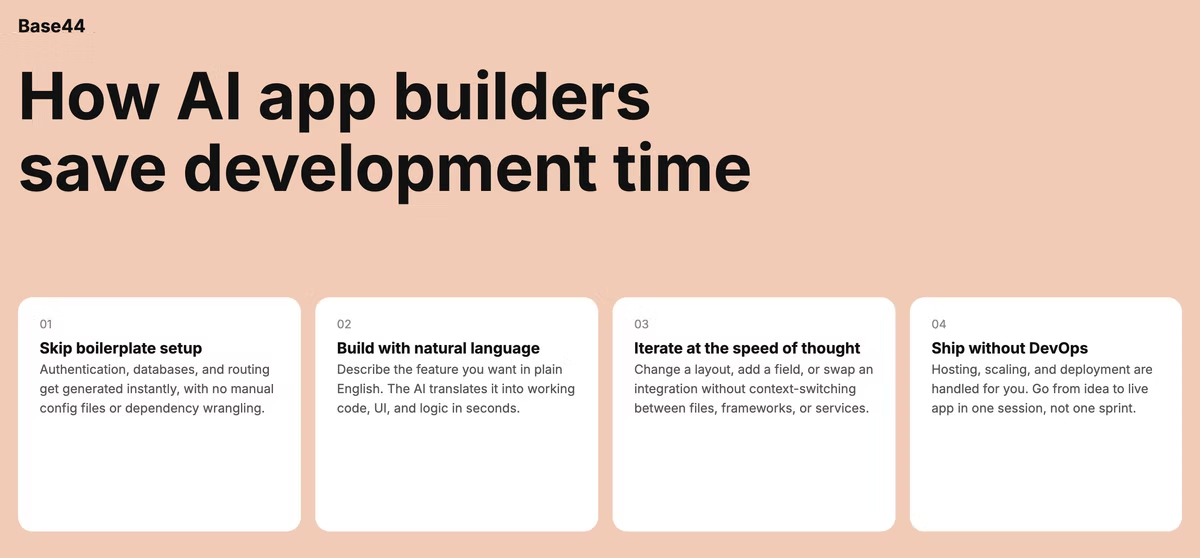
Here's how the time savings break down by phase, comparing traditional development with an AI app builder approach.
Significant time savings on MVPs are now realistic, though results vary by project type. The trade-off is less control over the underlying stack, which matters for highly custom or regulated builds. For most founders and product teams, the speed gain is the point.
If you want to lean further into faster delivery, our guide on how to make an app fast covers it in more detail.
"Speed to market is everything in today's app economy. Base44 allows you to prototype, test and launch faster than traditional development methods, giving you a competitive edge without sacrificing quality."
— Nina Boyd, PMM at Base44
How to speed up AI app development
Speed in AI app development rarely comes from working harder, it comes from making good decisions early and avoiding the friction that slows most projects down. Here are the practices that consistently shorten timelines.
- Start with a focused scope: Solving one well-defined problem is faster than solving three vague ones. Narrow the first release to a single use case and ship something usable before expanding.
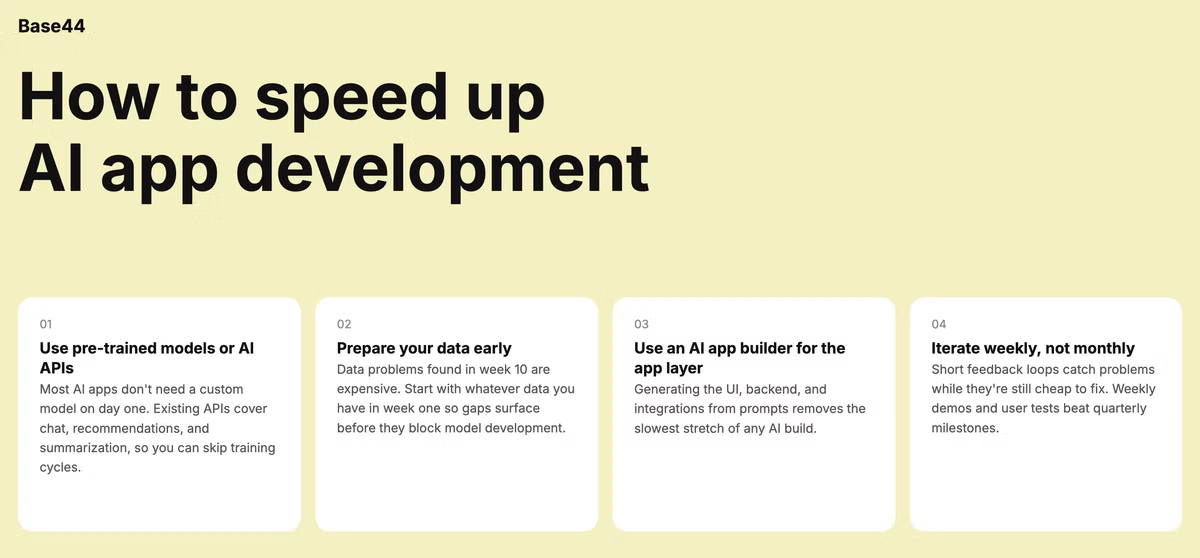
- Use pre-trained models or AI APIs: Most AI apps do not need a custom-trained model on day one. Existing models cover chatbots, recommendations, summarization, and image recognition. Use them to skip training cycles and focus on features users care about.
- Prepare your data early: Data problems found in day or even week 10 are expensive. Start working with available data in week one, even if imperfect. Gaps surface faster, and you can fix them before they block model development.
- Use an AI app builder for the application layer: The fastest way to shorten the application development phase is to skip writing it from scratch. Generating the UI, backend and integrations from prompts removes the slowest stretch of any AI build, which is also where our guide on prompts for app building becomes useful.
- Iterate weekly, not monthly: Short feedback loops catch problems while they are still cheap to fix. Weekly demos, user tests and model checks beat quarterly milestones when the goal is to ship.
Common reasons AI app projects get delayed
AI projects rarely fall behind because of one big mistake, delays compound from small issues that pile up over weeks. Here are the most common ones to watch for:
- Underestimating data preparation: Many teams assume their data is ready, then discover gaps, inconsistencies, or labeling issues once development is underway. Late-stage data fixes force teams to revisit earlier work, one of the most reliable schedule killers.
- Unclear or shifting requirements: When goals are not crisp at the start, development becomes reactive. Frequent changes to features, workflows, or success metrics produce rework and stalled progress.
- Trying to build too much at once: Overloading the first version with too many features stretches every phase. Smaller, focused releases ship sooner and deliver value earlier than ambitious launches that drag for months.
- Insufficient testing and feedback loops: Skipping or rushing testing pushes problems into post-launch, where they cost more to fix. AI apps benefit from continuous testing because models can drift in ways traditional software does not.
- Limited AI development experience: Teams new to AI spend extra time experimenting with tools, selecting models, and correcting avoidable missteps. This shows up as longer iteration cycles and slower decisions throughout the build.
How long does AI app development take? FAQ
How long does it take to build an AI app from scratch?
A full AI app from scratch typically takes four to 12 months, depending on data readiness, model complexity and integrations. Simple AI features added to an existing app can ship in two to eight weeks. Using an AI app builder can cut this time down to hours and days.
Can I build an AI app in less than 30 days?
Yes, a basic AI prototype or simple AI feature can be built in much less using pre-trained models or APIs and an AI app builder. Production-ready apps with custom logic, integrations and reliability requirements can also now be done in less time with an AI app builder like Base44.
How long does it take to build an AI MVP?
With an AI app builder anywhere from hours to days including core functionality, real user flow and basic data handling.