
AI app development moves through a predictable set of stages, from defining the problem to monitoring a live app in the wild. Most teams group these into seven distinct stages, each with its own goals, decisions, and common pitfalls. The earlier you understand them, the easier it is to scope, budget, and avoid the mistakes that derail most first-time AI projects.
The stakes are real: more than 80% of AI projects never reach production, and the reason is almost never the technology itself. It's skipped or rushed stages, especially the early ones. Understanding the lifecycle before you start is the single best way to avoid becoming part of that statistic.
This guide walks through every stage of the lifecycle, what happens inside each one, who's typically involved and how the process shifts when you build with an AI app builder instead of from scratch. Base44 gives users a real-time AI collaborator available at every step, which changes what each stage looks like in practice. If you're more focused on duration than process, this guide on how long AI app development takes covers timelines stage by stage.
Turn your idea into an app with Base44
TL;DR: The 7 stages at a glance
AI app development moves through seven stages: problem definition and scoping, data collection and preparation, model selection or training, app architecture and design, build and development, testing and iteration and deployment and monitoring. The lifecycle is iterative, not strictly linear and teams often loop between stages as they learn. With an AI app builder, several of these stages compress or fold into a single conversation.
"Many developers rush to integrate AI without clear objectives. My advice? Define exactly what problem your app solves, then explore which AI models truly add value to that solution."
— Nina Boyd, PMM at Base44
What counts as a stage in AI app development?
Before walking through the lifecycle, it really helps to be precise about what a stage actually is. A stage is a logical grouping of activities with a clear deliverable. A phase is a time-based segment of the project. A step is an individual action inside a stage. These terms get used interchangeably online but the distinction matters when you're scoping work or assigning ownership.
AI app development also adds stages that traditional software development doesn't have. Data preparation, model selection and ongoing model monitoring are unique to AI projects. A standard web app doesn't need to worry about model accuracy drifting over time but every AI app does. Knowing where these extra stages fit, and how an AI app builder works through them, is what makes the lifecycle approach useful.
The 7 stages of AI app development
Each stage below has a primary goal, a typical set of activities and a few pitfalls that show up most often when building an app with AI. They overlap in practice but understanding each one in isolation makes planning more accurate.
- Problem definition and scoping
- Data collection and preparation
- Model selection or training
- App architecture and design
- Build and develop
- Testing and iteration
- Deployment and monitoring
01. Problem definition and scoping
The goal of this first stage is to get crisp about what the app does, who uses it, what role AI plays and how you'll measure success. The questions to answer are basic but easy to skip: is AI actually the right tool for this problem? What's the measurable outcome we're after? What does failure look like?
Most projects that go off the rails do so because this stage was rushed. Vague success metrics, AI added for the sake of having AI and scope that quietly expands week after week are the three most common failure modes. Spend extra time here because later decision builds on what you decide now.
"A great product strategy starts with subtraction. Ask yourself what your app can remove: friction, wasted steps, cognitive overload. Simplicity is the ultimate competitive edge."
— Nina Boyd, PMM at Base44
02. Data collection and preparation
Once the problem is scoped, your attention should shift to the data. This stage covers sourcing, cleaning, structuring and often labeling the data the AI model will learn from or operate on. It's the most underestimated stage of any AI project. According to Inceptive Technologies, data preparation alone can consume 40 to 50% of total AI development effort.
Good data is relevant, clean, sufficient in volume, properly labeled and privacy-compliant. Bad data shows up as labeling inconsistencies, gaps for entire user segments, or fields that look populated but contain noise. Teams that find these problems in stage two finish on time. Teams that find them in stage six rewrite half the project.
When you build with an AI app builder, like Base44, using pre-trained models or AI APIs, much of this stage shifts. You may not need to prepare training data at all but you still need clean operational data for the app itself to function.
03. Model selection or training
With data ready, the next decision is which model to use. There are three paths: plug into a pre-trained model through an API, fine-tune an existing model on your own data or train a custom model from scratch. Each option trades speed for control. Pre-trained models are the fastest path and cover most common use cases (chatbots, summarization, image recognition, recommendations). Custom training is slower but gives you precision for novel problems.
For pre-trained models, much of the work in this stage becomes prompt design and parameter tuning rather than training. Our guide on prompts for app building covers what good prompts look like in this context. For custom training, you'll spend weeks here running experiments and validating accuracy against benchmarks before moving forward.
04. App architecture and design
This stage is where the app stops being a model and starts being a product. You design the user flows, data flows, model integration points, UI and backend services. You decide how the AI model fits into the broader app stack: where it gets called, how its outputs flow through the rest of the system and how to handle the cases when it returns something unexpected.
Architecture decisions made at this stage are expensive to change later. The Base44 backend gives AI agents secure access to your app's data and logic, which removes most of the wiring work between model and product. Without that, teams spend significant time building the connective tissue that lets a model talk to a database, a user session, and a third-party API safely.
05. Build and development
Build is where it all comes together: the UI, the backend, the model integration, authentication, third-party connection and everything in between. Traditionally this is the longest and most expensive stage of any AI project. It's also where teams most often discover they got something wrong upstream, in scoping or architecture.
Base44's AI app builder interprets natural language instructions as app logic, which collapses this stage dramatically. Instead of weeks of manual setup for UI, auth, database and integrations, you describe what you want in plain words. The structure gets generated and you iterate from there.
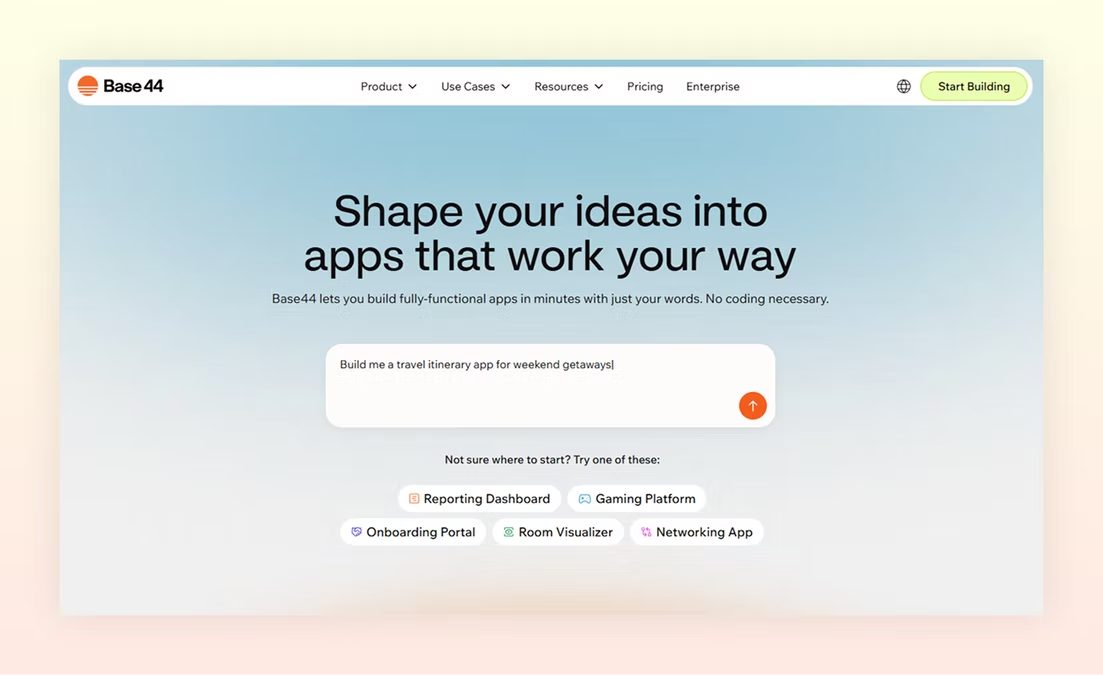
This guide on how to use an AI app builder walks through what this looks like in practice.
06. Testing and iteration
Testing an AI app has three layers:
-
Unit testing checks individual components in isolation: does the image upload work, does the auth flow handle bad inputs, does each API call return what it should.
-
Integration testing checks how parts behave together: does the model's output get rendered correctly, does the database update when the model decides to act. User acceptance testing puts real users in front of the app and watches what happens.
-
AI apps need an extra layer on top: model validation. You check that the model holds up on edge cases, that accuracy targets are met across user segments (not just the average), and that the model isn't producing biased or unsafe outputs. Skip this layer and you'll find the problems in production instead.
Base44 is a vibe coding platform that goes further than others by verifying testing and securing every app it builds before it ships.
07. Deployment and monitoring
Deployment moves the app from a staging environment into production where real users can access it. For a traditional app, this stage ends once the app is live. For an AI app, deployment is the start of an ongoing process. Models drift as the world changes around them. User behavior shifts, new edge cases appear and monitoring is what keeps the app honest after launch.
What to monitor: app performance (uptime, response times, error rates), model performance (accuracy, latency, drift against benchmarks) and user behavior (where they get stuck, what features they ignore, how often they come back). Without all three, you're flying blind after launch.
How the stages differ with an AI app builder
An AI app builder doesn't change the lifecycle so much as it changes which activities happen inside each stage. Some get compressed, some get skipped and a few new ones get introduced. Here is what shifts:
-
Problem definition stays the same.: You still need to know what you're building and why. No tool replaces clear thinking about the problem.
-
Data preparation often shrinks dramatically: If your app uses pre-trained models through an AI app builder, you don't need training data at all. You still need clean operational data for the app itself but the labeling, cleaning and structuring of training datasets disappears.
-
Model selection becomes a prompt or a setting: Instead of evaluating frameworks and running experiments, you describe what the model should do and the builder routes to an appropriate pre-trained option behind the scenes.
-
Architecture and build collapse into a conversation: The AI app builder generates the UI, backend, database and integrations from your description. You spend your time refining behavior rather than wiring up the plumbing.
-
Testing and deployment are still important: Models can still drift, edge cases still exist and monitoring is still required. The activities are similar but they happen on top of generated infrastructure rather than hand-written code.
A quick note on the trade-off. AI app builders work best for the majority of standard use cases.. If you want the full picture of what app builders unlock, check out the main benefits of an AI app builder.
Common mistakes at each stage of app development
Most AI projects don't fail because of one big error, they fail because small mistakes at each stage compound. Here's what to watch for:
Stage 1: defining the wrong problem. Teams jump to AI before checking whether AI is actually what the problem needs. Plenty of problems are better solved with a search box or a rule.
Stage 2: assuming data is ready. Most teams discover labeling inconsistencies and segment gaps only when the model is already training. Audit data before stage three, not during.
Stage 3: choosing custom training when pre-trained would work. Custom models are slower, more expensive and rarely needed for common use cases. Default to pre-trained unless you have a strong reason not to.
Stage 4: designing UI before understanding model behavior. The UI has to handle what the model actually returns, including the weird outputs. Designing the happy path only leads to a brittle product.
Stage 5: writing code before scoping integrations. Every third-party API call adds time and failure modes. Map them all before the first commit.
Stage 6: testing only happy paths. Edge cases are where AI apps fail in production. If you haven't tested unusual inputs, biased data, and adversarial prompts, you haven't tested enough. For a practical checklist, see how to test an app before launch.
Stage 7: launching without monitoring. Without monitoring you find problems through user complaints instead of dashboards. Set up monitoring before launch, not after.