
Here's how to make a membership website that turns visitors into paying members, without hiring a developer. A membership website gates your best content, courses or community behind a login, so people pay to keep coming back for what only you offer.
Base44's AI website builder can build the whole thing for you, membership area included, straight from a text prompt.
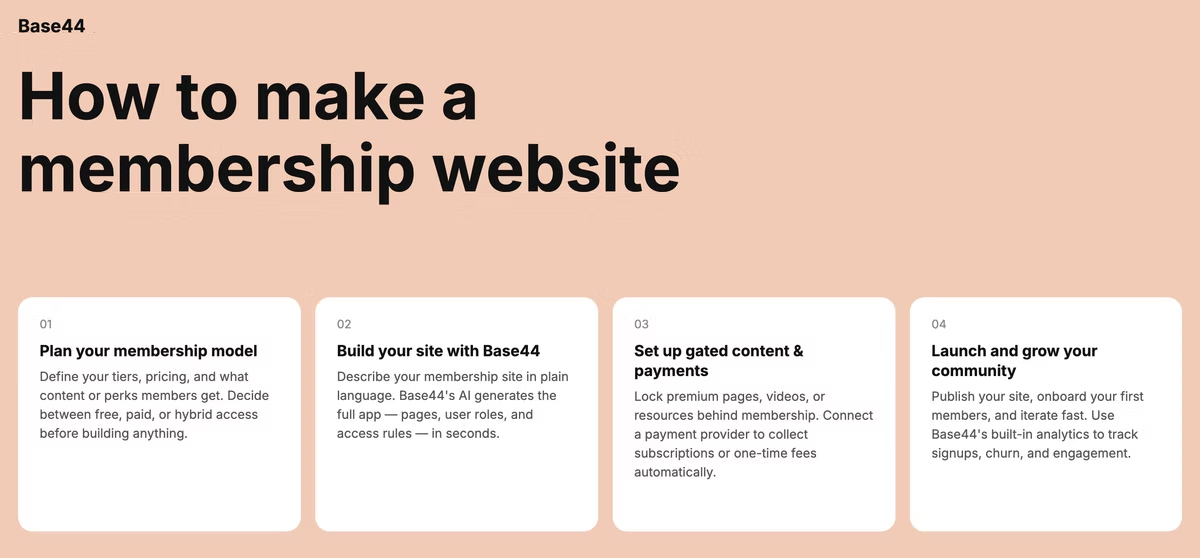
You'll work through seven moves: picking your model, choosing an AI website builder, designing the experience, building your content library, setting up payments, launching and keeping members engaged after that, the same process you'd follow if you decided to vibe code a website from scratch, just aimed squarely at membership features. N
one of these steps require a developer, a designer or a stack of separate plugins to get right. Base44's AI website builder turns a text prompt into a complete, production-ready site, membership area included.
TL;DR: How to make a membership website
If you're still weighing up which AI website builder to use, it helps to skim a roundup of the best AI website builders before picking one. The table below breaks down each step necessary to creating a membership website:
1. Define your niche and model: Pick your audience and how they'll access content: drip-feed, all-access, tiered, course or community.
2. Choose an AI website builder: Pick a AI website builder, like Base44, with membership areas, payments and no-code setup built in.
3. Design the site: Build a clear homepage, simple navigation and a branded member experience.
4. Build your content library: Plan what members get, how it's delivered and how they register.
5. Set up payments: Connect a processor, set your tiers and decide on free trials.
6. Launch your website: Give members a strong first impression with previews, social proof and a clear call to action.
7. Maintain and grow your membership site: Keep content fresh, gather feedback and build engagement loops that keep members renewing.
How to make a membership website in 7 steps
Each step below builds on the last, from defining who you're building for to keeping them around once they've joined.
01. Define your niche and membership model
Start with who you're building for and what they can't get anywhere else. A tight niche makes it easier to price your membership and easier for the right people to find it. Trying to serve everyone usually means the site feels generic to everyone, so narrow the audience before you touch a single design decision.
Then pick a model that fits how you deliver value: drip-feed content on a schedule, give all-access from day one, run a fixed-term program, host an online course or build a private community. Drip-feed suits step-by-step learning, since it keeps members from binging everything in one sitting and disappearing. All-access rewards people who already know what they want and just need the material in front of them.
Plenty of membership sites mix two or three of these once they find their footing: a coaching program might pair drip-feed lessons with an all-access resource library, or a community might layer a fixed-term cohort on top of an ongoing discussion space. You don't have to lock in one model forever, just pick a starting point that matches how your audience already consumes content.
Learn more about how to build a real estate website.
02. Choose an AI website builder
Your AI website builder needs to handle three things well: member accounts, gated content and payments. Look for built-in member areas instead of bolt-on plugins, since every extra tool is one more thing that can break at the worst moment and one more login for you to manage on top of your own.
A patchwork setup, one tool for the website, another for memberships, a third for payments, means syncing data across all three and troubleshooting whichever one breaks first. An all-in-one platform keeps your member list, your content and your billing in the same place, so you're not reconciling three dashboards every time something changes.
Base44's AI website builder handles layout and responsiveness automatically, so your membership site looks right on every device without extra setup. Describe your site, and it comes back with a member login, a gated content area and payment support already wired in, no separate developer or designer needed, so you can compare it directly against any drag-and-drop alternative you were considering.
03. Design your membership site
Your homepage has one job: answer who this is for, what they get and how to join, in the first few seconds. Keep navigation simple so members can find courses, discussions or downloads without hunting for them. Every extra click between a visitor and the value you offer is a chance for them to leave instead of joining.
Carry your branding through the member area too. A login page or dashboard that looks like an afterthought undercuts the value of what's behind it, so keep colors, fonts and tone consistent from the homepage all the way to the members-only pages. Members who paid for access should feel like they landed somewhere designed for them, not a generic template with your logo pasted on top.
Think through the first few minutes after someone joins, not just the sales page that got them there. A short onboarding checklist, a welcome message or a suggested first action gives new members somewhere to start instead of a login screen and nothing else.
04. Build your content library
Plan what members actually get: courses, articles, templates, live sessions or a discussion space, and decide how it reaches them. Drip-feed content keeps people coming back over weeks or months; all-access content rewards people who want to move at their own pace. Whichever you choose, focus on content that's genuinely useful over content that's just polished, since usefulness is what keeps someone paying month after month.
If you already have popular posts, webinars or resources sitting in public view, consider moving some behind the membership gate instead of starting from a blank page. Repurposing existing material gets your library off the ground faster and gives early members something substantial on day one.
Keep the registration flow short. Ask for an email and a password, nothing more, and save the rest of the profile for after someone's already a member. A long signup form is one of the easiest ways to lose someone who was ready to join a moment ago.
05. Set up payments and pricing tiers
Connect a payment processor built for recurring billing, since most memberships run on monthly or annual renewals rather than one-time purchases. Decide early whether you're running a single plan, a free tier alongside a paid one or several tiers with different levels of access.
Tiered pricing works well once your content library is broad enough to justify it: a basic tier for core material and a premium tier for live sessions, one-on-one time or deeper resources. Starting with a single plan is often simpler while you're still testing whether people will pay at all.
A free trial or a low-cost intro tier lowers the barrier for someone deciding whether to join. You can always add tiers later as your content library grows, and adjusting a price is far easier once you already have paying members giving you feedback on what's worth more to them. If you're weighing the cost to build a website with AI against a plugin-based setup, factor in the ongoing subscription fees for each separate tool, not just the sticker price of the platform itself.
Learn more about how to make a community website.
06. Launch and promote your membership site
A strong launch is about connection, not perfection. Give people a reason to join on day one: a founding-member rate, a preview of what's inside or early access before you open things up more broadly. A countdown or a preview post in the days before launch builds anticipation instead of asking people to join something they've never seen.
Base44 connects your custom domain as part of the build, so your site goes live under your own brand without a separate setup step. Once you're live, lean on your existing audience, social proof and a clear call to action to turn interest into members.
Tap into channels you already have before spending on paid promotion: an email list, a social following or a network of people who'd genuinely benefit from what you're offering. A single genuine recommendation from someone your audience trusts tends to convert better than a broad ad campaign at launch.
07. Maintain and grow member engagement
Membership sites live or die on renewal, not just signups. Keep content fresh, check in with members directly, and act on the feedback they give you. A member survey every few months tells you what's working and what's quietly driving people toward canceling.
Build in engagement loops: a recurring discussion thread, a monthly live session or a member spotlight. These small, repeatable moments are what turn a one-time purchase into an ongoing relationship, since they give members a reason to show up between big content releases.
Revisit your model as your membership grows. What worked for your first 20 members might not fit 200, and being willing to add a tier, adjust pricing or restructure content is part of running a membership site long term rather than just launching one.
Base44 membership website examples
These use cases show what a membership site can look like once it's built, and they cover a range of formats: coaching, courses, private community and gated writing. Base44 connects your custom domain as part of the build, so any of these can go live under your own brand from day one, without a separate domain-connection step slowing things down. Whatever direction you take, it's worth checking the mistakes to avoid when using an AI website builder before you go live, since a few small fixes early on save a lot of cleanup later.
Paid coaching hub with member dashboards
A coach describes their program, and Base44 builds a members-only dashboard where clients track progress, book sessions and access worksheets between calls. The coach spends their time coaching, not maintaining a website, and clients get one consistent place to return to instead of a mix of email attachments and shared folders.
Online course portal with tiered access
An educator sets up a basic tier with core lessons and a premium tier with live Q&As and downloadable resources. Base44 handles the tier logic and the login flow, so upgrading is a simple in-app action for the member, and the educator never has to manually manage who has access to what.
Private mastermind community site
A small group of founders wants a private space to trade ideas away from public social feeds. Base44 builds the gated discussion area and member directory, so the group stays exclusive without a patchwork of separate tools, and new members can be added or removed without touching a spreadsheet.
Subscriber-only content archive
A writer wants to move their best essays behind a paywall while keeping a public blog for new readers. Base44 builds both: a free public section and a gated archive that only paying subscribers can open, giving the writer a straightforward way to convert regular readers into recurring supporters.
Frequently asked questions
Do I need to know how to code to build a membership website?
You can build without writing a single line of code. AI website builders like Base44 generate the member login, gated content areas and payment setup from a plain-language description, so the technical side is handled for you from the start. You describe the kind of membership site you want, and the platform builds the pages, the login flow and the payment integration around that description.
How much does it cost to create a membership website?
Costs depend mostly on how many separate tools you're stitching together. A patchwork of a website builder, a membership plugin and a payment processor adds up fast in subscription fees, and that's before you factor in the time spent keeping all three working together. An all-in-one AI website builder folds the site, member area and payments into one plan, so there's less to pay for separately and less to maintain as your membership grows.
What's the difference between a membership site and a subscription site?
A membership site is built around exclusive content or community access, often with different tiers of benefits and a strong sense of belonging to something. A subscription site is built around ongoing access to a single service or product, like continued software updates or a recurring shipment. Plenty of sites blend both, but the core difference is exclusivity and community versus continuous access to one specific thing.
How do I choose the right membership model?
Match the model to your content and your audience's habits. Course-style content fits a drip-feed model well, so members don't binge and disappear before they've gotten real value. Community-driven content usually fits an all-access model better, since conversations happen in real time and gating them on a schedule works against how people actually want to participate. A service-based membership, like coaching or consulting, often works best with tiered access, so clients can choose the level of support that matches their budget. If you're not sure, launch with one model and adjust once you see how members actually engage, checking how long it takes to build a website with AI if speed to launch matters for your decision.