
If you want to know how to make a resume website, the fastest path today skips the template hunt and the drag-and-drop setup entirely. Base44's AI website builder turns a description of your background into a working site with your experience, skills and contact details built in.
Before you start building, it helps to know what a website builder does since that shapes how much control you'll have over the finished site. For example, Base44's AI website builder produces a site that's production-ready from day one, not a rough starting point you still need to finish yourself.
Turn your idea into an app with Base44
TL;DR: how to make a resume website
Building a resume website comes down to five steps: gather your content, pick a platform, add your experience and photo, polish the design, then publish and share the link.
A no-code website building approach removes the setup work so most job seekers can go from a blank page to a live site in a single sitting. Most people already have the raw material for a resume website sitting in an existing resume or LinkedIn profile, which makes gathering content the fastest part of the process.
| Step | What to do |
|---|---|
| 1. Gather your content | Collect your experience, education, skills and a photo. |
| 2. Select your website builder | Pick a website builder that fits your field and needs, for example, an AI website builder works for most site. |
| 3. Add your sections | Write your experience, skills and contact details. |
| 4. Polish and optimize | Refine the design and add basic SEO details. |
| 5. Publish and share your resume | Proofread, go live and share the link. |
How to make a resume website in 5 steps
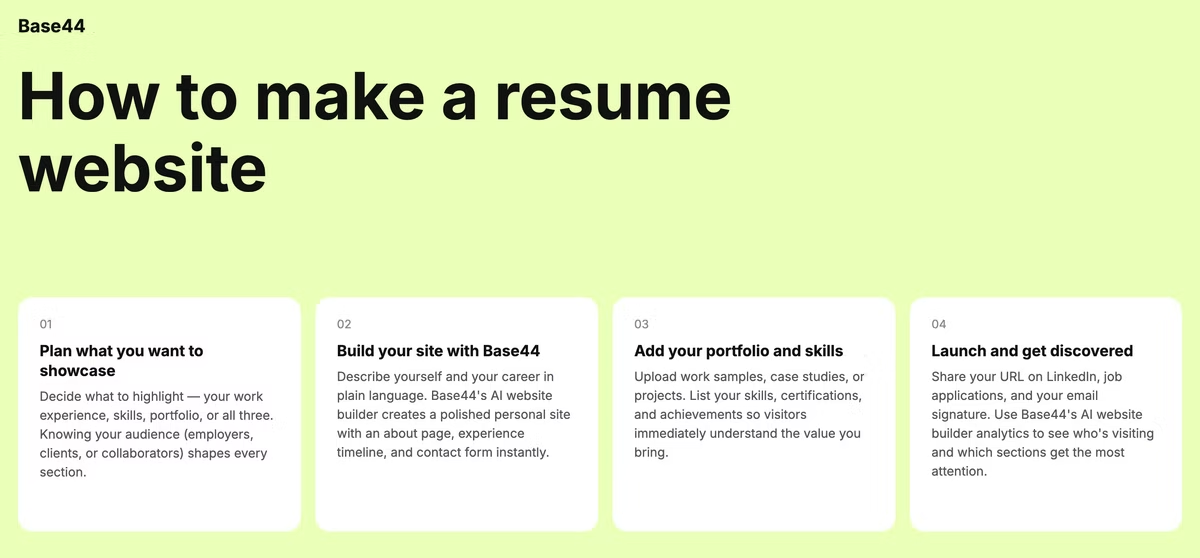
Each step below builds on the last, from gathering your background to sharing a finished link with recruiters.
Base44 is an AI website builder that takes care of structure, styling and custom domain connection in one build, so nothing stalls the process between writing your resume content and having a live site.
None of the steps require design experience, since describing your background in plain language is the only input the builder needs to produce a working layout.
01. Choose your sections and gather your content
Start by pulling together the raw material: your work history, education, key skills and any projects worth showing. Decide which sections actually apply to you, since a recent graduate needs a different structure than a freelancer with a decade of client work.
Write a short summary of who you are and what you do, since this usually becomes the first thing a visitor reads on the homepage. If you're not sure where to start, your most recent resume or LinkedIn profile usually already contains most of what a first version of the site needs. Cutting anything that doesn't support the specific role or field you're targeting keeps the first version focused instead of trying to cover everything at once.
02. Choose the right website builder to build on
The website builder you pick determines how much of the setup you have to handle yourself versus how much gets built automatically from a description. Reviewing the best AI website builders for a personal site helps you compare how each one structures a resume-style layout before you commit to one.
An AI website builder built around describing your background in plain language skips the step of picking through dozens of generic templates one at a time. Look for a website builder that supports a custom domain name too, since a site under your own name looks more established than a long, generic free subdomain.
03. Add your experience, skills and a professional photo
Describe the sections you want, such as an experience timeline, an education list, a skills section and a contact area, and your AI website builder generates the layout for each one.
A clear, recent headshot placed near the top of the homepage helps a visitor connect a face to the name within seconds.
Keep the writing itself tight: a couple of lines per role, focused on what you actually did and accomplished, reads better than a wall of text copied from a paper resume.
If you have work samples worth showing, like writing, design or code, a small gallery section can do more to prove your skills than another paragraph describing them.
04. Polish the design and optimize for search
A consistent color scheme and font pairing make the site feel intentional rather than thrown together at the last minute. Add your name and field to the page title and a short description in the site's metadata, since that's often what shows up when someone searches your name.
Check that the site looks right on a phone, since a recruiter is just as likely to open the link from a mobile inbox as from a desktop browser. Simple choices, like limiting the site to two or three fonts and a consistent color palette, do more for a polished feel than any single flashy design element. A fast-loading site matters too, since a slow page can lose a recruiter's attention before they even see the content underneath.
05. Proofread, publish and share your link
Ask a friend to read through the site before it goes live, since a typo on a resume website undercuts the professionalism the site is meant to project. Test every link, including your email address and any social profiles, so nothing sends a visitor to a dead page. Once the site is live, add the link to your email signature, your LinkedIn profile and any job applications, so it starts working for you right away.
Revisit your resume site every few months to update it with new roles, projects or skills, since an outdated resume website can hurt more than not having one at all.
Base44 resume website examples
Base44's AI website builder delivers a complete site ready to share with the world, not a starting point that still needs weeks of setup before it's usable. A resume website can take a few different shapes depending on where you are in your career, similar to how a portfolio website adapts to whatever work it's showcasing. The right structure depends less on your industry and more on what you actually want a visitor to notice first.
Recent graduate entering the job market
A new graduate can lean on coursework, internships and class projects to fill out a site, using a clean layout that highlights potential over a long work history. Including a short section on extracurricular activities or volunteer work can also help fill out a site when formal work experience is still thin.
Career changer highlighting transferable skills
Someone switching fields can organize the site around skills rather than job titles, drawing a clear line between past experience and the role they're targeting next. A brief note explaining the reason for the change can also turn a potential red flag into a story that works in the candidate's favor.
Freelancer or consultant building credibility
A freelancer can add client testimonials and a short case study section alongside the standard resume content, turning the site into a lightweight sales page as well as a resume. Listing specific results, like a percentage improvement or a completed project timeline, carries more weight than a general description of services offered.
Creative professional showcasing a portfolio
A designer, photographer or writer can pair a resume section with a visual gallery, letting the work itself do most of the talking alongside a shorter written background. Organizing the gallery by project type, rather than chronologically, makes it easier for a visitor to find the kind of work most relevant to them.
Frequently asked questions about building a resume website online
Is coding or web design experience necessary to create a resume website?
No because an AI website builder generates the full site, including layout and sections, from a written description, so no coding knowledge is required. Describing your background and the sections you want is the only input the builder needs to produce a working site. This removes one of the biggest reasons job seekers put off building a site in the first place.
Can I include personal information on my resume website?
It's best to leave off details like your home address and personal phone number for privacy reasons, sharing those directly with employers only when necessary. A professional email address and a contact form or link to your LinkedIn profile usually cover what a recruiter needs. Keeping sensitive details off the public site while still making yourself easy to reach strikes a reasonable balance for most job seekers.
Is it worth making a resume website?
For creative and tech-focused fields especially, a resume website gives you room to show personality and work samples that a paper resume can't fit. It also gives you control over what appears when someone searches your name, which matters more the further along your job search goes. If you're in a field where nearly everyone applies the same way, a well-built site is a simple way to stand out from the stack.
Can I make my resume website private?
Yes, most website builders let you password-protect a site or limit access to specific visitors if you'd rather not have it fully public. This can work well if you want to share the link selectively with recruiters rather than have it show up in general search results. Just keep in mind that a fully private site won't show up when someone searches your name, which cuts against one of the main reasons to build one in the first place.