
Knowing how to build a restaurant website is what turns a great menu into a full table on a Friday night. With Base44's AI website builder, you describe your restaurant, your cuisine and your vibe, and get a live site back that shows your menu and takes reservations without hiring a developer.
If you're new to building with AI, how to vibe code a website walks through the basics of describing what you want and watching it come together. Base44's AI website builder builds websites that adapt to any device or screen size, so hungry diners searching on their phone get the same clean experience as someone browsing on a laptop.
This guide covers the eight steps from planning through launch, plus a few real examples for different kinds of restaurants, from a neighborhood cafe to a multi-location group.
Turn your idea into an app with Base44
TL;DR: How to build a restaurant website
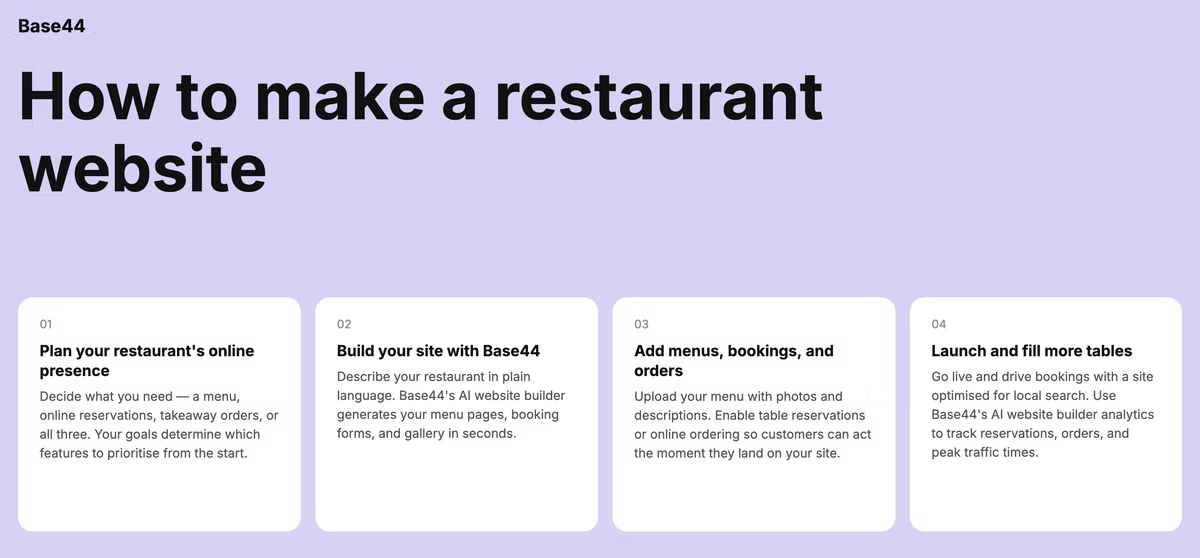
Building a restaurant website comes down to eight steps: research your competitors, choose a domain and builder, pick a design, add your menu, set up reservations or ordering, add photos and contact details, optimize for local search, then test and go live. What is a website builder covers the basics if you want that context first.
None of these steps require code, and a simple version of your site can be ready to share with customers within a few days once your menu and photos are ready to go.
- Look at competitor sites and plan your goals
- Register a domain name of your own and choose a website builder
- Generate a site with AI or start from a template
- Add your menu as readable text
- Connect a booking or online ordering tool
- Add location, hours and photos
- Optimize pages for your area and cuisine
- Check your restaurant site, then publish it
How to build a restaurant website in 8 steps
Work through these in order the first time, since your research and design choices in the early steps shape everything after them.
01. Plan your site and research competitors
Look at a handful of restaurant sites you admire, both in your area and further afield, and note what draws you in: the photography, the menu layout, how easy it is to book a table. Then decide your primary goal for the site, whether that's driving reservations, online orders or simply giving diners the information they need before they show up.
Your goal shapes your homepage. A site built to drive reservations puts the booking button front and center, while a site built around takeout puts the ordering link there instead.
Write down the three questions you want a first-time visitor to answer within seconds of landing on your homepage: what kind of food you serve, where you're located and how to book or order. If your current draft doesn't answer all three quickly, that's the first thing to fix before adding anything else.
02. Choose a domain name and website builder
Keep your domain close to your restaurant's actual name so it's easy for customers to find and remember. This best AI website builders guide breaks down the difference between a builder that generates a full site from your description and one that only offers fixed templates.
For a restaurant specifically, confirm your builder supports a text-based menu layout, a reservation or ordering integration and a map embed. Those three features do most of the heavy lifting on a restaurant site.
If you already use a reservation system like a phone-based waitlist app or a specific booking platform, check that your builder connects to it before you commit, rather than switching systems just to match a new website.
03. Pick a restaurant template or generate one with AI
Base44's restaurant website builder generates a complete website structure with no design skills needed. Describe your cuisine, your atmosphere and your typical customer, and it builds a layout suited to showcasing food and driving bookings rather than a generic business template.
A fine-dining restaurant and a casual neighborhood spot need very different visual treatments. Naming that difference clearly in your description gets you a first draft that already fits the mood you're going for.
Mention your signature dishes or your restaurant's story in your description as well, since specific details give the builder more to work with than a generic request for "a restaurant website".
04. Add your menu as searchable text
Build your menu using real text rather than a photo or a PDF. Search engines can read text, so a text-based menu helps you show up when someone searches for specific dishes or dietary options, and it lets customers copy a dish name to search for reviews or photos elsewhere.
Group dishes clearly by category, mark common allergens and dietary tags and keep prices current. A menu that's out of date is one of the fastest ways to lose a customer's trust before they've even walked through the door.
If your menu changes seasonally, note the update date somewhere visible so returning customers know they're looking at current offerings rather than something from months ago.
05. Set up reservations and/or online ordering
A reservation button belongs in the same spot on every page, usually the top right or the header, so it's never more than a click away. If you take walk-ins only, a clear note saying so front and center saves customers from an unnecessary trip to book online.
For online ordering, keep the flow short: browse the menu, add items, check out. How to make an ecommerce website with AI goes deeper on setting up product listings, checkout and payments if online ordering is a bigger part of your business.
Whichever option you choose, test it as a customer would. Book a table or place an order yourself before launch, and confirm the confirmation email or text actually arrives, since a silent failure here is invisible until a real customer hits it.
06. Add photos, location, hours and contact info
Put your hours, address and phone number somewhere visible on every page rather than tucked away on a single contact page. Diners deciding where to eat right now want that information immediately, and burying it costs you customers who move on to the next search result.
Real photos of your food and your space carry more weight than any description you could write. A handful of well-lit photos, taken in natural light where possible, does more to convince a hesitant diner than a paragraph describing how delicious everything tastes.
An embedded map on the contact page, alongside written directions and nearby parking notes, removes one more piece of friction for customers who haven't visited before.
07. Optimize for local SEO
Restaurants live and die by local search, so use your neighborhood and cuisine naturally in your page titles and headings, such as "Italian restaurant in [neighborhood]" on your homepage. Mistakes to avoid when using an AI website builder covers common setup issues that quietly hurt visibility, from missing page titles to slow-loading photos.
Claim your Google Business Profile and connect it to your website, keep your hours accurate there too and encourage happy customers to leave reviews. Fresh, positive reviews influence local rankings as much as anything on your actual site.
A short blog post on a seasonal menu update or a local event you're hosting tends to earn more search visibility over time than a static site that never adds new content.
08. Test and launch your site
Check the site on a phone before you publish, since that's where most diners will find you. Place a real reservation or a test order yourself to confirm the whole flow works end to end, not just that the buttons look right.
Once you're live, share the link on social media, add it to your storefront signage and update it anywhere your old information might still be listed. Keep your menu and hours current going forward, since a restaurant site that falls out of date turns into a source of frustrated calls rather than bookings.
Set a monthly reminder to review the whole site: confirm prices, hours and any seasonal items are still accurate, since restaurants change their offerings more often than most other small businesses.
Base44 restaurant website examples
A few common site structures show how the steps above come together for different kinds of restaurants.
Neighborhood cafe with online ordering
A neighborhood cafe usually needs a simple menu page, an online ordering flow for pickup and a homepage that leads straight into both. Base44's AI website builder lets you customize colors, fonts and spacing in real time, which helps a cafe site feel warm and casual rather than corporate.
Highlighting a rotating daily special or seasonal drink on the homepage gives regulars a reason to check the site often, not just the first time they're deciding whether to visit.
Fine dining site with reservation booking
A fine-dining site leans on strong photography and a reservation button that's visible from the first scroll. Keeping the menu simple and letting the imagery carry the atmosphere usually works better here than packing the homepage with text.
A short note about the chef or the restaurant's story, placed near the reservation button rather than buried on a separate about page, adds credibility right at the moment a visitor is deciding whether to book.
Food truck or pop-up landing page
A food truck often needs just one page: today's location, upcoming stops, the menu and links to social media where most of the daily updates actually happen. Keeping it to a single scrollable page makes it easy to update quickly from a phone between stops.
A simple weekly schedule near the top of the page saves regular customers from having to check social media every day just to find out where you'll be.
Multi-location restaurant group site
A restaurant group with multiple locations needs a location picker near the top of the site, since hours, menus and reservation links often differ by address. Route each location's reservation and ordering links separately so a customer at one location never accidentally books at another.
If menus vary slightly by location, say so clearly rather than publishing one combined menu, since a customer arriving expecting a dish that location doesn't serve leads to a frustrating first visit.
Frequently asked questions about creating a restaurant website
How much does it cost to build a restaurant website?
Costs mainly come down to your builder plan, domain and any ordering or reservation integrations you add. Most restaurants can launch a professional site without hiring a developer or a designer, and the ongoing cost is usually just the builder subscription plus any third-party ordering fees.
What should a restaurant website include?
A text-based menu, clear hours and location, real photos and a way to book a table or place an order cover the essentials. A short about section describing your story or your chef's background is a strong addition once the basics are in place, and a dedicated events or catering page is worth adding once that side of the business grows.
Can you build a restaurant website with AI?
Yes, Base44's AI website builder generates complete website structures with no design skills needed, so you describe your restaurant and get a working site back, ready for you to add your own menu and photos. From there you can adjust colors, layout and text without touching code.
Do I need online ordering on my restaurant website?
Online ordering matters most if takeout or delivery makes up a real part of your business. If you're primarily a sit-down restaurant, a reservation system and a clear menu page often matter more than adding a full ordering flow on day one, and you can always add ordering later once demand justifies the extra setup.