Ready to see what Base44 can do for you?Get started →
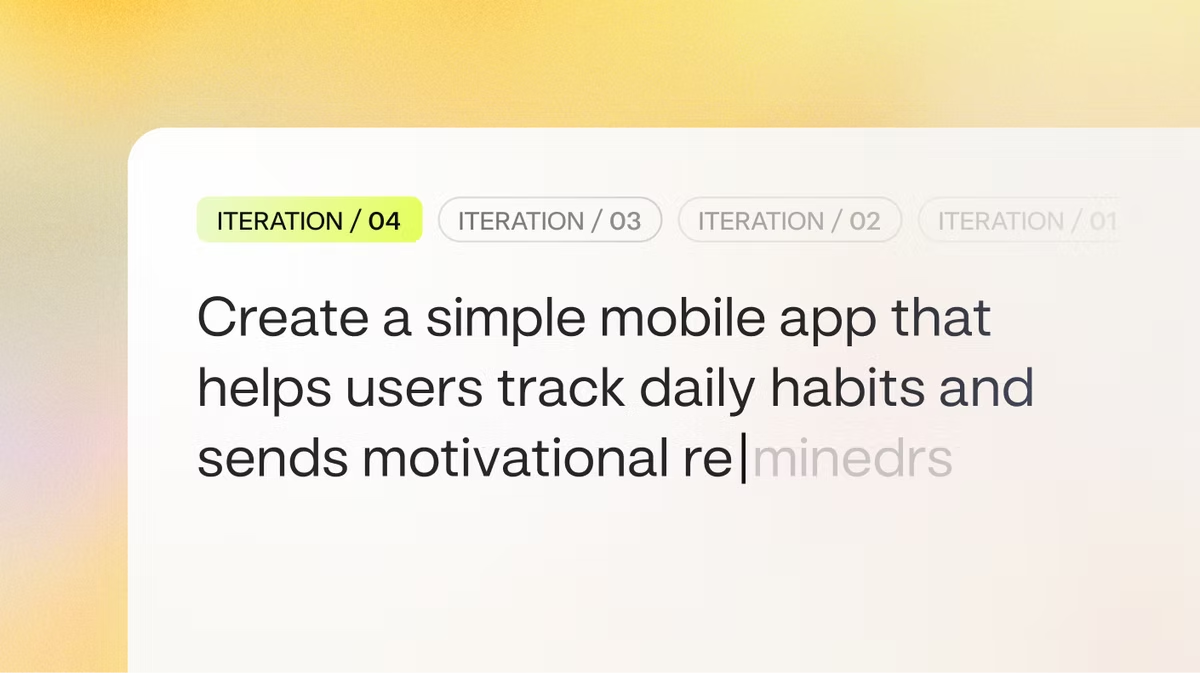
Writing prompts for vibe coding, is a new kind of skill. This guide is designed to help you master the art of the prompt for AI so you can build with vibe coding exactly what you envision in your head and maybe at the same time, something better.
Building an app or software used to mean learning a language that looked a lot like algebra, aka coding. You had to worry about brackets, semicolons and memory management. But, thanks to vibe coding, this has all changed.
Vibe coding is a way of building an app where you describe the vibe, the feeling, the function, the flow of your app idea or website and an AI app builder handles the heavy lifting of writing the code. Base44's vibe coding makes coding feel like a casual creative conversation.
But there's a catch, the AI is only as smart as the instructions you give it. If you ask for a website, you’ll get a generic box. If you ask for a retro-futurist portfolio that feels like a 1980s terminal, you’ll get something much better. Understanding how vibe coding works is one way to get better at prompting it. Base44's AI app builder interprets natural language instructions as app logic.
What makes a good prompt for vibe coding?
Before we jump into specific prompts examples, we need to understand what makes a prompt work or the prompt engineering behind it, as its often called. When you're vibe coding, you're talking to a very literal assistant and it wants to help but it can’t read your mind.
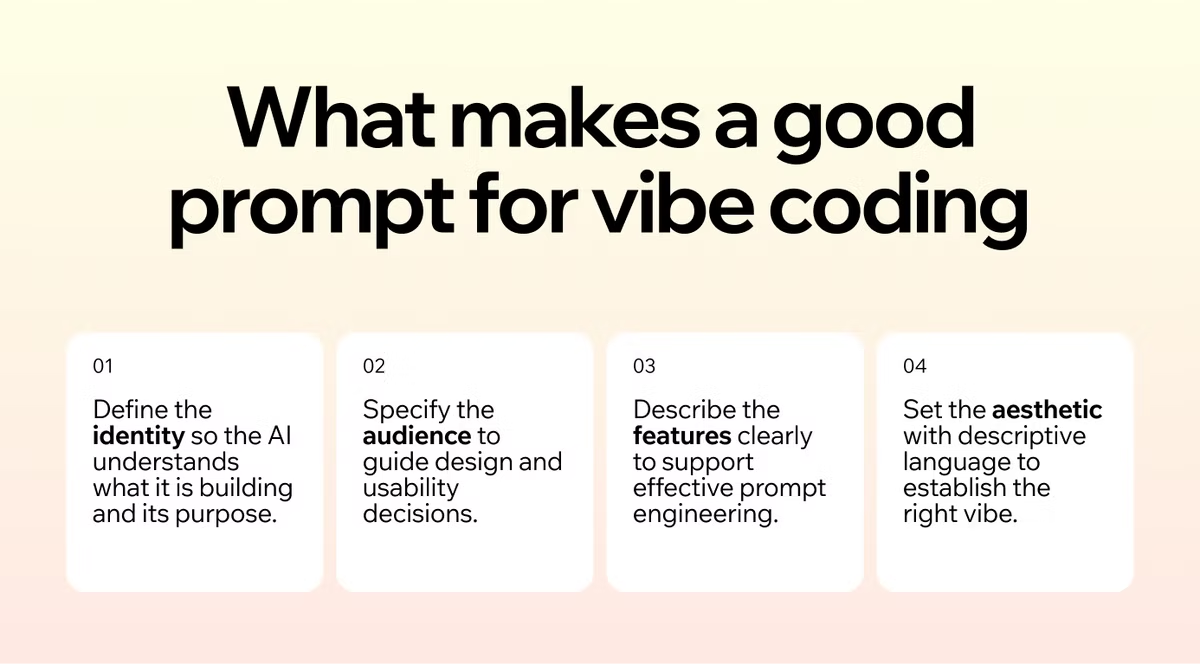
A strong vibe coding prompt usually has four main parts
- The identity: Tell the AI what it is building. Is it a game? A serious financial tool? A silly blog?
- The audience: Who is this for? A five-year-old needs big buttons and bright colors while a stockbroker needs data density and speed.
- The features: What does it actually do? Be specific about the actions.
- The aesthetic: This is the vibe part. Use adjectives as much as possible to convey it effectively.
If you skip the aesthetic, you get boring default styles. If you skip the features, you get a pretty picture that doesn't work, so its important to include it all.
What to leave out of your prompt
It's just as useful to tell the AI what not to touch as it is to tell it what to build. Without a limit, a small request can turn into the AI rewriting parts of your app you didn't ask it to change.
Try adding a line like "don't touch the login page" or "only update the button styling, leave the data logic alone." You can also set tech constraints, like "don't add any paid libraries." This kind of guardrail saves you from cleaning up unwanted changes after the fact.
The Who, What, Why framework
If the four parts feel abstract, start even simpler. Before you write your first prompt, answer three questions in one sentence each:
- WHO is this app for? (e.g., freelance consultants who juggle multiple clients)
- WHAT does it help them do? (e.g., track project deadlines and log billable hours)
- WHY would someone use it? (e.g., to stop forgetting which client owes them what)
Drop those three answers straight into your prompt. Anytime the AI starts drifting toward generic features, point it back to the WHY. That's the line that keeps the build focused on the problem you're actually solving.
Prompts for vibe coding web apps
Whether you're building an app with AI for yourself or vibe coding a website for a project, specificity is your friend. One of the most common vibe coding mistakes is not be specific and clear enough with your prompts.
Example 1: Focus mode timer
The goal: A simple productivity timer that isn't distracting.
The vibe: Minimalist, calm, zen.
Try this prompt:
- Build a Pomodoro timer web app designed for deep focus.
- Functionality: A default 25-minute timer that counts down. Simple 'Start', 'Pause', and 'Reset' buttons that are outlined, not filled. When the timer hits zero, play a gentle singing bowl sound, not a harsh alarm. Include a small text area below the timer where I can type my current task, like 'Writing Chapter 1.'
- Style: Keep it very clean with lots of empty space. No bright colors, just shades of grey and beige. The background should be a soft, creamy off-white. Use a thin, elegant serif font for the numbers.
Why it works: You specified the sound (singing bowl vs. alarm), the typography (serif), and the exact color palette. You also added a specific feature (the task input) that makes it more than just a generic timer.
Learn more about how to make a productivity app.
Example 2: The personal link hub
The goal: A place to house all your social links.
The vibe: Bold, loud, energetic.
Try this prompt:
- Create a mobile-friendly 'link in bio' landing page for a street artist. The background should be a dark concrete texture. The buttons should look like strips of neon yellow duct tape with black jagged text.
- Features: A circular profile picture at the top with a glitch effect on hover. Five buttons stacked vertically linking to Instagram, TikTok, Shop and Gallery. A 'contact me' button at the bottom that opens an email mailto link.
- Animation: When I hover over a button, it should tilt slightly and glow brighter.
Why it works: You gave a specific persona (street artist) which helps the AI infer design choices. You also described specific interactive elements like the "glitch effect" and "tilt," which adds a layer of polish.
Prompts for vibe coding mobile apps
When building apps for mobile, you have to think about touch. Fingers are clumsy compared to mouse cursors and your prompts need to emphasize size, spacing and ease of use. UX and your app development needs to come into your prompts.
Example 1: The daily water tracker
The goal: A fast way to log water intake.
The vibe: Fresh, liquid, bouncy.
Try this prompt:
- Make a mobile web app for tracking water intake. The main view should be a large, animated wave that fills up the screen as I drink more.
- Interactions: Place a big '+' button at the bottom center that is easy to tap with a thumb. Every time I tap the button, add 250ml to the total and make the water level rise with a splashing animation. display the total amount (e.g., '1.5L') floating in the center of the water.
- Colors: Use gradients of bright blue and teal because the interface should feel bubbly and responsive.
Why it works: You focused on the "thumb zone" (bottom center) and the visual feedback (filling up the screen). This makes the app feel native to a phone.
Build health and fitness apps of your own.
Example 2: The flashcard study buddy
The goal: A study aid for learning a new language.
The vibe: Academic but friendly.
Try this prompt:
- Design a flashcard app for learning Spanish. The interface should look like a stack of physical index cards on a wooden desk background.Mechanics:Show one card at a time with a Spanish word.When I tap the card, it should flip over with a 3D animation to reveal the English translation.Swipe right if I know it, swipe left if I don't.Keep a score counter in the top right corner.Use a handwriting-style font for the text on the cards to make it feel handwritten.
Why it works: You described the physical metaphor (stack of cards, wooden desk) and the gesture controls (swipe left/right). This tells the AI to build a specific kind of user interface that is intuitive for mobile users.
How to make an educational app in more detail.
Prompts for vibe coding creative tools
Vibe coding really shines when you make things that are just for fun, for example, building little online toys or art generators that would be too tedious to code by hand.
Example 1: The lo-fi beat maker
The goal: A simple grid to make relaxing music.
The vibe: Retro, cozy, night-time.
Try this prompt:
- Build a simple step sequencer for making lo-fi hip hop beats. It should be a 16x4 grid of buttons.
- Sound kit: Row 1: Kick drum (soft and thumpy). Row 2: Snare (crisp). Row 3: Closed Hi-hat. Row 4: A chill jazzy chord sample.Visuals:
- Design: The background should be a looping GIF of a rainy window at night. The active buttons should light up purple. Add a play/stop button and a tempo slider. Keep the whole thing contained in a window that looks like Windows 95.
How to make an entertainment app in a few easy steps.
Example 2: The abstract art generator
The goal: A tool to generate random wallpapers.
The vibe: Modern art, chaotic, colorful.
Try this prompt:
- Create a generative art canvas that fills the browser window. Every time I click anywhere on the screen, generate a random geometric shape (circle, triangle, or square) at that location.
- Rules: The shapes should have random sizes and random pastel colors with 50% opacity so they layer over each other. The shapes should slowly drift in random directions. Add a button in the corner that says 'Save Masterpiece' which downloads the current view as an image."
Prompts for vibe coding business and internal tools
Vibe coding isn't just for toys and side projects. It's also a fast way to build the kind of internal tools that used to mean buying software or waiting on a developer. Because AI app builders like Base44 generate the database, user accounts and backend logic for you, you can describe a working business app in a single prompt, not just a static screen.
Example: A simple client tracker
The goal: A lightweight CRM to keep track of clients and follow-ups.
The vibe: Clean, professional, no clutter.
Try this prompt:
- Build a client tracker app for a freelance designer. I need to log each client with their name, email, company, project status and next follow-up date.
- Data: Store everything in a database so my records persist. Add a dashboard showing total clients, active projects and any follow-ups due this week.
- Features: Let me add, edit and search clients. Add a simple login so only I can see my data. Use a clean, professional layout with a neutral palette and clear typography.
Why it works: You named the data to store (so the AI builds a real database, not a mock list), asked for persistence and a login (which exercises the backend and authentication), and described the dashboard you actually need. That produces a usable tool, not just a pretty screen.
How to improve your vibe coding prompts
The first result with vibe coding is almost never perfect but its okay because vibe coding is a conversation. You don't just give one order and walk away, you shape the product as you keep prompting and talking.
When the AI gives you the first version, look at it critically. Then, follow up with some refinement prompts.
- If the logic is wrong: "The timer doesn't stop when I hit pause. Fix it so the countdown freezes immediately."
- If the look is off: "The text is too hard to read against the dark background. Make the font bold and bright white."
- If it’s boring: "Add some confetti animation when I finish the task."
- If it’s broken: "I'm seeing an error when I try to save. Debug the code and make sure it works on Chrome."
Give the AI a reference to copy
One of the fastest ways to get a better first result is to give the AI something concrete to copy. Instead of describing a look in words alone, point it at a reference: "Match the layout and color scheme of this screenshot," or "Use the same card style we built on the home page." Once you're working inside an existing app, remind the AI of what's already there so it builds on your current components and data instead of inventing new ones, for example: "Reuse the existing Button component and the clients table we already have, don't create new ones."
Prompts for hardening your vibe-coded app
Once your app works, the next round of prompts is about making it ready to share. Vibe coding makes the first build fast, but production-readiness still matters: security, performance, accessibility, and maintainability. Try a few prompts like these once the app is functional:
- Maintainability: "Review the codebase and refactor the three longest functions into smaller, single-responsibility pieces. Add inline comments where the logic isn't obvious."
- Security: "Scan the app for common vulnerabilities (XSS, SQL injection, exposed API keys). Walk me through what you found and how you'd fix each one."
- Performance: "The app feels slow on mobile. Profile the main page load and tell me the top three bottlenecks, then apply the fixes."
- Accessibility: "Audit the interface for accessibility issues, including keyboard navigation, color contrast, and screen reader labels. List what needs to change and update it."
Treat these as a checklist you run before sharing your app with users, learn more about getting started vibe coding for free.
What to do when vibe coding gets stuck
Sometimes the AI gets stuck fixing the same bug over and over, or a fix in one spot breaks something else. A few prompts that help you get unstuck:
- Ask what's already been tried: "What have we tried so far to fix this error?" This stops the AI from looping on the same failed fix.
- Ask for a simpler explanation: "Explain in plain terms why this error is happening." Understanding the root cause makes the next fix more likely to stick.
- Roll back and rethink: "Revert to the last working version, then let's try a different approach." Sometimes the fastest way forward is backward.
- Ask for a different approach entirely: "We keep hitting this same wall, can you suggest a completely different way to build this part?"
Prompts for vibe coding FAQ
Why are prompts important for vibe coding?
Prompts are important for vibe coding because they tell the AI what to build, how it should work, and what the overall vibe should be, which directly affects the quality and usefulness of the final app or website.
What happens if a prompt is too vague?
If a prompt is too vague, the AI will produce a generic result with default layouts or missing functionality that does not reflect your original idea or goals.
How to write good prompts for vibe coding?
To write good prompts for vibe coding, clearly describe the identity of what you are building, who it is for, what features it needs, and the aesthetic you want so the AI can create a polished and functional product.
How can I use better vibe coding prompts to improve the functionality of what I build?
- The prompt example: "The 'Submit' button is jumping to the top of the screen when I click it. Keep it pinned to the bottom and make the transition smooth.
- The fix: The AI will scan the CSS and layout logic to fix the jumpiness without you needing to know the position: absolute property.
How do I prompt when I'm already mid-build?
Once you're a few prompts in, the AI knows what you're building but won't always remember every detail from earlier in the chat. The fix is to give it short context refreshers as you go. Instead of "Add a search bar," try: "The app currently has a task list with filters by priority. Add a search bar above the list that filters by task title in real time." The extra context costs you one sentence and saves the AI from guessing or rebuilding something that already works.
What's a good prompt if the AI tool gets stuck in a loop?
"Step back. We're overcomplicating the logic for the database. Let’s try a simpler approach using local storage for now just to get the prototype working." Or similar.