Launch your app faster with Base44. Start now →
Vibe coding for beginners starts with a simple idea: you describe the app you want in plain English, and an AI builds it for you. There is no syntax to memorize, no computer science degree required, and no need to already know what a database or an API is before you begin. Tools like Base44's AI app builder handle the technical work underneath, so your job is to describe outcomes, not write code.
Base44 vibe coding lets users build apps by describing what they want conversationally, which is exactly why so many non-programmers are drawn to it. This guide expands on what is vibe coding, covering the real benefits, the mistakes beginners tend to make, and the exact steps to try it yourself today.
TL;DR: vibe coding for beginners
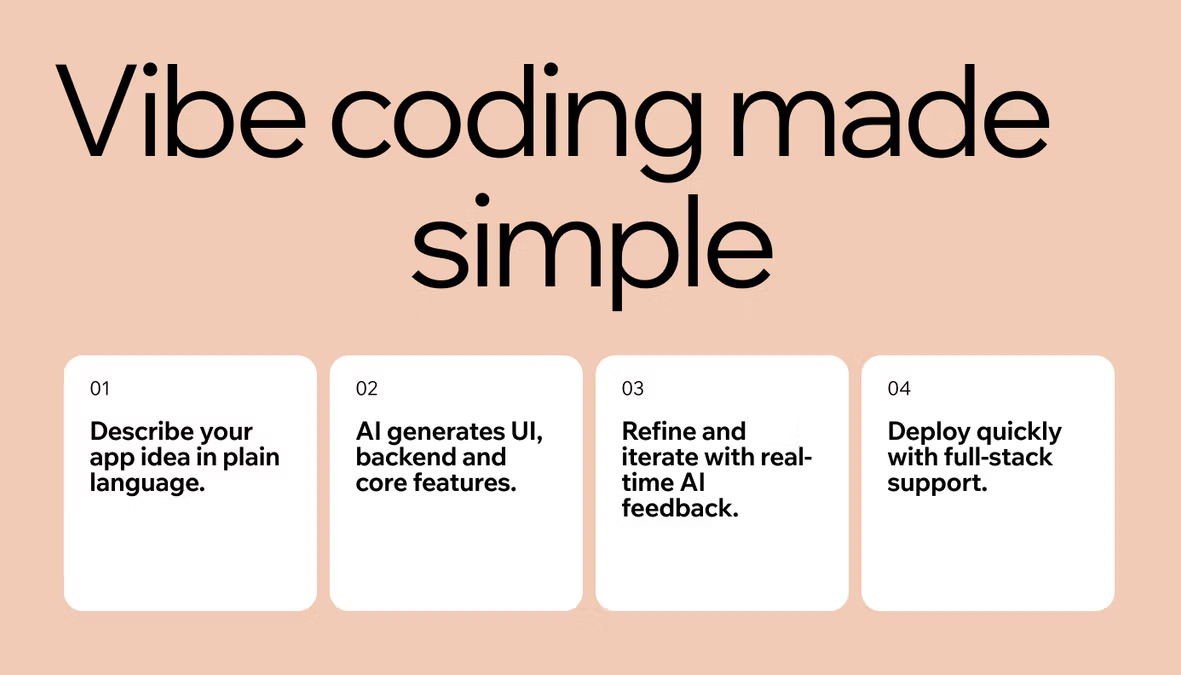
Vibe coding for beginners means describing what you want to build in natural language while an AI, like the one built into Base44, generates the actual code behind it. You review what it produces, test it, and refine your instructions until the app behaves the way you pictured it. The loop is short, and it repeats until the result is ready to use.
For a closer look at the mechanics behind this loop, see how does vibe coding work.
| Step | What to do |
|---|---|
| Describe the outcome | Explain what the app should do, not how to code it |
| Let the AI generate a draft | Treat the first version as a starting point, not a finished product |
| Run and test it | Confirm it actually works before moving on |
| Refine in plain language | Describe what is wrong and ask for a fix |
| Repeat until it is ready | Each round gets the app closer to done |
This loop works whether you are building a single form or a small internal tool with several screens. The scope changes, but the rhythm of describing, reviewing, and refining stays exactly the same, which is what makes it approachable even on your very first attempt.
What is vibe coding
Vibe coding for beginners is easiest to understand as a shift in who actually writes the code. Instead of typing every line yourself, you describe the app you want in natural language, and an AI turns that description into working software. AI researcher Andrej Karpathy coined the term to describe this style of building, where you focus on the outcome and let the AI handle the syntax underneath it.
Base44 vibe coding removes the need to understand syntax, logic or frameworks, which is what makes it approachable if you have never opened a code editor before. You are not memorizing commands. You are describing a result and reacting to what comes back.
Think of it the way you would think of working with a builder on a home renovation. You describe the kitchen you want, point out what feels wrong once you see the first draft, and adjust from there. You do not need to know how to install plumbing to know when a layout does not work, and vibe coding follows the same logic for software.
In practice, vibe coding for beginners shows up in a few different forms. Some tools work through a chat window where you describe what you want and copy the result into your own project. Others are full AI app builders that handle everything from the interface to the backend inside one workspace, which is usually the easier starting point if you have no technical background at all and do not want to manage separate pieces yourself.
This flexibility is part of why vibe coding for beginners has grown so quickly. A marketer, a small business owner, and a professional engineer can all use the same basic workflow, they just apply it at different levels of complexity depending on what they already know and what they are trying to ship.
This is not the same thing as a typical no-code app builder, which limits you to pre-built blocks and drag-and-drop templates. Vibe coding for non-programmers still produces real, functional code with a real backend behind it, you simply are not the one writing that code by hand.
If you want to see exactly how this compares to writing software the traditional way, read vibe coding vs traditional programming. The short version: traditional coding gives you full control at the cost of speed, while vibe coding trades some of that granular control for a much faster path from idea to working product.

Benefits of vibe coding for non-programmers
The appeal of vibe coding for beginners comes down to a handful of concrete advantages over the traditional path of hiring a developer or spending months learning to code from scratch.
-
No syntax barrier: You describe what you want in the same language you would use to explain it to a person, and the AI fills in the technical details, so there is no programming vocabulary to learn before you can start building.
-
Faster prototyping: A rough idea can turn into a working app in the time it used to take just to schedule a first call with a developer, which means you can test more ideas before committing real budget to any single one of them.
-
Learning by example: Reading the code an AI generates for your own project teaches you more than a generic vibe coding tutorial written around someone else's use case, because every example is tied to something you actually asked for and can see running.
-
Lower cost to experiment: Skipping the step of commissioning custom software for every small idea means a failed experiment costs you time, not a developer's invoice, so you can afford to try more things and keep only what works.
-
Immediate feedback: You see a working version within minutes rather than waiting on a project timeline, which makes it far easier to tell early whether an idea is actually worth pursuing.
Base44 no-code app builder gives non-developers the power to ship real apps, not just mockups or prototypes that stall before launch. That is the difference between an idea you talk about and one you can actually use, share, and put in front of real customers.
Common challenges of vibe coding (and how to get past them)
Vibe coding for beginners is not without friction, and most of the frustration traces back to a handful of predictable mistakes rather than a flaw in the approach itself. Most of these show up in the first week of using the workflow, before you have built a feel for how much detail to put in a prompt and how closely to check what comes back.
-
Trusting output without testing it: AI generated code can look correct and still be logically wrong. It can run without throwing an error while producing the wrong result, so test every feature yourself instead of assuming it works because it compiled without complaint.
-
Writing vague prompts: A one-line request like build me an app forces the AI to guess at details you actually care about. Describing the outcome, the intended user, and any constraints in specific terms produces a far better first draft than a vague one.
-
Skipping the fundamentals entirely: You do not need to become a developer, but understanding roughly what the generated code is doing makes it much easier to describe a problem clearly when something breaks instead of guessing at fixes.
-
Overbuilding before testing small pieces: Asking for an entire app in a single prompt tends to produce a tangled result that is hard to fix. Building and confirming one feature at a time keeps every step easy to verify and easy to unwind if it goes wrong.
-
Not knowing when to bring in expert help: Payments, sensitive personal data, and anything security critical deserve a second set of eyes before launch, even if the rest of the app was built entirely through vibe coding.
Some of the skepticism around vibe coding is deserved when the process is rushed and none of these steps are followed. For a closer look at where that criticism comes from, see why does vibe coding get a bad rap. Most of it comes down to skipping review, not a limitation of the workflow itself.
Examples of vibe coding for beginners
Seeing how vibe coding for beginners plays out in practice makes the whole concept easier to picture, especially if you have never watched an app get built this way before.
A solo founder with a product idea but no technical cofounder can describe a customer database and a simple dashboard, then have a working CRM running the same day instead of spending months searching for a developer willing to build a first version on spec.
A small business owner who needs an internal tool, like a way to track inventory or schedule staff shifts, can describe the workflow in plain language and get a functional app without commissioning custom software or forcing the team into a spreadsheet that was never built for the job. If inventory is the job, here's how to build an inventory management app step by step.
A marketer who wants to test a campaign idea can describe a landing page with a signup form and launch it the same afternoon, without waiting on a design queue or an engineering sprint that will not start for another two weeks.
A teacher or nonprofit organizer with no budget for software can describe a simple signup form or a volunteer tracker and have something usable in an afternoon, instead of managing everything through email threads and shared spreadsheets that quickly get out of sync.
None of these examples require a technical cofounder, a freelance developer or months of planning. The common thread is a specific, well-described problem and a willingness to test the first draft rather than expecting it to be perfect on the first try.
How to get started with vibe coding
Once you understand what vibe coding for beginners actually involves, the first real project matters far more than any amount of additional reading. If you are searching for how to learn vibe coding beyond this guide, treat that first project as the real lesson, and let each round of feedback teach you something new.
-
Start small and well defined: Pick a single-page tool rather than a full product for your first attempt. A narrow scope is easier to describe clearly and easier to test once it is built, and it gives you a quick win to build confidence on.
-
Describe the outcome, not the syntax: Tell the AI what the app should do and who it is for, and let it choose the technical implementation on its own. Mention any constraints that matter, like the type of data you are working with.
-
Run what it builds immediately: Do not stack several requests on top of each other before checking that the first one actually works as expected. Confirm each piece before asking for the next.
-
Iterate in plain language: When something is wrong, describe the symptom rather than guessing at the fix yourself. This loop is the same one used across most vibe coding tools, and it gets faster the more you practice it.
-
Grow the scope gradually: Once the first version works, add one new feature at a time rather than redesigning the whole app at once. Small, testable additions keep the project manageable as it grows.
If you are looking for structure while you learn, a short vibe coding course or a focused vibe coding tutorial can walk you through how to start vibe coding before you commit to a real project. Most vibe coding tools, including Base44, let you try the workflow before you pay for anything. See vibe coding for free to start without any upfront cost, and treat the first small project as practice rather than a finished product.
Give yourself permission to throw away the first attempt if it does not turn out the way you expected. The goal of a first project is not a finished product, it is learning how to describe what you want clearly enough that the AI can actually deliver it.
Turn your idea into an app with Base44
Vibe coding for beginners FAQ
How do I start vibe coding with no programming experience?
Vibe coding for beginners with zero prior experience works best when you pick a small, well-scoped project, describe the outcome in plain language, and use an AI app builder like Base44 to generate the first draft. Test it immediately, then keep refining your instructions in plain language until the app behaves the way you pictured it.
What tools do non-programmers use for vibe coding?
Most beginners start with an AI app builder that handles the backend, logic, and infrastructure automatically, sometimes alongside chat-based AI assistants for smaller code snippets or one-off questions. The right choice depends on whether you want a finished, working app or just a rough visual prototype to test an idea, and on how much of the technical setup you want the platform to handle for you.
Can vibe coding replace learning to code?
Not entirely. Vibe coding for beginners removes the need to write syntax yourself, but you still benefit from understanding roughly how an app works, since that makes it much easier to describe problems clearly and review what the AI actually produced before you rely on it.
Is vibe coding good for building real apps or just prototypes?
Both. It is well suited to prototypes and early versions of a product, and with enough testing and review it can also power production apps, especially when the underlying platform handles security and infrastructure on your behalf instead of leaving that to you.
What are common mistakes beginners make when vibe coding?
The most common ones are trusting AI output without testing it, writing vague one-line prompts, skipping the fundamentals entirely, and asking for an entire app in a single request instead of building it one feature at a time.
Is it safe to launch an app built through vibe coding?
It can be, as long as you test thoroughly and treat anything involving payments or personal data with extra care. Platforms that manage backend infrastructure and security for you reduce a lot of the risk that comes with building everything from scratch on your own.