
Ready to see what Base44 can do for you? Get started →
Its easy to start vibe coding for free. Most vibe coding platforms offer a free tier, every major AI chatbot has a generous free plan and you don't need to install anything or necessarily sign up for a credit card.
What you do need is a clear idea and a little discipline about how you use your free credits. This guide walks you through the practical version: the tools, the step-by-step process and the tactics that turn a free tier into a working app.
If you're brand new to vibe coding and want the broader foundational read first, this guide on how to get started with vibe coding covers the general workflow. This article is the budget-focused companion: what works at $0, what doesn't, and when it makes sense to upgrade. For the platform side of things, this overview of AI app builder options gives you the lay of the land.
Turn your idea into an app with Base44.
What is vibe coding?
Vibe coding is the practice of describing apps in plain language and letting AI generate the code, the UI, and the backend for you. You don't write loops or wire up databases. You describe what you want and refine through conversation.
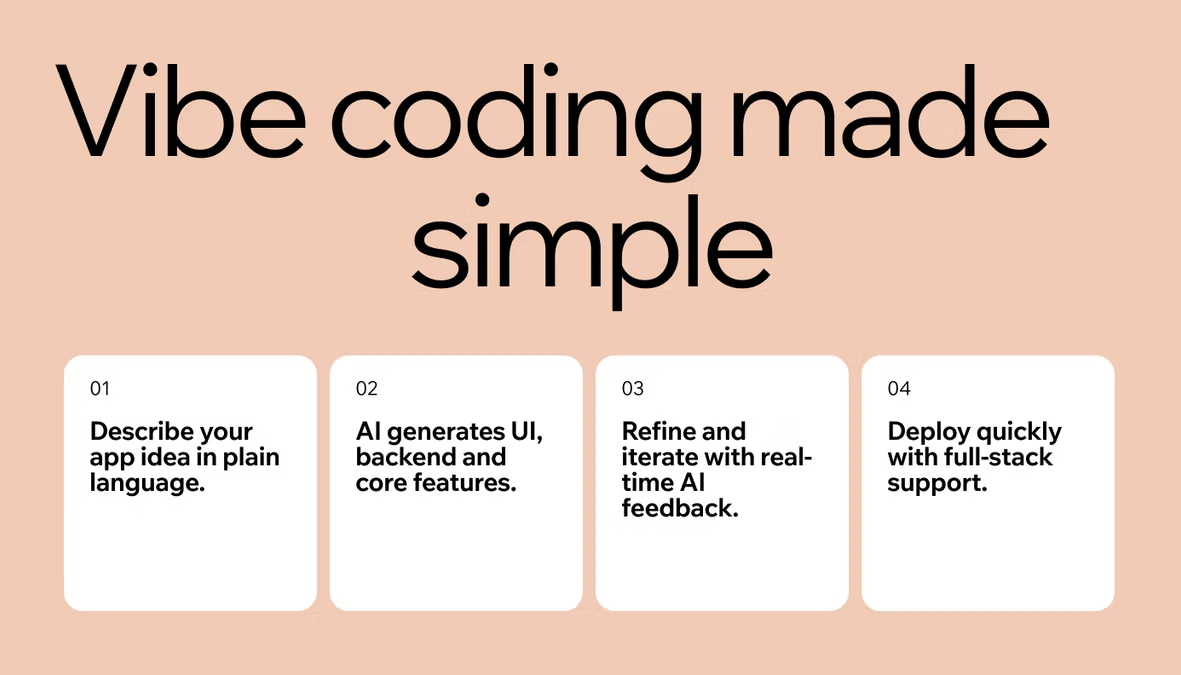
Vibe coding with Base44 lets users build apps by describing what they want conversationally, which is the core mechanic across every platform in this space.
Can you really vibe code for free? Yes, with limits
The honest answer is yes but free tiers have limits. The whole approach in this article is teaching you to work within those limits intelligently, not pretending they don't exist.
Every free tier limits three things. First, build credits or tokens, which controls how much you can prompt and how many changes you can make. Second, the number of projects, which usually caps you at one to three apps. Third, advanced features like custom domains, premium AI models and certain integrations.
What you can do for free: build a working app from scratch, iterate on it, share it with friends through a live URL and learn the full workflow from idea to launch. What free tiers usually exclude: a custom domain (your app lives on a platform subdomain), very high traffic, access to the strongest premium models and some advanced integrations like specific payment providers.
If your goal is to learn vibe coding, prototype an idea, or build a small app for personal use, the free tier is genuinely enough. If your goal is to launch a commercial product to paying customers tomorrow, you'll bump into limits fast. Both outcomes are fine. Knowing which one you're after saves frustration.
"A lot of people think app building is all about the tech, but it's really about solving problems. Base44 gives you the tools to focus on the problem you're solving, not the technical hurdles, so you can deliver real value to your users."
— Nina Boyd, PMM at Base44
Free tools you actually need for vibe coding
There's no need to complicate getting started with vibe coding, even if you've never done it before. The starter kit is small and you almost certainly already have most of it.
-
A vibe coding platform with a free tier: This is where your app actually gets built. Most major platforms offer one, including Base44. Sign up with email or Google.
-
A free LLM chat tool for planning: ChatGPT, Claude, and Gemini all have generous free tiers. You'll use one of these to brainstorm your idea, write a one-paragraph description of your app, and list the features you want. This planning step happens before you spend any of your vibe coding credits, which is the single most important habit for staying within free limits.
-
A modern web browser: Chrome, Safari, Firefox or Edge all work. That's it. No IDE installs, no command line, no GitHub account, no local dev environment. The browser is the tool.
-
An optional fourth tool: a free notes app or document for keeping your project description, prompts, and ideas in one place. Google Docs, Notion, or even your phone's notes app works. You'll thank yourself later when you can copy a refined prompt instead of retyping it.
If you want a head start, the Base44 Templates Marketplace offers pre-built app templates for common vibe coding use cases. Starting from a template uses fewer credits than building from scratch because the platform isn't generating everything from your description.
Base44's Templates Marketplace gives you a production-ready head start on whatever you're building. Every template is built on best-practice app structures and plugs directly into Base44's AI tools so you can extend, personalize and adapt it to your exact needs in minutes.
For more on what's good about this approach, see the benefits of vibe coding.
How to vibe code for free
Five steps to vibe code an app or website for free, each one designed to get you a working app without burning your free credits.
01. Plan in a free chatbot first
Open ChatGPT, Claude or Gemini to brainstorm your app idea in plain conversation. Ask the chatbot to help you draft a clear one-paragraph description and list three to five must-have features. This is free, it doesn't touch your vibe coding credits and it'll save you ten prompts later when you actually start building. The clearer the plan, the fewer revisions you'll need.
02. Sign up for a free vibe coding account
Create a free account on a vibe coding platform like Base44. Most use Google sign-in or email.. You'll get a free tier with enough credits to build at least one working app, often more if you're careful.
03. Browse templates or describe your app
There are two main paths.
-
The cheapest credit-wise: browse app templates and pick one that's close to what you want.
-
The more flexible path: describe your app from scratch using the description you drafted in step one. Either way, the Base44 AI vibe coding platform builds your entire app from a single conversation, so you don't need to write any code yourself.
For tips on writing good descriptions, see how to write good prompts.
04. Iterate carefully
Once your first version is built, review it before changing anything. If you see three things to fix, batch them into one prompt: 'make the header navy blue, move the call-to-action button to the right, and change the font to sans-serif.' Three changes in one prompt cost about the same as one change in one prompt so don' ask the AI to rebuild anything if you can describe the specific change. Remember: Specific instructions are cheaper than vague ones.
05. Share your live URL
Most vibe coding platforms give you a live URL the moment you have something working. Send it to friends, family, or your target users. Watch them use it because their feedback is the most valuable thing you can get at this stage, and it costs you nothing.
"Speed to market is everything in today's app economy. Base44 allows you to prototype, test and launch faster than traditional development methods, giving you a competitive edge without sacrificing quality."
— Nina Boyd, PMM at Base44
How to stretch a free tier vibe coding plan
Here are six easy tactics that turn a free tier into a finished app instead of a quarter of one.
Plan ruthlessly before you start prompting because every minute spent thinking saves credits later. Draft your app description in a free chatbot first, then bring the refined version to your vibe coding platform. The free chatbot is unlimited brainstorming; your vibe coding credits are limited execution. Use the right tool for each job.
Batch your changes also. Three small tweaks in one prompt cost about the same as one tweak in one prompt. If you notice five things you want to adjust, write them all in one message instead of sending five separate prompts.
You can also start from a template, not from scratch. Templates are pre-built starting points, which means the platform doesn't have to generate as much from your description. You then customize from there, which uses fewer credits than building the whole thing from a single prompt.
If something's broken, describe what's wrong specifically and don't ask to rebuilt.
- 'Rebuild the homepage' is expensive.
- 'Move the button to the left and make it blue' is cheap.
- The AI charges for the work it does, and rebuilding is more work than tweaking.
- Pause and review every output and on't keep iterating on noise. If your last change introduced a problem, address that problem before piling on new requests. Catching errors early stops them from compounding into expensive rework.
- Build in one focused session as some platforms reset daily credits. Using yours in one focused 90-minute sprint is more efficient than picking at the project over a week, because you stay in flow and avoid having to re-orient every time you come back.
When you'll need to upgrade beyond free vibe coding
Free tiers are designed for learning, prototyping and small personal projects. They get tight when your needs grow. Here's how to know when it's time to switch to buying more credits or a paid vibe coding plan.
-
If you need a custom domain: Free apps usually run on a platform subdomain like yourapp.platform.com. Custom domains almost always require a paid tier. If you're building something for a real audience, you'll want this eventually.
-
You're getting real traffic: Free tiers cap how many users can hit your app per month. Once you have a small audience, you'll exceed the cap and the app will either rate-limit or go down.
-
You want premium AI models for harder tasks: Free tiers typically use baseline models. Paid plans unlock stronger ones, which matter for complex apps or specialized use cases.
-
You're hitting credit caps regularly: If you're rationing prompts or putting off changes because you might run out, you've outgrown the free tier. The paid plan is cheaper than the time you're losing.
-
You need advanced integrations: Payment processing, complex backends, or specific third-party APIs sometimes sit behind paid plans. If your app's core feature depends on one of these, you'll need to upgrade.
For a fuller comparison of approaches, our guide on vibe coding vs traditional coding covers the trade-offs.
The honest framing: most people know when they've outgrown the free tier. The constraint becomes obvious and you won't need anyone to tell you.
Common mistakes when vibe coding for free
Free vibe coding has predictable failure modes, here are the main ones to avoid:
-
Burning all credits on day one: Treat your free tier like a budget, not an all-you-can-eat buffet. The first day's excitement is the most expensive day if you don't pace yourself.
-
Skipping planning: The fastest way to burn credits is going in without a clear idea of what you're building. Plan in a free chatbot first, then execute on the vibe coding platform.
-
Prompting for vibes instead of specifics: 'Make it pretty' costs the same as 'make the buttons rounded with a light gray background.' Specific prompts get better results and waste fewer credits on retries.
-
Refusing to upgrade when the time is right: If you're consistently bumping into limits, the paid plan is cheaper than your wasted time. Sunk-cost loyalty to the free tier isn't a strategy.
-
Trying to build something too big: Free tiers are for prototypes and small apps. A complete enterprise platform isn't a free-tier project. Match the scope of your idea to the scope of your budget.
For more on this, see our guide on common vibe coding mistakes.
Vibe coding for free FAQ
How long does it take to vibe code an app for free?
A simple app like a personal portfolio, a to-do list, or a basic landing page typically takes 30 to 90 minutes from idea to live URL if you've planned well. A more complex app like a custom dashboard or a small SaaS prototype can take 4 to 8 hours of focused work. Most of that time is iteration, not initial build though.
Do I need to know coding to start vibe coding?
No, the whole point of vibe coding is that you describe what you want in plain language and the AI handles the code. You don't need to know any programming language. You do need a clear idea of what you're trying to build and the patience to refine your description until the AI gets it right.