
Ready to see what Base44 can do for you? Get started →
The last year has seen a seen massive shift in how people build apps, websites and tools. This new wave is called vibe coding and it's opening doors for creators who have big ideas but maybe never felt at home in a code editor.
If you have an idea for an app and can describe it, you can build it with vibe coding. You provide the creative direction—the vibe—and let artificial intelligence handle the heavy lifting of writing the actual code. It's fun, it's fast and it's incredibly empowering.
Try a free app builder to experiment with vibe coding today →
What is vibe coding anyway?
At its simplest level, vibe coding is the practice of writing code using natural language and AI tools. Instead of typing out function() { return x + y; }, you simply tell an AI, “Make a calculator that looks like it’s from the 1980s.” The vibe coding tool handles the technical construction while you focus on the outcome.
Learn more: Vibe coding examples
The power of vibe coding here is that you don't need to know the specific grammar of a programming language to get results. You just need to know what you want the result to look and feel like.
-
Traditional coding: Focuses on logic, syntax and structure.
-
Vibe coding: Focuses on intent, design and functionality.
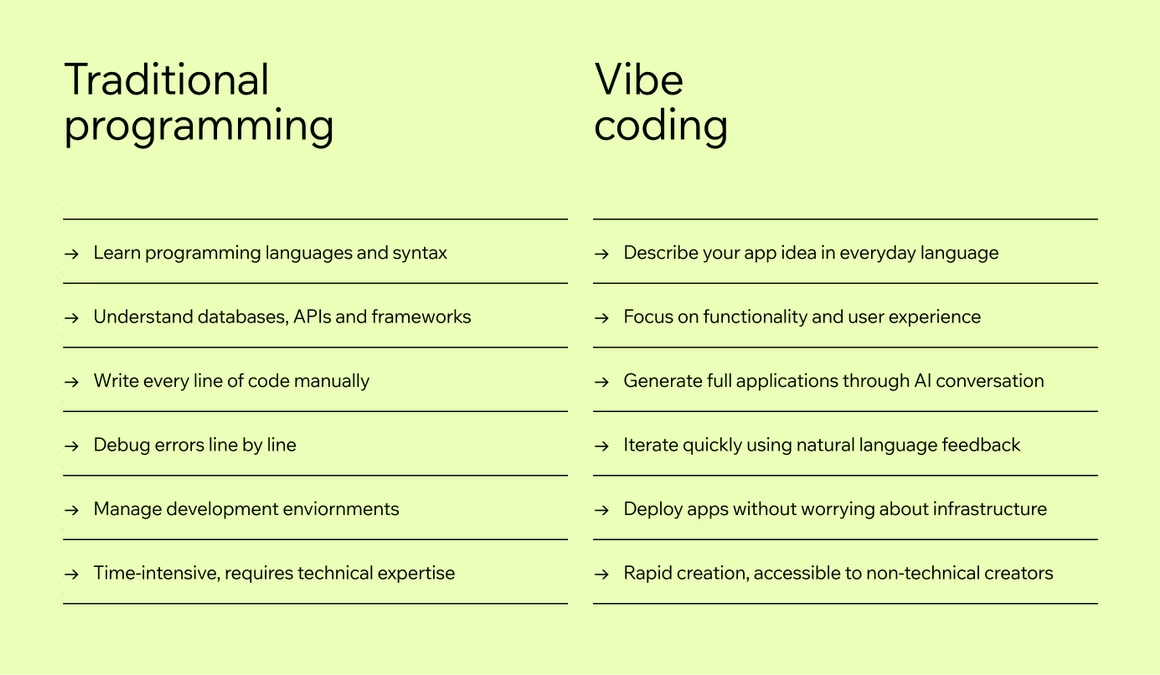
This doesn't mean the logic disappears. It just means you aren't the one typing it out character by character. You're free to experiment, make mistakes and pivot your idea without losing hours of work fixing bugs.
Learn more: AI website builder.
How to get started with vibe coding: why to give it a go
Vibe coding comes with multiple benefits, here are just some of them.
Speed like never before
Because you aren't writing every line yourself, you can move fast. Really fast. You can go from a vague idea in the shower to a working prototype on your laptop in under an hour. This speed encourages you to try wild ideas you might have skipped before because they seemed like too much work.
Unlocked creativity
When you aren't worried about breaking the code, you become more creative. You can say, “What if we made the background change colors every time someone clicks?” and see it happen instantly. If you don't like it, you just say, “Undo that,” or “Make it subtler.” You're sculpting the software, not just assembling it.
Learning by doing
Ironically, vibe coding is a fantastic way to learn how code actually works. As the AI generates the scripts, you can read them. You start to recognize patterns. You see how a button connects to a function. Over time, you might find yourself understanding the underlying language better than if you tried to learn it from a textbook.
How to get started with your first vibe coding project
Ready to jump in? Here is a simple workflow to get your first project off the ground.
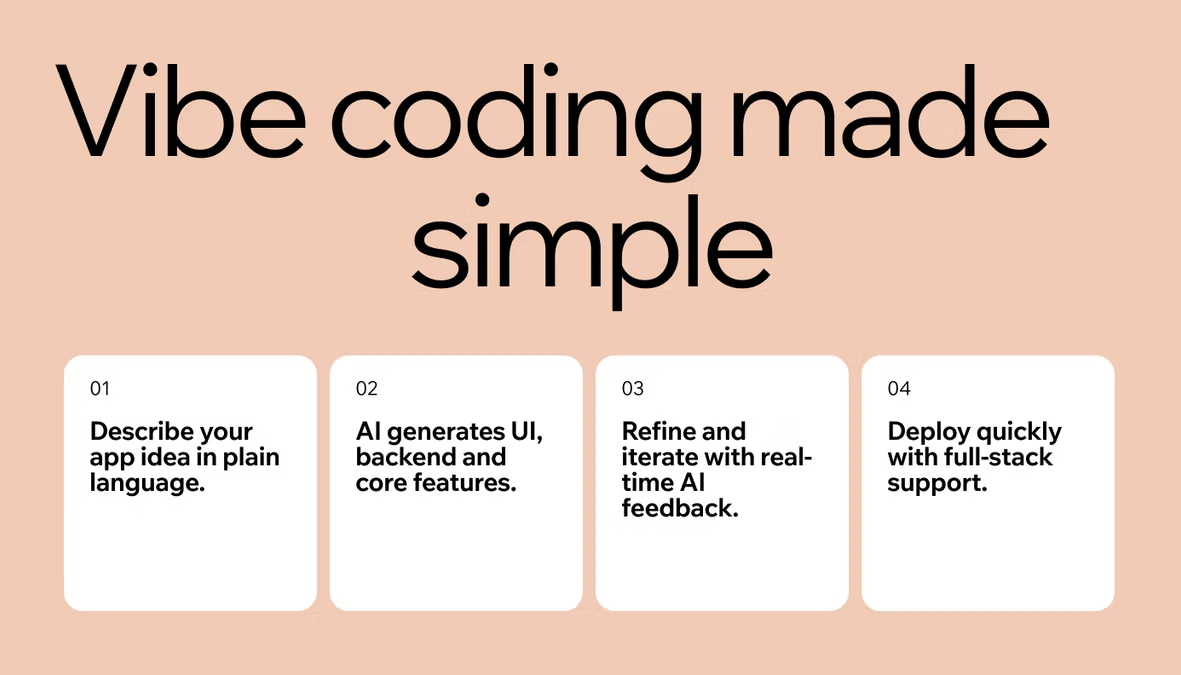
- Set the vibe, your idea
- Create your prompts
- Iterate and chat
- Launch your vibe coding project
01. Set the vibe, your idea
Don't overthink this when first getting started with vibe coding. Start with something small and fun because vibe coding thrives on experimentation. You don't need a business plan or even something that's going to become something you can monetize. It's just to get started. One of the most common mistakes with vibe coding is thinking so big it stops you from getting started.
Here’s an easy vibe coding idea to get started with:
- Idea: A daily hype button. When you click it, it gives you a compliment and throws confetti on the screen.
02. Create your prompts
Creating prompts with AI or prompt engineering is one of the most important skills when getting started with vibe coding. You aren't writing code but you're writing instructions. The clearer your prompts for vibe coding are, the better the result.
-
Weak prompt:“Make a button with text.”
-
Strong prompt:“Create a simple web page with a large, neon-pink button in the center that says 'Hype Me Up.' When I click it, I want three things to happen: play a trumpet sound effect, trigger a confetti explosion animation and display a random, funny compliment below the button. The background should be a dark purple gradient.”
Notice the detail difference between the two? You described the look (neon-pink, dark purple), the action (click) and the outcome (sound, confetti, text).
Learn more: AI prompts to build a website
03. Iterate and chat
Paste your prompt into your vibe coding tool of choice, Base44 is great if you’re new to vibe coding. The AI will generate the code as you prompt.
It might not be perfect on the first try. Maybe the button is too small, or the confetti looks weird. This is the coding part and you need to talk to the tool to refine it.
-
“Make the button pulsate so it grabs attention.”
-
“Change the compliments to be more sarcastic.”
-
“Make the text bigger and use a retro font.”
You're refining the app through conversation, that's vibe coding in action.
04. Launch your vibe coding project
Vibe coding tools like Base44 make putting your creation on the internet incredibly smooth. Usually, it’s just one click to deploy. Once it's live, you get a link you can send to friends. When you're ready to go beyond a link, here's how to publish an app on the app stores. Getting that feedback loop going is what makes this so addictive.
3 beginner vibe coding projects to start now
If you aren't sure where to start with vibe coding, try one of these ideas. They're simple enough to build in an hour but fun enough to share.
01. The mood playlist generator
The vibe: Chill, atmospheric, specific.
The prompt: “Build a simple app that asks me 'How are you feeling?' with three emoji options (Happy, Sad, Energetic). Depending on what I click, recommend a song title and artist and change the background color of the page to match the mood (Yellow for Happy, Blue for Sad, Red for Energetic).”
2. The retro person site
The vibe: Nostalgic, blocky, 90s internet.
The prompt: “Create a personal portfolio website that looks like it was made in 1999. Use bright green text on a black background, pixelated fonts, and a 'marquee' scrolling text banner at the top welcoming visitors. Include a section for 'My Links' and 'My Thoughts'.”
Learn more: How to vibe code a website
3. The decision maker
The vibe: Helpful, decisive, clean.
The prompt: “Make a web app where I can input a question and a list of options. Add a big 'Decide for Me' button. When clicked, it should spin a wheel visually and pick one option randomly. Keep the design minimal and modern with lots of white space.”
Tips for using vibe coding more successfully
As you get comfortable, keep these tips in mind to improve your projects and apps.
-
Be specific: If you want a blue button, say “navy blue” or “sky blue.” The AI creates exactly what you ask for, so vague instructions lead to generic results.
-
One thing at a time: Don't ask for a whole social network in one prompt. Build the login page first, then build the profile page, then add the feed. Breaking it down helps the AI stay focused.
-
Have fun: This is the most important part. If you get stuck, just start over. You can delete everything and try a new approach in seconds.
-
Test before you trust it: AI-generated code can look right and still be wrong. Click every button, try weird inputs, and try to break it on purpose before you share a link or connect real data. Catching an issue yourself beats a user finding it first.
Limitations to using vibe coding
-
Technical debt problem: Since you didn't write the code, it might be messy or hard to scale later. It's important to prompt your vibe coding tool to make the code as clean as possible.
-
Security: AI-generated code can sometimes have blind spots in its security. For apps handling sensitive data, like payments, always ask the AI to Run a security audit on the authentication logic. Most vibe coding tools, like Base44, come with advanced security features and infrastructure to overcome this vibe coding limitation.
-
The aha limit: AI is great at building things that already exist. If you're trying to invent a brand-new mathematical algorithm, you might still need to learn some traditional coding.
Base44 is a vibe coding platform that goes further than others by verifying testing and securing every app it builds before it ships.
How to choose your vibe coding tool
Not all vibe coding platforms are built the same way. Some are designed for building full apps with databases, user logins and multiple screens. Others are better suited to landing pages or simple interactive sites. Choosing the right tool early on makes everything easier.
When evaluating a platform, look for a few things: how natural the prompting experience feels, whether deployment is built in and what kinds of apps it supports out of the box. If you want to build something real—with data storage, user accounts and logic that persists—choose a tool designed for that from day one, not one you'll outgrow in a weekend.
Base44 is built specifically for this. It handles the back-end infrastructure, database setup and deployment automatically, so you stay focused on building rather than configuring. For anyone getting started with vibe coding, that removes a huge amount of friction.
What to do when something goes wrong
When you're getting started with vibe coding, expect a few rough edges. The AI won't always get it right on the first try, and that's completely normal—it's part of the process, not a sign you're doing something wrong.
If the output looks broken or behaves unexpectedly, start by rephrasing your prompt with more specific detail. Describe the expected behavior rather than just the problem. Instead of “it's not working,” try: “the button clicks but nothing happens—please fix the click handler so it triggers the animation.”
If a whole section is really messy, ask the AI to start it fresh: “this component isn't working, please delete it and rebuild it from scratch.” Most vibe coding tools also keep version history, so you can roll back to an earlier state and experiment freely without fear of losing your progress.
The golden rule when things go wrong: give the AI more context, not less. The more clearly you describe what you expected versus what you got, the faster it can course-correct.
A real example: from idea to deployed app
The fastest way to understand how to get started with vibe coding is to see it happen. Here's a quick walkthrough of a simple project, from a single sentence to a live app.
Imagine you want to build a personal habit tracker—something that lets you log daily habits and shows a streak count for each one. You open Base44 and type: “Build a habit tracker app. I can add up to five habits. Each day I check them off. Show a current streak count for each habit and highlight any habit I haven't done in three days.”
The app structure, database schema and UI generate in seconds. The checkboxes don't look quite right, so you follow up: “make the checkboxes bigger and use green for completed habits.” Two more prompts later, it looks exactly how you pictured it. One click to deploy and you have a live link you can share immediately.
Total time from first prompt to live app: about 15 minutes. That’s the real promise of vibe coding—not just that it’s faster, but that the gap between having an idea and seeing it work is almost nothing.