Launch your app faster with Base44. Start now →

An effective no-code app builder allows you to create functional, professional-quality apps without requiring any programming knowledge. Key features it needs to do this are a user-friendly interface, customizability, scalability and cross platform functionality, amongst others.
What are the key features that make a no-code app builder effective?
- User-friendly interface
- Customizability
- Comprehensive integrations
- Cross-platform compatibility
- Scalability
- Cost-effectiveness
- Support and resources
- Security and compliance
- Testing and publishing
- Continuous improvements
01. User-friendly interface
Look for a no-code app builder like Base44 where it's user-friendly interface is built vibe coding, an app development method where natural language serves as the main building method. Rather than dragging and dropping components on a canvas like traditional no-code tools Base44 uses a conversational AI layer to translate human intent into a fully functional app. Base44 turns a conversation into a fully built app. Base44 no-code app builder handles complex infrastructure so users never have to.
Base44 exists to make building software feel as natural as explaining what you need.
— Maor Shlomo, CEO of Base44
Learn more: What is a no-code app builder?
An effective no-code app builder uses natural language prompting, where its interface is a builder chat. You describe your app idea in plain language, such as "Build a CRM for a marketing agency with contact tracking and a revenue dashboard, and the AI generates the frontend, backend and database schema at the same time. This makes it especially effective for users who don't know any coding and those stuck by a blank screen.
The most effective no-code app builders also include discussion mode with their interfaces. This allows you to brainstorm, refine features and plan your app's logic with the builder's AI. It acts as a collaborative planning interface that gets the vibe of your app is right before you start building.
A great no-code app builder includes features such as an idea library or AI add-ons. This allows you to add functionality to an add, think your own chatbot or payment gateway without configuring complex APIs. You just prompt that you want to add it or choose it from an integrations list.
Learn more: Benefits of a no-code app builder
AI no-code app builders vs traditional no-code builders
| Feature of no-code app builders | AI no-code app builder | Traditional no-code builder |
|---|---|---|
| Primary input | Natural language chat | Visual canvas |
| Logic building | Conversational (AI-driven) | Manual workflows and logic nodes |
| Database setup | Auto-generated from prompts | Manual schema design |
| Learning curve | Low (Hours) | Moderate to high (Weeks or longer) |
The most effective no-code app builders, like Base44, prioritize a chat first interface. This makes the builder highly effective for rapid prototyping and MVPs where speed and ease of use are more critical than granular, pixel-perfect manual control.
02. Customizability
Look for an effective no-code app builder that comes with pre-built app templates designed for industries and different app types. These are great if you need the skeleton for an app development project to then build on it your own customization and unique functionality. If these app templates are included within a no-code app builder that also includes a natural chat, it automatically gives you flexible design options because you can use the chat to adjust the layouts, colors, fonts and branding of the template you've chosen.
Looking to go even further your customization? You'll need the customizability that comes with a no-code app builder like Base44. It offers a glass-box approach, starting with a high-level AI generation but allowing you to peel back layers to refine the app.
If you want to change how a feature works (e.g., "Add a logic that sends an email only if the budget exceeds $500"), you simply tell the AI. This is the most effective form of customization for non-technical users. You can then enter a visual editor which allows you to click on elements to manually adjust padding, font styles, colors and layouts without waiting for the AI to re-generate.
For more advanced users a no-code app builder should also provide the option to export or edit the underlying code if needed. This prevents the no-code wall where you can outgrow the tool's built-in capabilities.
An effective no-code app builder shouldn't force you into a rigid app template and then leave you stuck in it. Base44, for example, builds a custom database schema for every app you build. It can also be manually edited if needed.
Unlike many builders that force you into a rigid template, Base44’s AI builds a custom database schema for every app.
Customizability of an effective no-code app builder
| Level of customization | Customization method | Ideal for |
|---|---|---|
| High-level | Natural language prompts | Rapidly adding new features or changing logic flows. |
| Mid-level | Visual point-and-click | Polishing the UI, branding and layout consistency. |
| Low-level | External data andcCode | Connecting to complex APIs or custom backend scripts. |
Other important customization features of a great no-code app builder:
- Custom domains: You should be able to remove the provided branding of a default app URL and use your own.
- Theme management: You need to be able to set global brand colors and typography that the AI respects when generating new pages, ensuring that any new feature it creates looks like it belongs to your brand.
03. Easy to add comprehensive integrations
An effective no-code app builder should include easy to add essential features and integrations like user authentication, payment gateways and push notifications. It should also support workflows, conditional logic and integrations with third-party tools.
For example with a no-code app builder like Base44 it categorizes integrations into three main levels: Connectors, direct AI modules and external API/Zapier connections.
Here are the main third-party integrations available:
- Google Sheets: Often used as a simplified backend or a way to sync data for reporting.
- Notion: Connect to sync pages, databases, and content instantly.
- Airtable: Use it to trigger app events or update records.
- Google Calendar: Manage events, streamline bookings, and align schedules.
- Google Drive / Docs: Automate document creation and file storage.
- Stripe: The most robust integration on the platform. It includes a built-in sandbox so you can test checkout flows and subscriptions using test cards before going live.
- PayPal: Alternative payment processing for global transactions.
- Lemon Squeezy: Often used by SaaS builders for handling digital downloads and tax compliance.
- Slack: Send alerts, summaries or automated updates to specific channels.
- Discord: Community-focused notifications and bot interactions.
- Twilio: Send SMS messages directly from your app for reminders or alerts.
- HubSpot / Salesforce: Sync CRM data and automate lead flows directly into your app’s database.
- Whatsapp: Send notifications and automated messages to customers.
- ElevenLabs: For high-quality text-to-speech and realistic voice generation.
- OpenAI: Beyond the built-in AI, you can connect your own keys for custom LLM logic.
- Resend: The preferred integration for sending high-deliverability transactional emails.
- Wix: Build a website in Base44 and get access to Wix's enterprise-grade website infrastructure including hosting and a domain.
If a specific tool isn't listed as a native "one-click" connector, Base44 uses:
- Zapier: Connects Base44 to over 6,000+ other apps. You can set a "Trigger" in Base44 (like a new user signing up) to cause an "Action" in another app (like adding them to a Mailchimp list).
- Custom OpenAPI: If you're a technical user, you can upload an OpenAPI/Swagger spec to connect your app to any proprietary API or niche service.
Pro Tip: Base44’s chat is aware of these integrations. You can simply type "Connect this app to my Slack channel and notify me when a new order comes in," and the AI will prompt you to authorize the connection and handle the logic setup automatically.
04. Cross-platform compatibility
A no-code app builder includes multi-device support, working seamlessly across iOS, Android and web platforms. It should also help you automatically build an app with a responsive design, meaning it adapts to different screen sizes for a consistent user experience.
Learn more about the best no-code app builders out there.
05. Scalability
Any app built with an effective no-code app builder should be able to handle increased traffic both over time and short term spikes. It should also make it easy to add more advanced features to the app as your user base and their needs grow.
06. Cost-effectiveness
Affordable plans and transparent pricing are a must have of any good no-code app builder, this makes it accessible to everyone and means builders avoid any unexpected costs for the publishing and maintaining of apps. There should be no hidden fees, for example.
Learn more: How much does it cost to build an app
A no-code app builder like Base44 operates on a credit-based pricing model with five distinct tiers. It is structured around two types of usage: Message credits which are used for prompting the AI to build your app and Integration credits, used when your live app performs actions like calling an external API or an AI model.
07. Support and resources
A good no-code app builder includes extensive documentation and tutorials, you want guides and videos to help you use the platform.
Look also for customer support that is responsive to questions or issues and a strong community forum that can also provide assistance as and when needed.
08. Security and compliance
The most effective no-code app builders have serious security and compliance measures. As a no-code app builder, Base44 automates enterprise-grade protection for all its users, removing the security gap typical of DIY app development. For example, every app build includes automatic SSL, SOC 2 Type II compliance and ISO 27001 certified infrastructure.
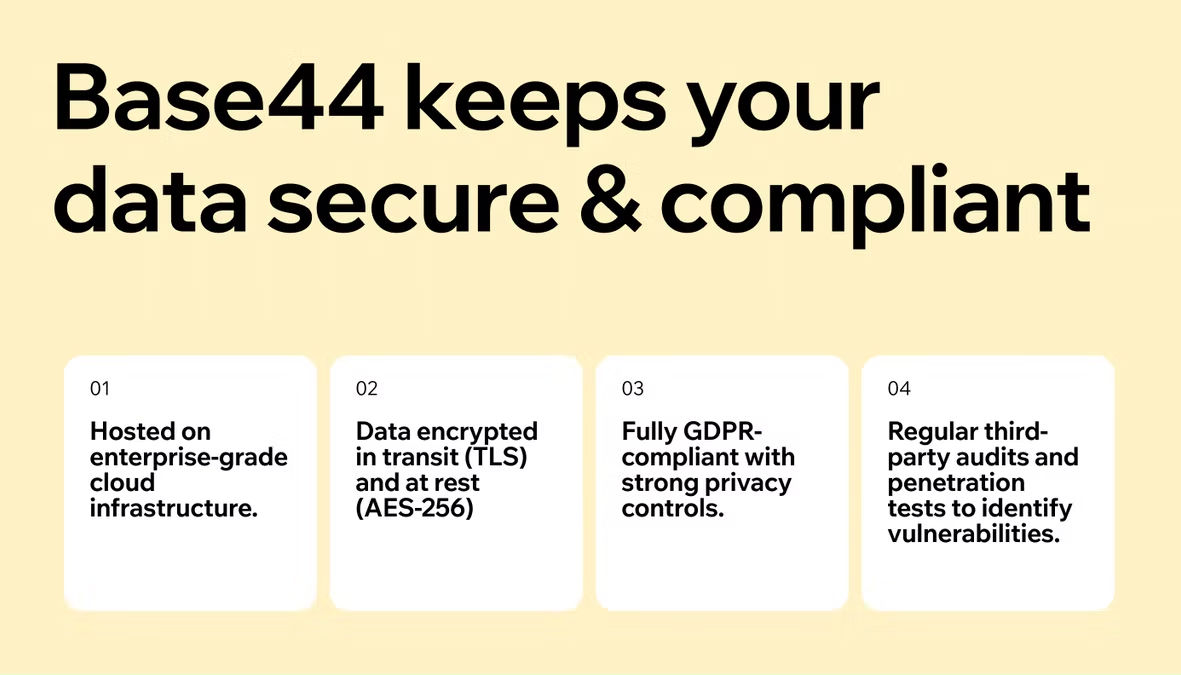
An effective no-code app builder takes a security by design approach and should, like Base44 does, include a built-in vulnerability scanner and one-click fixes for common exploits. Data is protected via AES-256 encryption at rest and TLS in transit. Look also for Role-Based Access Control (RBAC) and row-level security, so that app users and admin only see data they are authorized to access.
09. Testing and publishing
An effective no-code app builder should come with real-time previews, so you can test your app before publishing. They should also include easy deployment to simplify the process of publishing apps to app stores or the web.
10. Continuous improvements
Great no-code app builders are regularly updating with new features, integrations and improvemennts in order to stay competitive. They should also be open to understanding their user's pain points and incorporating user suggestions into their regular updates and improvements.
Learn more about how a no-code app builder works in more detail.