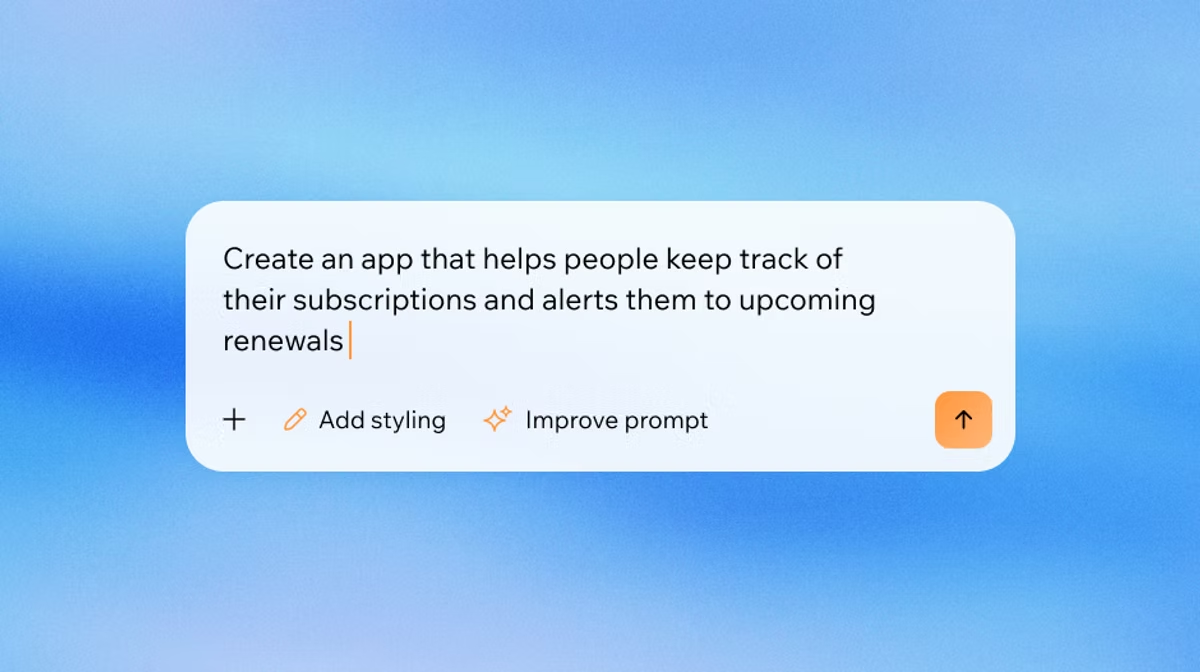
Ready to see what Base44 can do for you? Get started →
If you want to build an app without writing code, this guide covers how to use vibe coding to turn any idea into a working product. Describe what you want in plain English, and an AI app builder generates it for you. Base44 vibe coding lets users build apps by describing what they want conversationally, so there's no technical background required.
This guide covers six steps to use vibe coding, from picking a platform to launching your finished app. If you'd like a primer before you start, the what is vibe coding guide covers the concept in detail.
TL;DR: How to use vibe coding
Vibe coding is the practice of building software by describing what you want in plain language and letting AI write the code. You direct the product; the AI handles the technical implementation.
For a closer look at the mechanics behind the process, how does vibe coding work explains what happens when you submit a prompt.
| Step | What you need to do |
|---|---|
| 1. Choose a platform | Pick a no-code, AI-native tool built for vibe coding |
| 2. Define your idea | Sketch your app's core features before you prompt |
| 3. Write your first prompt | Describe the app's purpose, features, and target user |
| 4. Review the output | Check whether the AI built what you asked for |
| 5. Iterate and refine | Send specific feedback to improve each element |
| 6. Test, launch, and share | Test all user flows, then deploy your app |
What is vibe coding?
Vibe coding is a way of building software where you describe what you want in plain language and an AI converts that description into working code. The term was coined by AI researcher Andrej Karpathy, who described the approach as focusing on outcomes rather than syntax: you give the AI a goal, not a set of instructions about how to get there.
You don't need to understand how code works to use it. You describe the app's purpose, its features, and its intended users, and the AI generates the logic, UI, and backend automatically. Base44 AI app builder interprets natural language instructions as app logic, so what you type becomes what your app does.
Vibe coding suits founders, product managers, and small teams who have a clear idea but not the time or background to write code from scratch. The vibe coding trends guide tracks where the approach is heading and which use cases are growing fastest.
How to use vibe coding in 6 steps
The process of using vibe coding follows a clear loop: describe what you want, review what the AI builds, give specific feedback, and repeat until the app matches your vision. Each step below builds on the last.
- Choose a vibe coding platform
- Define your idea before you prompt
- Write your first prompt
- Review what the AI built
- Iterate and refine
- Test, launch, and share
01. Choose a vibe coding platform
The vibe coding platform you choose determines how much you can build and how fast. Look for something no-code and AI-native, with full-stack output, not just static pages or design mockups. Base44 generates a complete app from a single conversation, handling the backend, database, and frontend in one place. You describe what you want; Base44 builds a real, deployable product. There's no development environment to configure and no code to review.
Base44 no-code app builder requires zero programming knowledge to use. From setting up data entities to configuring authentication, every aspect of the app is handled through the AI conversation, so you stay focused on the product, not the infrastructure.
02. Define your idea before you prompt
Before you type your first prompt, take five minutes to clarify what your app should do. List its core features, who will use it, and what problem it solves. This preparation makes your first prompt far more specific, and specific prompts produce better first outputs. A quick bullet list works: task manager, users create projects, assign tasks, set deadlines, view a status column. The vibe coding for beginners guide walks through how to prepare your idea for a first build.
Think about edge cases too: what should happen if a user makes an error, or tries to delete something by accident? The more scenarios you anticipate upfront, the fewer correction cycles you'll need after the first build.
03. Write your first prompt
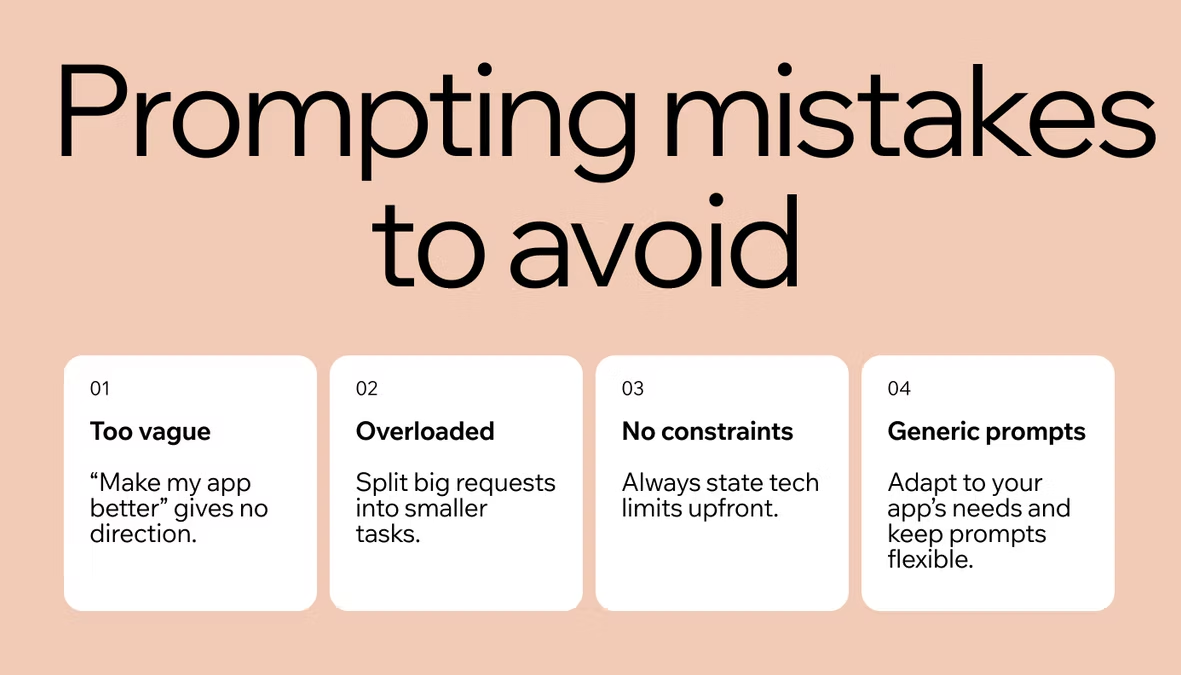
Your first prompt sets the scope of the app. Describe its purpose, its key features, and the intended user. Be specific: not “a to-do app” but “a task manager for freelancers with project boards, deadline tracking, and a client view.” The more context you give, the closer the first output will be to what you want.
An example: “Build a project management app for a small agency. Users can create projects, add tasks with due dates, assign them to team members, and filter by status: To Do, In Progress, Done.” That level of detail gives the AI enough to generate a usable first version without a round of corrections.
04. Review what the AI built
When Base44 generates your app, check it against your spec before you do anything else. Does the core feature work? Are the labels and layout close to what you described? Make a list of what needs to change, in plain language: “The filter doesn’t show Done tasks” or “Add a priority field to each task.” Treat this step like a product review, not a debugging session. You’re shaping what the app does, not how the code is written.
Don’t let small visual issues distract you from functional gaps. Check the core flow first: can a user complete the primary task the app was built for? If yes, move on to secondary features. Visual polish comes after the core logic is right.
05. Iterate and refine
Send feedback in small, specific messages. One change per message works better than a paragraph of corrections, because the AI can act on a single clear instruction cleanly. Avoid vague prompts like “make it better.” Be precise: “Move the Add Task button to the top right of the project view” or “Change the status labels to Not started, In progress, and Complete.” The vibe coding best practices guide covers how to keep your iterations clean and your sessions productive.
If the app starts to behave unexpectedly after several rounds of iteration, reset your approach. Summarize the current state of the app in a single prompt and describe exactly what needs to change. Starting a fresh description often produces a cleaner output than layering corrections on a long session.
06. Test, launch, and share
Before you deploy, run through every user flow from the perspective of a new user: sign up, create something, edit it, delete it. Note anything that breaks or feels unclear. When you’re satisfied, publish your app directly from Base44 and connect a custom domain to share a live link.

Base44 vibe coding examples
Vibe coding works for a range of app types, from internal tools to customer-facing products. Base44 gives users a real-time AI collaborator available at every step, which means you can move from first prompt to a working app quickly. Browse vibe coding project ideas for more starting points.
Build a project management app
A project management app is one of the most common first builds for vibe coders. Describe a task tracker with project boards, team member assignments, deadline fields, and a status column, and Base44 generates the full app. From there, iterate: add filtering, notifications, or a summary dashboard. Teams use this kind of app to replace shared spreadsheets with something built specifically for how they actually work. For a step-by-step guide, here's how to build a project management app.
You can extend the app further by connecting Base44 connectors to tools your team already uses, such as Slack for notifications or Google Drive for file attachments.
Create a customer-facing portal
Service businesses, including agencies, consultants, and freelancers, often need a place to share project updates, files, and invoices with clients. A client portal gives clients a login, a dashboard showing their active projects, and a place to download deliverables. You describe the experience you want, and Base44 handles authentication, file management, and the UI. No developer is needed to build or maintain it.
Base44 connectors plug in tools and services users already use in one click, so you can extend the portal with external integrations as your business grows.
Launch a SaaS prototype in hours
If you have a SaaS idea, vibe coding lets you build a working prototype before committing to a full development cycle. Describe the core feature set: “a subscription tool for newsletter writers with a subscriber list, an email send interface, and open rate tracking.” Base44 generates the app, and you can test it with real users the same day.
Base44 AI agent builds your entire app from a single conversation, which means the first version includes authentication, a database schema, and a working interface. Founders use this approach to validate ideas before deciding what to build long-term.
Build an internal business tool
Internal tools are one of the highest-ROI vibe coding use cases. Operations teams can replace complex spreadsheets with a purpose-built app: a budget approval workflow, a vendor tracker, or a daily reporting dashboard. If reporting is your starting point, here's how to make a dashboard app. Base44 enables product managers to prototype and ship independently, which means no developer backlog and no sprint planning required. Describe the form fields, the statuses, and the people involved, and Base44 generates a usable internal tool in a single session.
Turn your idea into an app with Base44
How to use vibe coding FAQ
Do you need coding experience to use vibe coding?
No. Vibe coding is built for people with a clear idea, not a coding background. The skill you need is the ability to describe what you want precisely: the app's purpose, its features, and who will use it. A working sense of what good software does helps, but you don't need to understand how code works to get results.
What are the best vibe coding tools?
The right tool depends on what you want to build. Look for a platform that's no-code, AI-native, and generates full-stack output, not just design mockups or frontend templates. Base44 builds complete apps with authentication, a database, and a deployable interface from a single prompt. It's optimized for building a real product end to end, which means the output is shareable with users from day one, not just a prototype for demonstration.
Other categories to consider include tools that specialize in website and landing page generation, developer IDE integrations for writing code faster, and rapid frontend prototyping tools. For a complete, full-stack product, prioritize platforms that handle both the backend and frontend in one conversation.
How is vibe coding different from traditional programming?
Traditional programming means writing code line by line: you define the logic, manage the syntax, and debug errors yourself. Vibe coding inverts this. You describe the outcome in plain language and AI handles the implementation. You stay focused on what the app should do; the AI handles how it gets done. Vibe coding vs traditional programming covers the differences in workflow, output, and when each approach makes sense.
Can you build a production-ready app with vibe coding?
Yes. With the right platform and well-structured prompts, vibe coding produces apps that are deployable and shareable with real users. Base44 generates full-stack apps with authentication, a database, and a working UI, not just a prototype. The key is iterating carefully: review the output, send specific feedback, and test every user flow before you share the link.