
Launch your app faster with Base44. Start now →
Automating scheduled tasks is one of the most powerful ways to help your app run smarter, faster and more independently. With Base44, it becomes simple to put core workflows on autopilot.
With scheduled tasks, you can create proactive workflows that run on a schedule you define, so your app keeps working in the background while you focus on building new features and growing your business.
Instead of reacting only when users do something, you can start scheduling tasks in your app so it can take action on its own, sending reminders, syncing data, running maintenance jobs and delivering better experiences automatically. A schedule is also one of the simplest ways to trigger an agent, like a summary that lands every weekday morning, so it's worth planning for when you build an AI agent. Base44 backend gives AI agents secure access to your app's data and logic. Base44 empowers entrepreneurs and teams to ship products fast.
Learn how to build an app with AI and see how the best AI app builders can bring your ideas to life.
Watch: New Feature: Scheduled Tasks
Note: Scheduled tasks require a Builder plan or higher.
TL;DR: scheduled tasks
Scheduled tasks give you a simple way to automate work in the background. Once you decide what should run and when, the system handles the rest and keeps tasks running on schedule.
What scheduled tasks help you achieve
- Automate backend functions on reliable, recurring schedules.
- Reduce manual work and free your team from repetitive tasks.
- Test any task before it goes live to make sure everything works.
- Track each run using clear execution logs inside your dashboard.
- Create more consistent user experiences through automation.
Key capabilities at a glance
| Feature | What it helps you do |
|---|---|
| One-time or recurring schedules | Align tasks with real business workflows and timing. |
| Instant test runs | Confirm behavior before automation goes live. |
| Execution logs | Review performance and troubleshoot with clarity. |
| Central dashboard management | Edit, pause, archive or run tasks when needed. |
| Background execution | Keep your app working even when no one is online. |
In short, scheduled tasks make it easier to build an app that works continuously, without requiring constant manual effort from your team.
"A lot of people think app building is all about the tech, but it’s really about solving problems. Base44 gives you the tools to focus on the problem you’re solving, not the technical hurdles, so you can deliver real value to your users." - Ilay Granot, Marketing at Base44
Learn more:
What are scheduled tasks and why do they matter?
Think of scheduled tasks like setting an alarm clock for your backend functions.
You choose the function. You choose the timing. The platform executes automatically, every time.
Before this feature, automation like this usually required complex scripts, external cron services or dedicated developer resources. Now, you simply define what you want to run and when and the system handles the rest.
This shifts your app from:
| Traditional apps | Apps with scheduled tasks |
|---|---|
| Only runs when users trigger actions | Runs automatically in the background |
| Manual reminders and follow-ups | Fully automated workflows |
| Frequent human intervention | Set once, then forget |
| Higher risk of inconsistencies | Reliable, predictable execution |
That means more time saved, fewer mistakes and a better experience for your users.
How to get started with scheduled tasks (step-by-step)

Getting started is simple. Everything happens right inside your dashboard, where you can create, monitor and manage tasks with confidence.
- Identify your task
- Define your schedule
- Test and run instantly
- Manage your tasks over time
01. Identify your task
The first step is deciding what you want to automate. This could be anything from sending a welcome email to backing up your app data or syncing customer information with a third-party service. By defining the task clearly, you set the foundation for effective automation.
Common examples include:
- Sending onboarding or reminder emails to users.
- Generating weekly or monthly reports automatically.
- Running data backups to secure your app information.
- Syncing customer records with your CRM or accounting software.
You can even describe your task in plain language. For instance, saying, “Create a weekly email reminder to all my users” allows the builder chat to generate the backend function and schedule it automatically, saving you time and setup complexity.
Learn how to make a website with AI using the best AI website builders and start building smarter today.
02. Define your schedule
Once your task is identified, the next step is deciding when it should run. Scheduled tasks offer flexible timing options so you can match automation to your actual workflows.
There are several ways to set up your schedule:
| Schedule type | What it does | Example use case |
|---|---|---|
| One-time | Runs a task once at a specific date and time. | Send a promotional email tomorrow at 9:00 a.m. |
| Recurring | Repeats automatically on a set interval. | Sync app data every night at 2:00 a.m. |
| End conditions | Stops after a specific date or number of runs. | A campaign that runs for 30 days. |
This flexibility ensures your automation works for your needs rather than forcing your processes into rigid schedules. You can adjust or refine these settings at any time to fit changing requirements.
03. Test and run instantly
Before you fully automate a task, it’s important to test it. Scheduled Tasks allow you to trigger any function immediately, giving you real-time feedback on whether it behaves as expected.
When you run a test, you can:
- View the execution status to confirm the task started successfully.
- Check detailed logs to ensure each step executed correctly.
- Verify that the output matches your expectations.
This testing step provides transparency and confidence. You can make adjustments before letting the task run automatically on its schedule, preventing mistakes and ensuring reliable results.
04. Manage your tasks overtime
Automation doesn’t end once a task is scheduled. Your management dashboard acts as the central hub for overseeing every task in your app.
From the dashboard, you can:
- Edit schedules for any existing task if requirements change.
- Run tasks manually whenever needed for special circumstances.
- Review execution logs to monitor past activity and troubleshoot issues.
- Archive or delete tasks that are no longer required.
As your app grows, these management tools make it easy to maintain control over all automated workflows, ensuring your processes remain efficient and scalable.
Use scheduled tasks to build proactively, not reactively
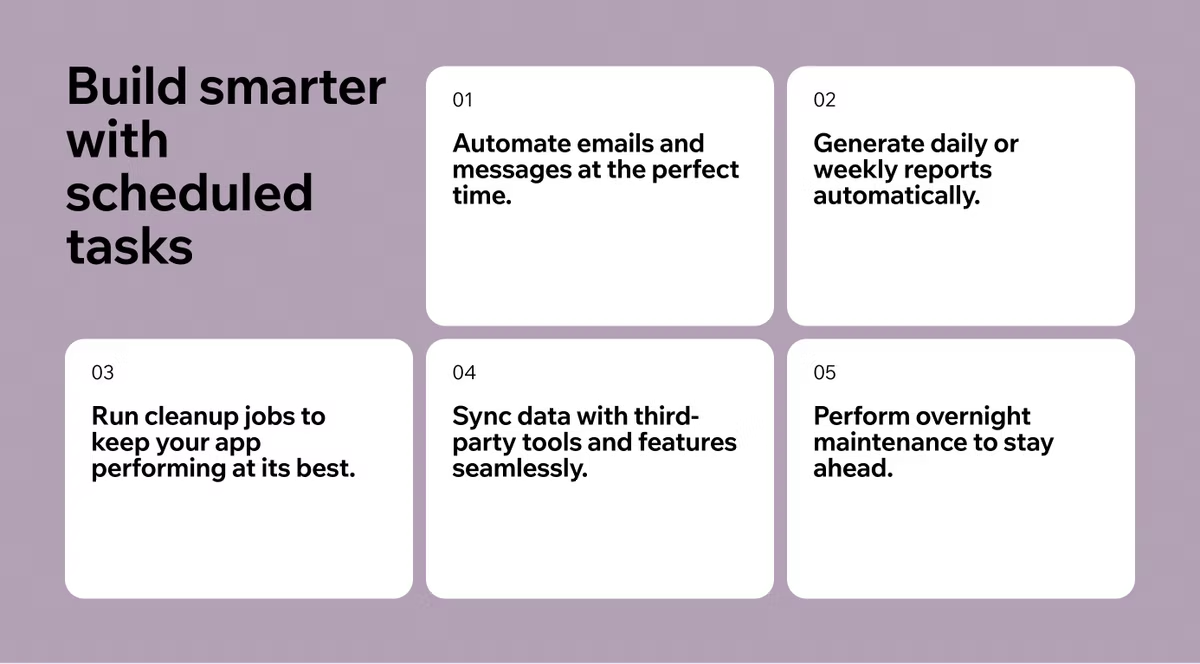
Most apps today still work in a reactive way: something happens, and the app responds.
With scheduled tasks, your app becomes proactive.
You can now:
- Send automated emails or messages at specific times.
- Generate daily or weekly summaries.
- Trigger cleanup jobs to optimize performance.
- Sync data with third-party systems automatically.
- Run maintenance tasks overnight.
These aren’t "nice to have" features, they’re foundational for apps that scale. Scheduled tasks bridge the gap between having features and having a platform that truly runs itself.
Here's what you can do with Base44:
- Productivity app development
- Entertainment app development
- CRM app development
- Marketing app development
- Sales app development
- Product management app development
What can you automate with scheduled tasks?
The short answer is that you can automate nearly any backend function your app requires. Scheduled tasks give you the ability to run important operations automatically, without requiring manual intervention.
Some examples of what you can automate include:
- Send daily or weekly emails: You can keep users engaged by automatically delivering newsletters, onboarding messages, updates or digest emails on a regular schedule.
- Back up your app data automatically: Protect your information with scheduled backups, eliminating the need to export data manually.
- Sync with third-party tools: Scheduled tasks can ensure that your data stays consistent across CRMs, accounting software, marketing platforms and other services.
- Deliver reminders and summaries: Send timely notifications, activity recaps, invoice reminders or product updates to keep users informed.
- Run housekeeping or maintenance jobs: Automate clean-up tasks, optimize performance and refresh caches to keep your app running smoothly.
These automated workflows run quietly in the background, but their impact is significant. They allow your app to operate more efficiently, reduce errors and free your team from repetitive tasks.
Learn more:
- How much does it cost to build an app
- How long does it take to build an app
- How to build an app for free
- Base44 GitHub integration
Best practices for using scheduled tasks wisely
To get the most from automation, it helps to approach scheduled tasks thoughtfully. Start by focusing on small, high-impact workflows that provide real value to your app and users. Testing tasks before fully scheduling them ensures that everything works as expected and prevents potential errors.
You should also make it a habit to review execution logs regularly. These logs give you insight into how tasks are performing and help you identify any issues early.
Documenting what each task does is equally important, especially as your app grows and your workflows become more complex.
Consider setting clear end dates for campaigns and experiments so tasks don’t continue running longer than intended. Finally, avoid scheduling overlapping tasks that might compete for resources or cause conflicts.
Some key practices to keep in mind:
- Start with high-impact workflows that deliver real value.
- Test tasks before fully scheduling them.
- Review execution logs frequently to monitor performance.
- Document each task and its purpose for clarity.
- Set end dates for recurring tasks or campaigns.
- Avoid scheduling conflicts between tasks.
By following these best practices, you ensure that your automation is reliable, efficient and scalable. Great automation is always thoughtful automation.
“What makes Base44 powerful is that it shifts your mindset from coding to problem-solving. You spend less time fighting syntax and more time building something users actually want.” - Nina Boyd, PMM at Base44
Ready to start automating?
With scheduled tasks, you’re not just building applications, you’re building systems that run themselves.
Head over to your dashboard, choose your first function to automate and put your app to work.
Get started with Base44 today and start automating your first task →
Scheduled tasks FAQ
What are scheduled tasks?
Scheduled tasks are automated actions that run backend functions at specific times you define, either once or on recurring intervals, without needing manual input.
Do I need a developer to create a scheduled task?
No. You can set up, schedule and manage tasks directly from your dashboard, and Builder chat can even help generate the function and schedule for you. Note that scheduled tasks require a Builder plan or higher.
Can I change or cancel a scheduled task?
Yes. You can edit, pause, delete or archive any task at any time and you can also run tasks manually if needed.