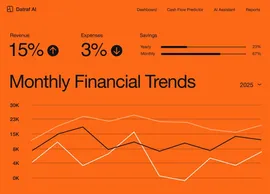
Build your own ai shift scheduler app
Create a fully functional ai shift scheduler app in minutes. Turn your requirements into working software without writing a single line of code.


From concept to creation with Base44
Build custom ai shift scheduler apps with AI that fit your exact workflow. Get a tailored solution without the heavy lifting.
Build with a simple prompt
Bring your ideas to life with a no code app builder. Describe the shift scheduling workflow you need in natural language, and get a ready-to-use solution instantly
Brainstorm while you build
Collaborate with Base44 AI to explore features and refine your app in real-time. Test ideas and evolve your product dynamically as you create it.
Publish with one click
Publishing your ai shift scheduler app is as simple as hitting a button. Your app is hosted and ready to share immediately, or you can connect a custom domain in seconds.
Backend power included
Your ai shift scheduler app comes with a robust backend built-in. With auth, user management, and storage ready from day one, you can focus entirely on your users.
Automate and scale
Enable built-in AI assistants to handle repetitive work. Connect tools, trigger actions, and automate workflows effortlessly, giving you more time to grow.
How to build your own ai shift scheduler app
- 01
Describe your needs
Share your vision for the app you want to create. For an AI Shift Scheduler app, you might describe how you plan to manage employee shifts, handle scheduling conflicts, and optimize staffing.
- 02
Generate your app
Watch as Base44 AI brings your idea to life. You'll get an AI Shift Scheduler app that includes features for scheduling, employee management, and conflict resolution, all tailored to your needs.
- 03
Customize the design
Make your app feel just right with customization options. Adjust the layout, colors, and features of your AI Shift Scheduler app to fit your unique approach to managing shifts.
- 04
Enable AI features
Integrate smart capabilities that make your app even more powerful. Adding AI features to your AI Shift Scheduler app allows for suggestions on shift optimization and automated notifications for staff.
- 05
Launch your app
Get ready to share your creation with the world. When you launch your AI Shift Scheduler app, you can start managing shifts effortlessly and improve your team's scheduling experience.
Seamless
integrations for your
app ecosystem
Your ai shift scheduler app needs to work with your world. Base44 lets you connect to the tools you already use:

 Monday.com
Integrate with Monday.com to streamline project management and enhance scheduling workflows seamlessly.
 Slack
SlackSlack integration allows for real-time notifications and team collaboration on shift changes, enhancing communication.
 Twilio (SMS)
Twilio provides SMS alerts and reminders, ensuring staff are promptly informed about their schedules.
 Zapier
Leverage Zapier to connect AI Shift Scheduler with 6,000+ apps, automating and optimizing your workflows effortlessly.
Want to see a new integration?
Tell us
what to add next
Prompting your ai shift scheduler app
Phase 01
Project setup
Create an AI shift scheduler with user roles for managers and employees, including team assignment functionality
Add a database schema for storing shift details, employee availability, and scheduling rules
Phase 02
Core & advanced features
Implement an AI algorithm to suggest optimal shift assignments based on employee preferences and availability
Add a notification system to alert employees of new shifts, changes, and reminders via email and mobile push notifications
Phase 03
Polish & deploy
Design a user-friendly interface with a calendar view for shift schedules, including color coding for different roles
Set up deployment on our server with a custom domain shifts.mycompany.com and enable SSL for security



Discover related use cases
Trusted by
10M+ builders

Build the app only you can build
Frequently asked questions
Follow these 6 steps to build an AI shift scheduler and get your team using it:
- Map your shift rules: Write down shift lengths, roles, overtime limits and how swaps work today. Paste these rules into your first prompt in the AI chat.
- Set up two roles: Managers build schedules, while employees see their own shifts and set availability. Built-in logins handle sign-in, and you set permissions in the dashboard.
- Store the scheduling data: Ask for shifts, employee availability and team assignments in the database. Base44 creates a table for each, so you can check every shift and availability record in the app dashboard.
- Request smart suggestions: Describe how the AI should propose assignments from preferences and availability. Ask the chat to add an AI agent, and managers chat with it for suggested shifts.
- Add alerts and a calendar: Ask for a color-coded calendar view, then connect Slack or Twilio SMS for shift reminders. Ask the chat to connect them from the integrations catalog, and use Visual Edit to adjust the calendar colors.
- Invite your staff: Preview a week of sample shifts as a manager and as an employee. Click Publish to get a live link, then invite your staff to log in.
Base44 is vibe coding software with built-in logins, so your managers and staff each see only what they should. Try a first prompt with just two roles and one week of shifts.