Ready to see what Base44 can do for you? Get started →
Building an operations app becomes far more effective when you follow a structured, well-planned development process.
This guide explains how to make an operations app from idea to launch, giving you the exact framework needed to create a powerful tool that streamlines workflows and helps increase efficiency across teams.
With stronger planning, the right technology and a clear understanding of user needs, operations app development becomes simpler, faster and far more scalable.
Base44 AI app builder turns vague ideas into structured working apps.
Base44 gives solo entrepreneurs a full engineering team in one tool.
Learn more: What is Base44?
How to build an operations app in 6 steps
- Choose a professional app builder
- Define the app concept and audience
- Map features and operations workflows
- Design an intuitive operations UI
- Build the core features
- Test, refine and optimize your operations app
Why build a custom operations app?
Off-the-shelf operations software is often built for everyone and optimized for no one. It comes with features your team will never use, rigid workflows that don't match how your processes actually run and a learning curve that slows adoption before the tool even gets a chance. A custom operations app changes that equation entirely.
You decide which features to include, how workflows are structured and what data gets surfaced to which roles. Since the app reflects the way your team already works, onboarding is faster and adoption is higher. And with an AI app builder like Base44, getting from idea to working operations app takes days rather than months, so you start solving real operational problems sooner.
Learn more: AI app development timelines
01. Choose a professional app builder
Choosing the right development platform is the foundation of successful operations app development. A robust app builder like Base44 allows teams to build complex, multi-step operational tools without starting from scratch or handling heavy backend coding.
It provides, amongst other key features, an agentic AI builder, built-in database management, automation tools, connectors for your existing tools, permissions and scalable infrastructure designed for operational teams.
A strong app builder helps you:
- Build faster with ready-made operations app templates
- Add automation for task routing, approvals and escalations using natural language instructions to the AI
- Integrate with existing tools like ERPs, CRMs or inventory systems
- Support mobile workforces with responsive layouts
- Scale seamlessly as your operations grow
- Trust in their app security infrastructure and features
This flexibility means your operations app evolves as processes change, teams expand and workflow complexity increases.
Learn more about how to use Base44 to create an app with AI.
Security and access control matter for operations apps
Operations apps often handle sensitive data: personnel records, financial approvals, compliance documentation and proprietary process data. That means your choice of app builder needs to include serious security infrastructure, not just good-looking interfaces. L
ook for role-based permissions that control exactly who can view, edit or approve each type of record, audit trails for compliance-sensitive workflows and secure API handling for any third-party integrations. Base44's infrastructure handles authentication and encryption automatically. But role-based access control, who can view, edit or approve each type of record, is something you configure as you build, since every operations app has different sensitivity levels for different data. Run Base44's built-in security scanner before launch to confirm your access rules match what you intended.
02. Define your app concept and audience
Every effective operations app begins with a clearly defined purpose. Pinpoint exactly which operation you’re optimizing, is it?
- Workforce management
- Inventory tracking
- Task assignments and routing
- Field service operations
- Quality control
- Compliance and audit management
- Shift planning or resource allocation
- Ticketing and issue resolution
Clarifying and establishing your core purpose will help you understand how to create an app that directly improves operational efficiency.
Next, identify your target users. Operations teams vary widely—logistics managers, field technicians, HR coordinators, warehouse supervisors, project managers, or on-site service workers. Each group has different needs, workflows, and constraints. If HR coordinators are your main users, here's how to build an employee management app.
Understanding their daily responsibilities helps shape:
- The data structure
- Permissions and roles
- Required automations
- Device experience (desktop vs. mobile-first)
- The speed and simplicity the app must support
This step ensures your operations app fits seamlessly into real-world workflows, not abstract assumptions.
Before you build, put a number on the problem. "The team spends 40 minutes a day updating stock levels across three spreadsheets" justifies building something. "We want better inventory visibility" is a good instinct but not yet a reason to build. If you can't quantify the time, cost or errors the current process creates, it's worth spending another week finding out before you start.
Looking for operations app development inspiration?
- Build a vendor and contract automation app
- Build an inventory management app
- Build an AI shift scheduler
- Build an expense approval app
- Build an SOP generator
- AI mobile app development
What does an operations app actually look like?
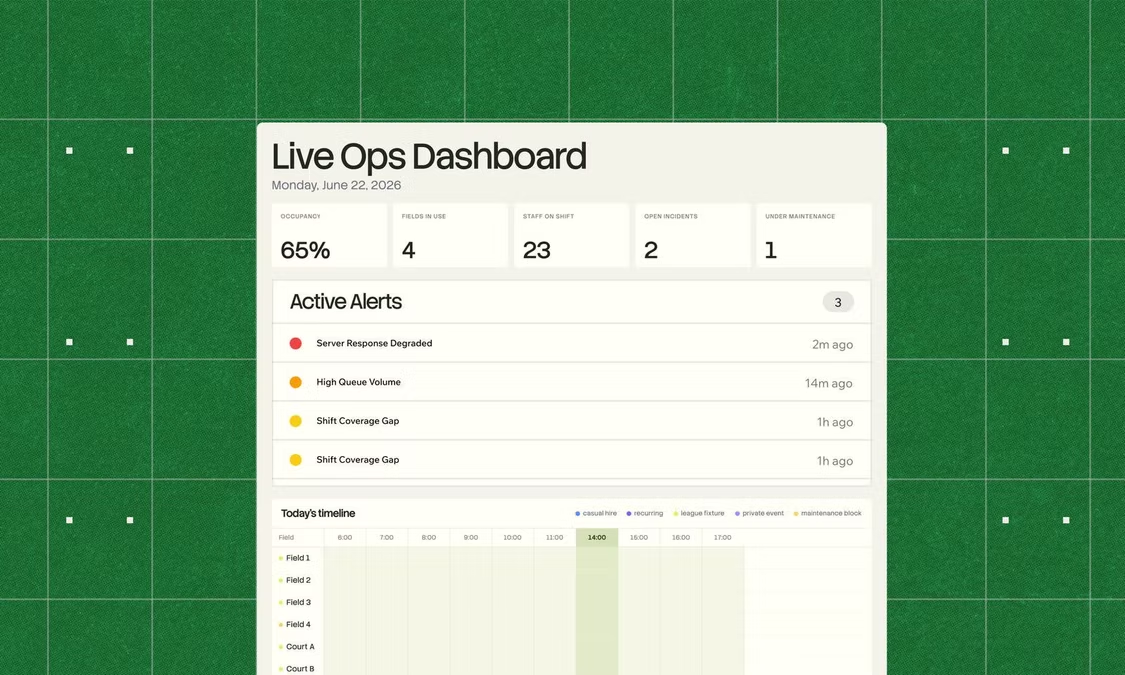
Operations apps take many forms depending on the team and problem they solve. An inventory management app might let warehouse staff scan items in, trigger low-stock alerts automatically and give managers a live dashboard of stock levels across locations. If that live view is the main thing you need, here's how to make a dashboard app.
A compliance case tracker might move an incident from Reported through Assigned, Under Investigation, Resolved and Closed, with mandatory sign-offs at each stage and a full audit trail for regulators.
A shift scheduling app might let supervisors allocate workers to tasks based on availability, send automated notifications to team members and flag gaps when coverage falls below a threshold.
What these all share is the same underlying structure: structured data input, clear workflow steps, role-based visibility and automated notifications. Base44 lets you build any of these from a plain-language description, without having to hire a developer or configure a complex backend.
Base44 is a platform that closes the gap between imagination and execution by turning rough conversational prompts into structured fully functional products.
03. Map features and operations workflows
Mapping features is critical in operations app development because operational work relies heavily on repeatable, structured processes. Start by outlining your essential features. These may include:
- Task assignment and tracking
- Approval flows and escalation rules
- Inventory or asset management
- Digital forms for inspections or checklists
- Scheduling and shift planning
- Automated notifications and reminders
- Dashboard reporting and KPIs
- Integrations with HR, ERP, or project tools
- Document storage for SOPs and compliance
Next, design workflow diagrams that mirror how operations staff complete tasks. For example:
- How a request moves from submission → review → assignment → completion
- How inventory is logged, tracked, and restocked
- How technicians receive and submit field reports
- How escalations are triggered when deadlines are missed
Mapping these steps ensures your operations app reduces friction rather than adding complexity. An operations app is suppose to make processes work smoother, not complicate them.
04. Design an intuitive operations UI
Operations teams need fast, error-free interfaces. Designing a clean, intuitive UI is essential for how well your app supports productivity rather than slowing teams down.
We suggest focusing on:
- Clear task lists with priority indicators
- Mobile-first layouts for field teams
- Simple navigation with few nested screens
- Color-coded statuses for easy scanning
- Real-time data visibility through dashboards
- Accessible buttons and forms for fast input
Operational environments are often high-pressure. Your UI should help teams:
- Make decisions quickly
- Identify next actions immediately
- View essential data without hunting for it
Basically when an operations app feels obvious, teams adopt it faster and rely on it more consistently. And that's the ultimate goal with any type of app development.
05. Build your operations app's core features
Start with the essential features your operations app cannot function without. This may include:
- Task workflows
- Assignment tools
- Inventory logs
- Data forms
- Real-time notifications
- User roles and permissions
- Basic reporting dashboards
These features form the operational backbone of your operations app. Launching with a strong MVP with just the core features means your app solves immediate workflow challenges without overwhelming the team.
Expert tip from Ilay Granot, Marketing at Base44:
"The best apps are built with iteration in mind. You don’t need to launch with every feature under the sun. Start small, test with real users and refine based on feedback. Base44 makes it easy to adapt and evolve your app addds you learn."
They can learn how to use it, you can test issues in the UI or functionality and build better without overwhelming yourself or the end users.
Once the essentials are in place, you can layer advanced functionality such as:
- Multi-level approvals
- Automations triggered by status changes
- Predictive analytics
- GPS tracking for field operations
- Integrations with scheduling, HR, or finance systems
- Resource allocation algorithms
06. Test, refine and optimize your operations app
Testing is one of the most important phases of making an operations app because if operations teams rely on accuracy, speed and reliability, you have to make sure your app delivers all of those.
One of the best ways to test a new app is to conduct usability tests with real operators to identify:
- Bottlenecks in workflows
- Confusing navigation
- Issues with mobile responsiveness
- Slow or unresponsive screens
- Steps that cause errors or delays
Once you've put your app through real user testing you might consider:
- Improving the speed of task updates
- Reducing the number of clicks required for common actions
- Simplifying form fields
- Enhancing search and filtering tools
- Strengthening offline functionality for field teams
- Fixing inconsistencies in terminology or labels
When it comes to building an operations app, continuous iteration is crucial as it makes your operations app stable, predictable and efficient—qualities that are critical for daily operations.
Plan for ongoing app maintenance
Operations apps aren't set-and-forget tools. Processes evolve, teams grow and workflows that worked six months ago may need updating as your business changes. Build a light maintenance rhythm into how you manage the app: schedule a regular review every quarter to assess whether current workflows still match how the team operates, gather feedback from daily users rather than just managers and track where the app is being bypassed or worked around (that's usually where the next improvement lives). With Base44, pushing updates is as simple as describing the change you want, no developer required, so keeping your app current doesn't become a project in itself.
Be inspired by other types of app development
- Productivity app development
- Entertainment app development
- CRM app development
- Marketing app development
- Sales app development
- Product management app development
- Educational app development
- Ecommerce app development
- Finance app development
- Artificial Intelligence app development
- Wellness app development
- Recruitment app development
How to build an operations app FAQ
How much does it cost to build an operations app?
Operational app development costs depend on complexity, workflow volume, automations and required integrations. Simple operations apps may cost less than a few hundred dollars to build with a platform like Base44, while large multi-team systems can cost thousands. You can also build an app for free with Base44.
How long does it take to develop an operations app?
A simple operations app can be built in a few weeks or potentially even less. More advanced features—like automation, inventory systems or field service modules—may take several months depending on scope and integrations.