
Learning how to create a business website is one of the most direct ways to turn a company idea into something customers can find and trust. With Base44's website builder, you describe your business in your own words and get a live site back, so you skip design software and code entirely.
If you want the fuller picture of building with AI first, how to vibe code a website walks through the basics of describing what you want and watching it come together. Base44's AI website builder creates responsive websites straight from a text prompt, so the site you get back already fits phones, tablets and desktops without extra work on your end.
This guide covers the seven steps from choosing a domain through going live, plus a few real examples to give you a starting point for your own site.
Turn your idea into an app with Base44
TL;DR: How to create a business website
Building a business website comes down to seven steps: choose a domain, pick your builder, generate or select a design, add your core pages, write your content, optimize for search and test, then go live. What is a website builder covers the basics if you want that context first.
None of these steps require a technical background, and most business owners can get through the first draft of a site in a single afternoon once the domain and builder are settled.
1. Register a domain name that matches your business.
2. Pick an AI website builder platform that fits how hands-on you want to be.
- Generate a site with AI or start from a template.
- Add home, about, services and contact pages.
- Write copy that speaks directly to your customers.
- Check speed, mobile display and search basics.
- Publish and share your new site.
How to create a business website in 7 steps
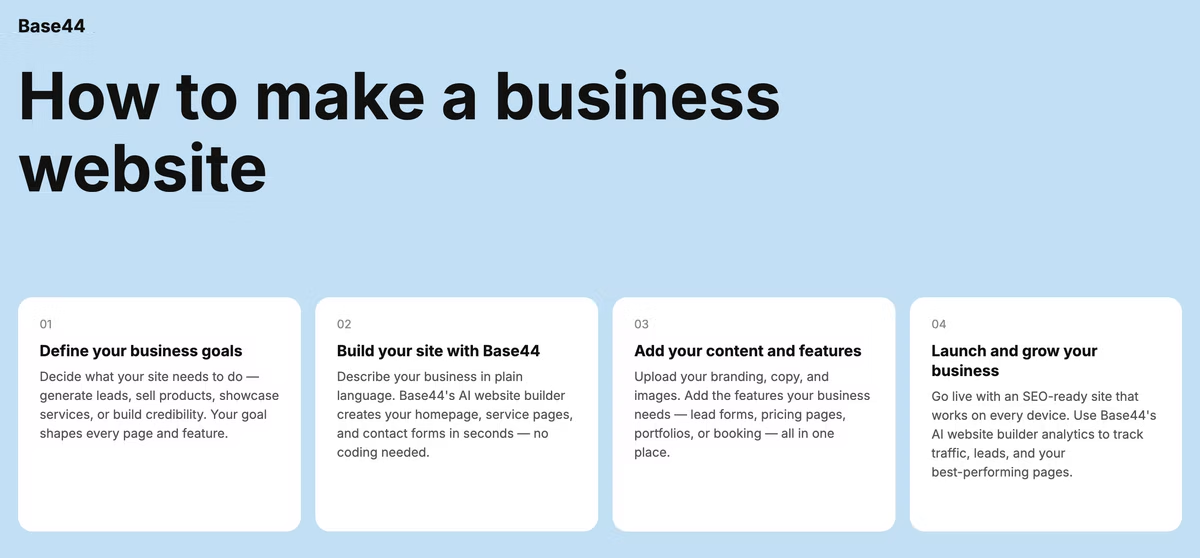
Each step below builds on the last, so work through them in order the first time. Here's the full sequence:
01. Choose a domain name
Your domain is the address customers type to find you, so keep it close to your business name and easy to say out loud. Short beats clever. If your exact name is taken, try a small variation, a relevant keyword or a different extension rather than a string of extra words.
Search for the name before you commit to it. Type it into a browser and check whether another business already ranks for it, then check the domain registrars directly to confirm availability. Many AI website builders let you register a domain in the same flow as setting up your site, which saves a separate step and keeps your billing in one place. Grab matching social handles at the same time so your business name stays consistent everywhere customers look for you.
02. Pick your website builder
The builder you pick shapes how fast you go live and how much control you keep afterward. This best AI website builders guide breaks down what separates a template-based builder from one that generates a full site from your description. For most small businesses, a website builder that handles hosting, security and the technical setup for you gets a real site online faster than piecing together separate tools.
Think about how you want to work before you decide. If you'd rather describe your business and get a working site back, an AI-driven builder saves the most time. If you enjoy dragging elements into place and tweaking every detail by hand, a template-first builder gives you that control. Either way, check that the platform includes a custom domain connection, basic analytics and a contact form out of the box, since those three features cover most of what a small business site needs on day one.
03. Choose a template or generate one with AI
Once your builder is set, decide how the site itself gets built. Base44's AI website builder generates a complete website structure with no design skills needed. You describe your business, your audience and the tone you want, and it builds the layout, sections and navigation around that description. If you'd rather start from a fixed layout and adjust it by hand, most builders also offer a template gallery.
Be specific in what you describe. Instead of "a website for my bakery", try "a warm, homey site for a neighborhood bakery that sells custom cakes and takes online orders for pickup". The more concrete detail you give, the closer the first draft lands to what you actually want, which means fewer rounds of edits before the site feels ready to show customers.
04. Add your core pages
At a minimum, plan for a homepage, an about page, a services or products page and a contact page. The homepage should say what you do and who it's for within the first few seconds. The about page builds trust with real details about your business and the people behind it. Add an FAQ page once you know the questions customers ask most, and a testimonials page as soon as you have a few reviews worth featuring.
Map these pages before you fill in a single word of copy. Sketch a simple site structure on paper or in a doc: which page links to which, and what action you want a visitor to take from each one. A homepage that sends visitors to your services page, and a services page that sends them to your contact form, keeps the whole site moving toward one clear goal instead of leaving people to guess where to click next.
05. Write and add your content
Write for the customer standing in front of your business, not for search engines first. Lead each page with the outcome a visitor gets, then back it up with specifics: what you offer, how it works and what makes you different. Keep paragraphs short and use headings so visitors can scan the page before they commit to reading it in full.
Photos and video carry more weight than most business owners expect. A few real photos of your space, your products or your team read as far more trustworthy than stock imagery, even when the stock photo is technically higher quality. If you're short on visuals, prioritize the homepage and about page first since those get the most traffic, then add to the rest of the site over time.
06. Optimize for SEO and test your site
Give every page a clear title and description, and use your target keywords naturally in headings and body text rather than stuffing them in. This mistakes to avoid when using an AI website builder covers the setup issues that quietly hurt visibility, from missing meta descriptions to slow-loading images. Before you go live, preview the site on a phone, click every link and submit the contact form yourself to confirm it actually reaches you.
Ask someone outside your business to try the site cold, with no explanation from you first. Watch where they hesitate or click the wrong thing. That single test surfaces more real usability problems than hours of staring at your own design, because you already know how the site is supposed to work and a first-time visitor doesn't.
07. Go live and promote your site
Publish once the core pages are ready. A perfect site can wait, a live one that keeps improving can't. Share the link on your social channels, add it to your email signature and business cards, and claim your business profile on Google so local searches lead straight to your new site.
Keep a short list of updates for the weeks right after launch: a blog post answering a common customer question, a testimonials page once reviews start coming in, or a seasonal update to your homepage. Businesses that treat their site as a living asset rather than a one-time project tend to see steadier traffic growth than those that publish once and leave it untouched for a year.
Base44 business website examples
Seeing what other businesses have built is often the fastest way to picture your own site. Here are a few common setups builders create with Base44.
Local service business site
A plumber, electrician or cleaning company typically needs a homepage that states the service area up front, a services page with pricing ranges and a booking form connected to email or SMS. Base44's AI website builder lets you customize colors, fonts and spacing in real time, so the site can match a logo or brand kit you already have.
Learn more about how to make a roofing website.
For businesses that rely on repeat local customers, a map showing your service area and a short list of the neighborhoods or towns you cover goes a long way toward building trust before someone even picks up the phone.
Learn more about how to build a real estate website.
Consulting or agency site
Consultants and agencies lean on case studies and a clear services breakdown to show expertise. A simple structure works best here: a homepage that states who you help, a services page broken into offerings and a contact page built around booking a call rather than a generic inquiry form.
Learn more about how to build a law firm website.
One or two detailed case studies, with a real client outcome and a specific number attached, do more for credibility on this kind of site than a long list of vague service bullets.
Small e-commerce storefront
If your business sells physical or digital products, you'll need product pages, a working cart and checkout flow and clear shipping or delivery details. This guide on how to make an ecommerce website with AI goes deeper on setting up product listings, payments and inventory if a store is part of your plan.
Learn more about how to build a restaurant website.
Freelancer or solo consultant site
A solo business often needs less structure and more proof: a homepage that introduces you directly, a portfolio or work samples section and a contact page that makes it easy to start a conversation. Keep the design close to your personal brand since you, not a company name, are what customers are choosing.
Learn more about how to make a travel agency website.
A short personal note on the about page, in your own voice, tends to convert better here than a formal company bio, since visitors are essentially deciding whether they want to work with you specifically.
Learn more about how to make a community website.
Frequently asked questions about making a business website
How much does it cost to create a business website?
Learn more about how to build a recruitment website.
Costs vary widely depending on the builder, domain and any add-ons like custom email or e-commerce features. A domain name and a builder plan are usually the two fixed costs, and most small business sites can go live without hiring a developer at all. Custom code, a paid photographer or a copywriter add to the total, but none of those are required to publish a working site.
Do I need coding skills to make a business website?
Coding skills are optional. Builders that generate a site from a plain-language description, or offer a drag-and-drop editor, cover everything most business owners need without touching code. Custom code only becomes useful once you need a feature that falls outside what your builder offers natively.
Learn more about how to build a therapist website.
What pages should a business website have?
Plan for a homepage, an about page, a services or products page and a contact page as your baseline. An FAQ page and a testimonials page are strong additions once you have the content to fill them, and a blog is worth adding later once you're ready to publish regularly rather than as a launch-day requirement.
How long does it take to build a business website?
Timelines depend on how much content you already have ready and how custom you want the design to be. How long does it take to build a website with AI breaks down realistic timeframes for different levels of complexity, from a same-day basic site to a multi-week custom build. Having your logo, photos and page copy ready before you start is usually what separates a quick launch from a stalled one.